
Calibration Scheduling Software: Automate Your Reminders
Calibration Scheduling Software: Automate Your Reminders
David Bentley
Quality Assurance Engineer
8 min read
Calibration Scheduling Software: Automate Your Reminders
Managing calibration schedules manually is a recipe for disaster. Quality managers across manufacturing facilities, testing labs, and production environments know the stress of tracking dozens—or hundreds—of instruments with different calibration intervals. Whether you're managing Mitutoyo micrometers with 12-month cycles, pressure transducers requiring quarterly verification, or torque wrenches due every six months, calibration scheduling software transforms chaos into organized, automated efficiency.
Modern calibration scheduling software eliminates the guesswork, late-night panic, and compliance risks that come with spreadsheet-based tracking. Instead of manually calculating due dates and hoping someone remembers to check the list, automated systems ensure your critical measurement equipment stays compliant and your quality system runs smoothly.
The Hidden Costs of Manual Calibration Scheduling
Before diving into how automated calibration scheduling software works, let's examine what happens when organizations rely on manual processes—or worse, no formal scheduling system at all.
Missed Calibrations and Compliance Failures
Picture this scenario: Your facility uses a Fluke 8845A digital multimeter for electrical testing, with a required 12-month calibration interval. The last calibration was performed in March 2023, making it due in March 2024. Without automated reminders, this critical instrument could easily be used well into April or May before someone notices the overdue status during an audit preparation.
The consequences cascade quickly:
All measurements taken with the overdue instrument become questionable
Product releases may need to be halted pending re-verification
Customer shipments could face delays
Audit findings and potential certificate suspensions
Emergency calibration services at premium pricing
ISO 9001 auditors specifically look for evidence of calibration interval compliance, and a pattern of overdue instruments signals systemic control failures that can result in major nonconformities.
Administrative Overhead and Human Error
Manual scheduling systems consume enormous amounts of administrative time. Quality technicians spend hours each week:
Updating spreadsheets with new due dates
Cross-referencing calibration certificates against equipment lists
Manually calculating next due dates based on interval requirements
Sending individual emails or reminders to equipment owners
Tracking down overdue items across multiple departments
Human error creeps in at every step. A mistyped date, forgotten email, or miscalculated interval can derail the entire system. One quality manager at a medical device manufacturer told us they discovered 23 overdue gages during an FDA inspection—all due to a spreadsheet formula error that had been calculating intervals incorrectly for months.
How Calibration Scheduling Software Automates Your Workflow
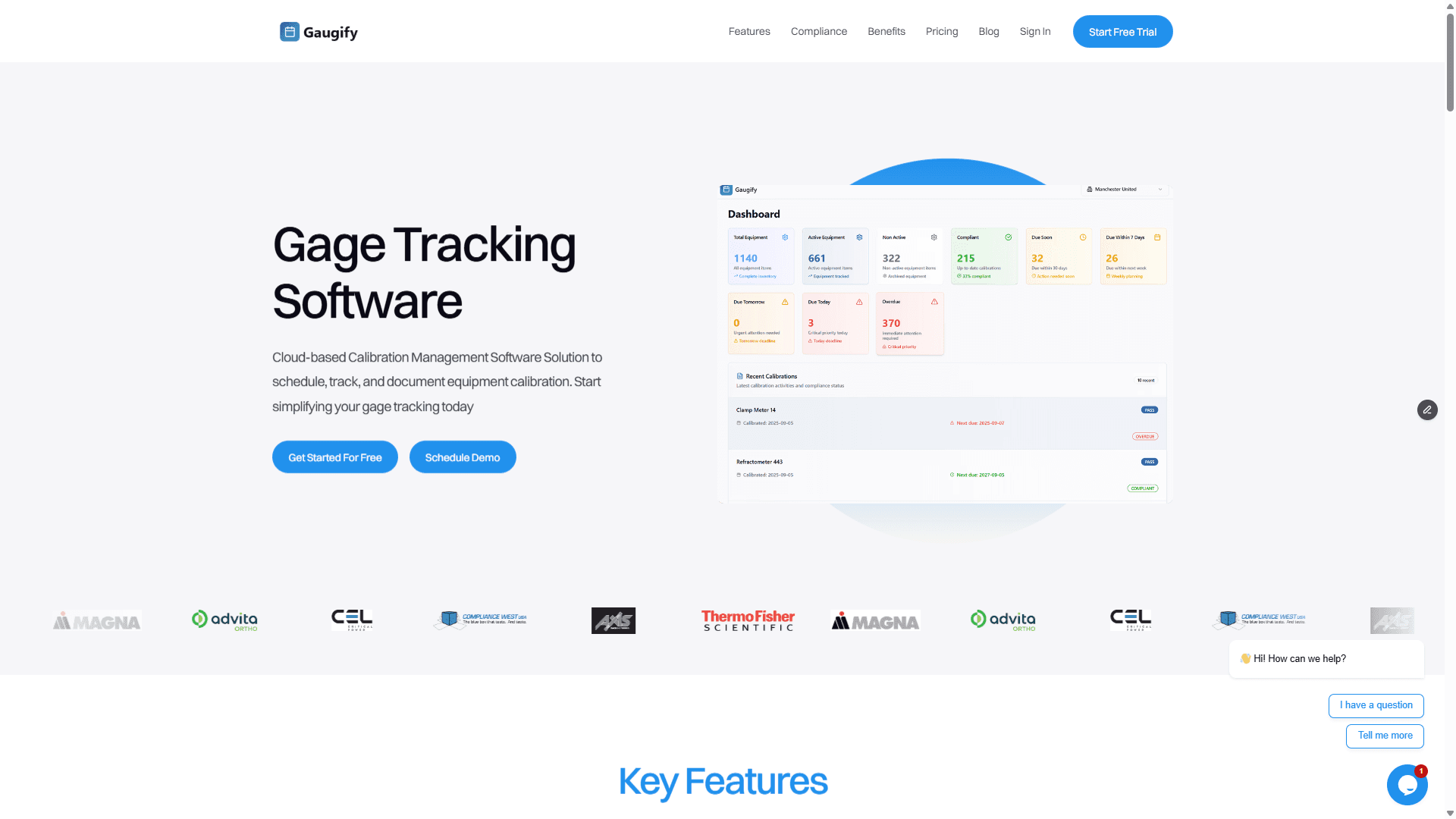
Effective calibration scheduling software transforms the entire process from reactive firefighting to proactive management. Here's how the automation works in practice, using Gaugify's system as an example.
Intelligent Due Date Calculation
When you enter an instrument into the system—say, a Starrett micrometer with a 12-month calibration interval—the software automatically calculates the next due date based on the last calibration date. But sophisticated systems go beyond simple addition:
Tolerance stackup consideration: Critical gages might get 11-month reminders for 12-month intervals to ensure availability for scheduling
Business calendar integration: Due dates avoid weekends, holidays, and planned shutdowns
Workload balancing: Systems can suggest slight adjustments to spread calibration workload evenly across months
Risk-based intervals: More critical equipment gets shorter intervals automatically
For example, if you have a coordinate measuring machine (CMM) that's critical for final product verification, the software might automatically assign a 10-month interval instead of the standard 12 months, ensuring tighter control on your most important measurements.
Multi-Level Automated Reminders
Professional calibration scheduling software sends cascading reminders at predetermined intervals. A typical sequence might look like:
90 days before due date: Initial planning reminder to lab manager
30 days before: Formal reminder with scheduling instructions
14 days before: Urgent reminder copying department supervisor
7 days before: Final warning with escalation to quality manager
Day of due date: Immediate action required notification
1 day overdue: Equipment restriction reminder
Each reminder includes essential details: instrument description, location, current calibration status, preferred calibration provider, and estimated cost. This eliminates the back-and-forth emails asking "which torque wrench needs calibration?"
Ready to eliminate manual scheduling headaches? Start your free trial and experience automated calibration reminders in less than 10 minutes.
Dynamic Interval Adjustment
Advanced systems learn from your calibration history and suggest interval optimizations. If your Mitutoyo height gage consistently passes calibration with minimal drift over 12 months, the software might suggest extending to 15 months. Conversely, if pressure gages in a harsh environment frequently require adjustment, the system can recommend shorter intervals.
This data-driven approach balances compliance risk with calibration costs, potentially saving thousands annually while maintaining measurement confidence.
The ROI of Automated Calibration Scheduling
Organizations implementing calibration scheduling software typically see immediate returns across multiple areas:
Reduced Administrative Labor
A typical facility with 200 instruments might spend 10-15 hours weekly on manual scheduling tasks. At $25/hour loaded labor cost, that's $13,000-19,500 annually just in administrative overhead. Automated systems reduce this to 2-3 hours weekly for oversight and exception handling, saving $10,000+ per year.
Eliminated Rush Charges and Emergency Services
Emergency calibration services cost 50-100% more than planned calibrations. A precision torque analyzer that normally costs $350 to calibrate might cost $700+ for emergency service. With 200 instruments and even a 10% emergency rate, you're looking at $3,500 in unnecessary premium charges annually.
Improved Equipment Utilization
Automated scheduling allows for better planning around production schedules. Instead of discovering overdue equipment during critical production runs, planned calibrations occur during maintenance windows or slower periods, minimizing production disruption.
Audit Preparation Time Reduction
Quality managers report 70-80% reduction in audit preparation time when using automated calibration scheduling software. Instead of manually reviewing hundreds of certificates and calculating compliance status, the system generates instant reports showing current status, upcoming due dates, and compliance percentages.
Supporting Regulatory Compliance Through Automated Scheduling
Different industries face varying calibration scheduling requirements, but automated systems help meet all major standards:
ISO 9001 Quality Management
ISO 9001 clause 7.1.5 requires organizations to ensure measurement equipment is calibrated at specified intervals. Calibration scheduling software provides the documented processes and records auditors expect:
Defined calibration intervals based on equipment type and usage
Systematic reminder processes ensuring timely calibration
Complete audit trails showing when reminders were sent and actions taken
Statistical analysis of interval effectiveness
ISO 17025 Laboratory Accreditation
Testing laboratories face stricter requirements under ISO 17025, including statistical validation of calibration intervals and detailed uncertainty analysis. Advanced calibration scheduling software supports these requirements by:
Tracking measurement uncertainty contributions over time
Flagging instruments approaching uncertainty limits
Maintaining detailed histories for interval validation studies
Integrating with LIMS systems for seamless data flow
FDA Medical Device Requirements
Medical device manufacturers under FDA oversight need robust calibration programs that demonstrate consistent measurement capability. Automated scheduling helps by:
Ensuring no interruption in critical measurement capabilities
Maintaining detailed electronic records required by 21 CFR Part 11
Providing instant access to calibration status during FDA inspections
Supporting risk-based calibration interval decisions
Calibration Scheduling Software vs. Manual Methods
Let's compare how different approaches handle a real-world scenario: managing calibration schedules for a 150-instrument facility.
Spreadsheet-Based Tracking
Process: Master spreadsheet with instrument list, last calibration dates, intervals, and calculated due dates. Weekly manual review and email reminders.
Limitations:
No automatic reminders—requires someone to check regularly
Formula errors can affect multiple instruments
No integration with calibration certificates or results
Difficult to track reminder history or follow-up actions
Limited reporting capabilities for management or auditors
Version control issues when multiple people update the file
Hidden costs: High administrative time, frequent human errors, difficult audit preparation, no trend analysis capability.
Basic Calendar Systems
Process: Calendar entries for each due date with manual updating after calibrations.
Limitations:
No connection between calendar entries and actual equipment records
Manual updating required after each calibration
No automatic recalculation of due dates
Limited reminder customization
No reporting or compliance tracking
Enterprise ERP Systems
Process: Calibration scheduling as part of broader maintenance management system.
Limitations:
Often complex to configure and maintain
Generic functionality not optimized for calibration workflows
Expensive licensing and implementation costs
Limited calibration-specific features like uncertainty tracking
Difficult integration with calibration service providers
Dedicated Calibration Scheduling Software
Process: Purpose-built system handling all aspects of calibration management with automated scheduling as core functionality.
Advantages:
Fully automated reminder systems with customizable escalation
Integration with calibration certificates and measurement results
Risk-based interval optimization and recommendations
Comprehensive compliance reporting for multiple standards
Mobile access for field technicians and equipment owners
Cost tracking and vendor management integration
The dedicated approach typically provides the best balance of functionality, ease of use, and total cost of ownership for organizations where calibration management is a significant operational requirement.
Key Features to Look for in Calibration Scheduling Software
When evaluating calibration scheduling software options, prioritize these essential capabilities:
Flexible Reminder Configuration
Look for systems that allow customization of reminder timing, recipients, and content. Different instrument types may need different lead times—a simple gage might need 30-day notice, while a complex CMM might require 90 days for vendor scheduling.
Integration Capabilities
The best systems integrate with your existing tools:
Email systems for seamless reminder delivery
Calendar applications for personal schedule management
ERP systems for cost center and approval workflows
Document management for automatic certificate storage
Mobile devices for field access and updates
Reporting and Analytics
Comprehensive reporting capabilities should include:
Upcoming due date reports with customizable timeframes
Compliance percentage tracking over time
Cost analysis by department, instrument type, or vendor
Interval effectiveness analysis for optimization opportunities
Audit-ready compliance reports
User Permission Management
Different users need different levels of access. Equipment operators might only need to view due dates, while quality managers need full administrative control. Look for granular permission systems that match your organizational structure.
Implementation Best Practices for Calibration Scheduling Software
Successful implementation requires more than just software installation. Consider these proven practices:
Start with Data Cleanup
Before migrating to automated scheduling, audit your current instrument database. Remove retired equipment, verify current locations, and confirm calibration intervals. This cleanup prevents carrying forward years of accumulated errors.
Configure Realistic Lead Times
Set reminder lead times based on actual scheduling realities. If your preferred calibration lab typically needs 3-4 weeks for scheduling, configure reminders accordingly. Too-short lead times create stress; too-long reminders get ignored.
Train Multiple Users
Avoid creating single points of failure by training multiple team members on system administration. Cross-training ensures continuity during vacations, sick leave, or staff turnover.
Monitor and Adjust
After implementation, monitor system performance and user feedback. Are reminders being ignored? Adjust timing or content. Are intervals proving too conservative or aggressive? Use the system's analytical capabilities to optimize.
Transform Your Calibration Management Today
Manual calibration scheduling represents one of the largest opportunities for efficiency improvement in most quality programs. The combination of reduced administrative burden, eliminated compliance risks, and improved equipment utilization typically delivers ROI within the first year of implementation.
Modern calibration scheduling software like Gaugify transforms calibration management from a constant source of stress into a smooth, automated process that supports your quality objectives rather than hindering them.
Whether you're managing 50 gages in a small shop or 5,000 instruments across multiple facilities, automated scheduling ensures nothing falls through the cracks. Your equipment stays compliant, your auditors stay happy, and your team focuses on value-added quality activities instead of administrative overhead.
Ready to eliminate manual calibration scheduling forever? Start your free trial today and experience the peace of mind that comes with fully automated calibration reminders. Set up your first automated schedule in under 10 minutes, and see how much time you've been wasting on manual processes.
Calibration Scheduling Software: Automate Your Reminders
Managing calibration schedules manually is a recipe for disaster. Quality managers across manufacturing facilities, testing labs, and production environments know the stress of tracking dozens—or hundreds—of instruments with different calibration intervals. Whether you're managing Mitutoyo micrometers with 12-month cycles, pressure transducers requiring quarterly verification, or torque wrenches due every six months, calibration scheduling software transforms chaos into organized, automated efficiency.
Modern calibration scheduling software eliminates the guesswork, late-night panic, and compliance risks that come with spreadsheet-based tracking. Instead of manually calculating due dates and hoping someone remembers to check the list, automated systems ensure your critical measurement equipment stays compliant and your quality system runs smoothly.
The Hidden Costs of Manual Calibration Scheduling
Before diving into how automated calibration scheduling software works, let's examine what happens when organizations rely on manual processes—or worse, no formal scheduling system at all.
Missed Calibrations and Compliance Failures
Picture this scenario: Your facility uses a Fluke 8845A digital multimeter for electrical testing, with a required 12-month calibration interval. The last calibration was performed in March 2023, making it due in March 2024. Without automated reminders, this critical instrument could easily be used well into April or May before someone notices the overdue status during an audit preparation.
The consequences cascade quickly:
All measurements taken with the overdue instrument become questionable
Product releases may need to be halted pending re-verification
Customer shipments could face delays
Audit findings and potential certificate suspensions
Emergency calibration services at premium pricing
ISO 9001 auditors specifically look for evidence of calibration interval compliance, and a pattern of overdue instruments signals systemic control failures that can result in major nonconformities.
Administrative Overhead and Human Error
Manual scheduling systems consume enormous amounts of administrative time. Quality technicians spend hours each week:
Updating spreadsheets with new due dates
Cross-referencing calibration certificates against equipment lists
Manually calculating next due dates based on interval requirements
Sending individual emails or reminders to equipment owners
Tracking down overdue items across multiple departments
Human error creeps in at every step. A mistyped date, forgotten email, or miscalculated interval can derail the entire system. One quality manager at a medical device manufacturer told us they discovered 23 overdue gages during an FDA inspection—all due to a spreadsheet formula error that had been calculating intervals incorrectly for months.
How Calibration Scheduling Software Automates Your Workflow
Effective calibration scheduling software transforms the entire process from reactive firefighting to proactive management. Here's how the automation works in practice, using Gaugify's system as an example.
Intelligent Due Date Calculation
When you enter an instrument into the system—say, a Starrett micrometer with a 12-month calibration interval—the software automatically calculates the next due date based on the last calibration date. But sophisticated systems go beyond simple addition:
Tolerance stackup consideration: Critical gages might get 11-month reminders for 12-month intervals to ensure availability for scheduling
Business calendar integration: Due dates avoid weekends, holidays, and planned shutdowns
Workload balancing: Systems can suggest slight adjustments to spread calibration workload evenly across months
Risk-based intervals: More critical equipment gets shorter intervals automatically
For example, if you have a coordinate measuring machine (CMM) that's critical for final product verification, the software might automatically assign a 10-month interval instead of the standard 12 months, ensuring tighter control on your most important measurements.
Multi-Level Automated Reminders
Professional calibration scheduling software sends cascading reminders at predetermined intervals. A typical sequence might look like:
90 days before due date: Initial planning reminder to lab manager
30 days before: Formal reminder with scheduling instructions
14 days before: Urgent reminder copying department supervisor
7 days before: Final warning with escalation to quality manager
Day of due date: Immediate action required notification
1 day overdue: Equipment restriction reminder
Each reminder includes essential details: instrument description, location, current calibration status, preferred calibration provider, and estimated cost. This eliminates the back-and-forth emails asking "which torque wrench needs calibration?"
Ready to eliminate manual scheduling headaches? Start your free trial and experience automated calibration reminders in less than 10 minutes.
Dynamic Interval Adjustment
Advanced systems learn from your calibration history and suggest interval optimizations. If your Mitutoyo height gage consistently passes calibration with minimal drift over 12 months, the software might suggest extending to 15 months. Conversely, if pressure gages in a harsh environment frequently require adjustment, the system can recommend shorter intervals.
This data-driven approach balances compliance risk with calibration costs, potentially saving thousands annually while maintaining measurement confidence.
The ROI of Automated Calibration Scheduling
Organizations implementing calibration scheduling software typically see immediate returns across multiple areas:
Reduced Administrative Labor
A typical facility with 200 instruments might spend 10-15 hours weekly on manual scheduling tasks. At $25/hour loaded labor cost, that's $13,000-19,500 annually just in administrative overhead. Automated systems reduce this to 2-3 hours weekly for oversight and exception handling, saving $10,000+ per year.
Eliminated Rush Charges and Emergency Services
Emergency calibration services cost 50-100% more than planned calibrations. A precision torque analyzer that normally costs $350 to calibrate might cost $700+ for emergency service. With 200 instruments and even a 10% emergency rate, you're looking at $3,500 in unnecessary premium charges annually.
Improved Equipment Utilization
Automated scheduling allows for better planning around production schedules. Instead of discovering overdue equipment during critical production runs, planned calibrations occur during maintenance windows or slower periods, minimizing production disruption.
Audit Preparation Time Reduction
Quality managers report 70-80% reduction in audit preparation time when using automated calibration scheduling software. Instead of manually reviewing hundreds of certificates and calculating compliance status, the system generates instant reports showing current status, upcoming due dates, and compliance percentages.
Supporting Regulatory Compliance Through Automated Scheduling
Different industries face varying calibration scheduling requirements, but automated systems help meet all major standards:
ISO 9001 Quality Management
ISO 9001 clause 7.1.5 requires organizations to ensure measurement equipment is calibrated at specified intervals. Calibration scheduling software provides the documented processes and records auditors expect:
Defined calibration intervals based on equipment type and usage
Systematic reminder processes ensuring timely calibration
Complete audit trails showing when reminders were sent and actions taken
Statistical analysis of interval effectiveness
ISO 17025 Laboratory Accreditation
Testing laboratories face stricter requirements under ISO 17025, including statistical validation of calibration intervals and detailed uncertainty analysis. Advanced calibration scheduling software supports these requirements by:
Tracking measurement uncertainty contributions over time
Flagging instruments approaching uncertainty limits
Maintaining detailed histories for interval validation studies
Integrating with LIMS systems for seamless data flow
FDA Medical Device Requirements
Medical device manufacturers under FDA oversight need robust calibration programs that demonstrate consistent measurement capability. Automated scheduling helps by:
Ensuring no interruption in critical measurement capabilities
Maintaining detailed electronic records required by 21 CFR Part 11
Providing instant access to calibration status during FDA inspections
Supporting risk-based calibration interval decisions
Calibration Scheduling Software vs. Manual Methods
Let's compare how different approaches handle a real-world scenario: managing calibration schedules for a 150-instrument facility.
Spreadsheet-Based Tracking
Process: Master spreadsheet with instrument list, last calibration dates, intervals, and calculated due dates. Weekly manual review and email reminders.
Limitations:
No automatic reminders—requires someone to check regularly
Formula errors can affect multiple instruments
No integration with calibration certificates or results
Difficult to track reminder history or follow-up actions
Limited reporting capabilities for management or auditors
Version control issues when multiple people update the file
Hidden costs: High administrative time, frequent human errors, difficult audit preparation, no trend analysis capability.
Basic Calendar Systems
Process: Calendar entries for each due date with manual updating after calibrations.
Limitations:
No connection between calendar entries and actual equipment records
Manual updating required after each calibration
No automatic recalculation of due dates
Limited reminder customization
No reporting or compliance tracking
Enterprise ERP Systems
Process: Calibration scheduling as part of broader maintenance management system.
Limitations:
Often complex to configure and maintain
Generic functionality not optimized for calibration workflows
Expensive licensing and implementation costs
Limited calibration-specific features like uncertainty tracking
Difficult integration with calibration service providers
Dedicated Calibration Scheduling Software
Process: Purpose-built system handling all aspects of calibration management with automated scheduling as core functionality.
Advantages:
Fully automated reminder systems with customizable escalation
Integration with calibration certificates and measurement results
Risk-based interval optimization and recommendations
Comprehensive compliance reporting for multiple standards
Mobile access for field technicians and equipment owners
Cost tracking and vendor management integration
The dedicated approach typically provides the best balance of functionality, ease of use, and total cost of ownership for organizations where calibration management is a significant operational requirement.
Key Features to Look for in Calibration Scheduling Software
When evaluating calibration scheduling software options, prioritize these essential capabilities:
Flexible Reminder Configuration
Look for systems that allow customization of reminder timing, recipients, and content. Different instrument types may need different lead times—a simple gage might need 30-day notice, while a complex CMM might require 90 days for vendor scheduling.
Integration Capabilities
The best systems integrate with your existing tools:
Email systems for seamless reminder delivery
Calendar applications for personal schedule management
ERP systems for cost center and approval workflows
Document management for automatic certificate storage
Mobile devices for field access and updates
Reporting and Analytics
Comprehensive reporting capabilities should include:
Upcoming due date reports with customizable timeframes
Compliance percentage tracking over time
Cost analysis by department, instrument type, or vendor
Interval effectiveness analysis for optimization opportunities
Audit-ready compliance reports
User Permission Management
Different users need different levels of access. Equipment operators might only need to view due dates, while quality managers need full administrative control. Look for granular permission systems that match your organizational structure.
Implementation Best Practices for Calibration Scheduling Software
Successful implementation requires more than just software installation. Consider these proven practices:
Start with Data Cleanup
Before migrating to automated scheduling, audit your current instrument database. Remove retired equipment, verify current locations, and confirm calibration intervals. This cleanup prevents carrying forward years of accumulated errors.
Configure Realistic Lead Times
Set reminder lead times based on actual scheduling realities. If your preferred calibration lab typically needs 3-4 weeks for scheduling, configure reminders accordingly. Too-short lead times create stress; too-long reminders get ignored.
Train Multiple Users
Avoid creating single points of failure by training multiple team members on system administration. Cross-training ensures continuity during vacations, sick leave, or staff turnover.
Monitor and Adjust
After implementation, monitor system performance and user feedback. Are reminders being ignored? Adjust timing or content. Are intervals proving too conservative or aggressive? Use the system's analytical capabilities to optimize.
Transform Your Calibration Management Today
Manual calibration scheduling represents one of the largest opportunities for efficiency improvement in most quality programs. The combination of reduced administrative burden, eliminated compliance risks, and improved equipment utilization typically delivers ROI within the first year of implementation.
Modern calibration scheduling software like Gaugify transforms calibration management from a constant source of stress into a smooth, automated process that supports your quality objectives rather than hindering them.
Whether you're managing 50 gages in a small shop or 5,000 instruments across multiple facilities, automated scheduling ensures nothing falls through the cracks. Your equipment stays compliant, your auditors stay happy, and your team focuses on value-added quality activities instead of administrative overhead.
Ready to eliminate manual calibration scheduling forever? Start your free trial today and experience the peace of mind that comes with fully automated calibration reminders. Set up your first automated schedule in under 10 minutes, and see how much time you've been wasting on manual processes.