
How to Create a Calibration Master Equipment List
How to Create a Calibration Master Equipment List
David Bentley
Quality Assurance Engineer
12 min read
How to Create a Calibration Master Equipment List
A well-organized calibration master equipment list is the backbone of any successful measurement quality system. Without it, you're flying blind—missing calibration due dates, failing audits, and potentially shipping out-of-spec products. I've seen too many quality managers scramble during ISO 9001 surveillance audits because they couldn't produce a complete, accurate list of their measurement equipment.
Your calibration master equipment list isn't just a compliance checkbox—it's your operational roadmap for maintaining measurement integrity across your entire facility. Whether you're managing 50 micrometers in a machine shop or 500+ instruments across multiple lab environments, this comprehensive guide will walk you through creating a robust master list that keeps your quality system running smoothly.
Why Your Calibration Master Equipment List Makes or Breaks Your Quality System
I've witnessed the chaos that unfolds when organizations neglect their master equipment lists. During a recent AS9100 audit at an aerospace manufacturer, the auditor requested calibration records for three Mitutoyo digital calipers found on the shop floor. The quality manager couldn't locate them in their system—turns out these $300 instruments had been purchased six months earlier but never added to the calibration program.
The consequences were immediate: a major nonconformance, a costly corrective action process, and worst of all, six months of measurements with potentially out-of-calibration tools. This scenario plays out more often than you'd think.
Here's what typically goes wrong without a proper calibration master equipment list:
Missed calibration intervals: Equipment falls through the cracks, leading to expired instruments still in use
Audit failures: Inability to demonstrate control over measurement equipment during ISO 9001, ISO 13485, or AS9100 audits
Compliance violations: FDA, FAA, or other regulatory bodies may issue citations for inadequate measurement control
Product quality risks: Out-of-spec parts shipped to customers due to inaccurate measurements
Cost inefficiencies: Over-calibrating some equipment while neglecting others, wasting both time and budget
A comprehensive master list eliminates these risks by providing complete visibility into your measurement equipment population and their calibration status.
Prerequisites: What You Need Before Building Your Calibration Master Equipment List
Before diving into list creation, gather these essential elements. Attempting to build your master list without proper groundwork leads to incomplete data and requires costly rework later.
Physical Equipment Inventory
Conduct a thorough walk-through of your facility. Don't just hit the obvious spots like the QC lab—measurement equipment hides in production areas, receiving docks, maintenance shops, and even office spaces. I've found precision scales in shipping departments and digital thermometers in break room refrigerators that required calibration control.
Look for these commonly overlooked items:
Handheld digital multimeters in electrical maintenance areas
Torque wrenches in assembly stations
Pressure gauges on pneumatic systems
Temperature monitoring devices in environmental chambers
Dimensional gages used for incoming inspection
Equipment Documentation
Collect manufacturer specifications, previous calibration certificates, and user manuals for each instrument. This information determines calibration intervals, required accuracy tolerances, and appropriate calibration procedures. For example, a Fluke 87V multimeter requires different calibration points than a basic Harbor Freight unit, even though both measure voltage.
Regulatory and Standard Requirements
Review applicable standards that govern your calibration program. ISO 10012, ANSI/NCSL Z540.3, and industry-specific requirements like FDA 21 CFR Part 820 for medical devices all specify different approaches to equipment control. Understanding these requirements upfront prevents compliance gaps in your master list.
Step-by-Step Guide to Creating Your Calibration Master Equipment List
Step 1: Establish Equipment Identification System
Create a unique identifier for each instrument. Many organizations use location-based prefixes followed by sequential numbers. For example:
QC-001 through QC-099 for quality control lab equipment
PROD-001 through PROD-199 for production floor instruments
MAINT-001 through MAINT-050 for maintenance department tools
Apply permanent asset tags with these identifiers. I recommend metallic tags with adhesive backing for most instruments, or engraved metal plates for harsh environments. Avoid paper labels—they disappear within months.
Step 2: Define Critical Equipment Data Fields
Your calibration master equipment list requires specific data fields to function effectively. Based on ISO 10012 requirements and practical operational needs, include these mandatory fields:
Equipment ID: Unique identifier from Step 1
Description: Specific instrument type (e.g., "Digital Caliper, 6-inch range" not just "Caliper")
Manufacturer: Brand name (Mitutoyo, Fluke, Starrett, etc.)
Model Number: Exact model designation for calibration procedure selection
Serial Number: Manufacturer's unique identifier
Location: Specific department or area where equipment is used
Range/Capacity: Full measurement span (e.g., 0-6 inches, 0-600 VAC)
Resolution: Smallest displayable increment (0.0005" for precision micrometers)
Accuracy Requirement: Tolerance specification based on application needs
Calibration Interval: Time between calibrations (6 months, 12 months, etc.)
Last Calibration Date: Most recent calibration completion date
Next Due Date: When calibration expires
Calibration Procedure: Document reference for calibration method
Service Provider: Internal lab or external calibration vendor
Step 3: Determine Calibration Requirements for Each Instrument
Not all measurement equipment requires the same level of calibration control. Apply a risk-based approach to categorize your equipment:
Category A - Critical Instruments: Direct impact on product acceptance/rejection decisions. Examples include:
Coordinate measuring machines (CMMs) used for final inspection
Digital calipers measuring critical dimensions with ±0.001" tolerances
Torque wrenches for safety-critical fasteners
Calibration interval: 6-12 months with strict tolerance requirements
Category B - Important Instruments: Support quality decisions but with less direct impact:
Height gages for setup and verification
Digital multimeters for electrical testing
Pressure gauges for process monitoring
Calibration interval: 12-24 months with standard tolerances
Category C - Reference/Indicator Instruments: Provide general guidance without affecting accept/reject decisions:
Analog rulers for rough measurements
Basic thermometers for environmental monitoring
Simple go/no-go gages with wide tolerances
Calibration interval: 24-36 months or verification checks only
Step 4: Establish Calibration Intervals
Base initial intervals on manufacturer recommendations, then adjust based on historical performance data. For new equipment without usage history, apply these industry-standard starting points:
Precision dimensional equipment (micrometers, calipers): 12 months
Electronic test equipment (multimeters, oscilloscopes): 12 months
Pressure and temperature instruments: 12 months
Torque tools: 6-12 months depending on usage frequency
Reference standards: 12-24 months based on stability requirements
Document the rationale for each interval assignment. Auditors frequently question calibration frequency decisions, and you'll need objective justification.
Step 5: Create Equipment Location Mapping
Establish clear location designations that enable quick equipment retrieval. Use consistent naming conventions like:
Building-Floor-Department-Area format
B1-2F-QC-CMM Room for a coordinate measuring machine
B2-1F-PROD-Line 3 for production line instruments
Consider implementing checkout procedures for portable equipment. A Starrett micrometer might be assigned to QC-Lab but could be temporarily used in Production Area 2. Your system needs to track these movements to prevent equipment from disappearing.
Looking to streamline this entire process? Start your free Gaugify trial and see how modern calibration management software eliminates the manual spreadsheet juggling while ensuring nothing falls through the cracks.
Best Practices from Experienced Calibration Professionals
After managing calibration programs across automotive, aerospace, and medical device industries, I've learned these practical techniques that separate world-class programs from mediocre ones:
Implement Equipment Ownership Assignment
Assign a primary custodian to each piece of equipment. This person becomes responsible for ensuring proper handling, reporting damage, and coordinating calibration activities. Without clear ownership, expensive instruments get abused or neglected.
I've seen $15,000 CMM probes damaged because multiple operators used the equipment without anyone taking responsibility for its care. Clear ownership prevents this.
Build in Calibration Lead Times
Don't schedule calibrations for the exact due date. Build in 2-4 week lead times to account for scheduling delays, equipment repair needs, or vendor capacity constraints. Advanced calibration management systems automatically generate work orders with appropriate lead times, preventing last-minute scrambles.
Create Equipment Groupings
Group similar instruments to streamline calibration scheduling. For example, calibrate all Mitutoyo digital calipers during the same vendor visit, or schedule all temperature instruments during the quarterly HVAC maintenance window. This approach reduces costs and minimizes production disruptions.
Document Equipment History
Track calibration results over time to identify trending issues. A digital caliper that consistently drifts beyond tolerance after 8 months might need a 6-month interval instead of 12 months. Conversely, highly stable instruments might justify extended intervals, reducing program costs.
Establish Calibration Status Identification
Implement a visual system to identify calibration status at a glance:
Green stickers: In calibration and available for use
Yellow stickers: Due for calibration within 30 days
Red stickers: Out of calibration—DO NOT USE
Blue stickers: Reference only—no calibration required
Include next due dates on the stickers so operators can make informed decisions about equipment usage.
Common Mistakes That Destroy Calibration Master Equipment Lists
Learn from these expensive mistakes I've observed across hundreds of calibration programs:
Mistake #1: Including Non-Calibratable Items
Not every measuring device requires calibration. Steel rulers, basic go/no-go gages, and visual inspection tools often function as references only. Including these items creates unnecessary administrative burden and audit confusion.
Establish clear criteria for what constitutes calibratable equipment. Generally, if the instrument directly influences accept/reject decisions and has adjustable components or electronic displays, it needs calibration control.
Mistake #2: Inadequate New Equipment Procedures
Most programs fail when purchasing departments buy measurement equipment without notifying quality management. That $200 digital caliper from Amazon might seem insignificant, but it can cause major audit findings if not properly controlled.
Implement purchasing controls that flag all measurement equipment acquisitions. Require quality department approval before purchase orders get processed.
Mistake #3: Ignoring Equipment Retirement
Broken or obsolete equipment often remains on calibration master equipment lists for years, wasting calibration budget on unusable instruments. Establish formal retirement procedures that remove equipment from active calibration schedules while maintaining historical records for traceability.
Mistake #4: Inconsistent Data Updates
Manual spreadsheet-based systems inevitably become outdated because multiple people make changes without coordination. I've seen calibration lists with conflicting due dates, missing serial numbers, and duplicate entries that rendered the entire system unreliable.
Mistake #5: Overlooking Mobile Equipment
Portable instruments like torque wrenches, digital multimeters, and handheld gages frequently move between departments. Without proper tracking, these expensive tools disappear or get used beyond their calibration due dates.
How Modern Calibration Management Software Transforms Your Master Equipment List
Traditional spreadsheet-based master equipment lists create more problems than they solve. Manual data entry errors, version control nightmares, and inability to generate automated alerts plague even the most well-intentioned programs.
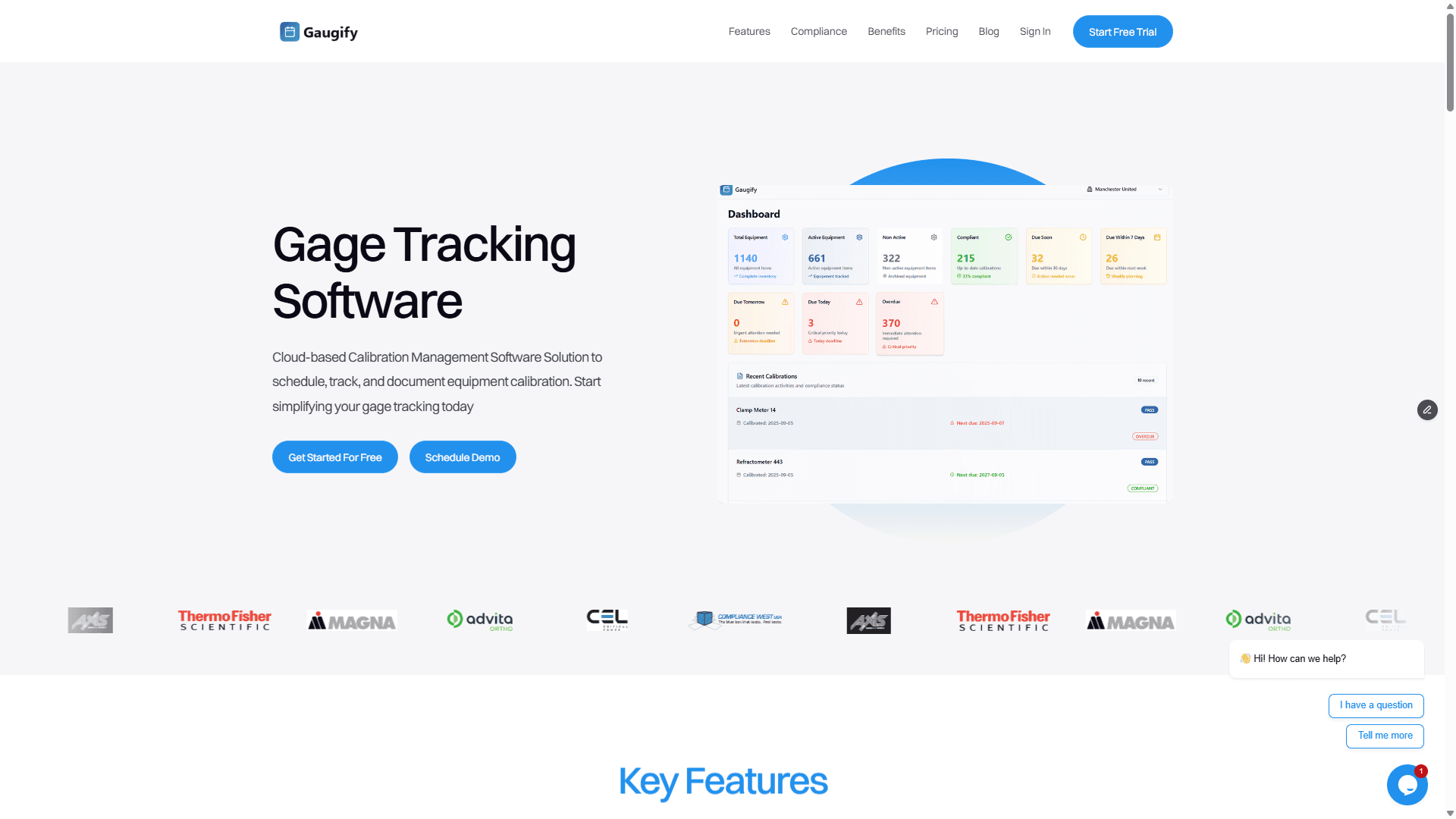
Modern cloud-based calibration management platforms like Gaugify eliminate these traditional pain points by providing:
Automated Due Date Tracking
The system automatically calculates next calibration due dates based on your configured intervals. No more Excel formula errors or forgotten updates. Stakeholders receive automated email alerts 30, 14, and 7 days before calibrations expire, ensuring nothing falls through the cracks.
Integrated Equipment Database
Store all equipment information in a centralized, searchable database. Upload calibration certificates, photos, user manuals, and maintenance records directly to each equipment record. This eliminates the filing cabinet hunt when auditors request documentation.
Mobile Access and Barcode Scanning
Field technicians can scan equipment barcodes with smartphones to instantly access calibration history, procedures, and due dates. No more walking back to the office computer to check calibration status—everything's available at point of use.
Compliance Reporting
Generate audit-ready reports in seconds. Compliance dashboards show overdue equipment, upcoming calibrations, and certificate status across your entire facility. During audit preparation, you'll have complete confidence in your calibration status.
Equipment History Trending
Track calibration results over time to optimize intervals and identify problematic instruments. Statistical analysis helps justify interval extensions for stable equipment or reductions for drift-prone instruments, optimizing your calibration budget.
Multi-Location Management
For organizations with multiple facilities, cloud-based systems provide centralized visibility while maintaining location-specific workflows. Corporate quality managers can monitor compliance across all sites from a single dashboard.
Implementation Timeline and Next Steps
Building a comprehensive calibration master equipment list typically requires 4-8 weeks for most organizations, depending on facility size and equipment population. Follow this implementation timeline:
Weeks 1-2: Physical equipment survey and data collection
Weeks 3-4: Data entry and system setup
Weeks 5-6: Procedure development and staff training
Weeks 7-8: System testing and refinement
Don't attempt to create the perfect system immediately. Start with basic functionality and continuously improve based on user feedback and operational experience.
Ready to Modernize Your Calibration Master Equipment List?
Creating and maintaining an effective calibration master equipment list doesn't have to consume weeks of manual effort. Modern calibration management software automates the tedious administrative tasks while providing the visibility and control your quality system demands.
Start your free 14-day Gaugify trial today and experience how proper calibration management software transforms your equipment tracking from a compliance burden into a competitive advantage. Import your existing equipment data, set up automated alerts, and gain complete visibility into your calibration program—all without spreadsheet headaches or version control nightmares.
Your quality system deserves better than manual spreadsheets and sticky note reminders. Schedule a personalized demo to see how leading manufacturers are modernizing their calibration programs with cloud-based solutions that scale with their business growth.
How to Create a Calibration Master Equipment List
A well-organized calibration master equipment list is the backbone of any successful measurement quality system. Without it, you're flying blind—missing calibration due dates, failing audits, and potentially shipping out-of-spec products. I've seen too many quality managers scramble during ISO 9001 surveillance audits because they couldn't produce a complete, accurate list of their measurement equipment.
Your calibration master equipment list isn't just a compliance checkbox—it's your operational roadmap for maintaining measurement integrity across your entire facility. Whether you're managing 50 micrometers in a machine shop or 500+ instruments across multiple lab environments, this comprehensive guide will walk you through creating a robust master list that keeps your quality system running smoothly.
Why Your Calibration Master Equipment List Makes or Breaks Your Quality System
I've witnessed the chaos that unfolds when organizations neglect their master equipment lists. During a recent AS9100 audit at an aerospace manufacturer, the auditor requested calibration records for three Mitutoyo digital calipers found on the shop floor. The quality manager couldn't locate them in their system—turns out these $300 instruments had been purchased six months earlier but never added to the calibration program.
The consequences were immediate: a major nonconformance, a costly corrective action process, and worst of all, six months of measurements with potentially out-of-calibration tools. This scenario plays out more often than you'd think.
Here's what typically goes wrong without a proper calibration master equipment list:
Missed calibration intervals: Equipment falls through the cracks, leading to expired instruments still in use
Audit failures: Inability to demonstrate control over measurement equipment during ISO 9001, ISO 13485, or AS9100 audits
Compliance violations: FDA, FAA, or other regulatory bodies may issue citations for inadequate measurement control
Product quality risks: Out-of-spec parts shipped to customers due to inaccurate measurements
Cost inefficiencies: Over-calibrating some equipment while neglecting others, wasting both time and budget
A comprehensive master list eliminates these risks by providing complete visibility into your measurement equipment population and their calibration status.
Prerequisites: What You Need Before Building Your Calibration Master Equipment List
Before diving into list creation, gather these essential elements. Attempting to build your master list without proper groundwork leads to incomplete data and requires costly rework later.
Physical Equipment Inventory
Conduct a thorough walk-through of your facility. Don't just hit the obvious spots like the QC lab—measurement equipment hides in production areas, receiving docks, maintenance shops, and even office spaces. I've found precision scales in shipping departments and digital thermometers in break room refrigerators that required calibration control.
Look for these commonly overlooked items:
Handheld digital multimeters in electrical maintenance areas
Torque wrenches in assembly stations
Pressure gauges on pneumatic systems
Temperature monitoring devices in environmental chambers
Dimensional gages used for incoming inspection
Equipment Documentation
Collect manufacturer specifications, previous calibration certificates, and user manuals for each instrument. This information determines calibration intervals, required accuracy tolerances, and appropriate calibration procedures. For example, a Fluke 87V multimeter requires different calibration points than a basic Harbor Freight unit, even though both measure voltage.
Regulatory and Standard Requirements
Review applicable standards that govern your calibration program. ISO 10012, ANSI/NCSL Z540.3, and industry-specific requirements like FDA 21 CFR Part 820 for medical devices all specify different approaches to equipment control. Understanding these requirements upfront prevents compliance gaps in your master list.
Step-by-Step Guide to Creating Your Calibration Master Equipment List
Step 1: Establish Equipment Identification System
Create a unique identifier for each instrument. Many organizations use location-based prefixes followed by sequential numbers. For example:
QC-001 through QC-099 for quality control lab equipment
PROD-001 through PROD-199 for production floor instruments
MAINT-001 through MAINT-050 for maintenance department tools
Apply permanent asset tags with these identifiers. I recommend metallic tags with adhesive backing for most instruments, or engraved metal plates for harsh environments. Avoid paper labels—they disappear within months.
Step 2: Define Critical Equipment Data Fields
Your calibration master equipment list requires specific data fields to function effectively. Based on ISO 10012 requirements and practical operational needs, include these mandatory fields:
Equipment ID: Unique identifier from Step 1
Description: Specific instrument type (e.g., "Digital Caliper, 6-inch range" not just "Caliper")
Manufacturer: Brand name (Mitutoyo, Fluke, Starrett, etc.)
Model Number: Exact model designation for calibration procedure selection
Serial Number: Manufacturer's unique identifier
Location: Specific department or area where equipment is used
Range/Capacity: Full measurement span (e.g., 0-6 inches, 0-600 VAC)
Resolution: Smallest displayable increment (0.0005" for precision micrometers)
Accuracy Requirement: Tolerance specification based on application needs
Calibration Interval: Time between calibrations (6 months, 12 months, etc.)
Last Calibration Date: Most recent calibration completion date
Next Due Date: When calibration expires
Calibration Procedure: Document reference for calibration method
Service Provider: Internal lab or external calibration vendor
Step 3: Determine Calibration Requirements for Each Instrument
Not all measurement equipment requires the same level of calibration control. Apply a risk-based approach to categorize your equipment:
Category A - Critical Instruments: Direct impact on product acceptance/rejection decisions. Examples include:
Coordinate measuring machines (CMMs) used for final inspection
Digital calipers measuring critical dimensions with ±0.001" tolerances
Torque wrenches for safety-critical fasteners
Calibration interval: 6-12 months with strict tolerance requirements
Category B - Important Instruments: Support quality decisions but with less direct impact:
Height gages for setup and verification
Digital multimeters for electrical testing
Pressure gauges for process monitoring
Calibration interval: 12-24 months with standard tolerances
Category C - Reference/Indicator Instruments: Provide general guidance without affecting accept/reject decisions:
Analog rulers for rough measurements
Basic thermometers for environmental monitoring
Simple go/no-go gages with wide tolerances
Calibration interval: 24-36 months or verification checks only
Step 4: Establish Calibration Intervals
Base initial intervals on manufacturer recommendations, then adjust based on historical performance data. For new equipment without usage history, apply these industry-standard starting points:
Precision dimensional equipment (micrometers, calipers): 12 months
Electronic test equipment (multimeters, oscilloscopes): 12 months
Pressure and temperature instruments: 12 months
Torque tools: 6-12 months depending on usage frequency
Reference standards: 12-24 months based on stability requirements
Document the rationale for each interval assignment. Auditors frequently question calibration frequency decisions, and you'll need objective justification.
Step 5: Create Equipment Location Mapping
Establish clear location designations that enable quick equipment retrieval. Use consistent naming conventions like:
Building-Floor-Department-Area format
B1-2F-QC-CMM Room for a coordinate measuring machine
B2-1F-PROD-Line 3 for production line instruments
Consider implementing checkout procedures for portable equipment. A Starrett micrometer might be assigned to QC-Lab but could be temporarily used in Production Area 2. Your system needs to track these movements to prevent equipment from disappearing.
Looking to streamline this entire process? Start your free Gaugify trial and see how modern calibration management software eliminates the manual spreadsheet juggling while ensuring nothing falls through the cracks.
Best Practices from Experienced Calibration Professionals
After managing calibration programs across automotive, aerospace, and medical device industries, I've learned these practical techniques that separate world-class programs from mediocre ones:
Implement Equipment Ownership Assignment
Assign a primary custodian to each piece of equipment. This person becomes responsible for ensuring proper handling, reporting damage, and coordinating calibration activities. Without clear ownership, expensive instruments get abused or neglected.
I've seen $15,000 CMM probes damaged because multiple operators used the equipment without anyone taking responsibility for its care. Clear ownership prevents this.
Build in Calibration Lead Times
Don't schedule calibrations for the exact due date. Build in 2-4 week lead times to account for scheduling delays, equipment repair needs, or vendor capacity constraints. Advanced calibration management systems automatically generate work orders with appropriate lead times, preventing last-minute scrambles.
Create Equipment Groupings
Group similar instruments to streamline calibration scheduling. For example, calibrate all Mitutoyo digital calipers during the same vendor visit, or schedule all temperature instruments during the quarterly HVAC maintenance window. This approach reduces costs and minimizes production disruptions.
Document Equipment History
Track calibration results over time to identify trending issues. A digital caliper that consistently drifts beyond tolerance after 8 months might need a 6-month interval instead of 12 months. Conversely, highly stable instruments might justify extended intervals, reducing program costs.
Establish Calibration Status Identification
Implement a visual system to identify calibration status at a glance:
Green stickers: In calibration and available for use
Yellow stickers: Due for calibration within 30 days
Red stickers: Out of calibration—DO NOT USE
Blue stickers: Reference only—no calibration required
Include next due dates on the stickers so operators can make informed decisions about equipment usage.
Common Mistakes That Destroy Calibration Master Equipment Lists
Learn from these expensive mistakes I've observed across hundreds of calibration programs:
Mistake #1: Including Non-Calibratable Items
Not every measuring device requires calibration. Steel rulers, basic go/no-go gages, and visual inspection tools often function as references only. Including these items creates unnecessary administrative burden and audit confusion.
Establish clear criteria for what constitutes calibratable equipment. Generally, if the instrument directly influences accept/reject decisions and has adjustable components or electronic displays, it needs calibration control.
Mistake #2: Inadequate New Equipment Procedures
Most programs fail when purchasing departments buy measurement equipment without notifying quality management. That $200 digital caliper from Amazon might seem insignificant, but it can cause major audit findings if not properly controlled.
Implement purchasing controls that flag all measurement equipment acquisitions. Require quality department approval before purchase orders get processed.
Mistake #3: Ignoring Equipment Retirement
Broken or obsolete equipment often remains on calibration master equipment lists for years, wasting calibration budget on unusable instruments. Establish formal retirement procedures that remove equipment from active calibration schedules while maintaining historical records for traceability.
Mistake #4: Inconsistent Data Updates
Manual spreadsheet-based systems inevitably become outdated because multiple people make changes without coordination. I've seen calibration lists with conflicting due dates, missing serial numbers, and duplicate entries that rendered the entire system unreliable.
Mistake #5: Overlooking Mobile Equipment
Portable instruments like torque wrenches, digital multimeters, and handheld gages frequently move between departments. Without proper tracking, these expensive tools disappear or get used beyond their calibration due dates.
How Modern Calibration Management Software Transforms Your Master Equipment List
Traditional spreadsheet-based master equipment lists create more problems than they solve. Manual data entry errors, version control nightmares, and inability to generate automated alerts plague even the most well-intentioned programs.
Modern cloud-based calibration management platforms like Gaugify eliminate these traditional pain points by providing:
Automated Due Date Tracking
The system automatically calculates next calibration due dates based on your configured intervals. No more Excel formula errors or forgotten updates. Stakeholders receive automated email alerts 30, 14, and 7 days before calibrations expire, ensuring nothing falls through the cracks.
Integrated Equipment Database
Store all equipment information in a centralized, searchable database. Upload calibration certificates, photos, user manuals, and maintenance records directly to each equipment record. This eliminates the filing cabinet hunt when auditors request documentation.
Mobile Access and Barcode Scanning
Field technicians can scan equipment barcodes with smartphones to instantly access calibration history, procedures, and due dates. No more walking back to the office computer to check calibration status—everything's available at point of use.
Compliance Reporting
Generate audit-ready reports in seconds. Compliance dashboards show overdue equipment, upcoming calibrations, and certificate status across your entire facility. During audit preparation, you'll have complete confidence in your calibration status.
Equipment History Trending
Track calibration results over time to optimize intervals and identify problematic instruments. Statistical analysis helps justify interval extensions for stable equipment or reductions for drift-prone instruments, optimizing your calibration budget.
Multi-Location Management
For organizations with multiple facilities, cloud-based systems provide centralized visibility while maintaining location-specific workflows. Corporate quality managers can monitor compliance across all sites from a single dashboard.
Implementation Timeline and Next Steps
Building a comprehensive calibration master equipment list typically requires 4-8 weeks for most organizations, depending on facility size and equipment population. Follow this implementation timeline:
Weeks 1-2: Physical equipment survey and data collection
Weeks 3-4: Data entry and system setup
Weeks 5-6: Procedure development and staff training
Weeks 7-8: System testing and refinement
Don't attempt to create the perfect system immediately. Start with basic functionality and continuously improve based on user feedback and operational experience.
Ready to Modernize Your Calibration Master Equipment List?
Creating and maintaining an effective calibration master equipment list doesn't have to consume weeks of manual effort. Modern calibration management software automates the tedious administrative tasks while providing the visibility and control your quality system demands.
Start your free 14-day Gaugify trial today and experience how proper calibration management software transforms your equipment tracking from a compliance burden into a competitive advantage. Import your existing equipment data, set up automated alerts, and gain complete visibility into your calibration program—all without spreadsheet headaches or version control nightmares.
Your quality system deserves better than manual spreadsheets and sticky note reminders. Schedule a personalized demo to see how leading manufacturers are modernizing their calibration programs with cloud-based solutions that scale with their business growth.