
How to Track Calibration Across Multiple Shifts
How to Track Calibration Across Multiple Shifts
David Bentley
Quality Assurance Engineer
12 min read
How to Track Calibration Across Multiple Shifts
Manufacturing operations running 24/7 across multiple shifts face a critical challenge: maintaining accurate calibration tracking multiple shifts when measurement equipment moves between day, swing, and night crews. Without proper systems in place, a micrometer calibrated on first shift can end up being used past its due date on third shift, or worse—a gage that failed calibration gets mixed back into active use without anyone knowing.
The consequences are severe. I've seen automotive suppliers face customer audits where calibration records showed equipment was due three weeks ago, but production records indicated parts were still being measured with those same tools. The result? Entire production lots quarantined, customer notifications, and potential part recalls—all because calibration tracking broke down between shifts.
This comprehensive guide walks you through establishing bulletproof calibration tracking across multiple shifts, ensuring your measurement equipment maintains its integrity around the clock while keeping your quality system audit-ready.
Why Multi-Shift Calibration Tracking Multiple Shifts Matters
When calibration tracking fails across shifts, the problems compound quickly. Here's what typically goes wrong:
Equipment Status Confusion: A dial indicator due for calibration gets tagged by day shift but somehow ends up back in the tool crib for night shift use. Without real-time visibility, the night shift quality technician assumes it's good to go and uses it to verify critical dimensions on transmission housings with ±0.05mm tolerances.
Documentation Gaps: Each shift maintains their own calibration logs or spreadsheets. Day shift records show the equipment was removed from service, but that information never reaches the other shifts. Come audit time, you're scrambling to piece together a timeline that satisfies AS9100 or ISO 17025 requirements.
Duplicate Efforts: Without centralized tracking, multiple shifts might send the same equipment for calibration, or worse, different shifts might have conflicting information about calibration status, leading to equipment sitting idle when it should be in production use.
Compliance Failures: FDA inspections, automotive customer audits, and ISO certifications all require demonstrable control over measurement equipment. When tracking breaks down between shifts, you lose the traceability that proves your measurements were valid at the time they were taken.
Real-World Impact
A medical device manufacturer I worked with discovered during a surprise FDA inspection that their coordinate measuring machine (CMM) had been used for three days past its calibration due date by night shift. The CMM was measuring critical dimensions on implantable devices with tolerances of ±0.025mm. Despite the measurements being within specification, the FDA cited them for inadequate calibration controls, resulting in a Warning Letter and months of corrective action.
Prerequisites for Successful Multi-Shift Calibration Tracking
Before implementing a multi-shift calibration tracking system, ensure you have these foundational elements in place:
Equipment Identification System
Every piece of measurement equipment needs a unique identifier that transcends shift changes. Use durable asset tags with both human-readable numbers and barcodes or QR codes. For example:
Micrometers: MIC-001 through MIC-XXX
Calipers: CAL-001 through CAL-XXX
Torque wrenches: TRQ-001 through TRQ-XXX
Pressure gages: PRS-001 through PRS-XXX
The tags must withstand shop floor conditions—oil, coolant, temperature variations, and handling. 3M Polyester labels or metal asset tags work well for most environments.
Calibration Database Structure
Your calibration database needs specific fields to support multi-shift operations:
Equipment ID: Unique identifier
Current Location: Which shift/department has it
Status: In service, due for calibration, out for calibration, quarantined
Last Calibration Date: When it was last certified
Due Date: When next calibration is required
Assigned Technician: Who's responsible for monitoring it
Shift Notes: Comments from each shift about condition or issues
Communication Protocols
Establish clear handoff procedures between shifts. This includes:
Standardized shift turnover checklists that include calibration status
Equipment sign-out/sign-in logs
Clear escalation procedures when calibration issues are discovered
Contact information for calibration personnel across all shifts
Step-by-Step Implementation Guide
Step 1: Establish Central Command Center
Create a single source of truth for calibration status that all shifts can access. This could be a shared computer terminal, a cloud-based system accessible via tablets, or a physical status board with digital updates.
Set up real-time status displays showing:
Equipment currently in use by shift
Items due for calibration in the next 30 days
Equipment currently out for calibration with expected return dates
Any quarantined or suspect equipment
Step 2: Implement Check-Out/Check-In Procedures
Require formal equipment checkout for critical measurement tools. When a machinist on second shift needs a thread pitch gage (Model: Starrett 174C) to verify M8 x 1.25 threads, they must:
Scan the equipment barcode using a handheld scanner
Verify calibration status in the system
Log their employee ID and intended use
Check the equipment back in after use with condition notes
This creates an audit trail showing exactly who used what equipment and when, while ensuring calibration status is verified before each use.
Step 3: Set Up Automated Alerts
Configure your system to send alerts at multiple intervals:
30 days out: Email to shift supervisors and quality managers
14 days out: Daily email alerts plus dashboard notifications
7 days out: Email alerts to all shifts plus physical tags on equipment
Due date: System locks out equipment from checkout
For example, when a digital multimeter (Fluke 87V) used to verify ±0.1V tolerances on sensor circuits approaches its calibration due date, the system automatically emails all three shift supervisors and places a bright orange "CALIBRATION DUE" tag in the system that appears whenever someone tries to check it out.
Step 4: Create Shift-Specific Calibration Schedules
Stagger calibration due dates to avoid having critical equipment from all shifts due simultaneously. If you have identical micrometers used across three shifts, schedule them for calibration 2-3 weeks apart:
MIC-001 (Day shift): Due March 15
MIC-002 (Swing shift): Due April 5
MIC-003 (Night shift): Due April 26
This ensures you always have calibrated backup equipment available while one unit is out for service.
Step 5: Establish Emergency Procedures
Despite best planning, emergencies happen. Create procedures for when critical equipment fails calibration or is damaged during use:
Immediate Actions:
Remove equipment from service immediately
Tag with "DO NOT USE" labels
Update system status to "QUARANTINED"
Notify all shift supervisors within 2 hours
Assess impact on recent measurements taken with the equipment
Example scenario: A torque wrench calibrated to 50 ±2.5 ft-lbs is dropped during second shift and the operator suspects it may be reading incorrectly. Following emergency procedures, they immediately tag it out, update the system, and notify the night shift supervisor that backup torque wrench TRQ-005 should be used for critical fastener applications.
Best Practices from Experienced Calibration Professionals
Use Color-Coded Physical Tags
Supplement your digital tracking with physical visual cues. Implement a color-coding system:
Green tags: Current calibration, good for use
Yellow tags: Calibration due within 30 days
Red tags: Calibration overdue or equipment quarantined
Blue tags: Out for calibration
Even in a paperless environment, these visual indicators provide immediate status recognition that works across language barriers and shift changes.
Implement Buddy System Checks
Require two-person verification for critical measurement equipment. Before using a CMM to measure aerospace components with tolerances of ±0.0127mm (±0.0005"), both the operator and a second qualified person must verify and sign off on calibration status.
Create Equipment-Specific Protocols
Different types of equipment require different approaches:
Portable Equipment (Micrometers, Calipers): These move between operators and shifts frequently. Require checkout/checkin procedures and maintain backup units for each shift.
Fixed Equipment (CMMs, Hardness Testers): These typically stay in one location but are used across shifts. Focus on shift turnover documentation and shared maintenance logs.
Temporary Equipment (Special Gages): Customer-specific or project-specific gages that may only be used occasionally. Maintain special tracking to ensure they don't get forgotten in storage.
Leverage Technology Integration
Connect your calibration tracking system with production systems where possible. When a machinist enters a work order number to start production on CNC-machined bearing housings, the system can automatically verify that all required measurement equipment is current on calibration.
Ready to eliminate calibration tracking headaches across your shifts? Start your free Gaugify trial and see how cloud-based calibration management keeps all your shifts synchronized automatically.
Common Mistakes in Calibration Tracking Multiple Shifts
Mistake 1: Relying on Individual Memory
The Problem: Expecting shift supervisors or operators to remember calibration due dates or equipment status changes.
The Reality: On a busy production floor with dozens of pieces of measurement equipment, human memory fails. I've seen experienced quality technicians with 20+ years accidentally use overdue equipment simply because they were focused on production deadlines.
The Solution: Make the system remember, not the people. Every calibration decision should be backed by current data from your tracking system, not someone's recollection.
Mistake 2: Inconsistent Equipment Storage
The Problem: Allowing different shifts to store calibrated equipment in different locations without updating the tracking system.
The Reality: Day shift puts micrometers in Tool Crib A, swing shift stores them in Quality Lab B, night shift keeps them at Workstation C. When calibration time comes, nobody can locate half the equipment.
The Solution: Designate specific storage locations for calibrated equipment and require location updates in your tracking system whenever equipment moves.
Mistake 3: Poor Handoff Communication
The Problem: Inadequate information transfer between shifts about equipment status changes.
The Reality: First shift discovers a dial indicator is reading inconsistently and tags it for calibration check, but the information doesn't reach second shift. They see the tag, assume it's just a routine reminder, and continue using the equipment.
The Solution: Implement formal handoff procedures with specific calibration status checkpoints and require acknowledgment signatures.
Mistake 4: Backup Equipment Neglect
The Problem: Maintaining primary equipment calibration while letting backup units expire.
The Reality: Your primary thread gage is current, but when it goes out for calibration, you discover the backup expired six months ago. Production stops while you expedite calibration.
The Solution: Track backup equipment with the same rigor as primary tools and stagger calibration schedules to ensure you always have current alternatives.
Mistake 5: Ignoring Environmental Factors
The Problem: Failing to account for different environmental conditions across shifts that might affect equipment calibration.
The Reality: Day shift operates in climate-controlled conditions, but night shift sees temperature variations when HVAC systems cycle down. The same digital caliper might perform differently, affecting measurement reliability even when technically "in calibration."
The Solution: Document environmental conditions during equipment use and include temperature/humidity ranges in your calibration tracking protocols.
How Gaugify Streamlines Multi-Shift Calibration Tracking
Managing calibration across multiple shifts becomes significantly easier with cloud-based calibration management software. Gaugify addresses the unique challenges of 24/7 operations with features specifically designed for multi-shift environments.
Real-Time Status Visibility
Every shift accesses the same real-time data through web browsers or mobile devices. When day shift updates equipment status, night shift sees the change immediately. No more outdated spreadsheets or missed communications.
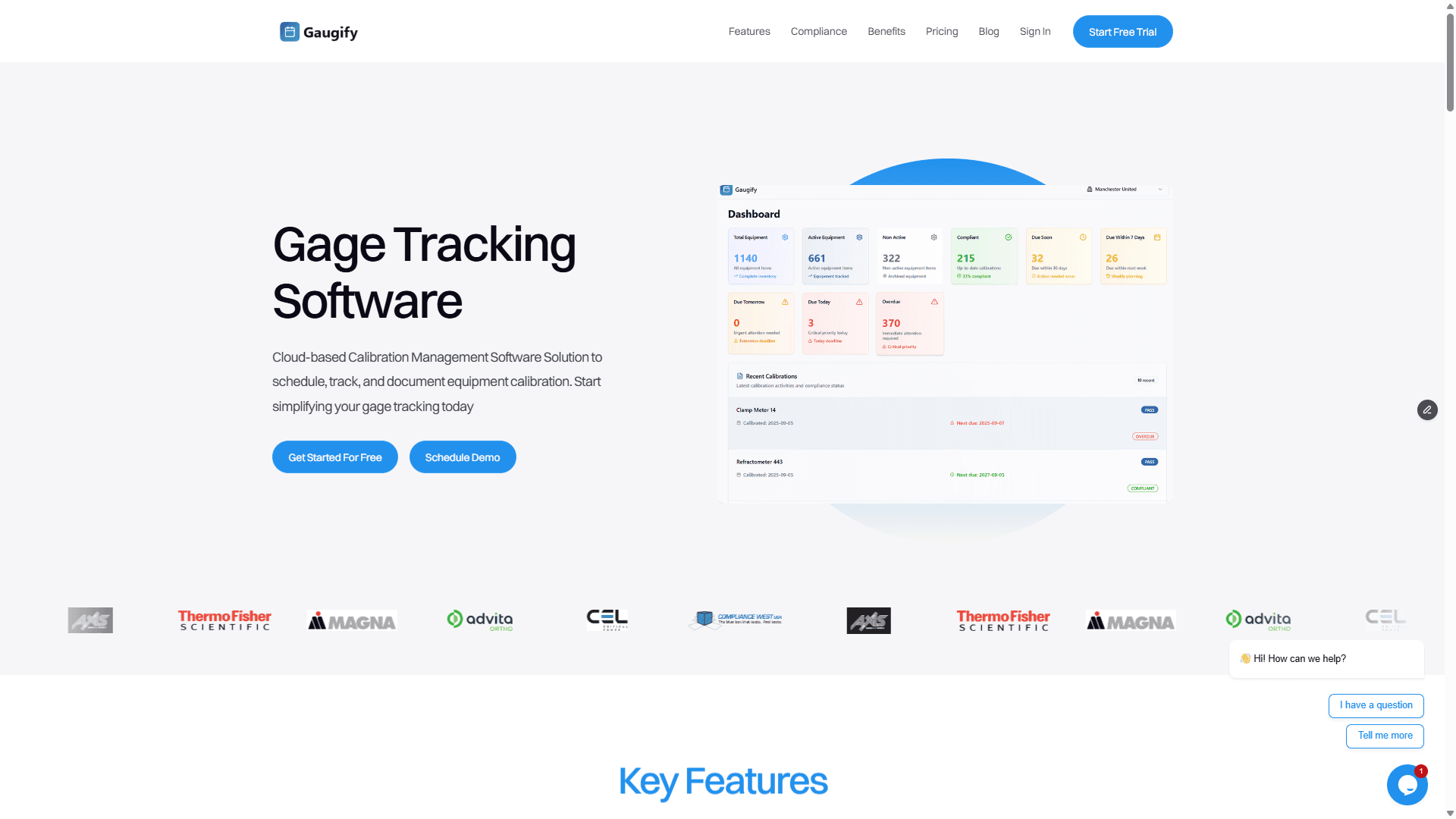
The dashboard shows current equipment status, upcoming due dates, and equipment locations in real-time. Shift supervisors can see at a glance which tools are available, which are due for calibration, and which are currently out for service.
Automated Multi-Shift Notifications
Gaugify sends calibration due date alerts to all relevant personnel across all shifts simultaneously. Configure alerts for different roles:
Shift supervisors receive 30-day advance notices
Quality technicians get 14-day warnings
Equipment operators see 7-day alerts when checking out tools
Management receives summary reports of overdue items
Digital Check-Out/Check-In
Operators use smartphones or tablets to check equipment in and out, automatically verifying calibration status before allowing use. The system prevents checkout of overdue or quarantined equipment while maintaining complete audit trails.
Shift-Specific Reporting
Generate reports showing calibration compliance by shift, helping identify patterns or training needs. If night shift consistently has more calibration issues, the data provides objective evidence for focused improvement efforts.
Integration with Quality Systems
Gaugify's compliance features ensure your multi-shift calibration tracking meets requirements for ISO 17025, AS9100, ISO 13485, and other quality standards. Audit trails automatically capture who did what when, across all shifts.
Mobile Accessibility
Night shift quality technicians can access the same calibration information as day shift management, using any internet-connected device. Update equipment status, add maintenance notes, or schedule calibrations from the shop floor without returning to a desktop computer.
Implementation Timeline and Success Metrics
Implementing robust calibration tracking across multiple shifts typically takes 4-6 weeks with proper planning:
Week 1-2: Equipment audit and database setup
Week 3-4: Staff training across all shifts
Week 5-6: Full implementation and process refinement
Track these metrics to measure success:
Percentage of equipment current on calibration by shift
Average time to locate equipment across shifts
Number of calibration-related production delays
Audit findings related to calibration control
Cost savings from better equipment utilization
A well-implemented multi-shift calibration tracking system typically reduces calibration-related issues by 85% and eliminates the productivity losses associated with missing or overdue equipment.
Take Control of Your Multi-Shift Calibration Tracking
Effective calibration tracking across multiple shifts requires systematic approaches, clear procedures, and the right tools. The investment in proper systems pays dividends in reduced downtime, audit readiness, and quality assurance.
Manual tracking methods become increasingly unreliable as operations scale and complexity grows. Cloud-based solutions like Gaugify provide the real-time visibility, automated alerts, and audit trails necessary for compliance in modern multi-shift manufacturing environments.
Don't let calibration tracking be the weak link in your quality system. Start your free Gaugify trial today and experience how proper calibration management transforms your multi-shift operations. Your quality team, production supervisors, and auditors will thank you.
How to Track Calibration Across Multiple Shifts
Manufacturing operations running 24/7 across multiple shifts face a critical challenge: maintaining accurate calibration tracking multiple shifts when measurement equipment moves between day, swing, and night crews. Without proper systems in place, a micrometer calibrated on first shift can end up being used past its due date on third shift, or worse—a gage that failed calibration gets mixed back into active use without anyone knowing.
The consequences are severe. I've seen automotive suppliers face customer audits where calibration records showed equipment was due three weeks ago, but production records indicated parts were still being measured with those same tools. The result? Entire production lots quarantined, customer notifications, and potential part recalls—all because calibration tracking broke down between shifts.
This comprehensive guide walks you through establishing bulletproof calibration tracking across multiple shifts, ensuring your measurement equipment maintains its integrity around the clock while keeping your quality system audit-ready.
Why Multi-Shift Calibration Tracking Multiple Shifts Matters
When calibration tracking fails across shifts, the problems compound quickly. Here's what typically goes wrong:
Equipment Status Confusion: A dial indicator due for calibration gets tagged by day shift but somehow ends up back in the tool crib for night shift use. Without real-time visibility, the night shift quality technician assumes it's good to go and uses it to verify critical dimensions on transmission housings with ±0.05mm tolerances.
Documentation Gaps: Each shift maintains their own calibration logs or spreadsheets. Day shift records show the equipment was removed from service, but that information never reaches the other shifts. Come audit time, you're scrambling to piece together a timeline that satisfies AS9100 or ISO 17025 requirements.
Duplicate Efforts: Without centralized tracking, multiple shifts might send the same equipment for calibration, or worse, different shifts might have conflicting information about calibration status, leading to equipment sitting idle when it should be in production use.
Compliance Failures: FDA inspections, automotive customer audits, and ISO certifications all require demonstrable control over measurement equipment. When tracking breaks down between shifts, you lose the traceability that proves your measurements were valid at the time they were taken.
Real-World Impact
A medical device manufacturer I worked with discovered during a surprise FDA inspection that their coordinate measuring machine (CMM) had been used for three days past its calibration due date by night shift. The CMM was measuring critical dimensions on implantable devices with tolerances of ±0.025mm. Despite the measurements being within specification, the FDA cited them for inadequate calibration controls, resulting in a Warning Letter and months of corrective action.
Prerequisites for Successful Multi-Shift Calibration Tracking
Before implementing a multi-shift calibration tracking system, ensure you have these foundational elements in place:
Equipment Identification System
Every piece of measurement equipment needs a unique identifier that transcends shift changes. Use durable asset tags with both human-readable numbers and barcodes or QR codes. For example:
Micrometers: MIC-001 through MIC-XXX
Calipers: CAL-001 through CAL-XXX
Torque wrenches: TRQ-001 through TRQ-XXX
Pressure gages: PRS-001 through PRS-XXX
The tags must withstand shop floor conditions—oil, coolant, temperature variations, and handling. 3M Polyester labels or metal asset tags work well for most environments.
Calibration Database Structure
Your calibration database needs specific fields to support multi-shift operations:
Equipment ID: Unique identifier
Current Location: Which shift/department has it
Status: In service, due for calibration, out for calibration, quarantined
Last Calibration Date: When it was last certified
Due Date: When next calibration is required
Assigned Technician: Who's responsible for monitoring it
Shift Notes: Comments from each shift about condition or issues
Communication Protocols
Establish clear handoff procedures between shifts. This includes:
Standardized shift turnover checklists that include calibration status
Equipment sign-out/sign-in logs
Clear escalation procedures when calibration issues are discovered
Contact information for calibration personnel across all shifts
Step-by-Step Implementation Guide
Step 1: Establish Central Command Center
Create a single source of truth for calibration status that all shifts can access. This could be a shared computer terminal, a cloud-based system accessible via tablets, or a physical status board with digital updates.
Set up real-time status displays showing:
Equipment currently in use by shift
Items due for calibration in the next 30 days
Equipment currently out for calibration with expected return dates
Any quarantined or suspect equipment
Step 2: Implement Check-Out/Check-In Procedures
Require formal equipment checkout for critical measurement tools. When a machinist on second shift needs a thread pitch gage (Model: Starrett 174C) to verify M8 x 1.25 threads, they must:
Scan the equipment barcode using a handheld scanner
Verify calibration status in the system
Log their employee ID and intended use
Check the equipment back in after use with condition notes
This creates an audit trail showing exactly who used what equipment and when, while ensuring calibration status is verified before each use.
Step 3: Set Up Automated Alerts
Configure your system to send alerts at multiple intervals:
30 days out: Email to shift supervisors and quality managers
14 days out: Daily email alerts plus dashboard notifications
7 days out: Email alerts to all shifts plus physical tags on equipment
Due date: System locks out equipment from checkout
For example, when a digital multimeter (Fluke 87V) used to verify ±0.1V tolerances on sensor circuits approaches its calibration due date, the system automatically emails all three shift supervisors and places a bright orange "CALIBRATION DUE" tag in the system that appears whenever someone tries to check it out.
Step 4: Create Shift-Specific Calibration Schedules
Stagger calibration due dates to avoid having critical equipment from all shifts due simultaneously. If you have identical micrometers used across three shifts, schedule them for calibration 2-3 weeks apart:
MIC-001 (Day shift): Due March 15
MIC-002 (Swing shift): Due April 5
MIC-003 (Night shift): Due April 26
This ensures you always have calibrated backup equipment available while one unit is out for service.
Step 5: Establish Emergency Procedures
Despite best planning, emergencies happen. Create procedures for when critical equipment fails calibration or is damaged during use:
Immediate Actions:
Remove equipment from service immediately
Tag with "DO NOT USE" labels
Update system status to "QUARANTINED"
Notify all shift supervisors within 2 hours
Assess impact on recent measurements taken with the equipment
Example scenario: A torque wrench calibrated to 50 ±2.5 ft-lbs is dropped during second shift and the operator suspects it may be reading incorrectly. Following emergency procedures, they immediately tag it out, update the system, and notify the night shift supervisor that backup torque wrench TRQ-005 should be used for critical fastener applications.
Best Practices from Experienced Calibration Professionals
Use Color-Coded Physical Tags
Supplement your digital tracking with physical visual cues. Implement a color-coding system:
Green tags: Current calibration, good for use
Yellow tags: Calibration due within 30 days
Red tags: Calibration overdue or equipment quarantined
Blue tags: Out for calibration
Even in a paperless environment, these visual indicators provide immediate status recognition that works across language barriers and shift changes.
Implement Buddy System Checks
Require two-person verification for critical measurement equipment. Before using a CMM to measure aerospace components with tolerances of ±0.0127mm (±0.0005"), both the operator and a second qualified person must verify and sign off on calibration status.
Create Equipment-Specific Protocols
Different types of equipment require different approaches:
Portable Equipment (Micrometers, Calipers): These move between operators and shifts frequently. Require checkout/checkin procedures and maintain backup units for each shift.
Fixed Equipment (CMMs, Hardness Testers): These typically stay in one location but are used across shifts. Focus on shift turnover documentation and shared maintenance logs.
Temporary Equipment (Special Gages): Customer-specific or project-specific gages that may only be used occasionally. Maintain special tracking to ensure they don't get forgotten in storage.
Leverage Technology Integration
Connect your calibration tracking system with production systems where possible. When a machinist enters a work order number to start production on CNC-machined bearing housings, the system can automatically verify that all required measurement equipment is current on calibration.
Ready to eliminate calibration tracking headaches across your shifts? Start your free Gaugify trial and see how cloud-based calibration management keeps all your shifts synchronized automatically.
Common Mistakes in Calibration Tracking Multiple Shifts
Mistake 1: Relying on Individual Memory
The Problem: Expecting shift supervisors or operators to remember calibration due dates or equipment status changes.
The Reality: On a busy production floor with dozens of pieces of measurement equipment, human memory fails. I've seen experienced quality technicians with 20+ years accidentally use overdue equipment simply because they were focused on production deadlines.
The Solution: Make the system remember, not the people. Every calibration decision should be backed by current data from your tracking system, not someone's recollection.
Mistake 2: Inconsistent Equipment Storage
The Problem: Allowing different shifts to store calibrated equipment in different locations without updating the tracking system.
The Reality: Day shift puts micrometers in Tool Crib A, swing shift stores them in Quality Lab B, night shift keeps them at Workstation C. When calibration time comes, nobody can locate half the equipment.
The Solution: Designate specific storage locations for calibrated equipment and require location updates in your tracking system whenever equipment moves.
Mistake 3: Poor Handoff Communication
The Problem: Inadequate information transfer between shifts about equipment status changes.
The Reality: First shift discovers a dial indicator is reading inconsistently and tags it for calibration check, but the information doesn't reach second shift. They see the tag, assume it's just a routine reminder, and continue using the equipment.
The Solution: Implement formal handoff procedures with specific calibration status checkpoints and require acknowledgment signatures.
Mistake 4: Backup Equipment Neglect
The Problem: Maintaining primary equipment calibration while letting backup units expire.
The Reality: Your primary thread gage is current, but when it goes out for calibration, you discover the backup expired six months ago. Production stops while you expedite calibration.
The Solution: Track backup equipment with the same rigor as primary tools and stagger calibration schedules to ensure you always have current alternatives.
Mistake 5: Ignoring Environmental Factors
The Problem: Failing to account for different environmental conditions across shifts that might affect equipment calibration.
The Reality: Day shift operates in climate-controlled conditions, but night shift sees temperature variations when HVAC systems cycle down. The same digital caliper might perform differently, affecting measurement reliability even when technically "in calibration."
The Solution: Document environmental conditions during equipment use and include temperature/humidity ranges in your calibration tracking protocols.
How Gaugify Streamlines Multi-Shift Calibration Tracking
Managing calibration across multiple shifts becomes significantly easier with cloud-based calibration management software. Gaugify addresses the unique challenges of 24/7 operations with features specifically designed for multi-shift environments.
Real-Time Status Visibility
Every shift accesses the same real-time data through web browsers or mobile devices. When day shift updates equipment status, night shift sees the change immediately. No more outdated spreadsheets or missed communications.
The dashboard shows current equipment status, upcoming due dates, and equipment locations in real-time. Shift supervisors can see at a glance which tools are available, which are due for calibration, and which are currently out for service.
Automated Multi-Shift Notifications
Gaugify sends calibration due date alerts to all relevant personnel across all shifts simultaneously. Configure alerts for different roles:
Shift supervisors receive 30-day advance notices
Quality technicians get 14-day warnings
Equipment operators see 7-day alerts when checking out tools
Management receives summary reports of overdue items
Digital Check-Out/Check-In
Operators use smartphones or tablets to check equipment in and out, automatically verifying calibration status before allowing use. The system prevents checkout of overdue or quarantined equipment while maintaining complete audit trails.
Shift-Specific Reporting
Generate reports showing calibration compliance by shift, helping identify patterns or training needs. If night shift consistently has more calibration issues, the data provides objective evidence for focused improvement efforts.
Integration with Quality Systems
Gaugify's compliance features ensure your multi-shift calibration tracking meets requirements for ISO 17025, AS9100, ISO 13485, and other quality standards. Audit trails automatically capture who did what when, across all shifts.
Mobile Accessibility
Night shift quality technicians can access the same calibration information as day shift management, using any internet-connected device. Update equipment status, add maintenance notes, or schedule calibrations from the shop floor without returning to a desktop computer.
Implementation Timeline and Success Metrics
Implementing robust calibration tracking across multiple shifts typically takes 4-6 weeks with proper planning:
Week 1-2: Equipment audit and database setup
Week 3-4: Staff training across all shifts
Week 5-6: Full implementation and process refinement
Track these metrics to measure success:
Percentage of equipment current on calibration by shift
Average time to locate equipment across shifts
Number of calibration-related production delays
Audit findings related to calibration control
Cost savings from better equipment utilization
A well-implemented multi-shift calibration tracking system typically reduces calibration-related issues by 85% and eliminates the productivity losses associated with missing or overdue equipment.
Take Control of Your Multi-Shift Calibration Tracking
Effective calibration tracking across multiple shifts requires systematic approaches, clear procedures, and the right tools. The investment in proper systems pays dividends in reduced downtime, audit readiness, and quality assurance.
Manual tracking methods become increasingly unreliable as operations scale and complexity grows. Cloud-based solutions like Gaugify provide the real-time visibility, automated alerts, and audit trails necessary for compliance in modern multi-shift manufacturing environments.
Don't let calibration tracking be the weak link in your quality system. Start your free Gaugify trial today and experience how proper calibration management transforms your multi-shift operations. Your quality team, production supervisors, and auditors will thank you.