
Best Calibration Software with Barcode Scanning
Best Calibration Software with Barcode Scanning
David Bentley
Quality Assurance Engineer
12 min read
Best Calibration Software with Barcode Scanning
If you're managing hundreds or thousands of instruments across multiple locations, manually tracking calibration due dates and certificate records is a recipe for compliance failures and audit nightmares. Modern calibration software barcode scanning solutions eliminate these headaches by automating instrument identification, streamlining workflows, and ensuring your measurement equipment stays compliant with ISO 9001, ISO 17025, and FDA regulations.
The right calibration management system with integrated barcode scanning can transform your quality operations from reactive firefighting to proactive compliance management. But with dozens of options available, how do you choose the software that actually delivers results for your team?
This comprehensive guide examines the top calibration software solutions with barcode scanning capabilities, focusing on real-world functionality that quality managers, lab technicians, and shop floor supervisors need to maintain measurement traceability and pass audits with confidence.
Why Calibration Management Software with Barcode Scanning Matters
Traditional paper-based calibration tracking systems fail when scale and complexity increase. Consider a typical manufacturing facility with 2,500 gages ranging from simple go/no-go plug gages to complex coordinate measuring machines (CMMs) with tolerances as tight as ±0.0001". Each instrument requires different calibration intervals, from quarterly checks for critical production micrometers to annual certifications for environmental monitoring equipment.
Without automated tracking, quality managers face constant challenges:
Missed calibrations: A Mitutoyo micrometer used for shaft diameter verification sits past due for three weeks because no one noticed the paper sticker expiration date
Lost certificates: An FDA audit requires calibration records for a digital torque wrench, but the certificate is buried in filing cabinets or email archives
Inefficient workflows: Technicians waste 20+ minutes per instrument manually logging serial numbers, due dates, and calibration results
Compliance gaps: ISO 17025 requires complete measurement uncertainty calculations and traceability chains that are nearly impossible to maintain manually
Modern calibration software eliminates these issues through automation, centralized data management, and mobile accessibility. Barcode scanning functionality specifically addresses the time-consuming manual data entry that slows down calibration workflows and introduces human error.
The Business Impact of Proper Calibration Management
Companies that implement robust calibration management systems typically see measurable improvements within the first year. Quality departments report 40-60% reduction in time spent managing calibration records, while compliance teams experience fewer audit findings related to measurement equipment control.
More importantly, proper calibration management directly supports product quality. When measurement equipment is consistently calibrated and traceable, manufacturers catch dimensional variations earlier, reduce scrap rates, and maintain customer confidence in their quality systems.
Essential Features in Calibration Software Barcode Scanning Solutions
Not all calibration management systems are created equal. The most effective solutions combine comprehensive database management with intuitive mobile interfaces and robust compliance support. Here are the critical features that separate professional-grade calibration software from basic inventory tracking tools:
Automated Scheduling and Smart Reminders
Your calibration software should automatically calculate due dates based on instrument type, usage frequency, and regulatory requirements. Advanced systems like Gaugify's intelligent scheduling engine can adjust intervals based on historical performance data and risk assessment criteria.
Effective reminder systems send notifications at multiple intervals – typically 30 days, 14 days, and 7 days before calibration due dates. The best solutions also escalate overdue notifications to supervisors and quality managers, ensuring nothing falls through the cracks.
Mobile Barcode Scanning Integration
True calibration software barcode scanning functionality goes beyond basic inventory management. Look for solutions that support:
Multi-format barcode support: Code 128, QR codes, Data Matrix, and custom formats
Offline scanning capability: Critical for shop floor environments with limited connectivity
Real-time data synchronization: Instant updates when network connectivity returns
Camera-based scanning: No need for dedicated barcode scanners – use smartphones or tablets
The scanning interface should instantly pull up instrument details including calibration history, current status, and due dates. Technicians should be able to update status, add notes, and upload certificates directly from their mobile device.
Digital Certificate Management
Paper certificates create storage nightmares and audit risks. Professional calibration software automatically generates digital certificates that include all required traceability information, measurement uncertainty calculations, and regulatory compliance statements.
Look for systems that can store original calibration house certificates alongside internally generated documents. The software should maintain version control and provide instant access to historical records for audit purposes.
Comprehensive Audit Trail Capabilities
Regulatory compliance requires complete documentation of all calibration activities. Your software should automatically log every user action with timestamps, user identification, and change descriptions. This includes instrument additions, schedule modifications, certificate uploads, and status updates.
Advanced audit trail features include data integrity verification, electronic signatures for critical actions, and export capabilities for regulatory submissions.
Uncertainty Calculation and Measurement Traceability
ISO 17025 compliance requires detailed measurement uncertainty calculations for calibrated equipment. Professional calibration software should support:
Automated uncertainty propagation calculations
Traceability chain documentation back to national standards
Test uncertainty ratio (TUR) analysis
Statistical trend analysis for instrument stability assessment
These features are particularly critical for laboratories and manufacturers serving regulated industries like aerospace, medical device, and automotive.
Ready to see how modern calibration management software can streamline your workflows? Start your free Gaugify trial today and experience barcode scanning integration designed specifically for quality professionals.
Role-Based Access Control and Security
Different team members need different levels of system access. Quality managers require full administrative capabilities, while shop floor technicians may only need to scan instruments and update basic status information.
Look for software that provides granular permission controls, allowing you to customize access by role, location, or instrument type. Security features should include encrypted data transmission, secure cloud storage, and regular automated backups.
Advanced Reporting and Analytics
Effective calibration management requires visibility into system performance and compliance status. Your software should provide real-time dashboards showing:
Instruments approaching due dates by location and department
Compliance percentage rates and trending analysis
Calibration costs by instrument type and service provider
Technician productivity metrics and workload distribution
Out-of-tolerance trends that may indicate process issues
Custom reporting capabilities let you generate specific compliance documents for ISO audits, customer quality reviews, and management presentations.
Top Calibration Software Solutions with Barcode Scanning
The calibration management software market includes several established players, each with different strengths and target markets. Here's an objective comparison of leading solutions that offer integrated barcode scanning functionality:
Gaugify: Cloud-Native Calibration Management
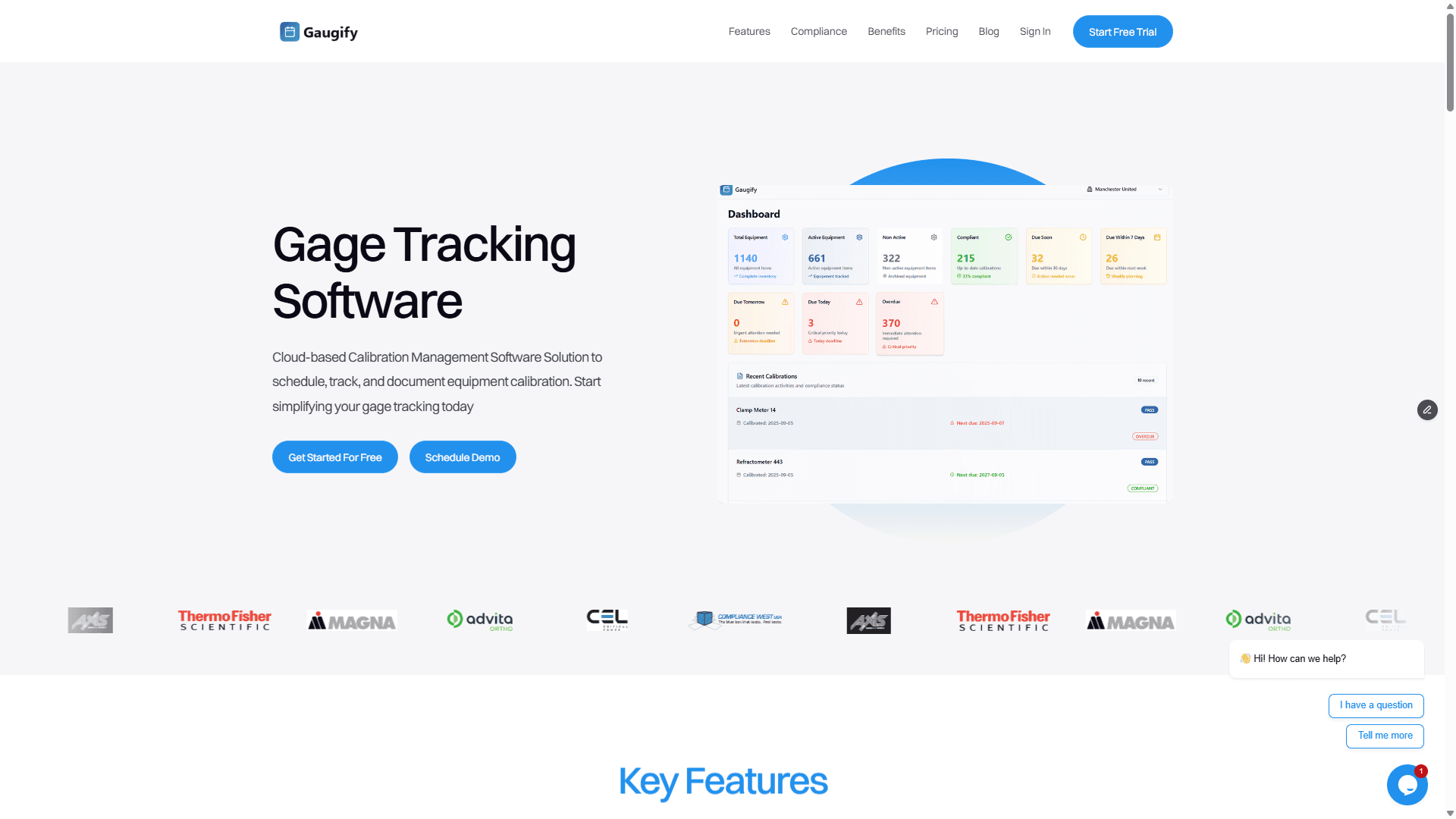
Gaugify represents the latest generation of calibration management software, built specifically for modern quality operations. The platform combines intuitive design with enterprise-grade functionality, making it equally effective for small machine shops and large manufacturing facilities.
Key Strengths:
Native mobile app with advanced barcode scanning capabilities
Intelligent scheduling engine that learns from your calibration patterns
Built-in ISO 17025 compliance support including uncertainty calculations
Real-time collaboration tools for distributed quality teams
Transparent, scalable pricing without hidden fees
Gaugify's barcode scanning functionality stands out for its speed and reliability. The mobile app works seamlessly offline, automatically syncing data when connectivity returns. Users consistently report 50-70% reduction in calibration documentation time compared to manual processes.
The platform's compliance features are particularly robust, with automated audit trail generation and one-click regulatory reporting that satisfies ISO 9001, ISO 17025, and FDA requirements.
Traditional Enterprise Solutions
Several established calibration software providers offer barcode scanning as an add-on feature to their core platforms. These solutions typically focus on large enterprise installations with extensive customization requirements.
While these systems can be powerful, they often require significant IT resources for implementation and ongoing maintenance. Barcode scanning functionality may require additional hardware purchases and complex integration projects.
These solutions work best for organizations with dedicated IT teams and complex workflow requirements that justify the higher implementation costs and longer deployment timelines.
Basic Inventory Management Tools
Some manufacturers attempt to use general inventory management software for calibration tracking. While these tools may offer basic barcode scanning, they lack specialized features critical for measurement equipment management.
Missing capabilities typically include automated calibration scheduling, uncertainty calculations, regulatory compliance reporting, and measurement traceability documentation. These gaps create significant audit risks and compliance challenges.
Pricing Considerations for Calibration Software Barcode Scanning
Calibration management software pricing varies significantly based on features, deployment model, and vendor approach. Understanding the total cost of ownership helps you make informed decisions that align with your budget and growth plans.
Cloud-Based vs. On-Premise Deployment
Cloud-based solutions like Gaugify typically offer the best value for most organizations. Monthly subscription pricing includes software updates, security patches, data backups, and technical support. This model eliminates upfront IT infrastructure costs and reduces ongoing maintenance requirements.
On-premise solutions require significant upfront investments in servers, database licenses, and IT personnel. While some organizations prefer on-premise deployment for data control reasons, cloud security has matured to the point where reputable providers offer enterprise-grade protection.
Transparent vs. Complex Pricing Models
Pricing transparency varies dramatically across calibration software providers. Some vendors use complex licensing models with separate fees for users, instruments, locations, and features. These approaches can make budgeting difficult and often result in unexpected costs as organizations grow.
Gaugify's straightforward pricing model charges based on the number of instruments managed, with all features included regardless of user count or locations. This approach provides predictable costs and scales naturally with business growth.
Hidden Costs to Consider
When evaluating calibration software options, factor in total implementation costs including:
Data migration from existing systems
User training and change management
Hardware requirements for barcode scanning
Integration with existing quality systems
Ongoing support and maintenance fees
The lowest initial price often doesn't represent the best long-term value when these additional costs are considered.
Implementation Best Practices for Calibration Software Barcode Scanning
Successful calibration software implementation requires careful planning and systematic execution. Organizations that follow structured deployment approaches see faster adoption rates and better long-term results.
Data Migration and System Setup
Start by auditing your existing calibration records and instrument inventory. This process often reveals missing information, duplicate entries, and inconsistent data formats that need cleanup before migration.
Create standardized barcode labels for all instruments if you haven't already. The barcode format should encode enough information for unique identification while remaining scannable under shop floor conditions. Consider factors like label durability, adhesive performance, and barcode size for different instrument types.
Professional calibration software providers typically offer data migration assistance. Gaugify's implementation team works directly with customers to ensure smooth data transfer and system configuration.
User Training and Change Management
Technology adoption succeeds when users understand the benefits and feel confident using new tools. Plan comprehensive training that covers both technical functionality and workflow changes.
Start with super-users who can become internal champions and help train colleagues. Focus on practical scenarios that demonstrate immediate value, like faster instrument lookups and automated reminder systems.
Address resistance to change by highlighting pain points the new system solves. When technicians see how barcode scanning eliminates manual data entry and reduces calibration documentation time, adoption typically accelerates.
Integration with Existing Quality Systems
Modern calibration management software should integrate seamlessly with your existing quality infrastructure. This includes ERP systems, quality management software, and document control platforms.
Look for solutions that offer standard API connections and data export capabilities. Integration reduces duplicate data entry and ensures calibration information flows efficiently across your quality ecosystem.
Evaluating Calibration Software During Free Trials
Most professional calibration software providers offer free trials that let you test functionality with real data before making purchasing decisions. Use this opportunity to thoroughly evaluate how well each solution meets your specific needs.
Essential Testing Scenarios
Focus your evaluation on realistic use cases that mirror your daily workflows:
Mobile Barcode Scanning Performance: Test scanning speed and accuracy with your actual instrument labels. Verify that the mobile app works reliably in your shop floor environment, including areas with poor cellular coverage.
Bulk Data Import: Upload a representative sample of your instrument database to evaluate data migration capabilities and identify formatting requirements.
Automated Scheduling Logic: Configure various calibration intervals and verify that due date calculations match your requirements. Test reminder functionality and escalation procedures.
Compliance Reporting: Generate sample audit reports and certificates to ensure they meet your regulatory requirements and internal quality standards.
User Permission Controls: Set up different user roles and verify that access restrictions work properly for your organizational structure.
Key Questions to Ask During Evaluation
Use your trial period to get specific answers about implementation and ongoing support:
How long does typical data migration take for organizations similar to yours?
What training resources are available for different user types?
How does the vendor handle software updates and new feature releases?
What integration options exist for your existing quality systems?
How responsive is technical support, and what channels are available?
Performance and Reliability Testing
Calibration management software becomes mission-critical once implemented. Use your trial period to evaluate system performance under realistic conditions.
Test mobile app performance with multiple concurrent users to simulate real-world usage patterns. Verify that offline functionality works properly and data synchronizes correctly when connectivity returns.
Evaluate system responsiveness when searching large instrument databases and generating complex reports. Professional solutions should maintain fast performance even with thousands of instruments and years of historical data.
Making the Right Choice: Why Gaugify Leads in Calibration Software Barcode Scanning
Selecting the right calibration software barcode scanning solution impacts your quality operations for years to come. After evaluating dozens of options and working with hundreds of quality professionals, Gaugify consistently delivers the best combination of functionality, ease of use, and value.
Gaugify's cloud-native architecture eliminates IT complexity while providing enterprise-grade security and reliability. The intuitive interface reduces training time and accelerates user adoption across all skill levels. Most importantly, the integrated barcode scanning functionality actually works reliably in real manufacturing environments.
The platform's comprehensive compliance support ensures your calibration program meets regulatory requirements without creating administrative burdens. Automated audit trails, digital certificates, and one-click reporting save hours of preparation time during ISO audits and customer quality reviews.
Transparent pricing and flexible scaling let you start small and grow without complex licensing negotiations or hidden fees. You'll know exactly what calibration management costs as your instrument inventory expands.
Ready to transform your calibration management processes? Start your free Gaugify trial today and discover why quality professionals choose our platform for their most critical measurement equipment management needs. Experience firsthand how modern calibration software with barcode scanning can eliminate compliance headaches and streamline your quality operations.
Best Calibration Software with Barcode Scanning
If you're managing hundreds or thousands of instruments across multiple locations, manually tracking calibration due dates and certificate records is a recipe for compliance failures and audit nightmares. Modern calibration software barcode scanning solutions eliminate these headaches by automating instrument identification, streamlining workflows, and ensuring your measurement equipment stays compliant with ISO 9001, ISO 17025, and FDA regulations.
The right calibration management system with integrated barcode scanning can transform your quality operations from reactive firefighting to proactive compliance management. But with dozens of options available, how do you choose the software that actually delivers results for your team?
This comprehensive guide examines the top calibration software solutions with barcode scanning capabilities, focusing on real-world functionality that quality managers, lab technicians, and shop floor supervisors need to maintain measurement traceability and pass audits with confidence.
Why Calibration Management Software with Barcode Scanning Matters
Traditional paper-based calibration tracking systems fail when scale and complexity increase. Consider a typical manufacturing facility with 2,500 gages ranging from simple go/no-go plug gages to complex coordinate measuring machines (CMMs) with tolerances as tight as ±0.0001". Each instrument requires different calibration intervals, from quarterly checks for critical production micrometers to annual certifications for environmental monitoring equipment.
Without automated tracking, quality managers face constant challenges:
Missed calibrations: A Mitutoyo micrometer used for shaft diameter verification sits past due for three weeks because no one noticed the paper sticker expiration date
Lost certificates: An FDA audit requires calibration records for a digital torque wrench, but the certificate is buried in filing cabinets or email archives
Inefficient workflows: Technicians waste 20+ minutes per instrument manually logging serial numbers, due dates, and calibration results
Compliance gaps: ISO 17025 requires complete measurement uncertainty calculations and traceability chains that are nearly impossible to maintain manually
Modern calibration software eliminates these issues through automation, centralized data management, and mobile accessibility. Barcode scanning functionality specifically addresses the time-consuming manual data entry that slows down calibration workflows and introduces human error.
The Business Impact of Proper Calibration Management
Companies that implement robust calibration management systems typically see measurable improvements within the first year. Quality departments report 40-60% reduction in time spent managing calibration records, while compliance teams experience fewer audit findings related to measurement equipment control.
More importantly, proper calibration management directly supports product quality. When measurement equipment is consistently calibrated and traceable, manufacturers catch dimensional variations earlier, reduce scrap rates, and maintain customer confidence in their quality systems.
Essential Features in Calibration Software Barcode Scanning Solutions
Not all calibration management systems are created equal. The most effective solutions combine comprehensive database management with intuitive mobile interfaces and robust compliance support. Here are the critical features that separate professional-grade calibration software from basic inventory tracking tools:
Automated Scheduling and Smart Reminders
Your calibration software should automatically calculate due dates based on instrument type, usage frequency, and regulatory requirements. Advanced systems like Gaugify's intelligent scheduling engine can adjust intervals based on historical performance data and risk assessment criteria.
Effective reminder systems send notifications at multiple intervals – typically 30 days, 14 days, and 7 days before calibration due dates. The best solutions also escalate overdue notifications to supervisors and quality managers, ensuring nothing falls through the cracks.
Mobile Barcode Scanning Integration
True calibration software barcode scanning functionality goes beyond basic inventory management. Look for solutions that support:
Multi-format barcode support: Code 128, QR codes, Data Matrix, and custom formats
Offline scanning capability: Critical for shop floor environments with limited connectivity
Real-time data synchronization: Instant updates when network connectivity returns
Camera-based scanning: No need for dedicated barcode scanners – use smartphones or tablets
The scanning interface should instantly pull up instrument details including calibration history, current status, and due dates. Technicians should be able to update status, add notes, and upload certificates directly from their mobile device.
Digital Certificate Management
Paper certificates create storage nightmares and audit risks. Professional calibration software automatically generates digital certificates that include all required traceability information, measurement uncertainty calculations, and regulatory compliance statements.
Look for systems that can store original calibration house certificates alongside internally generated documents. The software should maintain version control and provide instant access to historical records for audit purposes.
Comprehensive Audit Trail Capabilities
Regulatory compliance requires complete documentation of all calibration activities. Your software should automatically log every user action with timestamps, user identification, and change descriptions. This includes instrument additions, schedule modifications, certificate uploads, and status updates.
Advanced audit trail features include data integrity verification, electronic signatures for critical actions, and export capabilities for regulatory submissions.
Uncertainty Calculation and Measurement Traceability
ISO 17025 compliance requires detailed measurement uncertainty calculations for calibrated equipment. Professional calibration software should support:
Automated uncertainty propagation calculations
Traceability chain documentation back to national standards
Test uncertainty ratio (TUR) analysis
Statistical trend analysis for instrument stability assessment
These features are particularly critical for laboratories and manufacturers serving regulated industries like aerospace, medical device, and automotive.
Ready to see how modern calibration management software can streamline your workflows? Start your free Gaugify trial today and experience barcode scanning integration designed specifically for quality professionals.
Role-Based Access Control and Security
Different team members need different levels of system access. Quality managers require full administrative capabilities, while shop floor technicians may only need to scan instruments and update basic status information.
Look for software that provides granular permission controls, allowing you to customize access by role, location, or instrument type. Security features should include encrypted data transmission, secure cloud storage, and regular automated backups.
Advanced Reporting and Analytics
Effective calibration management requires visibility into system performance and compliance status. Your software should provide real-time dashboards showing:
Instruments approaching due dates by location and department
Compliance percentage rates and trending analysis
Calibration costs by instrument type and service provider
Technician productivity metrics and workload distribution
Out-of-tolerance trends that may indicate process issues
Custom reporting capabilities let you generate specific compliance documents for ISO audits, customer quality reviews, and management presentations.
Top Calibration Software Solutions with Barcode Scanning
The calibration management software market includes several established players, each with different strengths and target markets. Here's an objective comparison of leading solutions that offer integrated barcode scanning functionality:
Gaugify: Cloud-Native Calibration Management
Gaugify represents the latest generation of calibration management software, built specifically for modern quality operations. The platform combines intuitive design with enterprise-grade functionality, making it equally effective for small machine shops and large manufacturing facilities.
Key Strengths:
Native mobile app with advanced barcode scanning capabilities
Intelligent scheduling engine that learns from your calibration patterns
Built-in ISO 17025 compliance support including uncertainty calculations
Real-time collaboration tools for distributed quality teams
Transparent, scalable pricing without hidden fees
Gaugify's barcode scanning functionality stands out for its speed and reliability. The mobile app works seamlessly offline, automatically syncing data when connectivity returns. Users consistently report 50-70% reduction in calibration documentation time compared to manual processes.
The platform's compliance features are particularly robust, with automated audit trail generation and one-click regulatory reporting that satisfies ISO 9001, ISO 17025, and FDA requirements.
Traditional Enterprise Solutions
Several established calibration software providers offer barcode scanning as an add-on feature to their core platforms. These solutions typically focus on large enterprise installations with extensive customization requirements.
While these systems can be powerful, they often require significant IT resources for implementation and ongoing maintenance. Barcode scanning functionality may require additional hardware purchases and complex integration projects.
These solutions work best for organizations with dedicated IT teams and complex workflow requirements that justify the higher implementation costs and longer deployment timelines.
Basic Inventory Management Tools
Some manufacturers attempt to use general inventory management software for calibration tracking. While these tools may offer basic barcode scanning, they lack specialized features critical for measurement equipment management.
Missing capabilities typically include automated calibration scheduling, uncertainty calculations, regulatory compliance reporting, and measurement traceability documentation. These gaps create significant audit risks and compliance challenges.
Pricing Considerations for Calibration Software Barcode Scanning
Calibration management software pricing varies significantly based on features, deployment model, and vendor approach. Understanding the total cost of ownership helps you make informed decisions that align with your budget and growth plans.
Cloud-Based vs. On-Premise Deployment
Cloud-based solutions like Gaugify typically offer the best value for most organizations. Monthly subscription pricing includes software updates, security patches, data backups, and technical support. This model eliminates upfront IT infrastructure costs and reduces ongoing maintenance requirements.
On-premise solutions require significant upfront investments in servers, database licenses, and IT personnel. While some organizations prefer on-premise deployment for data control reasons, cloud security has matured to the point where reputable providers offer enterprise-grade protection.
Transparent vs. Complex Pricing Models
Pricing transparency varies dramatically across calibration software providers. Some vendors use complex licensing models with separate fees for users, instruments, locations, and features. These approaches can make budgeting difficult and often result in unexpected costs as organizations grow.
Gaugify's straightforward pricing model charges based on the number of instruments managed, with all features included regardless of user count or locations. This approach provides predictable costs and scales naturally with business growth.
Hidden Costs to Consider
When evaluating calibration software options, factor in total implementation costs including:
Data migration from existing systems
User training and change management
Hardware requirements for barcode scanning
Integration with existing quality systems
Ongoing support and maintenance fees
The lowest initial price often doesn't represent the best long-term value when these additional costs are considered.
Implementation Best Practices for Calibration Software Barcode Scanning
Successful calibration software implementation requires careful planning and systematic execution. Organizations that follow structured deployment approaches see faster adoption rates and better long-term results.
Data Migration and System Setup
Start by auditing your existing calibration records and instrument inventory. This process often reveals missing information, duplicate entries, and inconsistent data formats that need cleanup before migration.
Create standardized barcode labels for all instruments if you haven't already. The barcode format should encode enough information for unique identification while remaining scannable under shop floor conditions. Consider factors like label durability, adhesive performance, and barcode size for different instrument types.
Professional calibration software providers typically offer data migration assistance. Gaugify's implementation team works directly with customers to ensure smooth data transfer and system configuration.
User Training and Change Management
Technology adoption succeeds when users understand the benefits and feel confident using new tools. Plan comprehensive training that covers both technical functionality and workflow changes.
Start with super-users who can become internal champions and help train colleagues. Focus on practical scenarios that demonstrate immediate value, like faster instrument lookups and automated reminder systems.
Address resistance to change by highlighting pain points the new system solves. When technicians see how barcode scanning eliminates manual data entry and reduces calibration documentation time, adoption typically accelerates.
Integration with Existing Quality Systems
Modern calibration management software should integrate seamlessly with your existing quality infrastructure. This includes ERP systems, quality management software, and document control platforms.
Look for solutions that offer standard API connections and data export capabilities. Integration reduces duplicate data entry and ensures calibration information flows efficiently across your quality ecosystem.
Evaluating Calibration Software During Free Trials
Most professional calibration software providers offer free trials that let you test functionality with real data before making purchasing decisions. Use this opportunity to thoroughly evaluate how well each solution meets your specific needs.
Essential Testing Scenarios
Focus your evaluation on realistic use cases that mirror your daily workflows:
Mobile Barcode Scanning Performance: Test scanning speed and accuracy with your actual instrument labels. Verify that the mobile app works reliably in your shop floor environment, including areas with poor cellular coverage.
Bulk Data Import: Upload a representative sample of your instrument database to evaluate data migration capabilities and identify formatting requirements.
Automated Scheduling Logic: Configure various calibration intervals and verify that due date calculations match your requirements. Test reminder functionality and escalation procedures.
Compliance Reporting: Generate sample audit reports and certificates to ensure they meet your regulatory requirements and internal quality standards.
User Permission Controls: Set up different user roles and verify that access restrictions work properly for your organizational structure.
Key Questions to Ask During Evaluation
Use your trial period to get specific answers about implementation and ongoing support:
How long does typical data migration take for organizations similar to yours?
What training resources are available for different user types?
How does the vendor handle software updates and new feature releases?
What integration options exist for your existing quality systems?
How responsive is technical support, and what channels are available?
Performance and Reliability Testing
Calibration management software becomes mission-critical once implemented. Use your trial period to evaluate system performance under realistic conditions.
Test mobile app performance with multiple concurrent users to simulate real-world usage patterns. Verify that offline functionality works properly and data synchronizes correctly when connectivity returns.
Evaluate system responsiveness when searching large instrument databases and generating complex reports. Professional solutions should maintain fast performance even with thousands of instruments and years of historical data.
Making the Right Choice: Why Gaugify Leads in Calibration Software Barcode Scanning
Selecting the right calibration software barcode scanning solution impacts your quality operations for years to come. After evaluating dozens of options and working with hundreds of quality professionals, Gaugify consistently delivers the best combination of functionality, ease of use, and value.
Gaugify's cloud-native architecture eliminates IT complexity while providing enterprise-grade security and reliability. The intuitive interface reduces training time and accelerates user adoption across all skill levels. Most importantly, the integrated barcode scanning functionality actually works reliably in real manufacturing environments.
The platform's comprehensive compliance support ensures your calibration program meets regulatory requirements without creating administrative burdens. Automated audit trails, digital certificates, and one-click reporting save hours of preparation time during ISO audits and customer quality reviews.
Transparent pricing and flexible scaling let you start small and grow without complex licensing negotiations or hidden fees. You'll know exactly what calibration management costs as your instrument inventory expands.
Ready to transform your calibration management processes? Start your free Gaugify trial today and discover why quality professionals choose our platform for their most critical measurement equipment management needs. Experience firsthand how modern calibration software with barcode scanning can eliminate compliance headaches and streamline your quality operations.