
Calibration Software for Non-Technical Users
Calibration Software for Non-Technical Users
David Bentley
Quality Assurance Engineer
8 min read
Calibration Software for Non-Technical Users
Managing instrument calibrations shouldn't require an engineering degree or months of software training. If you're a quality manager, shop supervisor, or technician struggling with complex calibration systems that seem designed for software developers rather than the people who actually manage gages, you need easy calibration software that gets out of your way and lets you focus on maintaining measurement accuracy.
The reality is that most calibration management systems overwhelm users with unnecessary complexity. You don't need 47 different configuration screens to track when your Mitutoyo digital calipers need their next calibration or to generate a simple certificate for your Fluke multimeter. What you need is software that handles the technical heavy lifting while presenting you with clear, actionable information.
Why Easy Calibration Software Matters for Your Operation
Calibration management software serves as the central nervous system for your measurement quality program. It tracks calibration schedules, maintains historical records, generates certificates, and ensures audit compliance—all while supporting ISO 9001, ISO 17025, and industry-specific requirements like AS9100 for aerospace.
But here's the problem: traditional calibration systems often require extensive training, complex setup procedures, and ongoing IT support. This creates bottlenecks where only one or two people in your organization can effectively manage the system. When those key users are unavailable, calibrations get delayed, audits become stressful, and compliance suffers.
Easy calibration software changes this dynamic by making calibration management accessible to your entire team. Shop floor technicians can check calibration status on mobile devices, supervisors can generate reports without calling IT, and quality managers can track compliance metrics in real-time—all without extensive training or technical expertise.
The Hidden Costs of Complex Systems
Consider a typical manufacturing facility with 500 measuring instruments ranging from simple go/no-go gages to precision CMMs. With traditional calibration software, you might need:
40+ hours of initial training across multiple users
Dedicated IT support for system maintenance and updates
Custom report development for audit requirements
Regular data backup and security management
Extensive documentation for user procedures
Modern cloud-based solutions eliminate most of these overhead costs by providing intuitive interfaces, automatic updates, built-in security, and pre-configured audit reports that work out of the box.
Essential Features That Make Calibration Software User-Friendly
When evaluating easy calibration software options, focus on these core capabilities that directly impact daily usability:
Automated Scheduling and Smart Reminders
The software should automatically calculate next due dates based on calibration intervals (annual, semi-annual, quarterly) and send intelligent reminders well before instruments expire. Look for systems that can email notifications to specific technicians, highlight overdue items on dashboards, and even integrate with your existing maintenance management system.
For example, your Starrett micrometers with 12-month intervals should generate 30-day and 7-day warnings, while critical process gages might trigger alerts 60 days in advance. The best systems let you customize reminder timing based on instrument criticality and lead times for your calibration lab.
One-Click Certificate Generation
Creating calibration certificates shouldn't require manual data entry or complex formatting. Quality software automatically populates certificates with instrument details, calibration results, uncertainty calculations, and technician signatures. You should be able to generate professional PDF certificates that meet ISO 17025 requirements with a single click.
Advanced systems even support custom certificate templates for different instrument types—your torque wrench certificates can include different data fields than your pressure gage certificates, all while maintaining consistent branding and compliance formatting.
Mobile-First Design
Shop floor reality means accessing calibration information on tablets and smartphones. Look for software with native mobile apps or responsive web interfaces that work reliably in manufacturing environments. Technicians should be able to scan instrument barcodes, check calibration status, and update records without returning to a desktop computer.
This mobility becomes critical during audits when you need to quickly verify calibration status for instruments across your facility, or when calibration techs are working in different areas and need real-time access to procedures and specifications.
Visual Status Dashboards
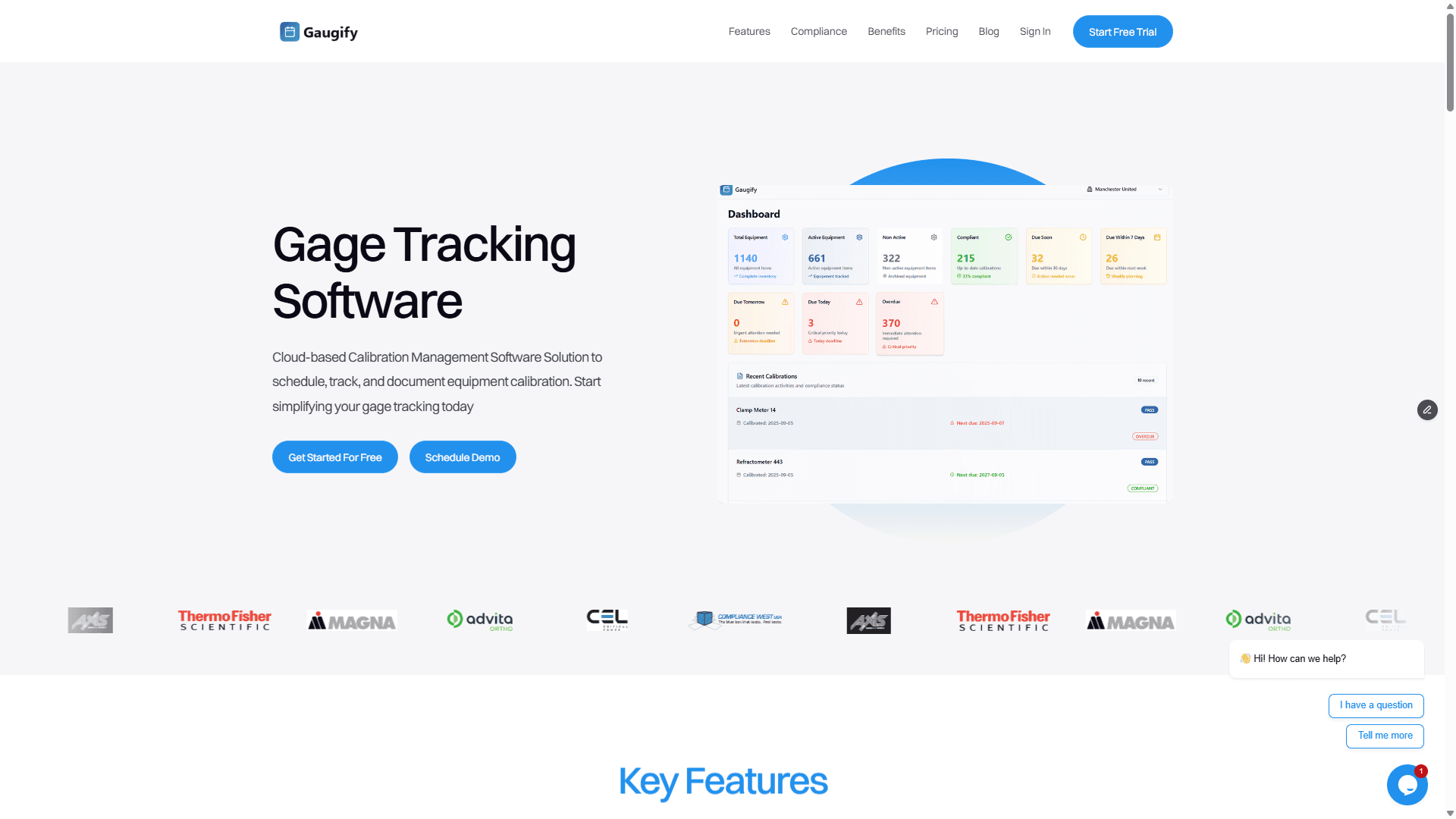
Effective calibration software presents information graphically rather than forcing users to interpret complex data tables. Color-coded status indicators (green for current, yellow for approaching due, red for overdue) provide immediate visual feedback. Charts showing calibration trends, upcoming workload, and compliance metrics help managers make informed decisions quickly.
Integrated Measurement Uncertainty
While uncertainty calculations involve complex mathematics, user-friendly software handles these computations automatically. When you calibrate a digital caliper with ±0.001" accuracy using standards with known uncertainty values, the software should calculate and document measurement uncertainty according to ISO 17025 requirements without requiring manual formulas.
Role-Based Access Control
Different team members need different access levels. Technicians might only need to view calibration status and update basic information, while quality managers require full reporting and configuration access. The software should support role-based permissions that are easy to set up and modify as your team changes.
Top Easy Calibration Software Solutions
Gaugify: Modern Cloud-Based Simplicity
Gaugify represents the new generation of calibration management software designed specifically for non-technical users. Built from the ground up as a cloud-native solution, it eliminates the complexity and overhead of traditional systems while providing enterprise-level functionality.
Key advantages include:
5-minute setup: Import your existing gage list via CSV and start managing calibrations immediately
Intuitive interface: Clean, modern design that feels like consumer software rather than industrial machinery
Automatic compliance: Built-in ISO 17025 support and audit trail functionality
Smart notifications: Email and dashboard alerts that adapt to your workflow patterns
Mobile optimization: Full functionality on tablets and smartphones
Transparent pricing: No hidden fees, user limits, or complex licensing structures
Gaugify's feature set covers everything from basic gage tracking to advanced uncertainty calculations, but presents these capabilities through interfaces that make sense to quality professionals rather than software engineers.
Ready to see how simple calibration management can be? Start your free trial and have your entire gage inventory organized in minutes, not months.
Traditional Enterprise Solutions
Established players like CyberMetrics GAGEpack, PQ Systems GAGEtrak, and Fluke MET/CAL have dominated the calibration software market for decades. These systems offer comprehensive functionality but often require significant implementation resources and ongoing technical support.
While powerful, these solutions typically involve:
Lengthy implementation timelines (3-6 months or more)
Extensive customization requirements
Complex user training programs
Ongoing IT infrastructure management
Higher total cost of ownership
Specialized Laboratory Solutions
For organizations with dedicated calibration laboratories, specialized LIMS (Laboratory Information Management Systems) like LabWare or StarLIMS provide extensive workflow automation and integration capabilities. However, these systems are designed for laboratory professionals and can overwhelm manufacturing quality teams who simply need reliable calibration tracking.
Pricing Models and Budget Considerations
Easy calibration software pricing has evolved significantly with cloud-based solutions offering more predictable and affordable options:
Modern SaaS Pricing
Cloud-based solutions like Gaugify typically charge per instrument or per user on a monthly subscription basis. Expect pricing ranges of $2-5 per instrument per month, with volume discounts for larger inventories. This model includes automatic updates, cloud hosting, data backup, and customer support—eliminating hidden IT costs.
Traditional License Models
Legacy software often requires upfront license purchases ($10,000-50,000+) plus annual maintenance fees (15-20% of license cost). Additional costs include server hardware, database licenses, implementation services, and ongoing IT support. While the monthly cost might appear lower, total cost of ownership typically exceeds SaaS solutions over 3-5 years.
Free and Open Source Options
Several open source calibration management tools exist, but "free" software often requires significant internal development resources to achieve production readiness. Unless you have dedicated programming staff, these solutions rarely provide adequate functionality for regulated industries.
Check Gaugify's transparent pricing to see how affordable modern calibration management can be compared to traditional solutions.
Implementation Strategy for Non-Technical Teams
Data Migration Planning
Most organizations have existing calibration records in spreadsheets, legacy databases, or paper files. Quality easy calibration software should provide straightforward data import tools that don't require technical expertise.
Start by organizing your current gage inventory into a standard format:
Instrument ID/Asset Number
Description (Mitutoyo Digital Caliper, 0-6", ±0.001")
Manufacturer and Model
Calibration Interval
Last Calibration Date
Location/Department
Responsible Technician
Modern software can import this data from Excel or CSV files, automatically calculating next due dates and setting up reminder schedules.
User Training and Adoption
The best calibration software requires minimal training—users should be productive within hours, not weeks. Look for solutions that provide:
Interactive tutorials and guided setup
Video training libraries covering common tasks
Responsive customer support via chat, email, or phone
Knowledge base with searchable FAQs
Regular webinars for advanced features
Workflow Integration
Consider how calibration software fits into your existing quality processes. The system should complement rather than complicate your current procedures. Key integration points include:
Connecting with your CMMS for coordinated maintenance scheduling
Exporting data for quality management system documentation
Integrating with purchasing systems for calibration service procurement
Supporting audit preparation with automated compliance reports
Free Trial Evaluation: What to Test
When evaluating easy calibration software during a trial period, focus on real-world scenarios rather than feature checklists:
Day-One Usability
Can you add instruments and generate meaningful reports within the first hour? Quality software should provide immediate value without extensive configuration or training.
Typical Workflow Testing
Test these common scenarios:
Adding new gages: How quickly can you register a new Starrett micrometer or Fluke multimeter?
Scheduling calibrations: Can you easily batch-schedule monthly torque wrench calibrations?
Certificate generation: Do generated certificates meet your audit requirements?
Status reporting: Can supervisors quickly identify overdue instruments?
Mobile access: Does the system work reliably on tablets during floor audits?
Support Responsiveness
Contact customer support with specific questions during your trial. Response time and knowledge quality provide insights into long-term software viability.
Data Export Capabilities
Ensure you can export your calibration data in standard formats (Excel, CSV, PDF). This protects your investment and supports audit requirements.
Making the Final Decision
Choosing the right calibration software ultimately depends on balancing functionality, usability, and cost for your specific organization. However, the trend toward cloud-based, user-friendly solutions offers compelling advantages for most quality teams.
Easy calibration software should amplify your team's effectiveness rather than creating new technical challenges. The best systems become invisible tools that ensure compliance, improve efficiency, and provide peace of mind during audits—all while requiring minimal ongoing attention from your quality staff.
Why Gaugify Stands Out
Among the available options, Gaugify consistently delivers the combination of simplicity and power that non-technical users need. Its modern architecture provides enterprise-grade compliance capabilities through interfaces designed for quality professionals, not software developers.
The platform's cloud-native design eliminates IT overhead while providing automatic scaling, security updates, and data backup. Most importantly, Gaugify's customer-centric approach ensures that feature development focuses on solving real calibration management challenges rather than adding technical complexity.
Ready to experience calibration management the way it should be? Schedule a personalized demo to see how Gaugify can transform your calibration processes, or jump straight into a free trial to start managing your gages more effectively today. Your future self—and your audit team—will thank you for choosing software that actually makes calibration management easier rather than more complicated.
Calibration Software for Non-Technical Users
Managing instrument calibrations shouldn't require an engineering degree or months of software training. If you're a quality manager, shop supervisor, or technician struggling with complex calibration systems that seem designed for software developers rather than the people who actually manage gages, you need easy calibration software that gets out of your way and lets you focus on maintaining measurement accuracy.
The reality is that most calibration management systems overwhelm users with unnecessary complexity. You don't need 47 different configuration screens to track when your Mitutoyo digital calipers need their next calibration or to generate a simple certificate for your Fluke multimeter. What you need is software that handles the technical heavy lifting while presenting you with clear, actionable information.
Why Easy Calibration Software Matters for Your Operation
Calibration management software serves as the central nervous system for your measurement quality program. It tracks calibration schedules, maintains historical records, generates certificates, and ensures audit compliance—all while supporting ISO 9001, ISO 17025, and industry-specific requirements like AS9100 for aerospace.
But here's the problem: traditional calibration systems often require extensive training, complex setup procedures, and ongoing IT support. This creates bottlenecks where only one or two people in your organization can effectively manage the system. When those key users are unavailable, calibrations get delayed, audits become stressful, and compliance suffers.
Easy calibration software changes this dynamic by making calibration management accessible to your entire team. Shop floor technicians can check calibration status on mobile devices, supervisors can generate reports without calling IT, and quality managers can track compliance metrics in real-time—all without extensive training or technical expertise.
The Hidden Costs of Complex Systems
Consider a typical manufacturing facility with 500 measuring instruments ranging from simple go/no-go gages to precision CMMs. With traditional calibration software, you might need:
40+ hours of initial training across multiple users
Dedicated IT support for system maintenance and updates
Custom report development for audit requirements
Regular data backup and security management
Extensive documentation for user procedures
Modern cloud-based solutions eliminate most of these overhead costs by providing intuitive interfaces, automatic updates, built-in security, and pre-configured audit reports that work out of the box.
Essential Features That Make Calibration Software User-Friendly
When evaluating easy calibration software options, focus on these core capabilities that directly impact daily usability:
Automated Scheduling and Smart Reminders
The software should automatically calculate next due dates based on calibration intervals (annual, semi-annual, quarterly) and send intelligent reminders well before instruments expire. Look for systems that can email notifications to specific technicians, highlight overdue items on dashboards, and even integrate with your existing maintenance management system.
For example, your Starrett micrometers with 12-month intervals should generate 30-day and 7-day warnings, while critical process gages might trigger alerts 60 days in advance. The best systems let you customize reminder timing based on instrument criticality and lead times for your calibration lab.
One-Click Certificate Generation
Creating calibration certificates shouldn't require manual data entry or complex formatting. Quality software automatically populates certificates with instrument details, calibration results, uncertainty calculations, and technician signatures. You should be able to generate professional PDF certificates that meet ISO 17025 requirements with a single click.
Advanced systems even support custom certificate templates for different instrument types—your torque wrench certificates can include different data fields than your pressure gage certificates, all while maintaining consistent branding and compliance formatting.
Mobile-First Design
Shop floor reality means accessing calibration information on tablets and smartphones. Look for software with native mobile apps or responsive web interfaces that work reliably in manufacturing environments. Technicians should be able to scan instrument barcodes, check calibration status, and update records without returning to a desktop computer.
This mobility becomes critical during audits when you need to quickly verify calibration status for instruments across your facility, or when calibration techs are working in different areas and need real-time access to procedures and specifications.
Visual Status Dashboards
Effective calibration software presents information graphically rather than forcing users to interpret complex data tables. Color-coded status indicators (green for current, yellow for approaching due, red for overdue) provide immediate visual feedback. Charts showing calibration trends, upcoming workload, and compliance metrics help managers make informed decisions quickly.
Integrated Measurement Uncertainty
While uncertainty calculations involve complex mathematics, user-friendly software handles these computations automatically. When you calibrate a digital caliper with ±0.001" accuracy using standards with known uncertainty values, the software should calculate and document measurement uncertainty according to ISO 17025 requirements without requiring manual formulas.
Role-Based Access Control
Different team members need different access levels. Technicians might only need to view calibration status and update basic information, while quality managers require full reporting and configuration access. The software should support role-based permissions that are easy to set up and modify as your team changes.
Top Easy Calibration Software Solutions
Gaugify: Modern Cloud-Based Simplicity
Gaugify represents the new generation of calibration management software designed specifically for non-technical users. Built from the ground up as a cloud-native solution, it eliminates the complexity and overhead of traditional systems while providing enterprise-level functionality.
Key advantages include:
5-minute setup: Import your existing gage list via CSV and start managing calibrations immediately
Intuitive interface: Clean, modern design that feels like consumer software rather than industrial machinery
Automatic compliance: Built-in ISO 17025 support and audit trail functionality
Smart notifications: Email and dashboard alerts that adapt to your workflow patterns
Mobile optimization: Full functionality on tablets and smartphones
Transparent pricing: No hidden fees, user limits, or complex licensing structures
Gaugify's feature set covers everything from basic gage tracking to advanced uncertainty calculations, but presents these capabilities through interfaces that make sense to quality professionals rather than software engineers.
Ready to see how simple calibration management can be? Start your free trial and have your entire gage inventory organized in minutes, not months.
Traditional Enterprise Solutions
Established players like CyberMetrics GAGEpack, PQ Systems GAGEtrak, and Fluke MET/CAL have dominated the calibration software market for decades. These systems offer comprehensive functionality but often require significant implementation resources and ongoing technical support.
While powerful, these solutions typically involve:
Lengthy implementation timelines (3-6 months or more)
Extensive customization requirements
Complex user training programs
Ongoing IT infrastructure management
Higher total cost of ownership
Specialized Laboratory Solutions
For organizations with dedicated calibration laboratories, specialized LIMS (Laboratory Information Management Systems) like LabWare or StarLIMS provide extensive workflow automation and integration capabilities. However, these systems are designed for laboratory professionals and can overwhelm manufacturing quality teams who simply need reliable calibration tracking.
Pricing Models and Budget Considerations
Easy calibration software pricing has evolved significantly with cloud-based solutions offering more predictable and affordable options:
Modern SaaS Pricing
Cloud-based solutions like Gaugify typically charge per instrument or per user on a monthly subscription basis. Expect pricing ranges of $2-5 per instrument per month, with volume discounts for larger inventories. This model includes automatic updates, cloud hosting, data backup, and customer support—eliminating hidden IT costs.
Traditional License Models
Legacy software often requires upfront license purchases ($10,000-50,000+) plus annual maintenance fees (15-20% of license cost). Additional costs include server hardware, database licenses, implementation services, and ongoing IT support. While the monthly cost might appear lower, total cost of ownership typically exceeds SaaS solutions over 3-5 years.
Free and Open Source Options
Several open source calibration management tools exist, but "free" software often requires significant internal development resources to achieve production readiness. Unless you have dedicated programming staff, these solutions rarely provide adequate functionality for regulated industries.
Check Gaugify's transparent pricing to see how affordable modern calibration management can be compared to traditional solutions.
Implementation Strategy for Non-Technical Teams
Data Migration Planning
Most organizations have existing calibration records in spreadsheets, legacy databases, or paper files. Quality easy calibration software should provide straightforward data import tools that don't require technical expertise.
Start by organizing your current gage inventory into a standard format:
Instrument ID/Asset Number
Description (Mitutoyo Digital Caliper, 0-6", ±0.001")
Manufacturer and Model
Calibration Interval
Last Calibration Date
Location/Department
Responsible Technician
Modern software can import this data from Excel or CSV files, automatically calculating next due dates and setting up reminder schedules.
User Training and Adoption
The best calibration software requires minimal training—users should be productive within hours, not weeks. Look for solutions that provide:
Interactive tutorials and guided setup
Video training libraries covering common tasks
Responsive customer support via chat, email, or phone
Knowledge base with searchable FAQs
Regular webinars for advanced features
Workflow Integration
Consider how calibration software fits into your existing quality processes. The system should complement rather than complicate your current procedures. Key integration points include:
Connecting with your CMMS for coordinated maintenance scheduling
Exporting data for quality management system documentation
Integrating with purchasing systems for calibration service procurement
Supporting audit preparation with automated compliance reports
Free Trial Evaluation: What to Test
When evaluating easy calibration software during a trial period, focus on real-world scenarios rather than feature checklists:
Day-One Usability
Can you add instruments and generate meaningful reports within the first hour? Quality software should provide immediate value without extensive configuration or training.
Typical Workflow Testing
Test these common scenarios:
Adding new gages: How quickly can you register a new Starrett micrometer or Fluke multimeter?
Scheduling calibrations: Can you easily batch-schedule monthly torque wrench calibrations?
Certificate generation: Do generated certificates meet your audit requirements?
Status reporting: Can supervisors quickly identify overdue instruments?
Mobile access: Does the system work reliably on tablets during floor audits?
Support Responsiveness
Contact customer support with specific questions during your trial. Response time and knowledge quality provide insights into long-term software viability.
Data Export Capabilities
Ensure you can export your calibration data in standard formats (Excel, CSV, PDF). This protects your investment and supports audit requirements.
Making the Final Decision
Choosing the right calibration software ultimately depends on balancing functionality, usability, and cost for your specific organization. However, the trend toward cloud-based, user-friendly solutions offers compelling advantages for most quality teams.
Easy calibration software should amplify your team's effectiveness rather than creating new technical challenges. The best systems become invisible tools that ensure compliance, improve efficiency, and provide peace of mind during audits—all while requiring minimal ongoing attention from your quality staff.
Why Gaugify Stands Out
Among the available options, Gaugify consistently delivers the combination of simplicity and power that non-technical users need. Its modern architecture provides enterprise-grade compliance capabilities through interfaces designed for quality professionals, not software developers.
The platform's cloud-native design eliminates IT overhead while providing automatic scaling, security updates, and data backup. Most importantly, Gaugify's customer-centric approach ensures that feature development focuses on solving real calibration management challenges rather than adding technical complexity.
Ready to experience calibration management the way it should be? Schedule a personalized demo to see how Gaugify can transform your calibration processes, or jump straight into a free trial to start managing your gages more effectively today. Your future self—and your audit team—will thank you for choosing software that actually makes calibration management easier rather than more complicated.