
Best Calibration Software with Built-in Uncertainty Calculations
Best Calibration Software with Built-in Uncertainty Calculations
David Bentley
Quality Assurance Engineer
12 min read
Best Calibration Software with Built-in Uncertainty Calculations
When your ISO 17025 audit reveals gaps in measurement uncertainty documentation, or when calculating uncertainty budgets manually takes hours instead of minutes, you need calibration software with uncertainty calculations built right in. The right system transforms complex uncertainty analysis from a compliance headache into an automated process that strengthens your measurement confidence and satisfies auditors.
Modern calibration management software goes far beyond simple scheduling and reminders. Today's quality managers demand systems that handle the mathematical complexity of uncertainty calculations while maintaining full traceability and compliance documentation. Whether you're managing micrometers with ±0.0001" tolerances or pressure gages calibrated to 0.1% of reading, your software should calculate Type A and Type B uncertainties automatically.
This comprehensive guide examines the leading calibration software solutions with built-in uncertainty calculation capabilities, helping you choose a system that eliminates manual calculations, ensures compliance, and provides the measurement confidence your operations demand.
Understanding Calibration Management Software and Uncertainty Requirements
Calibration management software centralizes all aspects of your measurement equipment lifecycle, from initial procurement through retirement. However, not all systems handle the critical requirement of measurement uncertainty calculations that ISO/IEC 17025, ANSI/NCSL Z540, and FDA regulations demand.
Measurement uncertainty represents the doubt about the validity of a measurement result. For example, when calibrating a digital caliper against gage blocks, your uncertainty budget must account for the reference standard uncertainty, environmental conditions, operator repeatability, and instrument resolution. Manual calculations involve complex formulas combining these components using root sum of squares methods.
Professional calibration software automates these calculations by:
Storing reference standard uncertainties and propagating them through calibration chains
Applying environmental correction factors based on temperature and humidity data
Calculating Type A uncertainties from measurement repeatability statistics
Combining Type B uncertainties from equipment specifications and calibration histories
Generating expanded uncertainties using appropriate coverage factors (typically k=2 for 95% confidence)
Documenting all uncertainty sources for audit trail compliance
Consider a torque wrench calibration scenario: Your software should automatically calculate uncertainty contributions from the reference torque analyzer (±0.2% uncertainty), environmental temperature variations, loading rate effects, and operator repeatability. The final uncertainty statement might read "15.0 lbf·in ± 0.5 lbf·in (k=2)" with full mathematical justification.
Why Built-in Uncertainty Calculations Matter
Manual uncertainty calculations create multiple risks. Laboratory technicians spending 30 minutes per calibration on uncertainty analysis reduce throughput and introduce calculation errors. Inconsistent methodologies between technicians create audit findings. Most critically, inadequate uncertainty analysis can invalidate measurement decisions when the uncertainty exceeds acceptable limits.
Automated uncertainty calculations ensure consistency, reduce calibration cycle time, and provide the detailed documentation that satisfies ISO 17025 assessors and FDA inspectors.
Essential Features in Calibration Software with Uncertainty Calculations
When evaluating calibration software uncertainty calculations capabilities, look for these comprehensive features that distinguish professional-grade systems from basic scheduling tools:
Advanced Uncertainty Analysis Engine
The software's uncertainty calculation engine should handle both simple and complex scenarios. For basic dimensional measurements, it might combine gage block uncertainty (±0.000050") with temperature coefficient corrections and instrument resolution. For sophisticated measurements like RF power calibrations, it should manage frequency-dependent uncertainties, impedance mismatch corrections, and connector repeatability effects.
Look for systems that support:
Multi-point uncertainty calculations for different ranges and frequencies
Non-linear uncertainty propagation for logarithmic measurements (dB, pH)
Correlated uncertainty components handling
Monte Carlo simulation capabilities for complex uncertainty budgets
Automatic coverage factor selection based on degrees of freedom
Comprehensive Asset and Crib Management
Effective calibration software tracks every piece of measurement equipment from receiving through disposal. Your system should maintain detailed records including manufacturer specifications, calibration histories, uncertainty statements, and current status. When a technician needs a 0-1" micrometer, the system should instantly identify available instruments, their calibration status, and measurement uncertainties.
Advanced crib management features include:
Barcode and RFID integration for instant check-in/check-out
Location tracking across multiple facilities
Usage monitoring to optimize calibration intervals
Automated notifications for overdue returns
Integration with maintenance management systems
Intelligent Scheduling and Workflow Automation
Professional calibration software optimizes scheduling based on multiple factors: calibration due dates, technician qualifications, equipment availability, and workload balancing. The system should automatically generate work orders, assign appropriate reference standards, and route instruments through multi-step procedures.
For example, a pressure transmitter calibration might require: incoming inspection, environmental conditioning, as-found testing, adjustment if needed, as-left verification, and final documentation. The software should guide technicians through each step while capturing all measurement data for uncertainty analysis.
Automated Certificate Generation and Documentation
Calibration certificates must include measurement data, uncertainty statements, and traceability information. Professional software generates certificates automatically using templates that comply with ISO/IEC 17025 requirements. The system should support multiple certificate formats for different customer requirements while maintaining consistent uncertainty reporting.
Advanced certificate features include:
Conditional formatting that highlights out-of-tolerance conditions
Digital signatures and tamper-evident security
Multi-language support for international operations
Custom branding and formatting options
Automatic distribution via email or customer portals
Complete Audit Trail and Compliance Support
Regulatory compliance demands complete traceability of all calibration activities. Your software should maintain detailed audit trails showing who performed calibrations, what standards were used, environmental conditions, and any adjustments made. This information must be tamper-proof and easily accessible during audits.
Mobile Access and Field Calibration Support
Field calibrations and mobile technician support require software accessibility beyond the laboratory. Modern systems provide tablet and smartphone apps that maintain full functionality including uncertainty calculations, certificate generation, and data synchronization.
Mobile features should include:
Offline operation capability for remote locations
Camera integration for documenting equipment conditions
GPS tracking for field service verification
Electronic signature capture
Real-time synchronization when connectivity resumes
Top Calibration Software Solutions with Built-in Uncertainty Calculations
The market offers several calibration software solutions with uncertainty calculation capabilities. Here's an objective comparison of leading options:
Gaugify: Modern Cloud-Based Excellence
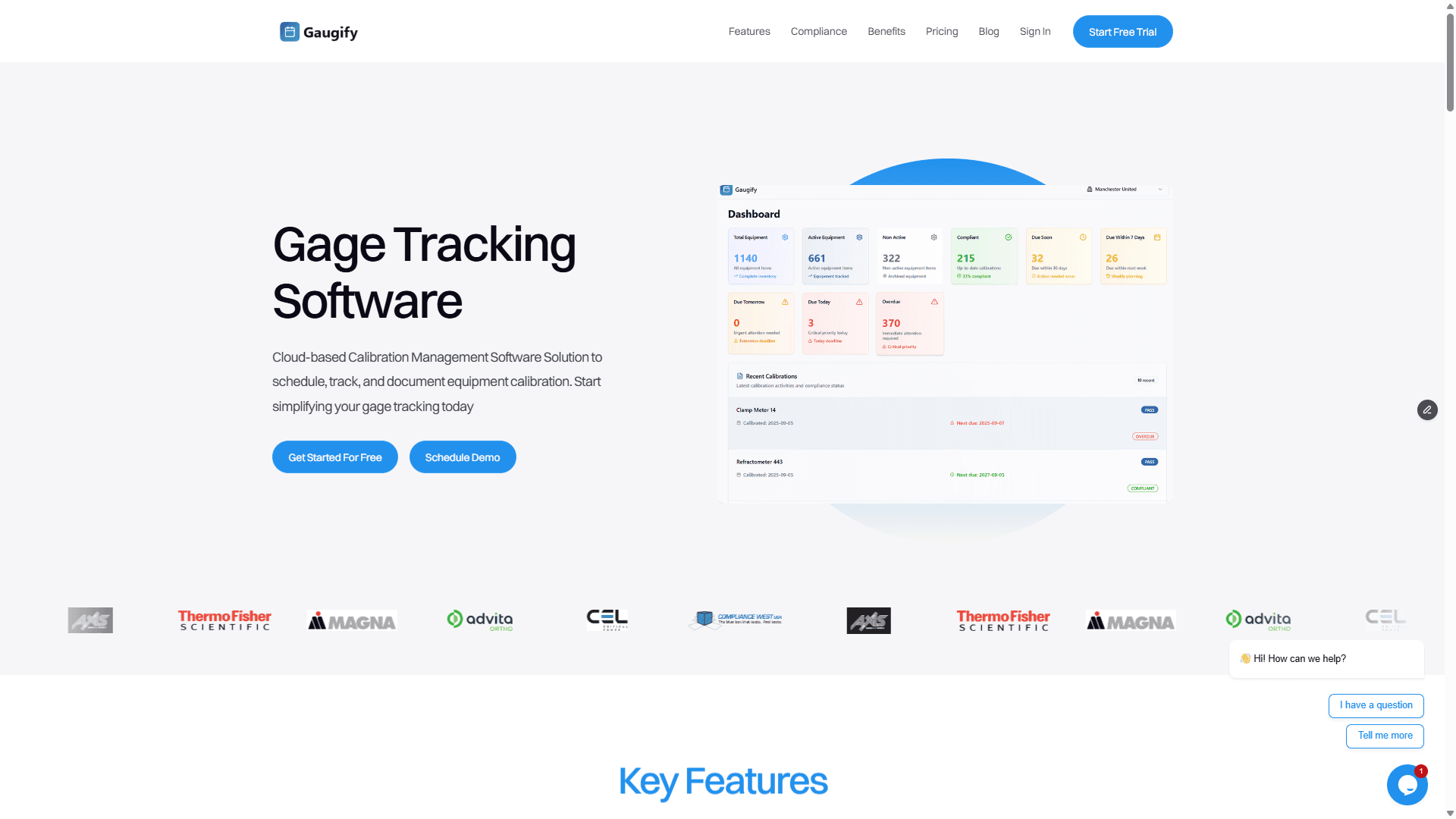
Gaugify represents the next generation of calibration management software, built specifically for modern quality operations. The platform combines intuitive user experience with sophisticated uncertainty calculation capabilities that satisfy the most demanding compliance requirements.
Gaugify's uncertainty engine automatically handles complex calculations while maintaining complete transparency. When calibrating a digital multimeter, the system combines reference standard uncertainties, environmental corrections, and measurement repeatability using proper statistical methods. The result appears instantly in compliance-ready formats that auditors appreciate.
Key Gaugify advantages include:
Cloud-based architecture eliminating IT infrastructure requirements
Intuitive interface that reduces training time from weeks to hours
Built-in ISO 17025 compliance features and templates
Advanced uncertainty calculations with full mathematical documentation
Mobile-first design supporting field calibrations
Comprehensive feature set including scheduling, certificates, and reporting
Transparent pricing with no hidden fees
The platform excels in scenarios requiring sophisticated uncertainty analysis. For example, when calibrating a pressure transducer across multiple ranges, Gaugify automatically calculates range-specific uncertainties, applies appropriate coverage factors, and generates professional certificates showing expanded uncertainties at each test point.
Traditional Enterprise Solutions
Established players like Fluke MET/CAL, Beamex, and Prime Technologies offer comprehensive calibration management with uncertainty capabilities. These systems typically require significant implementation effort and ongoing IT support but provide extensive customization options for large organizations with complex requirements.
Enterprise solutions often include:
Extensive procedure libraries for common instruments
Advanced statistical analysis capabilities
Integration with laboratory information management systems (LIMS)
Comprehensive audit trail and security features
Multi-site deployment capabilities
However, these systems often require months of implementation, extensive training programs, and dedicated IT resources for maintenance and updates.
Specialized Uncertainty Analysis Tools
Some organizations use dedicated uncertainty analysis software alongside basic calibration management systems. While this approach provides sophisticated uncertainty capabilities, it creates workflow inefficiencies and data synchronization challenges that increase error risk and compliance complexity.
Ready to experience professional-grade calibration software with uncertainty calculations? Start your free trial of Gaugify and see how automated uncertainty analysis transforms your calibration operations within minutes, not months.
Pricing Considerations and Total Cost of Ownership
Calibration software pricing varies significantly based on functionality, deployment model, and organizational size. Understanding total cost of ownership helps make informed decisions that align with budgetary constraints and operational requirements.
Cloud-Based vs. On-Premise Deployment Costs
Cloud-based solutions like Gaugify typically offer subscription pricing starting around $50-150 per user monthly, including uncertainty calculation capabilities, automatic updates, and technical support. This model eliminates upfront license fees, hardware requirements, and IT maintenance costs.
On-premise systems often require substantial initial investments: software licenses ($10,000-100,000+), server hardware, database licenses, and implementation services. Ongoing costs include IT support, backup systems, security updates, and version upgrades.
Hidden Costs to Consider
Beyond obvious license fees, consider these often-overlooked expenses:
Implementation and data migration services
User training and certification programs
Customization and integration development
Annual maintenance and support contracts
Hardware and infrastructure requirements
Backup and disaster recovery systems
A seemingly affordable $25,000 software license might cost $75,000+ when including implementation, training, and first-year operation.
Return on Investment Factors
Professional calibration software with uncertainty calculations typically pays for itself through:
Reduced calibration cycle times (30-50% improvement common)
Eliminated manual uncertainty calculation errors
Improved asset utilization and reduced duplicate purchases
Faster audit preparation and reduced compliance costs
Enhanced measurement confidence and reduced quality risks
For example, if automating uncertainty calculations saves each technician 20 minutes per calibration, and you perform 100 calibrations monthly, that's 33 hours of recovered productivity worth $1,000+ monthly at typical labor rates.
Implementation Strategy and Best Practices
Successful calibration software implementation requires careful planning, especially when uncertainty calculations are critical to operations. Here's a proven approach that minimizes disruption while maximizing adoption:
Phase 1: Assessment and Planning
Begin by documenting current processes, identifying pain points, and establishing success metrics. Inventory all measurement equipment, review existing uncertainty budgets, and map calibration workflows. This foundation ensures your chosen software addresses actual needs rather than perceived requirements.
Key assessment activities include:
Current software and process evaluation
Equipment inventory and classification
Uncertainty calculation methodology review
Compliance requirement analysis
User role and access planning
Phase 2: Pilot Implementation
Start with a limited scope pilot covering 20-50 instruments across representative equipment types. This approach allows process refinement without overwhelming users or disrupting operations. Focus on instruments requiring sophisticated uncertainty calculations to validate the software's capabilities.
For example, pilot with precision dimensional equipment (micrometers, calipers, height gages) that require temperature coefficient corrections and complex uncertainty propagation. Success here demonstrates the system's capability for more challenging applications.
Phase 3: Gradual Rollout
Expand implementation systematically, adding equipment groups and users based on pilot learnings. Maintain parallel operations initially, comparing software-generated uncertainty calculations with manual methods to ensure accuracy and build user confidence.
Evaluating Software During Free Trials: Critical Tests
A comprehensive evaluation during your free trial ensures the software meets uncertainty calculation requirements and operational needs. Here's what to test systematically:
Uncertainty Calculation Accuracy
Test the software's uncertainty calculations using known scenarios with manually verified results. Create a simple example like calibrating a digital caliper against gage blocks:
Reference standard uncertainty: ±0.000050" (k=2)
Temperature coefficient: 11.5 ppm/°C
Temperature variation: ±1°C
Instrument resolution: 0.0001"
Repeatability (5 measurements): calculate standard deviation
Verify the software combines these components correctly and produces reasonable expanded uncertainty values. The system should show mathematical justification and allow uncertainty budget review.
Workflow Integration
Test complete calibration workflows from work order generation through certificate delivery. The uncertainty calculations should integrate seamlessly without disrupting normal procedures. Technicians shouldn't need special training to access uncertainty information.
Compliance Documentation
Generate sample calibration certificates and verify they include proper uncertainty statements, traceability information, and compliance elements. Test the audit trail functionality by reviewing detailed activity logs.
Mobile and Field Capabilities
If field calibrations are important, test mobile access thoroughly. Uncertainty calculations should work identically whether performed in the laboratory or at remote locations. Test offline operation and data synchronization.
Reporting and Analytics
Evaluate the software's reporting capabilities for uncertainty-related metrics. Can you easily identify instruments approaching uncertainty limits? Does the system flag calibrations where uncertainty exceeds acceptable levels? These capabilities prevent measurement quality issues before they impact operations.
Making the Final Decision: Why Gaugify Leads in Calibration Software with Uncertainty Calculations
Choosing calibration software with uncertainty calculations requires balancing sophistication with usability, compliance with efficiency, and features with cost. After comprehensive evaluation, Gaugify emerges as the optimal choice for most organizations seeking modern, reliable, and cost-effective calibration management.
Gaugify's uncertainty calculation engine handles complex scenarios with mathematical precision while maintaining the simplicity that drives user adoption. Whether you're managing basic dimensional equipment or sophisticated electronic instrumentation, the platform provides uncertainty analysis that satisfies auditors and supports confident measurement decisions.
The cloud-based architecture eliminates implementation complexity while providing enterprise-grade security and reliability. Your team can begin using advanced uncertainty calculations within days rather than months, with full mobile access and seamless integration into existing workflows.
Most importantly, Gaugify's transparent pricing and comprehensive feature set provide exceptional value without hidden costs or surprise fees. You get professional-grade calibration management with sophisticated uncertainty calculations at a fraction of traditional software costs.
Ready to transform your calibration operations with automated uncertainty calculations that ensure compliance and build measurement confidence? Start your free Gaugify trial today or schedule a personalized demo to see how the platform addresses your specific uncertainty calculation requirements. Experience the difference that purpose-built calibration software makes in your quality operations.
Best Calibration Software with Built-in Uncertainty Calculations
When your ISO 17025 audit reveals gaps in measurement uncertainty documentation, or when calculating uncertainty budgets manually takes hours instead of minutes, you need calibration software with uncertainty calculations built right in. The right system transforms complex uncertainty analysis from a compliance headache into an automated process that strengthens your measurement confidence and satisfies auditors.
Modern calibration management software goes far beyond simple scheduling and reminders. Today's quality managers demand systems that handle the mathematical complexity of uncertainty calculations while maintaining full traceability and compliance documentation. Whether you're managing micrometers with ±0.0001" tolerances or pressure gages calibrated to 0.1% of reading, your software should calculate Type A and Type B uncertainties automatically.
This comprehensive guide examines the leading calibration software solutions with built-in uncertainty calculation capabilities, helping you choose a system that eliminates manual calculations, ensures compliance, and provides the measurement confidence your operations demand.
Understanding Calibration Management Software and Uncertainty Requirements
Calibration management software centralizes all aspects of your measurement equipment lifecycle, from initial procurement through retirement. However, not all systems handle the critical requirement of measurement uncertainty calculations that ISO/IEC 17025, ANSI/NCSL Z540, and FDA regulations demand.
Measurement uncertainty represents the doubt about the validity of a measurement result. For example, when calibrating a digital caliper against gage blocks, your uncertainty budget must account for the reference standard uncertainty, environmental conditions, operator repeatability, and instrument resolution. Manual calculations involve complex formulas combining these components using root sum of squares methods.
Professional calibration software automates these calculations by:
Storing reference standard uncertainties and propagating them through calibration chains
Applying environmental correction factors based on temperature and humidity data
Calculating Type A uncertainties from measurement repeatability statistics
Combining Type B uncertainties from equipment specifications and calibration histories
Generating expanded uncertainties using appropriate coverage factors (typically k=2 for 95% confidence)
Documenting all uncertainty sources for audit trail compliance
Consider a torque wrench calibration scenario: Your software should automatically calculate uncertainty contributions from the reference torque analyzer (±0.2% uncertainty), environmental temperature variations, loading rate effects, and operator repeatability. The final uncertainty statement might read "15.0 lbf·in ± 0.5 lbf·in (k=2)" with full mathematical justification.
Why Built-in Uncertainty Calculations Matter
Manual uncertainty calculations create multiple risks. Laboratory technicians spending 30 minutes per calibration on uncertainty analysis reduce throughput and introduce calculation errors. Inconsistent methodologies between technicians create audit findings. Most critically, inadequate uncertainty analysis can invalidate measurement decisions when the uncertainty exceeds acceptable limits.
Automated uncertainty calculations ensure consistency, reduce calibration cycle time, and provide the detailed documentation that satisfies ISO 17025 assessors and FDA inspectors.
Essential Features in Calibration Software with Uncertainty Calculations
When evaluating calibration software uncertainty calculations capabilities, look for these comprehensive features that distinguish professional-grade systems from basic scheduling tools:
Advanced Uncertainty Analysis Engine
The software's uncertainty calculation engine should handle both simple and complex scenarios. For basic dimensional measurements, it might combine gage block uncertainty (±0.000050") with temperature coefficient corrections and instrument resolution. For sophisticated measurements like RF power calibrations, it should manage frequency-dependent uncertainties, impedance mismatch corrections, and connector repeatability effects.
Look for systems that support:
Multi-point uncertainty calculations for different ranges and frequencies
Non-linear uncertainty propagation for logarithmic measurements (dB, pH)
Correlated uncertainty components handling
Monte Carlo simulation capabilities for complex uncertainty budgets
Automatic coverage factor selection based on degrees of freedom
Comprehensive Asset and Crib Management
Effective calibration software tracks every piece of measurement equipment from receiving through disposal. Your system should maintain detailed records including manufacturer specifications, calibration histories, uncertainty statements, and current status. When a technician needs a 0-1" micrometer, the system should instantly identify available instruments, their calibration status, and measurement uncertainties.
Advanced crib management features include:
Barcode and RFID integration for instant check-in/check-out
Location tracking across multiple facilities
Usage monitoring to optimize calibration intervals
Automated notifications for overdue returns
Integration with maintenance management systems
Intelligent Scheduling and Workflow Automation
Professional calibration software optimizes scheduling based on multiple factors: calibration due dates, technician qualifications, equipment availability, and workload balancing. The system should automatically generate work orders, assign appropriate reference standards, and route instruments through multi-step procedures.
For example, a pressure transmitter calibration might require: incoming inspection, environmental conditioning, as-found testing, adjustment if needed, as-left verification, and final documentation. The software should guide technicians through each step while capturing all measurement data for uncertainty analysis.
Automated Certificate Generation and Documentation
Calibration certificates must include measurement data, uncertainty statements, and traceability information. Professional software generates certificates automatically using templates that comply with ISO/IEC 17025 requirements. The system should support multiple certificate formats for different customer requirements while maintaining consistent uncertainty reporting.
Advanced certificate features include:
Conditional formatting that highlights out-of-tolerance conditions
Digital signatures and tamper-evident security
Multi-language support for international operations
Custom branding and formatting options
Automatic distribution via email or customer portals
Complete Audit Trail and Compliance Support
Regulatory compliance demands complete traceability of all calibration activities. Your software should maintain detailed audit trails showing who performed calibrations, what standards were used, environmental conditions, and any adjustments made. This information must be tamper-proof and easily accessible during audits.
Mobile Access and Field Calibration Support
Field calibrations and mobile technician support require software accessibility beyond the laboratory. Modern systems provide tablet and smartphone apps that maintain full functionality including uncertainty calculations, certificate generation, and data synchronization.
Mobile features should include:
Offline operation capability for remote locations
Camera integration for documenting equipment conditions
GPS tracking for field service verification
Electronic signature capture
Real-time synchronization when connectivity resumes
Top Calibration Software Solutions with Built-in Uncertainty Calculations
The market offers several calibration software solutions with uncertainty calculation capabilities. Here's an objective comparison of leading options:
Gaugify: Modern Cloud-Based Excellence
Gaugify represents the next generation of calibration management software, built specifically for modern quality operations. The platform combines intuitive user experience with sophisticated uncertainty calculation capabilities that satisfy the most demanding compliance requirements.
Gaugify's uncertainty engine automatically handles complex calculations while maintaining complete transparency. When calibrating a digital multimeter, the system combines reference standard uncertainties, environmental corrections, and measurement repeatability using proper statistical methods. The result appears instantly in compliance-ready formats that auditors appreciate.
Key Gaugify advantages include:
Cloud-based architecture eliminating IT infrastructure requirements
Intuitive interface that reduces training time from weeks to hours
Built-in ISO 17025 compliance features and templates
Advanced uncertainty calculations with full mathematical documentation
Mobile-first design supporting field calibrations
Comprehensive feature set including scheduling, certificates, and reporting
Transparent pricing with no hidden fees
The platform excels in scenarios requiring sophisticated uncertainty analysis. For example, when calibrating a pressure transducer across multiple ranges, Gaugify automatically calculates range-specific uncertainties, applies appropriate coverage factors, and generates professional certificates showing expanded uncertainties at each test point.
Traditional Enterprise Solutions
Established players like Fluke MET/CAL, Beamex, and Prime Technologies offer comprehensive calibration management with uncertainty capabilities. These systems typically require significant implementation effort and ongoing IT support but provide extensive customization options for large organizations with complex requirements.
Enterprise solutions often include:
Extensive procedure libraries for common instruments
Advanced statistical analysis capabilities
Integration with laboratory information management systems (LIMS)
Comprehensive audit trail and security features
Multi-site deployment capabilities
However, these systems often require months of implementation, extensive training programs, and dedicated IT resources for maintenance and updates.
Specialized Uncertainty Analysis Tools
Some organizations use dedicated uncertainty analysis software alongside basic calibration management systems. While this approach provides sophisticated uncertainty capabilities, it creates workflow inefficiencies and data synchronization challenges that increase error risk and compliance complexity.
Ready to experience professional-grade calibration software with uncertainty calculations? Start your free trial of Gaugify and see how automated uncertainty analysis transforms your calibration operations within minutes, not months.
Pricing Considerations and Total Cost of Ownership
Calibration software pricing varies significantly based on functionality, deployment model, and organizational size. Understanding total cost of ownership helps make informed decisions that align with budgetary constraints and operational requirements.
Cloud-Based vs. On-Premise Deployment Costs
Cloud-based solutions like Gaugify typically offer subscription pricing starting around $50-150 per user monthly, including uncertainty calculation capabilities, automatic updates, and technical support. This model eliminates upfront license fees, hardware requirements, and IT maintenance costs.
On-premise systems often require substantial initial investments: software licenses ($10,000-100,000+), server hardware, database licenses, and implementation services. Ongoing costs include IT support, backup systems, security updates, and version upgrades.
Hidden Costs to Consider
Beyond obvious license fees, consider these often-overlooked expenses:
Implementation and data migration services
User training and certification programs
Customization and integration development
Annual maintenance and support contracts
Hardware and infrastructure requirements
Backup and disaster recovery systems
A seemingly affordable $25,000 software license might cost $75,000+ when including implementation, training, and first-year operation.
Return on Investment Factors
Professional calibration software with uncertainty calculations typically pays for itself through:
Reduced calibration cycle times (30-50% improvement common)
Eliminated manual uncertainty calculation errors
Improved asset utilization and reduced duplicate purchases
Faster audit preparation and reduced compliance costs
Enhanced measurement confidence and reduced quality risks
For example, if automating uncertainty calculations saves each technician 20 minutes per calibration, and you perform 100 calibrations monthly, that's 33 hours of recovered productivity worth $1,000+ monthly at typical labor rates.
Implementation Strategy and Best Practices
Successful calibration software implementation requires careful planning, especially when uncertainty calculations are critical to operations. Here's a proven approach that minimizes disruption while maximizing adoption:
Phase 1: Assessment and Planning
Begin by documenting current processes, identifying pain points, and establishing success metrics. Inventory all measurement equipment, review existing uncertainty budgets, and map calibration workflows. This foundation ensures your chosen software addresses actual needs rather than perceived requirements.
Key assessment activities include:
Current software and process evaluation
Equipment inventory and classification
Uncertainty calculation methodology review
Compliance requirement analysis
User role and access planning
Phase 2: Pilot Implementation
Start with a limited scope pilot covering 20-50 instruments across representative equipment types. This approach allows process refinement without overwhelming users or disrupting operations. Focus on instruments requiring sophisticated uncertainty calculations to validate the software's capabilities.
For example, pilot with precision dimensional equipment (micrometers, calipers, height gages) that require temperature coefficient corrections and complex uncertainty propagation. Success here demonstrates the system's capability for more challenging applications.
Phase 3: Gradual Rollout
Expand implementation systematically, adding equipment groups and users based on pilot learnings. Maintain parallel operations initially, comparing software-generated uncertainty calculations with manual methods to ensure accuracy and build user confidence.
Evaluating Software During Free Trials: Critical Tests
A comprehensive evaluation during your free trial ensures the software meets uncertainty calculation requirements and operational needs. Here's what to test systematically:
Uncertainty Calculation Accuracy
Test the software's uncertainty calculations using known scenarios with manually verified results. Create a simple example like calibrating a digital caliper against gage blocks:
Reference standard uncertainty: ±0.000050" (k=2)
Temperature coefficient: 11.5 ppm/°C
Temperature variation: ±1°C
Instrument resolution: 0.0001"
Repeatability (5 measurements): calculate standard deviation
Verify the software combines these components correctly and produces reasonable expanded uncertainty values. The system should show mathematical justification and allow uncertainty budget review.
Workflow Integration
Test complete calibration workflows from work order generation through certificate delivery. The uncertainty calculations should integrate seamlessly without disrupting normal procedures. Technicians shouldn't need special training to access uncertainty information.
Compliance Documentation
Generate sample calibration certificates and verify they include proper uncertainty statements, traceability information, and compliance elements. Test the audit trail functionality by reviewing detailed activity logs.
Mobile and Field Capabilities
If field calibrations are important, test mobile access thoroughly. Uncertainty calculations should work identically whether performed in the laboratory or at remote locations. Test offline operation and data synchronization.
Reporting and Analytics
Evaluate the software's reporting capabilities for uncertainty-related metrics. Can you easily identify instruments approaching uncertainty limits? Does the system flag calibrations where uncertainty exceeds acceptable levels? These capabilities prevent measurement quality issues before they impact operations.
Making the Final Decision: Why Gaugify Leads in Calibration Software with Uncertainty Calculations
Choosing calibration software with uncertainty calculations requires balancing sophistication with usability, compliance with efficiency, and features with cost. After comprehensive evaluation, Gaugify emerges as the optimal choice for most organizations seeking modern, reliable, and cost-effective calibration management.
Gaugify's uncertainty calculation engine handles complex scenarios with mathematical precision while maintaining the simplicity that drives user adoption. Whether you're managing basic dimensional equipment or sophisticated electronic instrumentation, the platform provides uncertainty analysis that satisfies auditors and supports confident measurement decisions.
The cloud-based architecture eliminates implementation complexity while providing enterprise-grade security and reliability. Your team can begin using advanced uncertainty calculations within days rather than months, with full mobile access and seamless integration into existing workflows.
Most importantly, Gaugify's transparent pricing and comprehensive feature set provide exceptional value without hidden costs or surprise fees. You get professional-grade calibration management with sophisticated uncertainty calculations at a fraction of traditional software costs.
Ready to transform your calibration operations with automated uncertainty calculations that ensure compliance and build measurement confidence? Start your free Gaugify trial today or schedule a personalized demo to see how the platform addresses your specific uncertainty calculation requirements. Experience the difference that purpose-built calibration software makes in your quality operations.