
Calibration Management Software for ISO Compliance: Buyers Guide
Calibration Management Software for ISO Compliance: Buyers Guide
David Bentley
Quality Assurance Engineer
12 min read
Calibration Management Software for ISO Compliance: Buyers Guide
If you're managing calibration programs for ISO 9001, ISO/IEC 17025, or other quality standards, you know the pain of juggling spreadsheets, paper certificates, and missed calibration due dates. The right calibration software ISO compliance solution can transform your program from reactive chaos to proactive control, but choosing the wrong platform can waste months and thousands of dollars.
This comprehensive buyer's guide cuts through the marketing noise to help quality managers, lab supervisors, and calibration technicians select calibration management software that actually delivers ISO compliance results. We'll cover the essential features, pricing models, and evaluation criteria that separate enterprise-grade solutions from basic tracking tools.
What Is Calibration Management Software and Why ISO Compliance Matters
Calibration management software centralizes the tracking, scheduling, and documentation of measurement equipment calibration activities. Modern cloud-based platforms like Gaugify replace manual processes with automated workflows that ensure instruments are calibrated on schedule and compliance evidence is readily available for audits.
For ISO compliance, the stakes are particularly high. ISO 9001 clause 7.1.5 requires organizations to ensure measurement equipment is "suitable for the specific type of measurements" and "calibrated or verified at specified intervals." ISO/IEC 17025 goes further, demanding detailed uncertainty calculations, environmental monitoring, and rigorous calibration procedures.
Consider a medical device manufacturer with 500+ measuring instruments. Without proper calibration software ISO compliance tracking, a single expired torque wrench used in assembly could trigger a major non-conformance during ISO 13485 audits, potentially halting production worth millions.
The Cost of Non-Compliance
Manual calibration tracking creates multiple compliance risks:
Missed calibration dates: Expired instruments invalidate measurement results
Incomplete documentation: Missing certificates fail audit requirements
Traceability gaps: Cannot prove measurement accuracy to regulatory bodies
Inefficient processes: Technicians waste time hunting for calibration records
Essential Features for Calibration Software ISO Compliance
When evaluating calibration management platforms, focus on features that directly support ISO requirements and operational efficiency. Here are the must-have capabilities:
Automated Scheduling and Notifications
The foundation of any effective calibration program is ensuring instruments are calibrated before they expire. Look for software that automatically calculates next due dates based on calibration intervals and sends configurable email alerts to technicians, supervisors, and vendors.
Advanced systems should support different notification schedules—for example, sending initial alerts 60 days before due date for external calibrations requiring vendor scheduling, then escalating reminders at 30, 14, and 7 days. Critical instruments might trigger daily alerts once overdue.
Digital Certificate Management
ISO standards require calibration certificates to be maintained and accessible. Modern platforms should automatically store PDF certificates, extract key data like calibration dates and uncertainties, and link them to specific instrument records.
For labs following ISO/IEC 17025, certificate parsing capabilities that automatically populate uncertainty budgets and measurement results save significant administrative time while reducing transcription errors.
Measurement Uncertainty Calculations
ISO/IEC 17025 mandates uncertainty evaluation for all calibration results. Quality calibration software should include built-in uncertainty calculators that combine instrument specifications, calibration uncertainties, environmental factors, and statistical variations using the Guide to the Expression of Uncertainty in Measurement (GUM) methodology.
This feature is particularly critical for calibration labs where customers require detailed uncertainty statements for their quality systems.
Comprehensive Audit Trails
ISO compliance auditors scrutinize calibration records for completeness and integrity. Your software must maintain detailed audit trails showing:
Who performed each calibration activity
When records were created or modified
What changes were made to instrument data
Authorization levels for different user actions
Immutable records with digital signatures provide the highest level of data integrity for regulated industries.
Equipment Hierarchy and Crib Management
Large organizations need to track instruments across multiple locations, departments, and custody chains. Look for software supporting flexible equipment hierarchies—organizing by location, process line, or cost center—with check-in/check-out functionality for shared instruments.
For example, a automotive manufacturer might organize torque wrenches by assembly line (Line A, Line B, Line C), with individual technicians checking out tools for specific shifts and returning them to calibrated tool cribs.
Role-Based Access Control and User Management
ISO compliance requires controlled access to calibration records. Effective calibration software ISO compliance solutions implement role-based permissions allowing different access levels:
Technicians: View assigned calibrations, update instrument status, upload certificates
Supervisors: Generate reports, approve calibration results, manage schedules
Quality Managers: Full system access, user management, audit report generation
Read-only users: View calibration status for production planning
Advanced Reporting and Analytics
ISO auditors expect calibration metrics and trend analysis. Your software should generate standard reports including:
Calibration due date schedules
Overdue instrument lists
Calibration history by instrument type
Vendor performance analysis
Cost tracking and budgeting reports
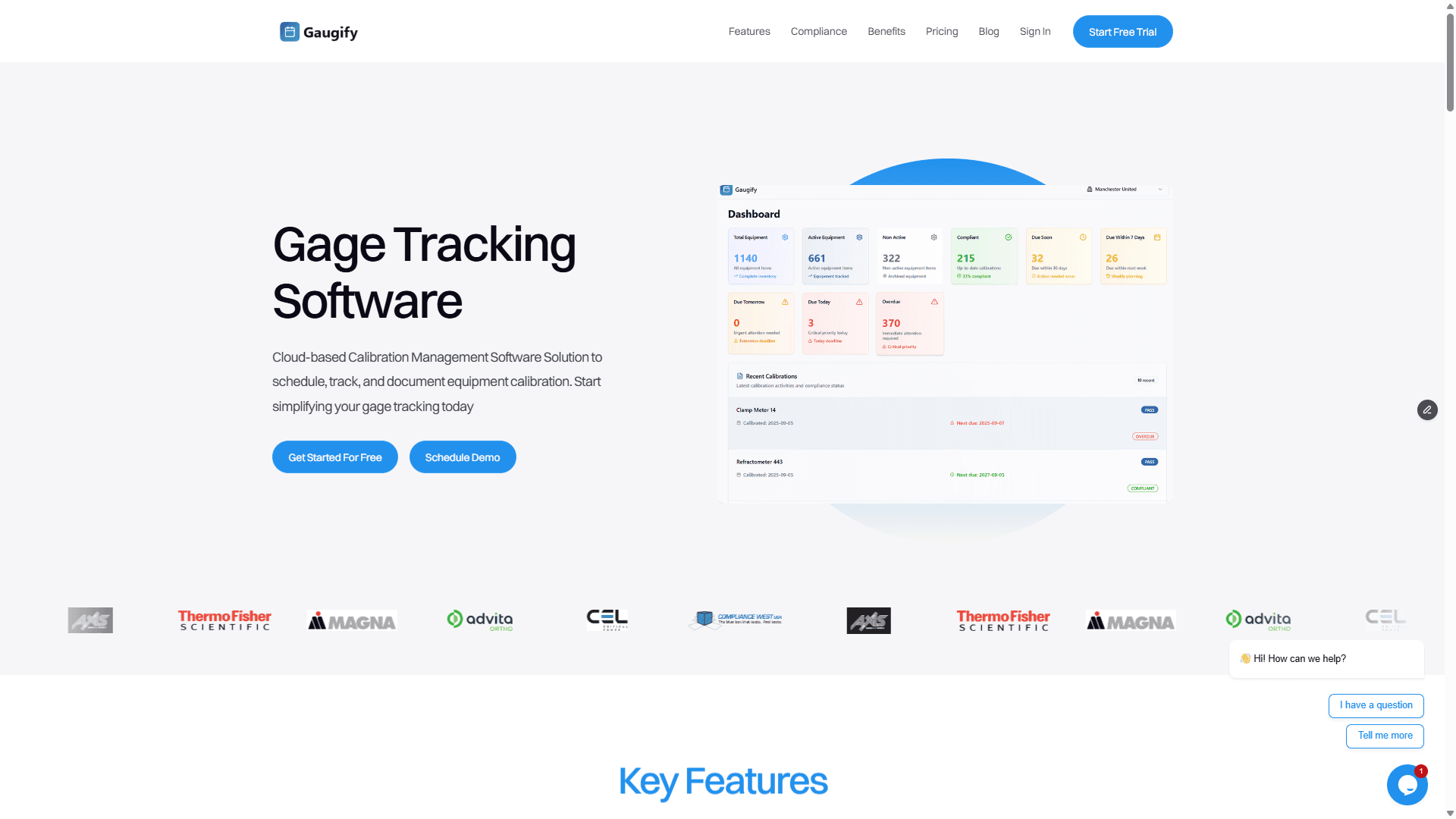
Modern platforms like Gaugify's comprehensive feature set include customizable dashboards showing real-time calibration status, helping managers identify bottlenecks before they impact production.
Mobile Access and Field Calibration Support
Calibration often happens outside traditional office settings. Mobile-responsive platforms allow technicians to access calibration procedures, record results, and update instrument status from smartphones or tablets on the shop floor.
This capability is essential for organizations performing field calibrations of large equipment like coordinate measuring machines (CMMs) or environmental monitoring systems that cannot be moved to calibration labs.
Ready to see how modern calibration management transforms ISO compliance? Start your free trial of Gaugify and experience automated scheduling, digital certificates, and audit-ready reporting in minutes.
Comparing Top Calibration Software ISO Compliance Solutions
The calibration management software market includes several established players, each with different strengths and target markets. Here's how leading solutions compare:
Gaugify: Modern Cloud-Based Excellence
Gaugify represents the latest generation of calibration management software, built specifically for modern ISO compliance requirements. Key advantages include:
Intuitive interface that reduces training time
Automated certificate processing and data extraction
Built-in ISO 17025 compliance templates
Real-time collaboration features
Competitive pricing starting at $49/month
Rapid implementation with guided setup wizards
Gaugify excels for mid-market manufacturers and calibration labs seeking enterprise features without enterprise complexity or cost.
Legacy Enterprise Platforms
Established enterprise solutions offer comprehensive functionality but often require significant customization and IT support:
Strengths: Deep feature sets, proven track records, extensive integrations
Weaknesses: High implementation costs, complex interfaces, lengthy setup periods
Best for: Large enterprises with dedicated IT resources
Basic Tracking Tools
Simple calibration tracking applications provide basic scheduling but lack advanced ISO compliance features:
Strengths: Low cost, easy setup
Weaknesses: Limited reporting, no uncertainty calculations, poor audit trail capabilities
Best for: Small organizations with minimal compliance requirements
Calibration Software Pricing Models and Budget Planning
Calibration management software pricing varies significantly based on features, user count, and deployment model. Understanding different pricing approaches helps budget appropriately:
Subscription-Based SaaS Models
Most modern platforms use monthly or annual subscription pricing, typically ranging from $30-150 per user per month. SaaS models include:
Regular software updates and security patches
Cloud hosting and data backup
Customer support and training resources
Scalability as your program grows
Gaugify's transparent pricing starts at $49/month for small teams, with volume discounts for larger organizations. No hidden fees or long-term contracts required.
Enterprise License Models
Large-scale deployments often use perpetual licensing with annual maintenance fees. Expect initial costs of $10,000-100,000+ depending on user count and customization requirements.
Total Cost of Ownership Considerations
Beyond software licensing, factor in:
Implementation services: $5,000-50,000 for complex deployments
Training: $1,000-5,000 per training session
Integration costs: $10,000+ for ERP or LIMS connections
Ongoing support: 15-20% of license cost annually
Implementation Planning and Success Factors
Successful calibration software deployment requires careful planning and change management. Here's how to maximize your implementation success:
Data Migration Strategy
Most organizations have existing calibration data in spreadsheets, databases, or legacy systems. Plan data migration carefully:
Clean up instrument master data before migration
Standardize calibration intervals and procedures
Verify calibration history accuracy
Test data import processes thoroughly
User Training and Adoption
Technology alone doesn't guarantee success. Invest in comprehensive user training covering:
Basic system navigation and daily workflows
Calibration scheduling and notification management
Certificate upload and data entry procedures
Report generation and audit preparation
Integration Requirements
Consider how calibration software fits into your broader quality ecosystem. Common integrations include:
ERP systems: Equipment master data synchronization
LIMS platforms: Calibration status for instrument qualification
Document management: Centralized procedure and work instruction storage
Asset management: Maintenance scheduling coordination
Modern platforms like Gaugify's compliance-focused approach include pre-built integration templates that simplify connection to common business systems.
Free Trial Evaluation: What to Test and How
Most calibration software vendors offer free trials, but many evaluators waste this opportunity by not testing systematically. Here's a structured approach to maximize your trial period:
Week 1: Core Functionality Testing
Focus on basic calibration management workflows:
Import 50-100 representative instruments from your current system
Set up calibration schedules and test notification delivery
Upload sample calibration certificates and verify data extraction
Generate basic reports (due dates, overdue instruments, calibration history)
Week 2: Advanced Features and Integration
Test capabilities that differentiate platforms:
Configure role-based access for different user types
Test mobile access from shop floor devices
Evaluate reporting customization options
Assess audit trail completeness and export capabilities
Trial API or integration functionality if needed
Week 3: Compliance and Audit Readiness
Simulate ISO audit scenarios:
Generate calibration certificates and verify traceability chains
Test uncertainty calculation accuracy for critical measurements
Review audit trail reports for completeness
Evaluate data export options for external auditor access
User Experience and Support Evaluation
Throughout your trial, assess qualitative factors:
Interface intuitiveness: Can new users navigate without extensive training?
Response time: Does the system perform well under normal workloads?
Support quality: How quickly and effectively does vendor support resolve issues?
Documentation: Are help resources comprehensive and accessible?
Making the Final Decision: ROI and Risk Assessment
When evaluating calibration software ISO compliance solutions, quantify both financial returns and risk mitigation benefits:
Quantifiable Benefits
Time savings: Automated scheduling reduces administrative time by 60-80%
Reduced calibration costs: Better planning optimizes vendor negotiations and internal resources
Faster audits: Instant access to calibration records cuts audit preparation time by 75%
Improved uptime: Proactive calibration prevents unplanned equipment downtime
Risk Mitigation Value
Avoided audit non-conformances and potential certification suspension
Reduced product quality issues from measurement system failures
Improved regulatory compliance for FDA, aerospace, and automotive standards
Enhanced customer confidence through demonstrated measurement integrity
Why Gaugify Leads in Modern Calibration Management
After evaluating dozens of calibration platforms, forward-thinking organizations choose Gaugify because it delivers enterprise-grade ISO compliance capabilities with the simplicity and affordability that growing companies need.
Gaugify's modern architecture provides:
Rapid deployment: Go live in days, not months, with intuitive setup wizards
Complete ISO compliance: Built-in templates for ISO 17025, ISO 9001, and industry-specific standards
Scalable pricing: Grow from startup to enterprise without platform migration
Expert support: Calibration professionals provide implementation guidance and ongoing optimization
Future-ready features: Regular updates add new capabilities based on customer feedback
Don't let outdated calibration processes compromise your ISO compliance or competitive advantage. Schedule a personalized demo to see how Gaugify transforms calibration management from compliance burden to strategic advantage. Join hundreds of quality-focused organizations already benefiting from modern, cloud-based calibration software ISO compliance solutions that actually work.
Calibration Management Software for ISO Compliance: Buyers Guide
If you're managing calibration programs for ISO 9001, ISO/IEC 17025, or other quality standards, you know the pain of juggling spreadsheets, paper certificates, and missed calibration due dates. The right calibration software ISO compliance solution can transform your program from reactive chaos to proactive control, but choosing the wrong platform can waste months and thousands of dollars.
This comprehensive buyer's guide cuts through the marketing noise to help quality managers, lab supervisors, and calibration technicians select calibration management software that actually delivers ISO compliance results. We'll cover the essential features, pricing models, and evaluation criteria that separate enterprise-grade solutions from basic tracking tools.
What Is Calibration Management Software and Why ISO Compliance Matters
Calibration management software centralizes the tracking, scheduling, and documentation of measurement equipment calibration activities. Modern cloud-based platforms like Gaugify replace manual processes with automated workflows that ensure instruments are calibrated on schedule and compliance evidence is readily available for audits.
For ISO compliance, the stakes are particularly high. ISO 9001 clause 7.1.5 requires organizations to ensure measurement equipment is "suitable for the specific type of measurements" and "calibrated or verified at specified intervals." ISO/IEC 17025 goes further, demanding detailed uncertainty calculations, environmental monitoring, and rigorous calibration procedures.
Consider a medical device manufacturer with 500+ measuring instruments. Without proper calibration software ISO compliance tracking, a single expired torque wrench used in assembly could trigger a major non-conformance during ISO 13485 audits, potentially halting production worth millions.
The Cost of Non-Compliance
Manual calibration tracking creates multiple compliance risks:
Missed calibration dates: Expired instruments invalidate measurement results
Incomplete documentation: Missing certificates fail audit requirements
Traceability gaps: Cannot prove measurement accuracy to regulatory bodies
Inefficient processes: Technicians waste time hunting for calibration records
Essential Features for Calibration Software ISO Compliance
When evaluating calibration management platforms, focus on features that directly support ISO requirements and operational efficiency. Here are the must-have capabilities:
Automated Scheduling and Notifications
The foundation of any effective calibration program is ensuring instruments are calibrated before they expire. Look for software that automatically calculates next due dates based on calibration intervals and sends configurable email alerts to technicians, supervisors, and vendors.
Advanced systems should support different notification schedules—for example, sending initial alerts 60 days before due date for external calibrations requiring vendor scheduling, then escalating reminders at 30, 14, and 7 days. Critical instruments might trigger daily alerts once overdue.
Digital Certificate Management
ISO standards require calibration certificates to be maintained and accessible. Modern platforms should automatically store PDF certificates, extract key data like calibration dates and uncertainties, and link them to specific instrument records.
For labs following ISO/IEC 17025, certificate parsing capabilities that automatically populate uncertainty budgets and measurement results save significant administrative time while reducing transcription errors.
Measurement Uncertainty Calculations
ISO/IEC 17025 mandates uncertainty evaluation for all calibration results. Quality calibration software should include built-in uncertainty calculators that combine instrument specifications, calibration uncertainties, environmental factors, and statistical variations using the Guide to the Expression of Uncertainty in Measurement (GUM) methodology.
This feature is particularly critical for calibration labs where customers require detailed uncertainty statements for their quality systems.
Comprehensive Audit Trails
ISO compliance auditors scrutinize calibration records for completeness and integrity. Your software must maintain detailed audit trails showing:
Who performed each calibration activity
When records were created or modified
What changes were made to instrument data
Authorization levels for different user actions
Immutable records with digital signatures provide the highest level of data integrity for regulated industries.
Equipment Hierarchy and Crib Management
Large organizations need to track instruments across multiple locations, departments, and custody chains. Look for software supporting flexible equipment hierarchies—organizing by location, process line, or cost center—with check-in/check-out functionality for shared instruments.
For example, a automotive manufacturer might organize torque wrenches by assembly line (Line A, Line B, Line C), with individual technicians checking out tools for specific shifts and returning them to calibrated tool cribs.
Role-Based Access Control and User Management
ISO compliance requires controlled access to calibration records. Effective calibration software ISO compliance solutions implement role-based permissions allowing different access levels:
Technicians: View assigned calibrations, update instrument status, upload certificates
Supervisors: Generate reports, approve calibration results, manage schedules
Quality Managers: Full system access, user management, audit report generation
Read-only users: View calibration status for production planning
Advanced Reporting and Analytics
ISO auditors expect calibration metrics and trend analysis. Your software should generate standard reports including:
Calibration due date schedules
Overdue instrument lists
Calibration history by instrument type
Vendor performance analysis
Cost tracking and budgeting reports
Modern platforms like Gaugify's comprehensive feature set include customizable dashboards showing real-time calibration status, helping managers identify bottlenecks before they impact production.
Mobile Access and Field Calibration Support
Calibration often happens outside traditional office settings. Mobile-responsive platforms allow technicians to access calibration procedures, record results, and update instrument status from smartphones or tablets on the shop floor.
This capability is essential for organizations performing field calibrations of large equipment like coordinate measuring machines (CMMs) or environmental monitoring systems that cannot be moved to calibration labs.
Ready to see how modern calibration management transforms ISO compliance? Start your free trial of Gaugify and experience automated scheduling, digital certificates, and audit-ready reporting in minutes.
Comparing Top Calibration Software ISO Compliance Solutions
The calibration management software market includes several established players, each with different strengths and target markets. Here's how leading solutions compare:
Gaugify: Modern Cloud-Based Excellence
Gaugify represents the latest generation of calibration management software, built specifically for modern ISO compliance requirements. Key advantages include:
Intuitive interface that reduces training time
Automated certificate processing and data extraction
Built-in ISO 17025 compliance templates
Real-time collaboration features
Competitive pricing starting at $49/month
Rapid implementation with guided setup wizards
Gaugify excels for mid-market manufacturers and calibration labs seeking enterprise features without enterprise complexity or cost.
Legacy Enterprise Platforms
Established enterprise solutions offer comprehensive functionality but often require significant customization and IT support:
Strengths: Deep feature sets, proven track records, extensive integrations
Weaknesses: High implementation costs, complex interfaces, lengthy setup periods
Best for: Large enterprises with dedicated IT resources
Basic Tracking Tools
Simple calibration tracking applications provide basic scheduling but lack advanced ISO compliance features:
Strengths: Low cost, easy setup
Weaknesses: Limited reporting, no uncertainty calculations, poor audit trail capabilities
Best for: Small organizations with minimal compliance requirements
Calibration Software Pricing Models and Budget Planning
Calibration management software pricing varies significantly based on features, user count, and deployment model. Understanding different pricing approaches helps budget appropriately:
Subscription-Based SaaS Models
Most modern platforms use monthly or annual subscription pricing, typically ranging from $30-150 per user per month. SaaS models include:
Regular software updates and security patches
Cloud hosting and data backup
Customer support and training resources
Scalability as your program grows
Gaugify's transparent pricing starts at $49/month for small teams, with volume discounts for larger organizations. No hidden fees or long-term contracts required.
Enterprise License Models
Large-scale deployments often use perpetual licensing with annual maintenance fees. Expect initial costs of $10,000-100,000+ depending on user count and customization requirements.
Total Cost of Ownership Considerations
Beyond software licensing, factor in:
Implementation services: $5,000-50,000 for complex deployments
Training: $1,000-5,000 per training session
Integration costs: $10,000+ for ERP or LIMS connections
Ongoing support: 15-20% of license cost annually
Implementation Planning and Success Factors
Successful calibration software deployment requires careful planning and change management. Here's how to maximize your implementation success:
Data Migration Strategy
Most organizations have existing calibration data in spreadsheets, databases, or legacy systems. Plan data migration carefully:
Clean up instrument master data before migration
Standardize calibration intervals and procedures
Verify calibration history accuracy
Test data import processes thoroughly
User Training and Adoption
Technology alone doesn't guarantee success. Invest in comprehensive user training covering:
Basic system navigation and daily workflows
Calibration scheduling and notification management
Certificate upload and data entry procedures
Report generation and audit preparation
Integration Requirements
Consider how calibration software fits into your broader quality ecosystem. Common integrations include:
ERP systems: Equipment master data synchronization
LIMS platforms: Calibration status for instrument qualification
Document management: Centralized procedure and work instruction storage
Asset management: Maintenance scheduling coordination
Modern platforms like Gaugify's compliance-focused approach include pre-built integration templates that simplify connection to common business systems.
Free Trial Evaluation: What to Test and How
Most calibration software vendors offer free trials, but many evaluators waste this opportunity by not testing systematically. Here's a structured approach to maximize your trial period:
Week 1: Core Functionality Testing
Focus on basic calibration management workflows:
Import 50-100 representative instruments from your current system
Set up calibration schedules and test notification delivery
Upload sample calibration certificates and verify data extraction
Generate basic reports (due dates, overdue instruments, calibration history)
Week 2: Advanced Features and Integration
Test capabilities that differentiate platforms:
Configure role-based access for different user types
Test mobile access from shop floor devices
Evaluate reporting customization options
Assess audit trail completeness and export capabilities
Trial API or integration functionality if needed
Week 3: Compliance and Audit Readiness
Simulate ISO audit scenarios:
Generate calibration certificates and verify traceability chains
Test uncertainty calculation accuracy for critical measurements
Review audit trail reports for completeness
Evaluate data export options for external auditor access
User Experience and Support Evaluation
Throughout your trial, assess qualitative factors:
Interface intuitiveness: Can new users navigate without extensive training?
Response time: Does the system perform well under normal workloads?
Support quality: How quickly and effectively does vendor support resolve issues?
Documentation: Are help resources comprehensive and accessible?
Making the Final Decision: ROI and Risk Assessment
When evaluating calibration software ISO compliance solutions, quantify both financial returns and risk mitigation benefits:
Quantifiable Benefits
Time savings: Automated scheduling reduces administrative time by 60-80%
Reduced calibration costs: Better planning optimizes vendor negotiations and internal resources
Faster audits: Instant access to calibration records cuts audit preparation time by 75%
Improved uptime: Proactive calibration prevents unplanned equipment downtime
Risk Mitigation Value
Avoided audit non-conformances and potential certification suspension
Reduced product quality issues from measurement system failures
Improved regulatory compliance for FDA, aerospace, and automotive standards
Enhanced customer confidence through demonstrated measurement integrity
Why Gaugify Leads in Modern Calibration Management
After evaluating dozens of calibration platforms, forward-thinking organizations choose Gaugify because it delivers enterprise-grade ISO compliance capabilities with the simplicity and affordability that growing companies need.
Gaugify's modern architecture provides:
Rapid deployment: Go live in days, not months, with intuitive setup wizards
Complete ISO compliance: Built-in templates for ISO 17025, ISO 9001, and industry-specific standards
Scalable pricing: Grow from startup to enterprise without platform migration
Expert support: Calibration professionals provide implementation guidance and ongoing optimization
Future-ready features: Regular updates add new capabilities based on customer feedback
Don't let outdated calibration processes compromise your ISO compliance or competitive advantage. Schedule a personalized demo to see how Gaugify transforms calibration management from compliance burden to strategic advantage. Join hundreds of quality-focused organizations already benefiting from modern, cloud-based calibration software ISO compliance solutions that actually work.