
How to Migrate from Spreadsheets to Calibration Software
How to Migrate from Spreadsheets to Calibration Software
David Bentley
Quality Assurance Engineer
12 min read
How to Migrate from Spreadsheets to Calibration Software
If you're still tracking calibration schedules, certificates, and compliance records in Excel spreadsheets, you're not alone—but you're likely facing mounting challenges that signal it's time to migrate from spreadsheets to calibration software. Manual tracking becomes increasingly difficult as your instrument count grows, audit requirements tighten, and the risk of human error threatens your quality system's integrity.
The good news? Modern calibration management software can transform your chaotic spreadsheet maze into a streamlined, automated system that saves time, reduces errors, and strengthens compliance. This comprehensive guide walks you through everything you need to know about making the transition, from selecting the right software to executing a successful migration.
Why Traditional Spreadsheet Methods Fall Short
Most quality teams start with spreadsheets because they're familiar and seemingly cost-effective. A simple Excel file can track basic information like instrument IDs, calibration due dates, and certificate locations. However, as your calibration program matures, spreadsheets reveal critical limitations:
Manual scheduling errors: Missing a calibration due date for a critical micrometer or pressure gauge can shut down production and trigger non-conformances
Version control nightmares: Multiple team members working from different versions of the same spreadsheet create data conflicts and lost updates
Limited traceability: Auditors expect complete historical records—spreadsheets make it difficult to track who made changes and when
No automated reminders: Relying on manual calendar entries means calibrations slip through the cracks, especially during busy periods
Scalability issues: Managing 50 instruments in a spreadsheet is manageable; tracking 500+ becomes unworkable
These pain points intensify under audit scrutiny. ISO 9001, ISO 17025, and industry-specific standards like AS9100 require robust calibration records with full traceability—something spreadsheets simply cannot deliver reliably.
What Makes Calibration Management Software Essential
Calibration management software transforms manual, error-prone processes into automated workflows that ensure compliance and operational efficiency. Unlike generic asset tracking tools, specialized calibration software understands the unique requirements of measurement equipment management.
Consider a typical scenario: Your shop floor uses Starrett micrometers, Mitutoyo calipers, and Fluke multimeters—each with different calibration intervals, tolerances, and certificate requirements. Quality calibration software automatically tracks these specifications, generates work orders before due dates, and maintains complete measurement uncertainty calculations for each instrument.
The software serves as your single source of truth, eliminating the confusion that comes from multiple spreadsheet versions floating around different departments. When an auditor asks about the calibration history of a specific torque wrench used in a critical assembly process, you can instantly provide complete documentation rather than frantically searching through folders and email attachments.
Essential Features to Look for When You Migrate from Spreadsheets to Calibration Software
Automated Scheduling and Smart Reminders
The foundation of any calibration program is timely scheduling. Look for software that automatically calculates next due dates based on calibration intervals, tracks lead times for external calibrations, and sends intelligent reminders to the right people at the right time.
Advanced systems consider factors like vendor lead times and internal workload. If your Fluke 8845A typically takes two weeks for external calibration, the software should alert you three weeks before the due date, accounting for shipping time and potential delays.
Digital Certificate Management
Paper certificates get lost, damaged, or misfiled. Digital certificate storage with automatic linking to specific instruments eliminates these issues while enabling instant retrieval during audits. The best systems extract key data from certificates automatically, reducing manual data entry errors.
Comprehensive Uncertainty Calculations
Measurement uncertainty is critical for demonstrating measurement capability and decision risk. Professional calibration software should calculate and track uncertainty budgets automatically, considering factors like instrument specifications, calibration tolerances, and environmental conditions.
Complete Audit Trails
Every change to instrument records, calibration data, or system configuration must be logged with user identification and timestamps. This creates the paper trail auditors expect and helps identify the source of any data discrepancies.
Advanced Crib Management
Many facilities operate tool cribs where instruments are checked out for specific jobs or projects. Your calibration software should integrate with crib operations, preventing the checkout of expired instruments and automatically updating location tracking.
Role-Based Access Control
Not everyone needs access to all calibration data. Shop floor technicians might only need to view instrument status, while quality managers require full administrative access. Proper role-based permissions protect data integrity while ensuring appropriate access levels.
Powerful Reporting and Analytics
Beyond basic due date reports, look for systems that provide insights into calibration trends, vendor performance, and cost analysis. Understanding which instruments frequently drift out of tolerance helps optimize calibration intervals and identify potential equipment issues.
Mobile Access for Shop Floor Teams
Quality technicians and shop floor supervisors need real-time access to calibration status while working with instruments. Mobile-responsive interfaces or dedicated apps enable quick status checks and updates without returning to a desktop computer.
ISO Compliance Support
If your organization follows ISO 17025, ISO 9001, or other quality standards, ensure the software supports specific compliance requirements. This includes proper documentation formats, required data fields, and reporting capabilities that align with standard requirements.
Comparing Top Calibration Software Options
The calibration software market offers several solutions, each with distinct strengths and target audiences. Understanding these differences helps you select the right platform for your specific needs.
Gaugify: Modern Cloud-Based Excellence
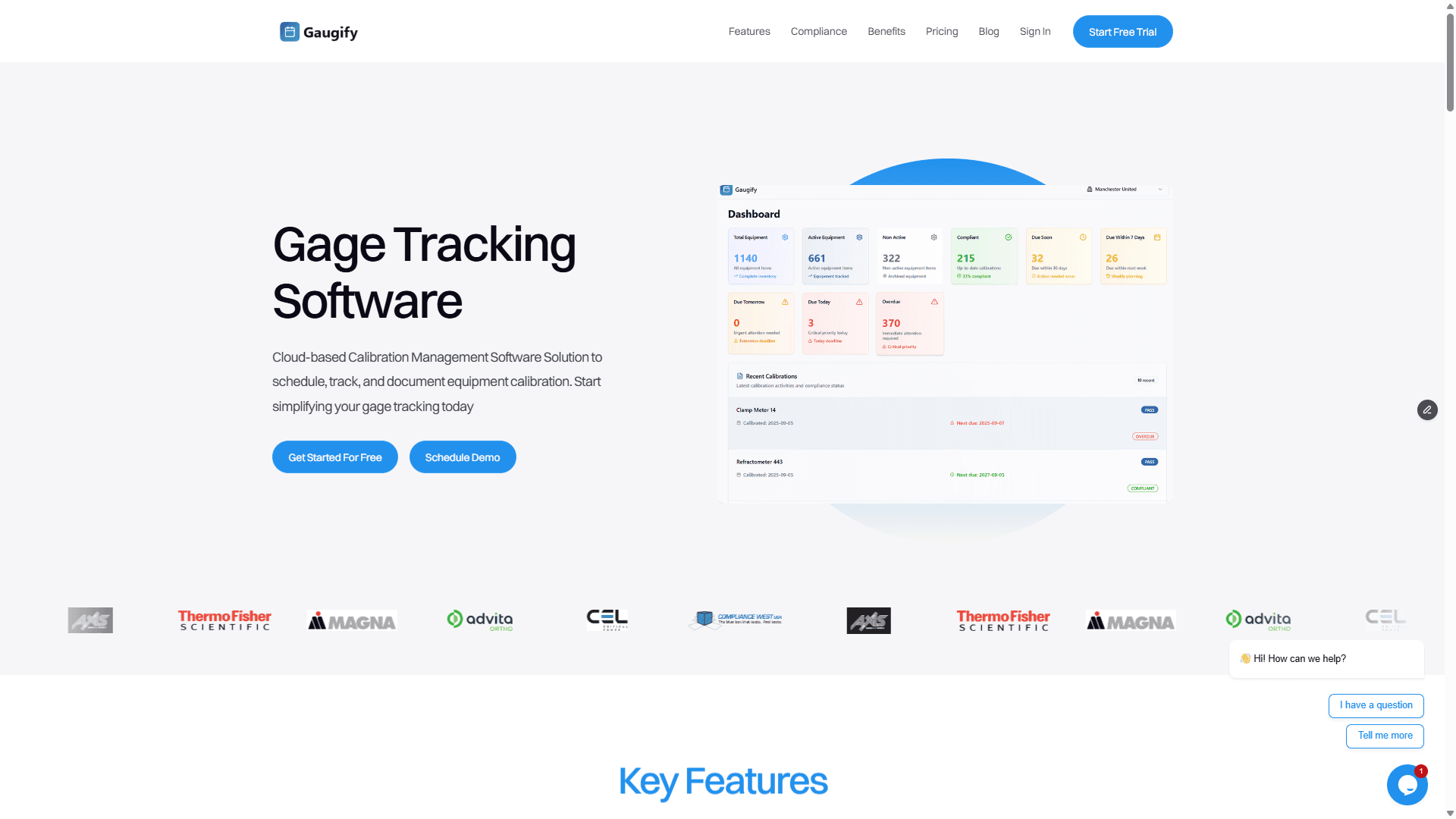
Gaugify represents the latest generation of calibration management software, built from the ground up for modern quality teams. Its cloud-based architecture eliminates server maintenance while providing enterprise-grade security and reliability.
Key advantages include an intuitive interface that requires minimal training, powerful automation that reduces manual tasks by up to 80%, and comprehensive compliance features that satisfy even the most stringent audit requirements. The platform excels at handling complex multi-location operations while remaining simple enough for small teams to implement quickly.
Gaugify's feature set covers everything from basic scheduling to advanced uncertainty calculations, with particular strength in automated workflows and intelligent reporting. The mobile-responsive design ensures your team can access critical information whether they're in the lab, on the shop floor, or working remotely.
Traditional Enterprise Solutions
Established players like CompuCal and Prime Technologies offer comprehensive functionality but often require significant implementation time and training investment. These systems excel in large enterprise environments with complex requirements but may be overkill for smaller organizations.
Industry-Specific Alternatives
Some software vendors focus on specific industries like aerospace or pharmaceuticals. While these solutions offer deep industry expertise, they may lack flexibility if your requirements change or if you operate across multiple sectors.
Understanding Pricing Models and Total Cost of Ownership
Calibration software pricing varies significantly based on features, user count, and deployment model. Understanding the total cost of ownership helps you make informed decisions and budget appropriately.
Subscription vs. Perpetual Licensing
Most modern calibration software uses subscription pricing, which includes ongoing updates, support, and cloud hosting. While perpetual licenses may seem less expensive initially, they often require separate maintenance contracts and don't include major version upgrades.
Hidden Costs to Consider
Beyond base licensing, factor in implementation services, data migration costs, training expenses, and ongoing support. Some vendors charge extra for features like mobile access or advanced reporting that should be included in a complete solution.
Cloud-based solutions like Gaugify's transparent pricing eliminate many hidden costs by including all features, unlimited support, and automatic updates in the base subscription price.
Planning Your Migration Strategy
Successfully migrating from spreadsheets to calibration software requires careful planning and systematic execution. Rushing the process often leads to data loss, user resistance, and implementation delays.
Data Preparation and Cleanup
Before migrating, audit your existing spreadsheet data for accuracy and completeness. Common issues include:
Inconsistent instrument naming conventions
Missing or incorrect calibration intervals
Incomplete vendor information
Outdated location assignments
Inconsistent date formats
Clean data migration prevents ongoing issues and ensures your new system starts with accurate information.
Phased Implementation Approach
Rather than switching everything at once, consider a phased approach. Start with a subset of instruments—perhaps critical measurement equipment or a single department—and expand gradually. This allows your team to learn the system while maintaining operational continuity.
User Training and Change Management
Success depends on user adoption. Provide comprehensive training that covers not just software features but also new workflows and responsibilities. Address resistance early by demonstrating tangible benefits and involving key users in the selection process.
How to Migrate from Spreadsheets to Calibration Software: Evaluation During Free Trials
Most calibration software vendors offer free trials, but many organizations don't use this time effectively. Here's how to maximize your evaluation period and make informed decisions.
Load Representative Data
Don't just browse demo data—upload a representative sample of your actual instruments. Include various types like micrometers, pressure gauges, multimeters, and torque wrenches to test how the software handles different calibration requirements.
Test Critical Workflows
Focus on the processes you use most frequently:
Creating new instrument records
Scheduling calibrations and generating work orders
Recording calibration results and uploading certificates
Running due date reports and compliance dashboards
Handling overdue instruments and emergency calibrations
Evaluate Mobile Access
Test the mobile experience using actual shop floor scenarios. Can technicians quickly check instrument status while standing at a machine? Is the interface usable on tablets and smartphones your team actually uses?
Assess Integration Capabilities
If you use other quality systems, ERP software, or LIMS, test integration capabilities. Even basic data export/import functionality can save significant time compared to manual double-entry.
Review Support and Documentation
Quality software support becomes critical when you're implementing new processes. Test response times, evaluate documentation quality, and assess whether training resources match your team's learning preferences.
Making the Final Decision and Getting Started
The transition from spreadsheet chaos to organized calibration management represents one of the highest-impact improvements you can make to your quality system. The time savings, error reduction, and compliance confidence justify the investment many times over.
When evaluating options, prioritize solutions that eliminate complexity rather than adding it. Your calibration software should make daily tasks easier, not create additional administrative burden. Look for vendors that understand your industry's specific challenges and offer proven implementation methodologies.
Consider the long-term relationship, not just the initial price. Calibration management is critical to your quality system—choose a vendor committed to ongoing innovation and support rather than the lowest-cost option that might disappear or stagnate.
Ready to transform your calibration management? Start your free Gaugify trial today and experience what modern, cloud-based calibration software can do for your quality system. With comprehensive features, transparent pricing, and expert support, Gaugify makes migrating from spreadsheets simple and successful. Don't wait until the next audit reveals the limitations of manual tracking—schedule a personalized demo and see why leading quality teams choose Gaugify for their calibration management needs.
How to Migrate from Spreadsheets to Calibration Software
If you're still tracking calibration schedules, certificates, and compliance records in Excel spreadsheets, you're not alone—but you're likely facing mounting challenges that signal it's time to migrate from spreadsheets to calibration software. Manual tracking becomes increasingly difficult as your instrument count grows, audit requirements tighten, and the risk of human error threatens your quality system's integrity.
The good news? Modern calibration management software can transform your chaotic spreadsheet maze into a streamlined, automated system that saves time, reduces errors, and strengthens compliance. This comprehensive guide walks you through everything you need to know about making the transition, from selecting the right software to executing a successful migration.
Why Traditional Spreadsheet Methods Fall Short
Most quality teams start with spreadsheets because they're familiar and seemingly cost-effective. A simple Excel file can track basic information like instrument IDs, calibration due dates, and certificate locations. However, as your calibration program matures, spreadsheets reveal critical limitations:
Manual scheduling errors: Missing a calibration due date for a critical micrometer or pressure gauge can shut down production and trigger non-conformances
Version control nightmares: Multiple team members working from different versions of the same spreadsheet create data conflicts and lost updates
Limited traceability: Auditors expect complete historical records—spreadsheets make it difficult to track who made changes and when
No automated reminders: Relying on manual calendar entries means calibrations slip through the cracks, especially during busy periods
Scalability issues: Managing 50 instruments in a spreadsheet is manageable; tracking 500+ becomes unworkable
These pain points intensify under audit scrutiny. ISO 9001, ISO 17025, and industry-specific standards like AS9100 require robust calibration records with full traceability—something spreadsheets simply cannot deliver reliably.
What Makes Calibration Management Software Essential
Calibration management software transforms manual, error-prone processes into automated workflows that ensure compliance and operational efficiency. Unlike generic asset tracking tools, specialized calibration software understands the unique requirements of measurement equipment management.
Consider a typical scenario: Your shop floor uses Starrett micrometers, Mitutoyo calipers, and Fluke multimeters—each with different calibration intervals, tolerances, and certificate requirements. Quality calibration software automatically tracks these specifications, generates work orders before due dates, and maintains complete measurement uncertainty calculations for each instrument.
The software serves as your single source of truth, eliminating the confusion that comes from multiple spreadsheet versions floating around different departments. When an auditor asks about the calibration history of a specific torque wrench used in a critical assembly process, you can instantly provide complete documentation rather than frantically searching through folders and email attachments.
Essential Features to Look for When You Migrate from Spreadsheets to Calibration Software
Automated Scheduling and Smart Reminders
The foundation of any calibration program is timely scheduling. Look for software that automatically calculates next due dates based on calibration intervals, tracks lead times for external calibrations, and sends intelligent reminders to the right people at the right time.
Advanced systems consider factors like vendor lead times and internal workload. If your Fluke 8845A typically takes two weeks for external calibration, the software should alert you three weeks before the due date, accounting for shipping time and potential delays.
Digital Certificate Management
Paper certificates get lost, damaged, or misfiled. Digital certificate storage with automatic linking to specific instruments eliminates these issues while enabling instant retrieval during audits. The best systems extract key data from certificates automatically, reducing manual data entry errors.
Comprehensive Uncertainty Calculations
Measurement uncertainty is critical for demonstrating measurement capability and decision risk. Professional calibration software should calculate and track uncertainty budgets automatically, considering factors like instrument specifications, calibration tolerances, and environmental conditions.
Complete Audit Trails
Every change to instrument records, calibration data, or system configuration must be logged with user identification and timestamps. This creates the paper trail auditors expect and helps identify the source of any data discrepancies.
Advanced Crib Management
Many facilities operate tool cribs where instruments are checked out for specific jobs or projects. Your calibration software should integrate with crib operations, preventing the checkout of expired instruments and automatically updating location tracking.
Role-Based Access Control
Not everyone needs access to all calibration data. Shop floor technicians might only need to view instrument status, while quality managers require full administrative access. Proper role-based permissions protect data integrity while ensuring appropriate access levels.
Powerful Reporting and Analytics
Beyond basic due date reports, look for systems that provide insights into calibration trends, vendor performance, and cost analysis. Understanding which instruments frequently drift out of tolerance helps optimize calibration intervals and identify potential equipment issues.
Mobile Access for Shop Floor Teams
Quality technicians and shop floor supervisors need real-time access to calibration status while working with instruments. Mobile-responsive interfaces or dedicated apps enable quick status checks and updates without returning to a desktop computer.
ISO Compliance Support
If your organization follows ISO 17025, ISO 9001, or other quality standards, ensure the software supports specific compliance requirements. This includes proper documentation formats, required data fields, and reporting capabilities that align with standard requirements.
Comparing Top Calibration Software Options
The calibration software market offers several solutions, each with distinct strengths and target audiences. Understanding these differences helps you select the right platform for your specific needs.
Gaugify: Modern Cloud-Based Excellence
Gaugify represents the latest generation of calibration management software, built from the ground up for modern quality teams. Its cloud-based architecture eliminates server maintenance while providing enterprise-grade security and reliability.
Key advantages include an intuitive interface that requires minimal training, powerful automation that reduces manual tasks by up to 80%, and comprehensive compliance features that satisfy even the most stringent audit requirements. The platform excels at handling complex multi-location operations while remaining simple enough for small teams to implement quickly.
Gaugify's feature set covers everything from basic scheduling to advanced uncertainty calculations, with particular strength in automated workflows and intelligent reporting. The mobile-responsive design ensures your team can access critical information whether they're in the lab, on the shop floor, or working remotely.
Traditional Enterprise Solutions
Established players like CompuCal and Prime Technologies offer comprehensive functionality but often require significant implementation time and training investment. These systems excel in large enterprise environments with complex requirements but may be overkill for smaller organizations.
Industry-Specific Alternatives
Some software vendors focus on specific industries like aerospace or pharmaceuticals. While these solutions offer deep industry expertise, they may lack flexibility if your requirements change or if you operate across multiple sectors.
Understanding Pricing Models and Total Cost of Ownership
Calibration software pricing varies significantly based on features, user count, and deployment model. Understanding the total cost of ownership helps you make informed decisions and budget appropriately.
Subscription vs. Perpetual Licensing
Most modern calibration software uses subscription pricing, which includes ongoing updates, support, and cloud hosting. While perpetual licenses may seem less expensive initially, they often require separate maintenance contracts and don't include major version upgrades.
Hidden Costs to Consider
Beyond base licensing, factor in implementation services, data migration costs, training expenses, and ongoing support. Some vendors charge extra for features like mobile access or advanced reporting that should be included in a complete solution.
Cloud-based solutions like Gaugify's transparent pricing eliminate many hidden costs by including all features, unlimited support, and automatic updates in the base subscription price.
Planning Your Migration Strategy
Successfully migrating from spreadsheets to calibration software requires careful planning and systematic execution. Rushing the process often leads to data loss, user resistance, and implementation delays.
Data Preparation and Cleanup
Before migrating, audit your existing spreadsheet data for accuracy and completeness. Common issues include:
Inconsistent instrument naming conventions
Missing or incorrect calibration intervals
Incomplete vendor information
Outdated location assignments
Inconsistent date formats
Clean data migration prevents ongoing issues and ensures your new system starts with accurate information.
Phased Implementation Approach
Rather than switching everything at once, consider a phased approach. Start with a subset of instruments—perhaps critical measurement equipment or a single department—and expand gradually. This allows your team to learn the system while maintaining operational continuity.
User Training and Change Management
Success depends on user adoption. Provide comprehensive training that covers not just software features but also new workflows and responsibilities. Address resistance early by demonstrating tangible benefits and involving key users in the selection process.
How to Migrate from Spreadsheets to Calibration Software: Evaluation During Free Trials
Most calibration software vendors offer free trials, but many organizations don't use this time effectively. Here's how to maximize your evaluation period and make informed decisions.
Load Representative Data
Don't just browse demo data—upload a representative sample of your actual instruments. Include various types like micrometers, pressure gauges, multimeters, and torque wrenches to test how the software handles different calibration requirements.
Test Critical Workflows
Focus on the processes you use most frequently:
Creating new instrument records
Scheduling calibrations and generating work orders
Recording calibration results and uploading certificates
Running due date reports and compliance dashboards
Handling overdue instruments and emergency calibrations
Evaluate Mobile Access
Test the mobile experience using actual shop floor scenarios. Can technicians quickly check instrument status while standing at a machine? Is the interface usable on tablets and smartphones your team actually uses?
Assess Integration Capabilities
If you use other quality systems, ERP software, or LIMS, test integration capabilities. Even basic data export/import functionality can save significant time compared to manual double-entry.
Review Support and Documentation
Quality software support becomes critical when you're implementing new processes. Test response times, evaluate documentation quality, and assess whether training resources match your team's learning preferences.
Making the Final Decision and Getting Started
The transition from spreadsheet chaos to organized calibration management represents one of the highest-impact improvements you can make to your quality system. The time savings, error reduction, and compliance confidence justify the investment many times over.
When evaluating options, prioritize solutions that eliminate complexity rather than adding it. Your calibration software should make daily tasks easier, not create additional administrative burden. Look for vendors that understand your industry's specific challenges and offer proven implementation methodologies.
Consider the long-term relationship, not just the initial price. Calibration management is critical to your quality system—choose a vendor committed to ongoing innovation and support rather than the lowest-cost option that might disappear or stagnate.
Ready to transform your calibration management? Start your free Gaugify trial today and experience what modern, cloud-based calibration software can do for your quality system. With comprehensive features, transparent pricing, and expert support, Gaugify makes migrating from spreadsheets simple and successful. Don't wait until the next audit reveals the limitations of manual tracking—schedule a personalized demo and see why leading quality teams choose Gaugify for their calibration management needs.