
Calibration Management Software Free vs. Paid: The Hidden Costs Nobody Talks About
Calibration Management Software Free vs. Paid: The Hidden Costs Nobody Talks About
James Dolan
Quality Manager
5
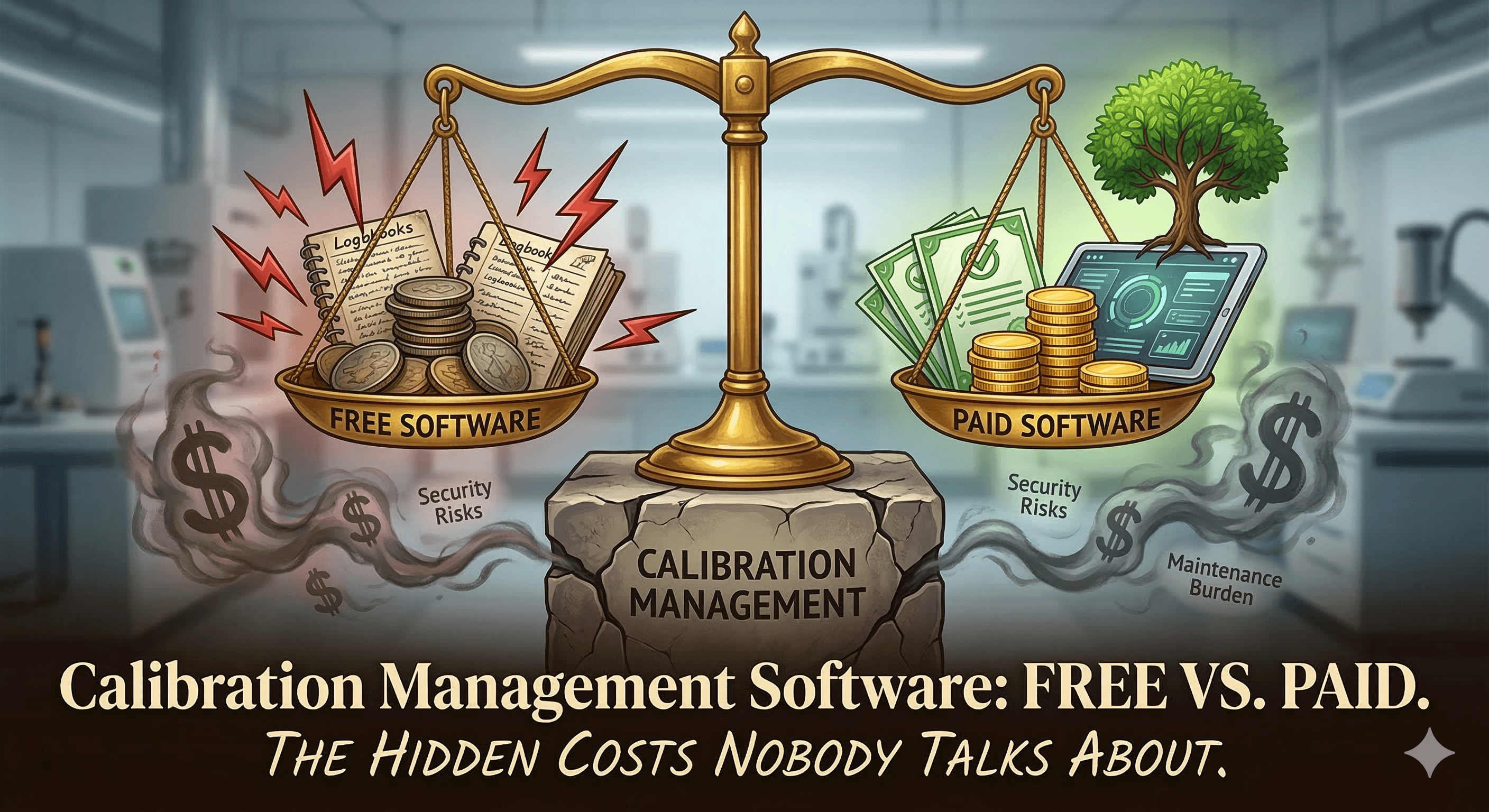
Free calibration management software sounds like the smart move. You're a quality manager with a tight budget, 80 gages to track, and a team that's still limping along with spreadsheets. Why pay for something when a free option exists?
It's a reasonable question. And for some teams, free really is the right starting point.
But after working with hundreds of calibration teams that made the switch from free tools to paid platforms — and listening to why — we've learned that "free" has a price tag most people don't see until they've already invested months into a system they'll eventually outgrow or abandon.
This article breaks down the actual costs of free calibration management software — not the licensing fee, but everything around it — so you can make an informed decision before you commit your team's time to a system that may cost more than it saves.
The Appeal of Free Calibration Software Is Real
Let's be fair to the free options first, because dismissing them outright would be dishonest.
If you run a small shop with a single site, fewer than 50 gages, one or two people handling calibrations, and no complex regulatory requirements, free calibration software can work. It gets you off spreadsheets. It gives you a structured place to record calibration results. And it costs nothing to try.
Free calibration management software typically comes in three forms:
Open-source calibration software. Community-built tools you can download, install, and modify. You get full control over the code but zero support and full responsibility for hosting, security, and updates. Calibration management software open source projects exist, though the ecosystem is small and most are maintained by a handful of contributors.
Freemium SaaS products. Cloud-based tools that offer a limited free tier — usually capped by the number of gages, users, or features. The core workflow might be functional, but reporting, certificate generation, integrations, and support sit behind a paywall.
Free downloads of legacy desktop software. Older calibration software free download options that were once commercial products but have since been abandoned or released for free. These often run on outdated technology, lack cloud access, and receive no security patches.
Each of these can serve a narrow use case. The problems start when your needs grow beyond that narrow use case — which, for most teams, happens faster than expected.
Hidden Cost #1: Your Team's Time Is Not Free
This is the cost that never shows up in a comparison chart, and it's almost always the largest one.
Free gage calibration software typically requires more manual work at every step. Data entry takes longer because the interface wasn't designed for speed. There's no barcode scanning, so technicians scroll through lists to find the right gage. Calibration certificates have to be created manually because the free tier doesn't include automatic generation. Reports for audits require exporting raw data and formatting it yourself.
Let's put rough numbers on it.
Say your technician spends an extra 5 minutes per calibration on manual data entry and gage lookup compared to a paid tool with barcode scanning and a streamlined mobile interface. If you perform 40 calibrations per week, that's over 3 hours of technician time lost every single week — about 170 hours per year.
If your loaded technician cost is €40 per hour, you're spending roughly €6,800 a year on inefficiency that a paid calibration tracking software subscription (often €100–€300/month) would eliminate. The free software didn't save you money. It moved the cost from a line item you can see to labor hours you can't.
This math gets worse as your gage inventory grows. At 200 gages, the time tax becomes difficult to ignore. At 500, it's indefensible.
Hidden Cost #2: The Audit You're Not Ready For
Free calibration management software almost always falls short when audit season arrives. This is the moment that separates tools built for compliance from tools built for demos.
Auditors — whether internal, customer, or third-party registrars — want to see a complete, tamper-evident audit trail. Every calibration event, every result, every user who touched the record, timestamped and traceable. They want calibration certificates that tie directly to the data. They want to see your recall process and evidence that overdue gages were caught and addressed.
Most free calibration software doesn't offer a true audit trail. Changes aren't logged. There's no user-level access control, so you can't prove who recorded what. Certificate generation is either absent or limited to a basic template that doesn't meet ISO 17025 or customer-specific requirements. And reporting is typically restricted to simple data exports that require significant manual cleanup before they're presentable to an auditor.
The hidden cost here isn't the software — it's the two weeks your quality engineer spends before every audit manually assembling documentation that calibration control software would produce in minutes. Or worse, it's the audit finding that triggers a corrective action because your records weren't adequate.
One failed audit can cost more in remediation time, customer trust, and potential business loss than several years of paid calibration management software.
Hidden Cost #3: Missed Calibration Recalls
This is where free calibration software becomes actively dangerous rather than just inconvenient.
Calibration recall management — automatically tracking when every gage is due for recalibration and escalating when one is overdue — is the heartbeat of any calibration program. If a gage goes out of calibration and nobody catches it, every measurement taken with that gage is suspect. In regulated industries, this can trigger product holds, customer complaints, or recalls that dwarf any software cost.
Most free tools handle recalls with basic email reminders at best. There's no escalation logic. There's no visual dashboard showing which gages are approaching their due date, which are overdue, and which are already out of service. There's no way for a technician to glance at their phone and know what needs attention today.
Paid calibration recall software builds this intelligence into the system. Recalls escalate automatically. Dashboards turn red when something is overdue. Managers get notified when a technician misses a deadline. The system doesn't rely on a single person remembering — it relies on automation that doesn't forget.
The cost of a missed recall is almost impossible to predict in advance and almost always painful in hindsight. A single out-of-tolerance gage that goes undetected for a month can affect thousands of parts, dozens of shipments, and your relationship with a customer you spent years earning.
Hidden Cost #4: No Integration, No Single Source of Truth
Calibration doesn't exist in a vacuum. Your gage data needs to connect to your broader quality ecosystem — your ERP system, your CMMS, your document control platform, your equipment calibration tracking software.
Free calibration management software rarely offers integrations. There's no API. There's no connector to your ERP. There's no way to automatically sync gage status with your preventive maintenance and calibration software or asset management system.
The result is data silos. Your calibration records live in one system. Your maintenance schedules live in another. Your asset register lives in a third. When someone asks "is this gage currently in tolerance?" the answer requires checking multiple systems — and hoping they agree.
Paid gage management software typically provides API access or pre-built integrations that keep your calibration data connected to the rest of your operation. That connectivity isn't a luxury — it's what turns calibration from an isolated compliance task into an integrated part of your quality system.
Hidden Cost #5: Security and Data Ownership Risks
This cost is invisible until it becomes catastrophic.
Free calibration software free download options — especially legacy desktop applications — often run on outdated frameworks with known security vulnerabilities. They don't receive patches. They store data locally, which means a hard drive failure can wipe out years of calibration records. Backups, if they exist, are your responsibility.
Open-source calibration management software gives you control over the code, but also hands you full responsibility for hosting, security updates, database maintenance, and backups. If you have a dedicated IT team comfortable with this, it can work. If you don't — and most small-to-mid-size calibration teams don't — you're one unpatched vulnerability or one server crash away from a serious problem.
Cloud-based paid calibration software handles all of this for you. Data is encrypted, backed up automatically, and hosted on infrastructure maintained by a team whose job is keeping it secure and available. For regulated industries where data integrity is a compliance requirement, this matters enormously.
Hidden Cost #6: The Migration Tax
Here's the cost that's easiest to underestimate: the effort of moving from a free tool to a paid one after you've outgrown it.
Every month you spend in a free calibration system, you're accumulating data — gage records, calibration histories, certificates, user information. When you eventually migrate to a more capable calibration database software platform, all of that data needs to come with you.
Free tools often make this harder than it needs to be. Export options are limited. Data formats are nonstandard. Calibration histories may be incomplete because the free tool didn't capture all the fields your new system requires.
The migration itself takes time, and during the transition, your team is running two systems or — worse — no system. Calibrations still need to happen, recalls still need to be tracked, and audits don't pause for your software migration.
If you're going to outgrow your free tool within 12 to 18 months (and most growing teams do), the total cost of starting free, running free, and then migrating away from free often exceeds the cost of starting with a paid tool from day one.
When Free Actually Makes Sense
Despite everything above, there are legitimate scenarios where free calibration software is the right choice:
You're validating the concept. If your team has never used calibration management software and you want to prove that digital tracking works better than spreadsheets before asking for a budget, a free trial or free tier is a smart first step.
Your program is genuinely small. Fewer than 30 gages, one location, one or two users, no complex regulatory requirements. At this scale, the hidden costs described above are minimal.
You need a bridge. You're waiting for budget approval on a paid solution and need something better than Excel in the meantime. A free tool can serve as a temporary bridge — as long as you plan the migration from the start.
The mistake isn't starting with free calibration management software. The mistake is staying with it after your program has outgrown it because switching feels hard.
What to Look for When You're Ready to Pay
When the limitations of free tools start costing you more than a subscription would, here's what matters in a paid solution:
Speed of the daily workflow. The core action — identify a gage, record a calibration result, save — should take under a minute. If a paid tool isn't dramatically faster than your free one, it isn't worth the switch.
Mobile-first design. Your technicians work on the shop floor, not at a desk. The tool calibration software you choose should be built for phones and tablets, not adapted for them as an afterthought.
Automated recall management with escalation. Not just email reminders. Real escalation logic that ensures overdue gages are caught and addressed before they create problems.
Automatic certificate generation. Certificates should be produced from the calibration data your technicians already entered — no duplicate entry, no manual formatting. They should meet ISO 17025, ISO 9001, AS9100, IATF 16949, or whatever standard applies to your industry.
A real audit trail. Every action logged, every change traceable, every record timestamped and tied to a specific user. This is non-negotiable for regulated environments.
Integrations. API access at minimum. Pre-built connectors to common ERP and CMMS platforms are even better.
Onboarding support from real people. Data migration help, live training, and a support team you can actually reach after go-live. A knowledge base alone isn't enough during a system transition.
How Gaugify Handles the Free-vs.-Paid Question
We built Gaugify because we watched calibration teams cycle through the same painful loop: start with spreadsheets, try a free tool, hit its limits, spend months migrating to something better, and wish they'd just started with the right platform.
Gaugify is not free, and we're straightforward about why. Building calibration management software that technicians actually want to use — mobile-first, fast, with automated recalls, instant certificate generation, and a clean audit trail — requires sustained engineering investment. We'd rather charge a fair price and deliver a tool that works than offer a stripped-down free tier that frustrates people into upgrading.
That said, we make it easy to start without risk:
Free trial with full functionality. You get the real product, not a feature-gated demo. Bring your team, import your gages, and test it under real conditions.
Migration support included. If you're coming from spreadsheets, a free tool, or a legacy system like GageTrak, we help you move your data. You don't start from scratch.
Transparent pricing. No hidden fees, no surprise charges when you need another user or another feature. You can see what Gaugify costs before you talk to anyone.
If you're currently weighing free calibration management software against paid options, we'd encourage you to think about total cost — not just the subscription price, but the time, risk, and opportunity cost of each path. The cheapest software is often the one that works well enough that your team never has to switch again.
Start your free trial at gaugify.io →
Frequently Asked Questions
Is there truly free calibration management software with no catch? Free tiers and open-source options exist, but they come with trade-offs. Free tiers cap features, users, or gage counts. Open-source tools require you to handle hosting, security, and maintenance. Neither typically includes support. The software license is free, but the total cost of ownership is not.
What does paid calibration management software typically cost? Cloud-based calibration tracking software generally ranges from €50 to €300+ per month depending on the number of gages, users, and features included. Enterprise-grade solutions with on-premise deployment can cost significantly more. Most vendors offer monthly or annual billing.
How do I justify the cost of paid calibration software to leadership? Focus on labor savings and risk reduction. Calculate the hours your team currently spends on manual data entry, certificate creation, and audit preparation. Estimate the cost of a single missed calibration recall or audit finding. In most cases, paid gage calibration software pays for itself within the first few months through time savings alone.
Can I migrate my data from a free tool to a paid platform? Yes, though the difficulty varies. Some free tools offer CSV or Excel exports that can be imported into a new system. Others make data extraction difficult. Before committing to any free calibration software, check what export options are available — you'll likely need them eventually.
Is open-source calibration management software a good middle ground? It can be, if you have technical resources to maintain it. Open-source calibration management software open source projects give you flexibility and control, but require someone on your team to handle updates, backups, security, and troubleshooting. For most calibration teams without dedicated IT support, a managed cloud solution is more practical.
Free calibration management software sounds like the smart move. You're a quality manager with a tight budget, 80 gages to track, and a team that's still limping along with spreadsheets. Why pay for something when a free option exists?
It's a reasonable question. And for some teams, free really is the right starting point.
But after working with hundreds of calibration teams that made the switch from free tools to paid platforms — and listening to why — we've learned that "free" has a price tag most people don't see until they've already invested months into a system they'll eventually outgrow or abandon.
This article breaks down the actual costs of free calibration management software — not the licensing fee, but everything around it — so you can make an informed decision before you commit your team's time to a system that may cost more than it saves.
The Appeal of Free Calibration Software Is Real
Let's be fair to the free options first, because dismissing them outright would be dishonest.
If you run a small shop with a single site, fewer than 50 gages, one or two people handling calibrations, and no complex regulatory requirements, free calibration software can work. It gets you off spreadsheets. It gives you a structured place to record calibration results. And it costs nothing to try.
Free calibration management software typically comes in three forms:
Open-source calibration software. Community-built tools you can download, install, and modify. You get full control over the code but zero support and full responsibility for hosting, security, and updates. Calibration management software open source projects exist, though the ecosystem is small and most are maintained by a handful of contributors.
Freemium SaaS products. Cloud-based tools that offer a limited free tier — usually capped by the number of gages, users, or features. The core workflow might be functional, but reporting, certificate generation, integrations, and support sit behind a paywall.
Free downloads of legacy desktop software. Older calibration software free download options that were once commercial products but have since been abandoned or released for free. These often run on outdated technology, lack cloud access, and receive no security patches.
Each of these can serve a narrow use case. The problems start when your needs grow beyond that narrow use case — which, for most teams, happens faster than expected.
Hidden Cost #1: Your Team's Time Is Not Free
This is the cost that never shows up in a comparison chart, and it's almost always the largest one.
Free gage calibration software typically requires more manual work at every step. Data entry takes longer because the interface wasn't designed for speed. There's no barcode scanning, so technicians scroll through lists to find the right gage. Calibration certificates have to be created manually because the free tier doesn't include automatic generation. Reports for audits require exporting raw data and formatting it yourself.
Let's put rough numbers on it.
Say your technician spends an extra 5 minutes per calibration on manual data entry and gage lookup compared to a paid tool with barcode scanning and a streamlined mobile interface. If you perform 40 calibrations per week, that's over 3 hours of technician time lost every single week — about 170 hours per year.
If your loaded technician cost is €40 per hour, you're spending roughly €6,800 a year on inefficiency that a paid calibration tracking software subscription (often €100–€300/month) would eliminate. The free software didn't save you money. It moved the cost from a line item you can see to labor hours you can't.
This math gets worse as your gage inventory grows. At 200 gages, the time tax becomes difficult to ignore. At 500, it's indefensible.
Hidden Cost #2: The Audit You're Not Ready For
Free calibration management software almost always falls short when audit season arrives. This is the moment that separates tools built for compliance from tools built for demos.
Auditors — whether internal, customer, or third-party registrars — want to see a complete, tamper-evident audit trail. Every calibration event, every result, every user who touched the record, timestamped and traceable. They want calibration certificates that tie directly to the data. They want to see your recall process and evidence that overdue gages were caught and addressed.
Most free calibration software doesn't offer a true audit trail. Changes aren't logged. There's no user-level access control, so you can't prove who recorded what. Certificate generation is either absent or limited to a basic template that doesn't meet ISO 17025 or customer-specific requirements. And reporting is typically restricted to simple data exports that require significant manual cleanup before they're presentable to an auditor.
The hidden cost here isn't the software — it's the two weeks your quality engineer spends before every audit manually assembling documentation that calibration control software would produce in minutes. Or worse, it's the audit finding that triggers a corrective action because your records weren't adequate.
One failed audit can cost more in remediation time, customer trust, and potential business loss than several years of paid calibration management software.
Hidden Cost #3: Missed Calibration Recalls
This is where free calibration software becomes actively dangerous rather than just inconvenient.
Calibration recall management — automatically tracking when every gage is due for recalibration and escalating when one is overdue — is the heartbeat of any calibration program. If a gage goes out of calibration and nobody catches it, every measurement taken with that gage is suspect. In regulated industries, this can trigger product holds, customer complaints, or recalls that dwarf any software cost.
Most free tools handle recalls with basic email reminders at best. There's no escalation logic. There's no visual dashboard showing which gages are approaching their due date, which are overdue, and which are already out of service. There's no way for a technician to glance at their phone and know what needs attention today.
Paid calibration recall software builds this intelligence into the system. Recalls escalate automatically. Dashboards turn red when something is overdue. Managers get notified when a technician misses a deadline. The system doesn't rely on a single person remembering — it relies on automation that doesn't forget.
The cost of a missed recall is almost impossible to predict in advance and almost always painful in hindsight. A single out-of-tolerance gage that goes undetected for a month can affect thousands of parts, dozens of shipments, and your relationship with a customer you spent years earning.
Hidden Cost #4: No Integration, No Single Source of Truth
Calibration doesn't exist in a vacuum. Your gage data needs to connect to your broader quality ecosystem — your ERP system, your CMMS, your document control platform, your equipment calibration tracking software.
Free calibration management software rarely offers integrations. There's no API. There's no connector to your ERP. There's no way to automatically sync gage status with your preventive maintenance and calibration software or asset management system.
The result is data silos. Your calibration records live in one system. Your maintenance schedules live in another. Your asset register lives in a third. When someone asks "is this gage currently in tolerance?" the answer requires checking multiple systems — and hoping they agree.
Paid gage management software typically provides API access or pre-built integrations that keep your calibration data connected to the rest of your operation. That connectivity isn't a luxury — it's what turns calibration from an isolated compliance task into an integrated part of your quality system.
Hidden Cost #5: Security and Data Ownership Risks
This cost is invisible until it becomes catastrophic.
Free calibration software free download options — especially legacy desktop applications — often run on outdated frameworks with known security vulnerabilities. They don't receive patches. They store data locally, which means a hard drive failure can wipe out years of calibration records. Backups, if they exist, are your responsibility.
Open-source calibration management software gives you control over the code, but also hands you full responsibility for hosting, security updates, database maintenance, and backups. If you have a dedicated IT team comfortable with this, it can work. If you don't — and most small-to-mid-size calibration teams don't — you're one unpatched vulnerability or one server crash away from a serious problem.
Cloud-based paid calibration software handles all of this for you. Data is encrypted, backed up automatically, and hosted on infrastructure maintained by a team whose job is keeping it secure and available. For regulated industries where data integrity is a compliance requirement, this matters enormously.
Hidden Cost #6: The Migration Tax
Here's the cost that's easiest to underestimate: the effort of moving from a free tool to a paid one after you've outgrown it.
Every month you spend in a free calibration system, you're accumulating data — gage records, calibration histories, certificates, user information. When you eventually migrate to a more capable calibration database software platform, all of that data needs to come with you.
Free tools often make this harder than it needs to be. Export options are limited. Data formats are nonstandard. Calibration histories may be incomplete because the free tool didn't capture all the fields your new system requires.
The migration itself takes time, and during the transition, your team is running two systems or — worse — no system. Calibrations still need to happen, recalls still need to be tracked, and audits don't pause for your software migration.
If you're going to outgrow your free tool within 12 to 18 months (and most growing teams do), the total cost of starting free, running free, and then migrating away from free often exceeds the cost of starting with a paid tool from day one.
When Free Actually Makes Sense
Despite everything above, there are legitimate scenarios where free calibration software is the right choice:
You're validating the concept. If your team has never used calibration management software and you want to prove that digital tracking works better than spreadsheets before asking for a budget, a free trial or free tier is a smart first step.
Your program is genuinely small. Fewer than 30 gages, one location, one or two users, no complex regulatory requirements. At this scale, the hidden costs described above are minimal.
You need a bridge. You're waiting for budget approval on a paid solution and need something better than Excel in the meantime. A free tool can serve as a temporary bridge — as long as you plan the migration from the start.
The mistake isn't starting with free calibration management software. The mistake is staying with it after your program has outgrown it because switching feels hard.
What to Look for When You're Ready to Pay
When the limitations of free tools start costing you more than a subscription would, here's what matters in a paid solution:
Speed of the daily workflow. The core action — identify a gage, record a calibration result, save — should take under a minute. If a paid tool isn't dramatically faster than your free one, it isn't worth the switch.
Mobile-first design. Your technicians work on the shop floor, not at a desk. The tool calibration software you choose should be built for phones and tablets, not adapted for them as an afterthought.
Automated recall management with escalation. Not just email reminders. Real escalation logic that ensures overdue gages are caught and addressed before they create problems.
Automatic certificate generation. Certificates should be produced from the calibration data your technicians already entered — no duplicate entry, no manual formatting. They should meet ISO 17025, ISO 9001, AS9100, IATF 16949, or whatever standard applies to your industry.
A real audit trail. Every action logged, every change traceable, every record timestamped and tied to a specific user. This is non-negotiable for regulated environments.
Integrations. API access at minimum. Pre-built connectors to common ERP and CMMS platforms are even better.
Onboarding support from real people. Data migration help, live training, and a support team you can actually reach after go-live. A knowledge base alone isn't enough during a system transition.
How Gaugify Handles the Free-vs.-Paid Question
We built Gaugify because we watched calibration teams cycle through the same painful loop: start with spreadsheets, try a free tool, hit its limits, spend months migrating to something better, and wish they'd just started with the right platform.
Gaugify is not free, and we're straightforward about why. Building calibration management software that technicians actually want to use — mobile-first, fast, with automated recalls, instant certificate generation, and a clean audit trail — requires sustained engineering investment. We'd rather charge a fair price and deliver a tool that works than offer a stripped-down free tier that frustrates people into upgrading.
That said, we make it easy to start without risk:
Free trial with full functionality. You get the real product, not a feature-gated demo. Bring your team, import your gages, and test it under real conditions.
Migration support included. If you're coming from spreadsheets, a free tool, or a legacy system like GageTrak, we help you move your data. You don't start from scratch.
Transparent pricing. No hidden fees, no surprise charges when you need another user or another feature. You can see what Gaugify costs before you talk to anyone.
If you're currently weighing free calibration management software against paid options, we'd encourage you to think about total cost — not just the subscription price, but the time, risk, and opportunity cost of each path. The cheapest software is often the one that works well enough that your team never has to switch again.
Start your free trial at gaugify.io →
Frequently Asked Questions
Is there truly free calibration management software with no catch? Free tiers and open-source options exist, but they come with trade-offs. Free tiers cap features, users, or gage counts. Open-source tools require you to handle hosting, security, and maintenance. Neither typically includes support. The software license is free, but the total cost of ownership is not.
What does paid calibration management software typically cost? Cloud-based calibration tracking software generally ranges from €50 to €300+ per month depending on the number of gages, users, and features included. Enterprise-grade solutions with on-premise deployment can cost significantly more. Most vendors offer monthly or annual billing.
How do I justify the cost of paid calibration software to leadership? Focus on labor savings and risk reduction. Calculate the hours your team currently spends on manual data entry, certificate creation, and audit preparation. Estimate the cost of a single missed calibration recall or audit finding. In most cases, paid gage calibration software pays for itself within the first few months through time savings alone.
Can I migrate my data from a free tool to a paid platform? Yes, though the difficulty varies. Some free tools offer CSV or Excel exports that can be imported into a new system. Others make data extraction difficult. Before committing to any free calibration software, check what export options are available — you'll likely need them eventually.
Is open-source calibration management software a good middle ground? It can be, if you have technical resources to maintain it. Open-source calibration management software open source projects give you flexibility and control, but require someone on your team to handle updates, backups, security, and troubleshooting. For most calibration teams without dedicated IT support, a managed cloud solution is more practical.