
Tool Calibration Software: How to Pick a Solution Your Technicians Will Actually Use
Tool Calibration Software: How to Pick a Solution Your Technicians Will Actually Use
James Bond
Quality Technician
3
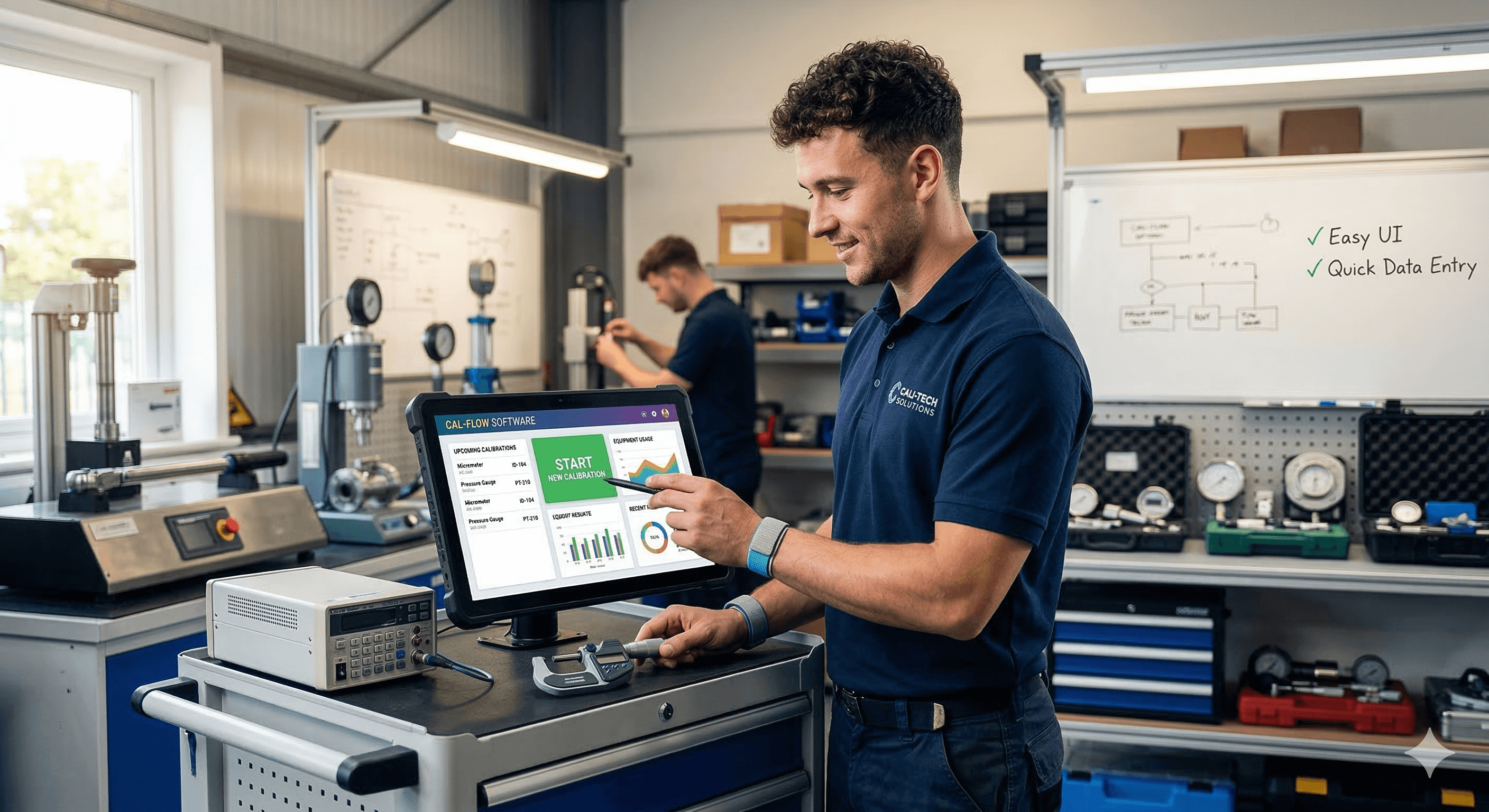
You bought tool calibration software once before. Maybe twice. It promised to eliminate spreadsheets, automate recall schedules, and make audits painless. Six months later, your technicians were back to entering data in Excel because the software was too slow, too complicated, or too far removed from how they actually work on the shop floor.
You're not alone. The most common failure mode in calibration management isn't picking software with the wrong features — it's picking software that your team quietly stops using.
This guide will walk you through how to evaluate tool calibration software based on what actually matters: whether the people who have to use it every day will keep using it after the first week.
Why Most Calibration Software Fails at the Technician Level
Quality managers typically choose calibration tracking software. Technicians are the ones who live inside it. That disconnect is where most implementations break down.
A quality manager evaluates software by asking: "Does this produce audit-ready reports? Does it track calibration recall dates? Can I generate certificates?" Those are valid concerns. But they skip a more fundamental question — will the person doing the calibration at 6:30 AM with grease on their hands actually record the result in this system?
When the answer is no, the software becomes a second system. The real data lives in notebooks, spreadsheets, or someone's memory. You're paying for gage management software but still running on tribal knowledge.
The root causes tend to be the same across industries:
Too many clicks to do simple things. If logging a calibration result takes more than a minute, technicians will batch their entries at the end of the week — or not at all. By then, data is stale and unreliable.
Designed for desktop, used in the field. Many calibration software programs were built as desktop applications in an era when every technician sat at a workstation. That's not how modern manufacturing, pharma, or field service teams operate. If your gage calibration software doesn't work on a phone or tablet, it doesn't work where calibration happens.
Confusing navigation. Enterprise calibration control software often tries to be everything — asset management, document control, CAPA tracking, preventive maintenance — and buries the daily calibration workflow under layers of menus. Technicians need a tool that gets out of their way, not one that requires a training course.
The Seven Things That Actually Matter When Choosing Tool Calibration Software
Feature comparison charts are easy to find. Every vendor will check the same boxes: recall management, certificate generation, audit trails, reporting. What separates calibration software that sticks from calibration software that gets abandoned are the details below.
1. Speed of the Core Workflow
The single most important factor in technician adoption is how fast they can complete the action they perform most often: recording a calibration result.
When evaluating any calibration tracking software, time yourself doing this:
Pick a gage from the system. Record an as-found measurement. Record an as-left measurement. Mark it pass or fail. Save.
If that takes more than 60 seconds after you've learned the interface, your technicians will find workarounds. The best tool calibration software makes this flow feel almost frictionless — scan a barcode, enter a value, done.
Ask vendors for a live demo of this specific workflow. Not the dashboard. Not the reporting module. The moment-to-moment task a technician repeats dozens of times per day.
2. Mobile-First Design (Not Mobile-Compatible — Mobile-First)
There's a significant difference between software that "works on mobile" and software built for mobile. The first usually means a desktop interface crammed into a small screen. The second means the interface was designed around a phone or tablet from the start.
Your technicians calibrate equipment on the production line, in a cleanroom, on a construction site, or in a vehicle. They need gage calibration software that works where they are — with large tap targets, fast load times, and offline capability for areas with poor connectivity.
If a vendor shows you a responsive website and calls it mobile, be skeptical. Ask whether the mobile experience has been built and tested independently.
3. Barcode and QR Code Scanning
Manual data entry is where errors are born. The fastest and most reliable way to identify a gage is to scan its label.
Any serious equipment calibration tracking software should support barcode or QR code scanning natively — through the device camera, not a separate Bluetooth scanner. This eliminates the most common technician frustration: scrolling through hundreds of records to find the right tool.
Combined with good labeling software for calibration stickers and asset tags, scanning becomes the backbone of a fast, accurate workflow.
4. Calibration Recall Automation That Actually Works
Every calibration management software claims to handle recall scheduling. The question is how.
Some systems send a single email notification and call it done. That's not recall management — that's a reminder app. Effective calibration recall software should escalate overdue calibrations automatically, notify both the technician and the quality manager, and make it obvious from any dashboard which gages are coming due, which are overdue, and which are out of service.
Technicians care about this because overdue tools create daily headaches. If a gage is past due, they can't use it. If they don't know it's past due, they use it anyway and create a potential nonconformance. The right system makes the status of every tool instantly visible at the point of use.
5. Calibration Certificate Generation
Generating calibration certificates manually is tedious and error-prone. Your instrument calibration software should produce certificates automatically from the data technicians already entered during the calibration process — no duplicate data entry, no copying numbers into a Word template.
The certificate should be audit-ready and configurable to your standards (ISO 17025, ISO 9001, AS9100, IATF 16949, or your customers' specific requirements). If generating a certificate requires a quality engineer to sit down and format a document after the fact, the system is creating work instead of eliminating it.
6. A Clean, Intuitive Dashboard
Dashboards are where quality managers live and where technicians glance. Both groups need different things from the same screen.
Quality managers want calibration database software that shows them the health of their entire program at a glance: how many gages are in tolerance, how many are overdue, which departments are falling behind, and what the next audit looks like.
Technicians want to open the app and immediately see: what do I need to calibrate today?
The best gage tracking software serves both needs without forcing either user to dig. If a technician opens the software and doesn't instantly know what to do next, the dashboard has failed.
7. Implementation and Onboarding Support
Even the best calibration system software will fail if the onboarding experience is poor. The transition from spreadsheets or a legacy system is a vulnerable moment. Technicians are being asked to change a habit, often while production continues.
Ask potential vendors: How long does a typical implementation take? Who handles the data migration? Is there live training, or just a link to a knowledge base? What does support look like after go-live — do we get a real person?
The answer to these questions often matters more than any feature on the spec sheet.
Cloud vs. On-Premise: A Practical Decision, Not a Religious One
Cloud calibration software has become the default for most teams, and for good reason. There's no server to maintain, updates roll out automatically, and your technicians can access the system from any device. For multi-site operations, cloud gage management software eliminates the need to sync databases across locations.
On-premise calibration software still makes sense for organizations with strict data sovereignty requirements or air-gapped networks. But for the vast majority of manufacturing, pharma, aerospace, and service companies, cloud is simpler, cheaper to maintain, and easier to scale.
The practical question isn't "cloud or on-premise?" It's "does this software work reliably in the environments where my technicians operate?" That means fast load times on spotty factory Wi-Fi, offline mode for dead zones, and syncing that doesn't lose data.
Free Calibration Software: When It Works and When It Doesn't
If you're a small shop with fewer than 50 gages and a single site, free calibration software or a free gage calibration software trial can be a reasonable starting point. It lets you move off spreadsheets without a financial commitment.
The limitation with most free calibration management software is scale. You'll typically hit walls around user counts, gage limits, reporting capability, and integrations. There's usually no support beyond a community forum. And when audit season arrives, you may find that the certificate and reporting features you need are locked behind a paid tier.
Free calibration software works best as a proving ground: use it to validate that your team will adopt digital calibration management, then graduate to a paid solution that can grow with your program.
What a Realistic Evaluation Process Looks Like
Avoid the common trap of evaluating calibration software programs through a two-hour demo with a sales engineer. That tells you what the software can do in ideal conditions. It tells you nothing about what daily life with it feels like.
A better approach:
Start with your technicians. Before you look at any vendor, interview the people who will use the system daily. What do they hate about the current process? Where do they lose time? What would make their day easier? Their answers should shape your requirements list, not a feature matrix from a vendor's website.
Run a hands-on pilot. Any vendor worth considering will offer a free trial or pilot program. Don't test it yourself and declare it ready — put it in the hands of two or three technicians for two weeks with real gages. Watch where they get stuck. Listen to what they complain about. The complaints during a pilot are the problems you'll live with for years.
Test the mobile experience on actual devices. Open the calibration tracking software on the same phone or tablet your technicians carry. Try it with one hand. Try it with gloves. Try it in a bright warehouse. This isn't hypothetical — this is the environment the software needs to survive.
Check the audit trail. Perform a few calibrations in the trial, then try to produce an audit-ready report. How long does it take? Is the data complete? Can you trace every action back to a user and timestamp? If your calibration control software can't produce a clean audit trail in minutes, it won't save you during an actual audit.
Why Teams Choose Gaugify
Gaugify was built around a simple belief: calibration software should be so fast and intuitive that technicians prefer it over the old way of doing things.
That's why Gaugify is mobile-first, not mobile-adapted. The interface was designed for the shop floor, not for a conference room demo. Scanning a gage, recording results, and generating a certificate takes seconds, not minutes. Calibration recalls are automated with escalation, so nothing falls through the cracks. And the dashboard gives quality managers full visibility without burying technicians in features they don't need.
Gaugify is cloud-based, which means no servers to manage, automatic updates, and access from any device. For teams managing calibration across multiple sites, everything stays in sync without manual intervention.
If you've been burned by calibration management software that your team abandoned, or if you're still running your program on spreadsheets and hoping for the best, Gaugify is worth a look.
Start a free trial at gaugify.io →
Frequently Asked Questions
What is tool calibration software? Tool calibration software is a system that helps organizations manage the calibration lifecycle of their measurement instruments, gages, and tools. It tracks calibration schedules, stores measurement results, generates certificates, sends recall notifications, and provides audit-ready records.
How much does calibration software typically cost? Pricing varies widely. Free calibration management software exists for small operations, while enterprise-grade gage calibration software ranges from around $50 to $300+ per month depending on features, user count, and number of gages managed. Cloud-based options typically have lower upfront costs than on-premise installations.
Can calibration software integrate with our existing ERP or quality system? Most modern calibration management software offers integrations through APIs or built-in connectors. Common integrations include ERP systems, CMMS platforms, and quality management software. Before purchasing, confirm that the vendor supports the specific systems your team uses.
How long does implementation typically take? For cloud-based tool calibration software, most teams are up and running within one to four weeks, depending on the size of the gage inventory and complexity of the calibration program. On-premise installations generally take longer due to infrastructure setup.
Is cloud-based calibration software secure enough for regulated industries? Yes, reputable cloud calibration software providers offer enterprise-grade security including encryption, role-based access control, and compliance with standards like SOC 2 and ISO 27001. Many pharmaceutical, aerospace, and medical device manufacturers now use cloud-based calibration tracking software for their programs.
You bought tool calibration software once before. Maybe twice. It promised to eliminate spreadsheets, automate recall schedules, and make audits painless. Six months later, your technicians were back to entering data in Excel because the software was too slow, too complicated, or too far removed from how they actually work on the shop floor.
You're not alone. The most common failure mode in calibration management isn't picking software with the wrong features — it's picking software that your team quietly stops using.
This guide will walk you through how to evaluate tool calibration software based on what actually matters: whether the people who have to use it every day will keep using it after the first week.
Why Most Calibration Software Fails at the Technician Level
Quality managers typically choose calibration tracking software. Technicians are the ones who live inside it. That disconnect is where most implementations break down.
A quality manager evaluates software by asking: "Does this produce audit-ready reports? Does it track calibration recall dates? Can I generate certificates?" Those are valid concerns. But they skip a more fundamental question — will the person doing the calibration at 6:30 AM with grease on their hands actually record the result in this system?
When the answer is no, the software becomes a second system. The real data lives in notebooks, spreadsheets, or someone's memory. You're paying for gage management software but still running on tribal knowledge.
The root causes tend to be the same across industries:
Too many clicks to do simple things. If logging a calibration result takes more than a minute, technicians will batch their entries at the end of the week — or not at all. By then, data is stale and unreliable.
Designed for desktop, used in the field. Many calibration software programs were built as desktop applications in an era when every technician sat at a workstation. That's not how modern manufacturing, pharma, or field service teams operate. If your gage calibration software doesn't work on a phone or tablet, it doesn't work where calibration happens.
Confusing navigation. Enterprise calibration control software often tries to be everything — asset management, document control, CAPA tracking, preventive maintenance — and buries the daily calibration workflow under layers of menus. Technicians need a tool that gets out of their way, not one that requires a training course.
The Seven Things That Actually Matter When Choosing Tool Calibration Software
Feature comparison charts are easy to find. Every vendor will check the same boxes: recall management, certificate generation, audit trails, reporting. What separates calibration software that sticks from calibration software that gets abandoned are the details below.
1. Speed of the Core Workflow
The single most important factor in technician adoption is how fast they can complete the action they perform most often: recording a calibration result.
When evaluating any calibration tracking software, time yourself doing this:
Pick a gage from the system. Record an as-found measurement. Record an as-left measurement. Mark it pass or fail. Save.
If that takes more than 60 seconds after you've learned the interface, your technicians will find workarounds. The best tool calibration software makes this flow feel almost frictionless — scan a barcode, enter a value, done.
Ask vendors for a live demo of this specific workflow. Not the dashboard. Not the reporting module. The moment-to-moment task a technician repeats dozens of times per day.
2. Mobile-First Design (Not Mobile-Compatible — Mobile-First)
There's a significant difference between software that "works on mobile" and software built for mobile. The first usually means a desktop interface crammed into a small screen. The second means the interface was designed around a phone or tablet from the start.
Your technicians calibrate equipment on the production line, in a cleanroom, on a construction site, or in a vehicle. They need gage calibration software that works where they are — with large tap targets, fast load times, and offline capability for areas with poor connectivity.
If a vendor shows you a responsive website and calls it mobile, be skeptical. Ask whether the mobile experience has been built and tested independently.
3. Barcode and QR Code Scanning
Manual data entry is where errors are born. The fastest and most reliable way to identify a gage is to scan its label.
Any serious equipment calibration tracking software should support barcode or QR code scanning natively — through the device camera, not a separate Bluetooth scanner. This eliminates the most common technician frustration: scrolling through hundreds of records to find the right tool.
Combined with good labeling software for calibration stickers and asset tags, scanning becomes the backbone of a fast, accurate workflow.
4. Calibration Recall Automation That Actually Works
Every calibration management software claims to handle recall scheduling. The question is how.
Some systems send a single email notification and call it done. That's not recall management — that's a reminder app. Effective calibration recall software should escalate overdue calibrations automatically, notify both the technician and the quality manager, and make it obvious from any dashboard which gages are coming due, which are overdue, and which are out of service.
Technicians care about this because overdue tools create daily headaches. If a gage is past due, they can't use it. If they don't know it's past due, they use it anyway and create a potential nonconformance. The right system makes the status of every tool instantly visible at the point of use.
5. Calibration Certificate Generation
Generating calibration certificates manually is tedious and error-prone. Your instrument calibration software should produce certificates automatically from the data technicians already entered during the calibration process — no duplicate data entry, no copying numbers into a Word template.
The certificate should be audit-ready and configurable to your standards (ISO 17025, ISO 9001, AS9100, IATF 16949, or your customers' specific requirements). If generating a certificate requires a quality engineer to sit down and format a document after the fact, the system is creating work instead of eliminating it.
6. A Clean, Intuitive Dashboard
Dashboards are where quality managers live and where technicians glance. Both groups need different things from the same screen.
Quality managers want calibration database software that shows them the health of their entire program at a glance: how many gages are in tolerance, how many are overdue, which departments are falling behind, and what the next audit looks like.
Technicians want to open the app and immediately see: what do I need to calibrate today?
The best gage tracking software serves both needs without forcing either user to dig. If a technician opens the software and doesn't instantly know what to do next, the dashboard has failed.
7. Implementation and Onboarding Support
Even the best calibration system software will fail if the onboarding experience is poor. The transition from spreadsheets or a legacy system is a vulnerable moment. Technicians are being asked to change a habit, often while production continues.
Ask potential vendors: How long does a typical implementation take? Who handles the data migration? Is there live training, or just a link to a knowledge base? What does support look like after go-live — do we get a real person?
The answer to these questions often matters more than any feature on the spec sheet.
Cloud vs. On-Premise: A Practical Decision, Not a Religious One
Cloud calibration software has become the default for most teams, and for good reason. There's no server to maintain, updates roll out automatically, and your technicians can access the system from any device. For multi-site operations, cloud gage management software eliminates the need to sync databases across locations.
On-premise calibration software still makes sense for organizations with strict data sovereignty requirements or air-gapped networks. But for the vast majority of manufacturing, pharma, aerospace, and service companies, cloud is simpler, cheaper to maintain, and easier to scale.
The practical question isn't "cloud or on-premise?" It's "does this software work reliably in the environments where my technicians operate?" That means fast load times on spotty factory Wi-Fi, offline mode for dead zones, and syncing that doesn't lose data.
Free Calibration Software: When It Works and When It Doesn't
If you're a small shop with fewer than 50 gages and a single site, free calibration software or a free gage calibration software trial can be a reasonable starting point. It lets you move off spreadsheets without a financial commitment.
The limitation with most free calibration management software is scale. You'll typically hit walls around user counts, gage limits, reporting capability, and integrations. There's usually no support beyond a community forum. And when audit season arrives, you may find that the certificate and reporting features you need are locked behind a paid tier.
Free calibration software works best as a proving ground: use it to validate that your team will adopt digital calibration management, then graduate to a paid solution that can grow with your program.
What a Realistic Evaluation Process Looks Like
Avoid the common trap of evaluating calibration software programs through a two-hour demo with a sales engineer. That tells you what the software can do in ideal conditions. It tells you nothing about what daily life with it feels like.
A better approach:
Start with your technicians. Before you look at any vendor, interview the people who will use the system daily. What do they hate about the current process? Where do they lose time? What would make their day easier? Their answers should shape your requirements list, not a feature matrix from a vendor's website.
Run a hands-on pilot. Any vendor worth considering will offer a free trial or pilot program. Don't test it yourself and declare it ready — put it in the hands of two or three technicians for two weeks with real gages. Watch where they get stuck. Listen to what they complain about. The complaints during a pilot are the problems you'll live with for years.
Test the mobile experience on actual devices. Open the calibration tracking software on the same phone or tablet your technicians carry. Try it with one hand. Try it with gloves. Try it in a bright warehouse. This isn't hypothetical — this is the environment the software needs to survive.
Check the audit trail. Perform a few calibrations in the trial, then try to produce an audit-ready report. How long does it take? Is the data complete? Can you trace every action back to a user and timestamp? If your calibration control software can't produce a clean audit trail in minutes, it won't save you during an actual audit.
Why Teams Choose Gaugify
Gaugify was built around a simple belief: calibration software should be so fast and intuitive that technicians prefer it over the old way of doing things.
That's why Gaugify is mobile-first, not mobile-adapted. The interface was designed for the shop floor, not for a conference room demo. Scanning a gage, recording results, and generating a certificate takes seconds, not minutes. Calibration recalls are automated with escalation, so nothing falls through the cracks. And the dashboard gives quality managers full visibility without burying technicians in features they don't need.
Gaugify is cloud-based, which means no servers to manage, automatic updates, and access from any device. For teams managing calibration across multiple sites, everything stays in sync without manual intervention.
If you've been burned by calibration management software that your team abandoned, or if you're still running your program on spreadsheets and hoping for the best, Gaugify is worth a look.
Start a free trial at gaugify.io →
Frequently Asked Questions
What is tool calibration software? Tool calibration software is a system that helps organizations manage the calibration lifecycle of their measurement instruments, gages, and tools. It tracks calibration schedules, stores measurement results, generates certificates, sends recall notifications, and provides audit-ready records.
How much does calibration software typically cost? Pricing varies widely. Free calibration management software exists for small operations, while enterprise-grade gage calibration software ranges from around $50 to $300+ per month depending on features, user count, and number of gages managed. Cloud-based options typically have lower upfront costs than on-premise installations.
Can calibration software integrate with our existing ERP or quality system? Most modern calibration management software offers integrations through APIs or built-in connectors. Common integrations include ERP systems, CMMS platforms, and quality management software. Before purchasing, confirm that the vendor supports the specific systems your team uses.
How long does implementation typically take? For cloud-based tool calibration software, most teams are up and running within one to four weeks, depending on the size of the gage inventory and complexity of the calibration program. On-premise installations generally take longer due to infrastructure setup.
Is cloud-based calibration software secure enough for regulated industries? Yes, reputable cloud calibration software providers offer enterprise-grade security including encryption, role-based access control, and compliance with standards like SOC 2 and ISO 27001. Many pharmaceutical, aerospace, and medical device manufacturers now use cloud-based calibration tracking software for their programs.