
Free Calibration Management Software: What You Get and What You Don't
Free Calibration Management Software: What You Get and What You Don't
David Bentley
Quality Assurance Engineer
12 min read
Free Calibration Management Software: What You Get and What You Don't
Searching for free calibration management software usually means one of two things: your current system is costing too much, or you're drowning in spreadsheets and paper certificates. Either way, you're wondering if there's a legitimate free solution that can handle your calibration program without breaking the bank. The short answer is yes – but with important caveats you need to understand before making the switch.
While truly free calibration management solutions are rare, many providers offer generous free trials, freemium tiers, or significantly discounted pricing for smaller operations. The key is understanding what you actually get versus what limitations you'll face, and whether those trade-offs align with your quality management requirements.
Understanding Calibration Management Software and Its Critical Role
Calibration management software centralizes the scheduling, tracking, and documentation of your measurement equipment calibrations. Instead of juggling Excel spreadsheets, paper certificates, and sticky note reminders, the software automates these processes while maintaining the detailed records required for quality audits and regulatory compliance.
For a typical manufacturing facility with 200+ gages – from micrometers and calipers to torque wrenches and pressure transducers – manual calibration tracking becomes unmanageable quickly. Miss a calibration deadline on a critical dimensional gage used for aerospace components, and you could face customer audits, rejected parts, or worse – safety incidents.
The software typically manages several core functions: automated calibration scheduling based on due dates and frequencies, certificate storage and retrieval, measurement uncertainty calculations, audit trail maintenance, and compliance reporting. For ISO 9001, AS9100, or FDA-regulated facilities, these aren't nice-to-have features – they're mandatory requirements.
The Hidden Costs of Manual Calibration Tracking
Before exploring free options, consider what manual calibration management actually costs. A quality technician spending 8 hours per week tracking calibrations, printing certificates, and updating spreadsheets represents roughly $20,000 annually in labor costs. Add the risk of missed calibrations causing production delays or audit findings, and the real cost multiplies quickly.
One automotive supplier we worked with discovered they had 47 overdue gages during an internal audit – all because their Excel tracker couldn't send automated reminders. The resulting production hold and expedited calibrations cost $35,000 in a single week.
Essential Features in Free Calibration Management Software
When evaluating free calibration management solutions, you'll encounter significant variation in feature availability. Here's what to prioritize based on real-world calibration program needs:
Automated Scheduling and Reminder Systems
The most critical feature is automated calibration scheduling with advance notifications. Your software should track each instrument's calibration frequency (whether 6 months for precision micrometers or 12 months for standard calipers) and send email alerts 30, 15, and 7 days before due dates. Free versions often limit the number of instruments you can track or restrict reminder functionality.
Digital Certificate Management
Certificate storage and retrieval capabilities eliminate paper filing systems and ensure calibration records remain accessible during audits. Look for solutions that allow PDF upload, automatic certificate parsing to extract calibration data, and search functionality by instrument ID, serial number, or calibration date.
Free tiers typically limit storage capacity or the number of certificates you can maintain, which becomes problematic for facilities required to retain calibration records for 7+ years per aerospace or medical device regulations.
Asset and Location Tracking
Effective calibration management requires knowing where each instrument is located and who's responsible for it. Whether it's a torque wrench in Station 12 of your assembly line or a precision balance in your incoming inspection lab, the software should track instrument locations, responsible personnel, and transfer history.
Crib management functionality becomes essential for organizations with tool rooms or shared measurement equipment. The ability to track instrument check-in/check-out, usage logging, and damage reporting prevents calibrated tools from disappearing or being used beyond their calibration dates.
Measurement Uncertainty and MSA Support
For facilities following ISO/IEC 17025 or conducting measurement system analysis (MSA) studies, the software should calculate and track measurement uncertainty for each instrument. This includes uncertainty propagation through calibration chains and Test Uncertainty Ratio (TUR) calculations to ensure adequate measurement capability.
Free solutions rarely include these advanced metrology features, which can be deal-breakers for labs requiring ISO 17025 compliance or automotive facilities conducting gage R&R studies.
Audit Trail and Compliance Reporting
Regulatory compliance demands complete audit trails showing who performed calibrations, when they occurred, and what changes were made to instrument records. The software should log all user actions, maintain data integrity, and prevent unauthorized modifications.
Compliance reporting capabilities should generate calibration status reports, overdue instrument lists, and calibration history summaries formatted for quality audits. Many free solutions offer basic reporting but lack the customization and detail required for aerospace, medical device, or pharmaceutical compliance.
Role-Based Access Control
Different users need different system access levels. Quality managers require full administrative access, while shop floor technicians may only need to view calibration status and submit calibration requests. Calibration technicians need access to update calibration records and upload certificates.
Free versions often provide limited user management, sometimes restricting you to a single administrator account or basic user roles that don't align with your organizational structure.
Mobile Access and Barcode Scanning
Mobile functionality allows technicians to access calibration information, update instrument status, and capture calibration data directly from the shop floor. Barcode or QR code scanning streamlines instrument identification and reduces data entry errors.
This becomes particularly valuable during internal audits when you need to verify calibration status for instruments throughout your facility quickly. Free solutions may offer limited mobile access or restrict advanced features like barcode scanning to paid tiers.
Comparing Free Calibration Management Software Options
The calibration management software market includes several providers offering free or low-cost options, each with distinct advantages and limitations:
Gaugify: Comprehensive Free Trial with Full Feature Access
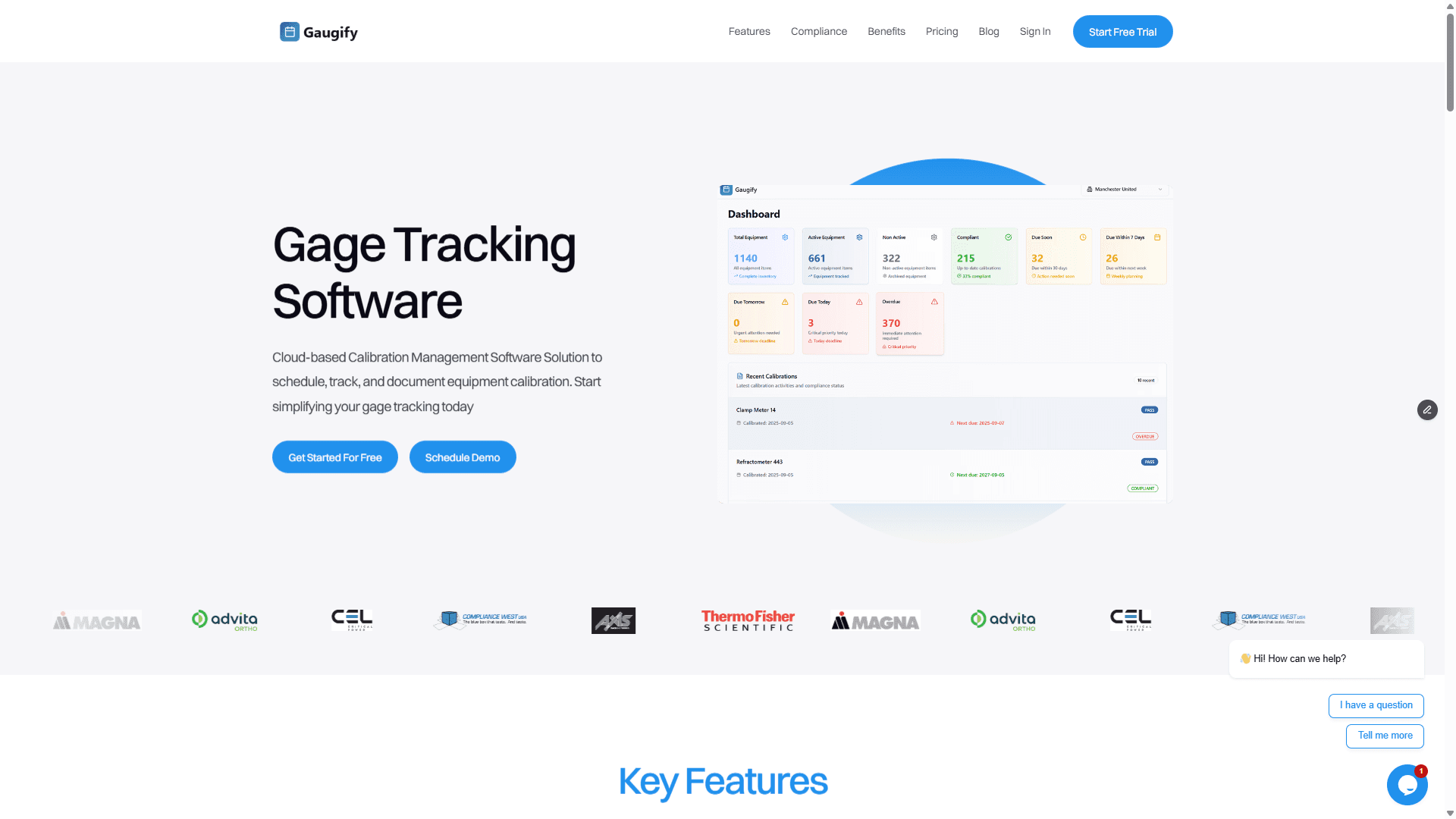
Gaugify offers a 14-day free trial with complete access to all features, including automated scheduling, certificate management, mobile access, uncertainty calculations, and compliance reporting. This approach lets you fully evaluate the software's capabilities with your actual calibration data before committing to a paid plan.
During the trial period, you can import your existing instrument database, upload historical calibration certificates, configure automated reminders, and test mobile functionality. The comprehensive feature set includes advanced metrology tools like TUR calculations, custom calibration procedures, and detailed audit trails that many competing solutions reserve for enterprise tiers.
After the trial, Gaugify's pricing scales with your needs, starting at affordable levels for smaller operations while maintaining feature parity across all plans. This eliminates the common frustration of outgrowing free software limitations and having to migrate data to more capable solutions.
Open-Source and Community Solutions
Several open-source calibration management projects exist, offering truly free software in exchange for technical complexity and limited support. These solutions require internal IT resources for installation, configuration, and maintenance – costs that often exceed commercial software pricing when factored over time.
Open-source options work best for organizations with dedicated IT staff and specific customization requirements that commercial solutions can't address. However, they typically lack the user-friendly interfaces and integrated support that quality teams need for daily calibration management.
Freemium Models with Usage Restrictions
Some providers offer permanently free tiers with significant limitations: restricted instrument counts (often 10-50 assets), limited user accounts, basic reporting, or reduced storage capacity. While these solutions work for very small operations, they create problematic upgrade pressures as your calibration program grows.
The challenge with freemium models is that calibration programs rarely shrink. Once you exceed the free tier limits, you're forced into immediate upgrades or face service disruptions that could impact compliance and production schedules.
Ready to experience full-featured calibration management without limitations? Start your free Gaugify trial today and see how proper calibration software transforms your quality management processes.
Understanding Pricing Models and Total Cost of Ownership
Free calibration management software comes with various pricing models and hidden costs that impact long-term viability:
Per-User vs. Per-Asset Pricing
Most calibration management solutions use either per-user monthly subscriptions or per-asset pricing based on the number of instruments tracked. Per-user pricing typically ranges from $15-50 monthly per user, while per-asset models charge $1-5 monthly per instrument.
For organizations with many users but relatively few critical instruments, per-asset pricing often proves more economical. Conversely, facilities with extensive instrument inventories but limited quality staff benefit from per-user models.
Calculate total cost of ownership by considering not just software fees, but implementation time, training requirements, data migration costs, and ongoing support needs. A seemingly expensive solution that reduces quality management labor by 10 hours weekly often pays for itself within months.
Feature-Based Pricing Tiers
Many providers structure pricing around feature access, with basic plans offering essential calibration tracking and premium tiers including advanced metrology tools, custom reporting, and integration capabilities.
This model works well if your needs align cleanly with a specific tier, but becomes problematic when you need just one or two premium features. Gaugify's approach of including all features across pricing plans eliminates this complexity and prevents forced upgrades for single capabilities.
Implementation Considerations for Free Solutions
Implementing calibration management software involves several critical considerations that free solutions may not adequately address:
Data Migration and System Integration
Most organizations have existing calibration data in spreadsheets, databases, or legacy systems that must be migrated to new software. This process requires careful planning to ensure data accuracy, maintain historical records, and preserve audit trail continuity.
Free solutions often provide limited migration support or self-service import tools that require significant manual effort. Professional implementation support, while adding cost, typically prevents data loss and reduces deployment time from weeks to days.
Integration with existing quality management systems, ERPs, or asset management databases becomes critical for larger organizations. Free software rarely includes robust integration capabilities, potentially creating data silos that reduce overall system effectiveness.
User Training and Change Management
Transitioning from manual calibration tracking to software-based management requires user training and change management processes. Quality technicians, shop floor supervisors, and calibration providers all need training on new workflows and system capabilities.
Free solutions typically offer limited training resources – perhaps basic documentation or video tutorials. Comprehensive user onboarding, live training sessions, and ongoing support often justify the investment in commercial solutions through faster adoption and fewer implementation errors.
Compliance and Validation Requirements
Regulated industries require software validation to demonstrate that calibration management systems function as intended and maintain data integrity. This validation process includes installation qualification (IQ), operational qualification (OQ), and performance qualification (PQ) documentation.
Most free solutions lack the validation support packages that regulated facilities require. The cost and complexity of self-validating free software often exceed the price of pre-validated commercial solutions that include validation documentation and support.
How to Effectively Evaluate Free Calibration Management Software
When testing free calibration management solutions, focus on real-world scenarios that reflect your actual usage requirements:
Import Your Actual Data
Don't waste time with sample data or simplified test scenarios. Import your complete instrument database, including complex items like multi-point calibrations, environmental chambers with multiple sensors, or custom calibration procedures. This reveals limitations that won't appear during basic testing.
Upload several months of actual calibration certificates to test certificate parsing, data extraction accuracy, and storage capabilities. Many solutions work well with standard commercial calibration formats but struggle with custom lab certificates or unusual data layouts.
Test Mobile Functionality in Your Environment
Download mobile apps and test them in your actual work environment. Can technicians easily access calibration information while wearing safety equipment? Does barcode scanning work reliably with your existing instrument labels? How does the system perform with poor network connectivity in remote facility areas?
Mobile functionality often determines user adoption rates more than desktop capabilities. If technicians find mobile access difficult or unreliable, they'll continue using manual tracking methods regardless of software capabilities.
Simulate Audit Scenarios
Practice generating reports and documentation that your quality audits require. Can you quickly produce calibration status reports filtered by location, instrument type, or due date ranges? Are audit trails sufficiently detailed to satisfy regulatory requirements?
Test the system's ability to demonstrate calibration traceability, uncertainty calculations, and measurement capability studies. These advanced features often differentiate professional-grade solutions from basic tracking tools.
Evaluate Support and Documentation Quality
Even during free trials, test technical support responsiveness and knowledge quality. Submit realistic questions about calibration management best practices, not just basic software operation questions.
Review available documentation, training materials, and user communities. Comprehensive support resources indicate long-term software viability and reduce implementation risks.
Making the Right Choice: Balancing Cost and Capability
The decision between free and paid calibration management software ultimately depends on your organization's size, compliance requirements, and growth trajectory. Small facilities with basic calibration tracking needs may find limited free solutions adequate, while larger operations or regulated industries typically require comprehensive commercial solutions.
Consider these key decision factors:
Scalability requirements: Will you outgrow free solution limitations within 12-24 months?
Compliance complexity: Do you need advanced features like uncertainty calculations, custom procedures, or validation support?
Integration needs: Must the software connect with existing quality management or ERP systems?
Support expectations: Do you need professional implementation assistance and ongoing technical support?
Total cost analysis: Does the labor savings from automation justify software investment?
For most organizations, the "free" approach that delivers the best long-term value is starting with a comprehensive free trial that provides complete feature access. This allows thorough evaluation without artificial limitations while demonstrating actual software capabilities with your real data and workflows.
Gaugify's approach of providing full feature access during the trial period, combined with transparent pricing and comprehensive support, eliminates the guesswork from calibration management software selection. You can make informed decisions based on actual system performance rather than limited free-tier functionality.
Ready to Transform Your Calibration Management?
The search for truly effective free calibration management software often leads to the realization that the best "free" option is a comprehensive trial of professional-grade software. Rather than accepting the limitations of permanently free solutions or navigating complex freemium restrictions, start with a full-featured evaluation that demonstrates real capabilities.
Start your free Gaugify trial today and experience calibration management software designed by quality professionals for quality professionals. Import your actual instrument data, test mobile functionality, and see how automated calibration scheduling and intelligent reminders transform your quality management processes.
With comprehensive features including uncertainty calculations, audit trail management, mobile access, and compliance reporting – all available during your trial period – you'll quickly understand why leading manufacturers choose professional calibration management solutions over limited free alternatives.
Questions about implementation or want to see Gaugify in action with your specific calibration requirements? Schedule a personalized demo and discover how the right calibration management software investment pays for itself through improved efficiency, reduced compliance risk, and streamlined quality management processes.
Free Calibration Management Software: What You Get and What You Don't
Searching for free calibration management software usually means one of two things: your current system is costing too much, or you're drowning in spreadsheets and paper certificates. Either way, you're wondering if there's a legitimate free solution that can handle your calibration program without breaking the bank. The short answer is yes – but with important caveats you need to understand before making the switch.
While truly free calibration management solutions are rare, many providers offer generous free trials, freemium tiers, or significantly discounted pricing for smaller operations. The key is understanding what you actually get versus what limitations you'll face, and whether those trade-offs align with your quality management requirements.
Understanding Calibration Management Software and Its Critical Role
Calibration management software centralizes the scheduling, tracking, and documentation of your measurement equipment calibrations. Instead of juggling Excel spreadsheets, paper certificates, and sticky note reminders, the software automates these processes while maintaining the detailed records required for quality audits and regulatory compliance.
For a typical manufacturing facility with 200+ gages – from micrometers and calipers to torque wrenches and pressure transducers – manual calibration tracking becomes unmanageable quickly. Miss a calibration deadline on a critical dimensional gage used for aerospace components, and you could face customer audits, rejected parts, or worse – safety incidents.
The software typically manages several core functions: automated calibration scheduling based on due dates and frequencies, certificate storage and retrieval, measurement uncertainty calculations, audit trail maintenance, and compliance reporting. For ISO 9001, AS9100, or FDA-regulated facilities, these aren't nice-to-have features – they're mandatory requirements.
The Hidden Costs of Manual Calibration Tracking
Before exploring free options, consider what manual calibration management actually costs. A quality technician spending 8 hours per week tracking calibrations, printing certificates, and updating spreadsheets represents roughly $20,000 annually in labor costs. Add the risk of missed calibrations causing production delays or audit findings, and the real cost multiplies quickly.
One automotive supplier we worked with discovered they had 47 overdue gages during an internal audit – all because their Excel tracker couldn't send automated reminders. The resulting production hold and expedited calibrations cost $35,000 in a single week.
Essential Features in Free Calibration Management Software
When evaluating free calibration management solutions, you'll encounter significant variation in feature availability. Here's what to prioritize based on real-world calibration program needs:
Automated Scheduling and Reminder Systems
The most critical feature is automated calibration scheduling with advance notifications. Your software should track each instrument's calibration frequency (whether 6 months for precision micrometers or 12 months for standard calipers) and send email alerts 30, 15, and 7 days before due dates. Free versions often limit the number of instruments you can track or restrict reminder functionality.
Digital Certificate Management
Certificate storage and retrieval capabilities eliminate paper filing systems and ensure calibration records remain accessible during audits. Look for solutions that allow PDF upload, automatic certificate parsing to extract calibration data, and search functionality by instrument ID, serial number, or calibration date.
Free tiers typically limit storage capacity or the number of certificates you can maintain, which becomes problematic for facilities required to retain calibration records for 7+ years per aerospace or medical device regulations.
Asset and Location Tracking
Effective calibration management requires knowing where each instrument is located and who's responsible for it. Whether it's a torque wrench in Station 12 of your assembly line or a precision balance in your incoming inspection lab, the software should track instrument locations, responsible personnel, and transfer history.
Crib management functionality becomes essential for organizations with tool rooms or shared measurement equipment. The ability to track instrument check-in/check-out, usage logging, and damage reporting prevents calibrated tools from disappearing or being used beyond their calibration dates.
Measurement Uncertainty and MSA Support
For facilities following ISO/IEC 17025 or conducting measurement system analysis (MSA) studies, the software should calculate and track measurement uncertainty for each instrument. This includes uncertainty propagation through calibration chains and Test Uncertainty Ratio (TUR) calculations to ensure adequate measurement capability.
Free solutions rarely include these advanced metrology features, which can be deal-breakers for labs requiring ISO 17025 compliance or automotive facilities conducting gage R&R studies.
Audit Trail and Compliance Reporting
Regulatory compliance demands complete audit trails showing who performed calibrations, when they occurred, and what changes were made to instrument records. The software should log all user actions, maintain data integrity, and prevent unauthorized modifications.
Compliance reporting capabilities should generate calibration status reports, overdue instrument lists, and calibration history summaries formatted for quality audits. Many free solutions offer basic reporting but lack the customization and detail required for aerospace, medical device, or pharmaceutical compliance.
Role-Based Access Control
Different users need different system access levels. Quality managers require full administrative access, while shop floor technicians may only need to view calibration status and submit calibration requests. Calibration technicians need access to update calibration records and upload certificates.
Free versions often provide limited user management, sometimes restricting you to a single administrator account or basic user roles that don't align with your organizational structure.
Mobile Access and Barcode Scanning
Mobile functionality allows technicians to access calibration information, update instrument status, and capture calibration data directly from the shop floor. Barcode or QR code scanning streamlines instrument identification and reduces data entry errors.
This becomes particularly valuable during internal audits when you need to verify calibration status for instruments throughout your facility quickly. Free solutions may offer limited mobile access or restrict advanced features like barcode scanning to paid tiers.
Comparing Free Calibration Management Software Options
The calibration management software market includes several providers offering free or low-cost options, each with distinct advantages and limitations:
Gaugify: Comprehensive Free Trial with Full Feature Access
Gaugify offers a 14-day free trial with complete access to all features, including automated scheduling, certificate management, mobile access, uncertainty calculations, and compliance reporting. This approach lets you fully evaluate the software's capabilities with your actual calibration data before committing to a paid plan.
During the trial period, you can import your existing instrument database, upload historical calibration certificates, configure automated reminders, and test mobile functionality. The comprehensive feature set includes advanced metrology tools like TUR calculations, custom calibration procedures, and detailed audit trails that many competing solutions reserve for enterprise tiers.
After the trial, Gaugify's pricing scales with your needs, starting at affordable levels for smaller operations while maintaining feature parity across all plans. This eliminates the common frustration of outgrowing free software limitations and having to migrate data to more capable solutions.
Open-Source and Community Solutions
Several open-source calibration management projects exist, offering truly free software in exchange for technical complexity and limited support. These solutions require internal IT resources for installation, configuration, and maintenance – costs that often exceed commercial software pricing when factored over time.
Open-source options work best for organizations with dedicated IT staff and specific customization requirements that commercial solutions can't address. However, they typically lack the user-friendly interfaces and integrated support that quality teams need for daily calibration management.
Freemium Models with Usage Restrictions
Some providers offer permanently free tiers with significant limitations: restricted instrument counts (often 10-50 assets), limited user accounts, basic reporting, or reduced storage capacity. While these solutions work for very small operations, they create problematic upgrade pressures as your calibration program grows.
The challenge with freemium models is that calibration programs rarely shrink. Once you exceed the free tier limits, you're forced into immediate upgrades or face service disruptions that could impact compliance and production schedules.
Ready to experience full-featured calibration management without limitations? Start your free Gaugify trial today and see how proper calibration software transforms your quality management processes.
Understanding Pricing Models and Total Cost of Ownership
Free calibration management software comes with various pricing models and hidden costs that impact long-term viability:
Per-User vs. Per-Asset Pricing
Most calibration management solutions use either per-user monthly subscriptions or per-asset pricing based on the number of instruments tracked. Per-user pricing typically ranges from $15-50 monthly per user, while per-asset models charge $1-5 monthly per instrument.
For organizations with many users but relatively few critical instruments, per-asset pricing often proves more economical. Conversely, facilities with extensive instrument inventories but limited quality staff benefit from per-user models.
Calculate total cost of ownership by considering not just software fees, but implementation time, training requirements, data migration costs, and ongoing support needs. A seemingly expensive solution that reduces quality management labor by 10 hours weekly often pays for itself within months.
Feature-Based Pricing Tiers
Many providers structure pricing around feature access, with basic plans offering essential calibration tracking and premium tiers including advanced metrology tools, custom reporting, and integration capabilities.
This model works well if your needs align cleanly with a specific tier, but becomes problematic when you need just one or two premium features. Gaugify's approach of including all features across pricing plans eliminates this complexity and prevents forced upgrades for single capabilities.
Implementation Considerations for Free Solutions
Implementing calibration management software involves several critical considerations that free solutions may not adequately address:
Data Migration and System Integration
Most organizations have existing calibration data in spreadsheets, databases, or legacy systems that must be migrated to new software. This process requires careful planning to ensure data accuracy, maintain historical records, and preserve audit trail continuity.
Free solutions often provide limited migration support or self-service import tools that require significant manual effort. Professional implementation support, while adding cost, typically prevents data loss and reduces deployment time from weeks to days.
Integration with existing quality management systems, ERPs, or asset management databases becomes critical for larger organizations. Free software rarely includes robust integration capabilities, potentially creating data silos that reduce overall system effectiveness.
User Training and Change Management
Transitioning from manual calibration tracking to software-based management requires user training and change management processes. Quality technicians, shop floor supervisors, and calibration providers all need training on new workflows and system capabilities.
Free solutions typically offer limited training resources – perhaps basic documentation or video tutorials. Comprehensive user onboarding, live training sessions, and ongoing support often justify the investment in commercial solutions through faster adoption and fewer implementation errors.
Compliance and Validation Requirements
Regulated industries require software validation to demonstrate that calibration management systems function as intended and maintain data integrity. This validation process includes installation qualification (IQ), operational qualification (OQ), and performance qualification (PQ) documentation.
Most free solutions lack the validation support packages that regulated facilities require. The cost and complexity of self-validating free software often exceed the price of pre-validated commercial solutions that include validation documentation and support.
How to Effectively Evaluate Free Calibration Management Software
When testing free calibration management solutions, focus on real-world scenarios that reflect your actual usage requirements:
Import Your Actual Data
Don't waste time with sample data or simplified test scenarios. Import your complete instrument database, including complex items like multi-point calibrations, environmental chambers with multiple sensors, or custom calibration procedures. This reveals limitations that won't appear during basic testing.
Upload several months of actual calibration certificates to test certificate parsing, data extraction accuracy, and storage capabilities. Many solutions work well with standard commercial calibration formats but struggle with custom lab certificates or unusual data layouts.
Test Mobile Functionality in Your Environment
Download mobile apps and test them in your actual work environment. Can technicians easily access calibration information while wearing safety equipment? Does barcode scanning work reliably with your existing instrument labels? How does the system perform with poor network connectivity in remote facility areas?
Mobile functionality often determines user adoption rates more than desktop capabilities. If technicians find mobile access difficult or unreliable, they'll continue using manual tracking methods regardless of software capabilities.
Simulate Audit Scenarios
Practice generating reports and documentation that your quality audits require. Can you quickly produce calibration status reports filtered by location, instrument type, or due date ranges? Are audit trails sufficiently detailed to satisfy regulatory requirements?
Test the system's ability to demonstrate calibration traceability, uncertainty calculations, and measurement capability studies. These advanced features often differentiate professional-grade solutions from basic tracking tools.
Evaluate Support and Documentation Quality
Even during free trials, test technical support responsiveness and knowledge quality. Submit realistic questions about calibration management best practices, not just basic software operation questions.
Review available documentation, training materials, and user communities. Comprehensive support resources indicate long-term software viability and reduce implementation risks.
Making the Right Choice: Balancing Cost and Capability
The decision between free and paid calibration management software ultimately depends on your organization's size, compliance requirements, and growth trajectory. Small facilities with basic calibration tracking needs may find limited free solutions adequate, while larger operations or regulated industries typically require comprehensive commercial solutions.
Consider these key decision factors:
Scalability requirements: Will you outgrow free solution limitations within 12-24 months?
Compliance complexity: Do you need advanced features like uncertainty calculations, custom procedures, or validation support?
Integration needs: Must the software connect with existing quality management or ERP systems?
Support expectations: Do you need professional implementation assistance and ongoing technical support?
Total cost analysis: Does the labor savings from automation justify software investment?
For most organizations, the "free" approach that delivers the best long-term value is starting with a comprehensive free trial that provides complete feature access. This allows thorough evaluation without artificial limitations while demonstrating actual software capabilities with your real data and workflows.
Gaugify's approach of providing full feature access during the trial period, combined with transparent pricing and comprehensive support, eliminates the guesswork from calibration management software selection. You can make informed decisions based on actual system performance rather than limited free-tier functionality.
Ready to Transform Your Calibration Management?
The search for truly effective free calibration management software often leads to the realization that the best "free" option is a comprehensive trial of professional-grade software. Rather than accepting the limitations of permanently free solutions or navigating complex freemium restrictions, start with a full-featured evaluation that demonstrates real capabilities.
Start your free Gaugify trial today and experience calibration management software designed by quality professionals for quality professionals. Import your actual instrument data, test mobile functionality, and see how automated calibration scheduling and intelligent reminders transform your quality management processes.
With comprehensive features including uncertainty calculations, audit trail management, mobile access, and compliance reporting – all available during your trial period – you'll quickly understand why leading manufacturers choose professional calibration management solutions over limited free alternatives.
Questions about implementation or want to see Gaugify in action with your specific calibration requirements? Schedule a personalized demo and discover how the right calibration management software investment pays for itself through improved efficiency, reduced compliance risk, and streamlined quality management processes.