
Gaugify vs Excel: Why Spreadsheets Fail at Calibration
Gaugify vs Excel: Why Spreadsheets Fail at Calibration
David Bentley
Quality Assurance Engineer
8 min read
Gaugify vs Excel: Why Spreadsheets Fail at Calibration
When it comes to calibration Excel vs software decisions, quality managers face a critical crossroads. While Microsoft Excel has been the go-to tool for countless calibration departments over the past decades, modern calibration management demands purpose-built solutions that can handle the complexity, compliance requirements, and real-time collaboration needs of today's quality systems.
This comprehensive comparison examines Excel's limitations against Gaugify's cloud-based calibration management platform. We'll explore why thousands of quality professionals are making the switch from error-prone spreadsheets to dedicated calibration software that streamlines workflows, ensures compliance, and eliminates costly mistakes.
Company Background: Legacy Tool vs Purpose-Built Solution
Microsoft Excel, launched in 1985, revolutionized data management across industries. Its flexibility and widespread adoption made it a natural choice for calibration tracking when quality departments needed digital solutions. However, Excel was never designed specifically for calibration management, measurement uncertainty calculations, or regulatory compliance tracking.
Gaugify emerged from the real-world frustrations of calibration professionals who recognized that generic spreadsheet tools couldn't meet the specialized needs of modern quality systems. Built specifically for calibration management, Gaugify addresses the unique challenges faced by quality managers, lab technicians, and shop floor supervisors who manage hundreds or thousands of measuring instruments.
Market Position and Philosophy
Excel dominates as a general-purpose data tool used across virtually every industry for countless applications. Its strength lies in versatility, but this same versatility becomes a weakness when applied to specialized workflows requiring built-in compliance features, automated scheduling, and industry-specific calculations.
Gaugify focuses exclusively on calibration management, offering specialized features like automated recall scheduling, measurement uncertainty calculations, digital certificates, and comprehensive audit trails that Excel simply cannot provide without extensive custom development.
Feature-by-Feature Analysis: Calibration Excel vs Software
Automated Scheduling and Recall Management
Excel requires manual date tracking and offers no automated notification system. Quality managers must constantly monitor spreadsheets, manually calculate due dates, and send reminder emails. For a facility managing 500+ instruments—from micrometers with 12-month cycles to pressure transducers requiring quarterly calibration—this manual approach becomes unsustainable and error-prone.
Gaugify automatically calculates recall dates, sends email notifications before due dates, and provides dashboard views of upcoming calibrations. The system accounts for weekends, holidays, and grace periods, ensuring technicians receive timely alerts for instruments like torque wrenches (±2% tolerance) that require strict adherence to calibration intervals.
Digital Certificates and Documentation
Excel cannot generate professional calibration certificates or maintain proper version control of calibration records. Most Excel-based systems rely on separate certificate templates, creating opportunities for data entry errors and version mismatches.
Gaugify automatically generates professional PDF certificates with all required information, including measurement uncertainty values, environmental conditions, and traceability chains. The system maintains complete revision histories and ensures certificate data matches calibration records exactly.
Measurement Uncertainty Calculations
Perhaps the most significant limitation of Excel for calibration management is measurement uncertainty calculations. While Excel can perform basic math, it requires extensive custom formulas and deep statistical knowledge to properly calculate combined standard uncertainties according to GUM (Guide to the Expression of Uncertainty in Measurement) principles.
For example, calculating measurement uncertainty for a digital multimeter measuring 10.000V requires combining uncertainties from the calibrator (±0.0025%), digital resolution (±0.0001V), environmental effects, and long-term stability. Building these calculations in Excel requires advanced statistical knowledge and is prone to formula errors.
Gaugify includes built-in uncertainty calculations that automatically combine contributing factors, apply coverage factors, and generate uncertainty budgets compliant with ISO/IEC 17025 requirements. This feature alone saves calibration laboratories hundreds of hours annually while ensuring accurate, defensible uncertainty statements.
Audit Trails and Compliance Tracking
Excel provides no built-in audit trail functionality. Changes to calibration records leave no automatic record of who made modifications, when changes occurred, or what original values were altered. This creates significant compliance risks for organizations subject to ISO 9001, ISO/IEC 17025, or FDA regulations.
Consider an aerospace manufacturer tracking calibration of coordinate measuring machines (CMMs) with measurement uncertainties of ±(2.5 + L/300) μm. Any unauthorized changes to calibration records could compromise product quality and regulatory compliance. Excel offers no protection against such modifications.
Gaugify maintains comprehensive audit trails automatically, recording every change, user action, and system event with timestamps and user identification. This ensures full traceability and supports compliance requirements for regulated industries.
Equipment and Crib Management
Excel handles equipment inventory through static lists that require manual updates. There's no built-in functionality for tracking equipment locations, maintenance histories, or usage patterns. Managing a tool crib with 200+ handheld instruments becomes chaotic when relying on spreadsheet-based check-out systems.
Gaugify provides complete equipment lifecycle management, including acquisition dates, maintenance schedules, usage tracking, and location management. Technicians can quickly locate available instruments, check calibration status, and reserve equipment through the platform.
Mobile Access and Real-Time Updates
Excel files become problematic when multiple users need simultaneous access. Version conflicts arise when technicians work with local copies, leading to data inconsistencies and lost updates. Mobile access requires Excel mobile apps with limited functionality that don't support complex calibration workflows.
Gaugify operates as a cloud-native platform accessible from any device with internet connectivity. Technicians can update calibration records, check instrument status, and generate certificates directly from tablets or smartphones on the calibration bench or shop floor.
User Experience: Complexity vs Simplicity
Excel's interface, while familiar, wasn't designed for calibration workflows. Users must navigate between multiple spreadsheets, remember complex formulas, and manually cross-reference data across different files. Training new technicians requires extensive documentation of custom processes and spreadsheet structures.
A typical Excel-based calibration system might involve separate spreadsheets for instrument inventory, calibration schedules, uncertainty budgets, and certificate templates. Coordinating updates across these files while maintaining data integrity requires significant expertise and constant vigilance.
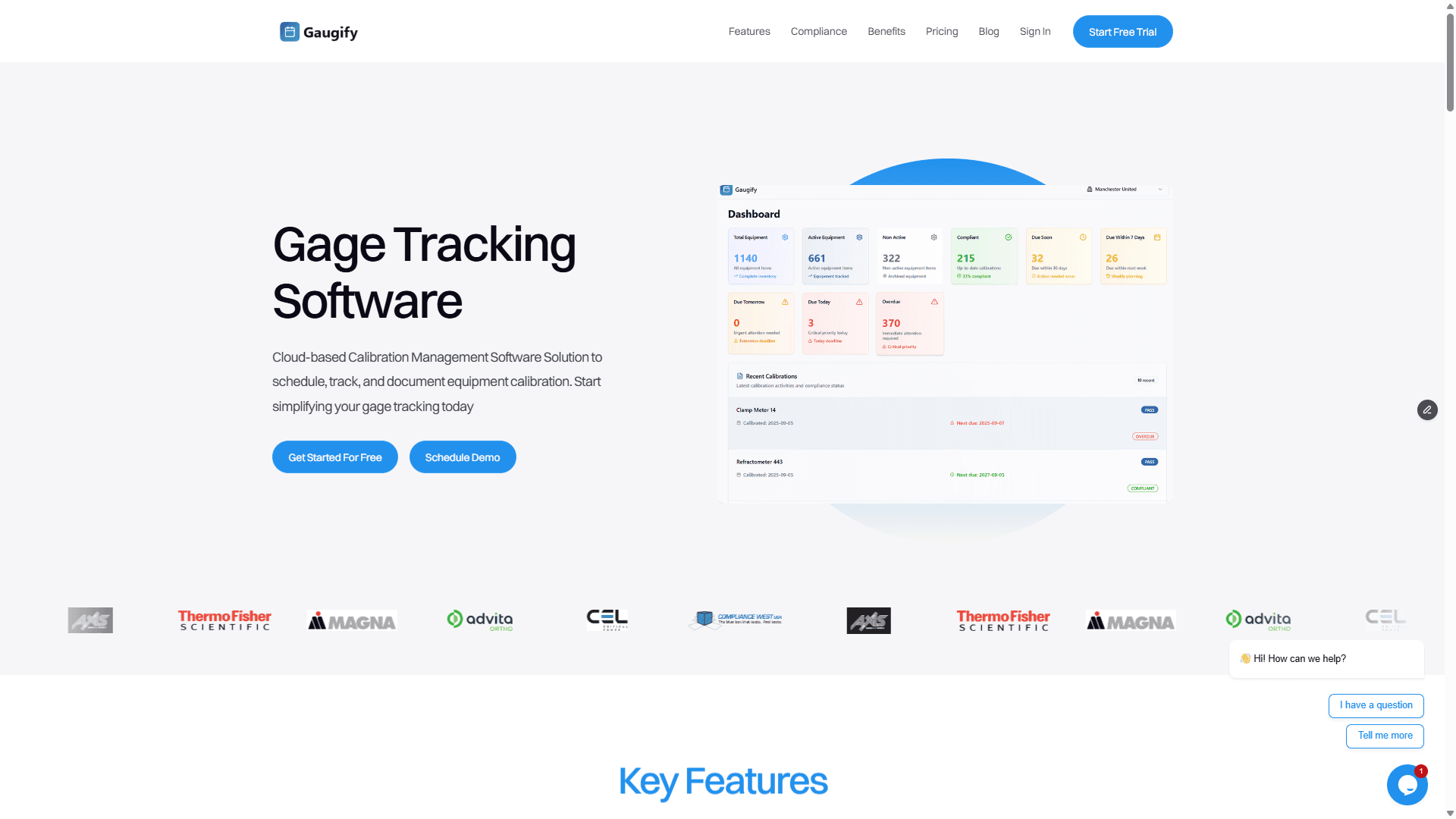
Gaugify presents calibration information through purpose-built interfaces designed specifically for quality professionals. Dashboard views show upcoming calibrations, overdue items, and system status at a glance. Calibration entry forms guide users through proper procedures while preventing common data entry errors.
New users can begin productive work within hours rather than weeks. The intuitive interface requires minimal training, allowing technicians to focus on calibration procedures rather than software navigation.
Pricing: Total Cost of Ownership
Excel appears cost-effective initially, especially for organizations with existing Microsoft Office licenses. However, the total cost of ownership includes hidden expenses that quickly accumulate:
Custom spreadsheet development and maintenance
Training costs for complex Excel-based systems
Time lost to manual processes and data entry errors
Risk costs from compliance failures or lost calibration records
IT support for file sharing and backup systems
A manufacturing facility with 300 instruments might spend 40+ hours monthly managing Excel-based calibration records. At $75/hour for skilled technician time, this represents $36,000 annually in labor costs alone, not including error corrections or compliance issues.
Gaugify offers transparent, predictable SaaS pricing starting at affordable monthly rates. The platform includes all features, updates, and support without hidden costs. Most organizations see positive ROI within 3-6 months through reduced administrative overhead and eliminated errors.
Ready to see how much time and money Gaugify can save your calibration program? Start your free trial today and experience the difference purpose-built calibration software makes.
Deployment and IT Requirements
Excel-based systems require significant IT infrastructure for file sharing, backup, and security. Organizations must implement file servers, backup systems, and access controls while managing version conflicts and data synchronization issues. Scaling Excel systems across multiple locations creates additional complexity.
Gaugify operates entirely in the cloud, eliminating IT infrastructure requirements. The platform handles all updates, backups, and security automatically. Multi-site organizations access the same centralized system, ensuring data consistency and simplified management.
Cloud deployment also ensures automatic updates and feature additions without IT intervention. Organizations benefit from continuous improvements and new capabilities without upgrade projects or system downtime.
Data Security and Backup
Excel files stored on local networks face security risks from hardware failures, cyberattacks, and human error. Creating reliable backup systems requires ongoing IT management and testing to ensure data recovery capabilities.
Gaugify employs enterprise-grade security measures including encrypted data transmission, regular security audits, and redundant backups across multiple data centers. The platform meets stringent security requirements for regulated industries while providing automatic disaster recovery capabilities.
Customer Support: Self-Service vs Expert Assistance
Excel support relies primarily on general Microsoft documentation, online forums, and internal expertise. When custom calibration spreadsheets encounter problems, organizations must diagnose and resolve issues independently or hire Excel consultants unfamiliar with calibration-specific requirements.
Troubleshooting Excel formula errors in uncertainty calculations or debugging complex macros requires specialized knowledge that most calibration departments lack. These problems often go unresolved, creating ongoing operational issues.
Gaugify provides dedicated support from calibration management experts who understand quality system requirements and industry-specific challenges. Users receive help from professionals familiar with measurement uncertainty, regulatory compliance, and calibration best practices.
The platform includes comprehensive documentation, video tutorials, and interactive training materials designed specifically for calibration professionals. Support teams respond quickly to resolve issues and provide guidance on optimizing calibration workflows.
Integration and Scalability
Excel offers limited integration capabilities with other quality systems. Connecting calibration spreadsheets to LIMS, ERP, or quality management systems requires custom development or manual data transfers that introduce errors and delays.
As organizations grow, Excel-based systems become increasingly difficult to maintain. Adding new instrument types, calibration procedures, or compliance requirements means extensive spreadsheet modifications across multiple files.
Gaugify provides APIs and integration capabilities designed for modern quality ecosystems. The platform scales automatically as instrument inventories grow, supporting organizations from small labs with 50 instruments to multinational manufacturers managing thousands of devices.
Who Each Solution Serves Best
Excel might remain suitable for very small operations with fewer than 25 instruments, minimal compliance requirements, and dedicated Excel expertise. Organizations with simple calibration needs and extensive existing Excel infrastructure might delay transitions to purpose-built software.
However, most calibration operations benefit significantly from dedicated software. Organizations should consider Gaugify when they:
Manage more than 50 instruments or complex calibration schedules
Require ISO/IEC 17025 compliance or other regulatory adherence
Need accurate measurement uncertainty calculations
Want to eliminate manual scheduling and recall management
Require mobile access or multi-site coordination
Seek to reduce calibration administrative overhead
Need professional calibration certificates and documentation
The Modern Choice: Why Calibration Excel vs Software Isn't Really a Contest
While Excel served calibration departments well during the transition from paper-based systems, today's quality requirements demand purpose-built solutions. The complexity of modern calibration management—with measurement uncertainty requirements, regulatory compliance, digital certificates, and real-time collaboration—exceeds what general-purpose spreadsheet software can provide effectively.
Gaugify represents the next generation of calibration management: cloud-native, purpose-built, and designed by calibration professionals for calibration professionals. The platform eliminates Excel's limitations while providing modern capabilities that improve efficiency, ensure compliance, and reduce operational risks.
Organizations continuing to rely on Excel-based calibration systems face increasing challenges as instrument inventories grow, compliance requirements evolve, and quality system expectations advance. The time invested in maintaining complex spreadsheets could be better spent on value-added calibration activities and quality improvements.
Making the Transition
Moving from Excel to dedicated calibration software might seem daunting, but Gaugify simplifies the transition process. The platform imports existing calibration data, provides migration assistance, and offers training resources to ensure smooth adoption.
Most organizations complete their transition within weeks while experiencing immediate benefits from automated scheduling, integrated uncertainty calculations, and streamlined workflows. The investment in modern calibration management software pays dividends through improved efficiency, reduced errors, and enhanced compliance capabilities.
Experience the Gaugify Advantage
The choice between Excel and purpose-built calibration software becomes clear when you experience Gaugify's comprehensive capabilities firsthand. See how automated scheduling, built-in uncertainty calculations, and professional certificate generation can transform your calibration program.
Don't let spreadsheet limitations hold your quality program back. Discover why thousands of quality professionals have made the switch to modern calibration management. Schedule a personalized demo or start your free trial today and experience the future of calibration management.
Join the growing number of organizations that have moved beyond Excel's limitations to embrace purpose-built calibration software. Your quality program—and your sanity—will thank you.
Gaugify vs Excel: Why Spreadsheets Fail at Calibration
When it comes to calibration Excel vs software decisions, quality managers face a critical crossroads. While Microsoft Excel has been the go-to tool for countless calibration departments over the past decades, modern calibration management demands purpose-built solutions that can handle the complexity, compliance requirements, and real-time collaboration needs of today's quality systems.
This comprehensive comparison examines Excel's limitations against Gaugify's cloud-based calibration management platform. We'll explore why thousands of quality professionals are making the switch from error-prone spreadsheets to dedicated calibration software that streamlines workflows, ensures compliance, and eliminates costly mistakes.
Company Background: Legacy Tool vs Purpose-Built Solution
Microsoft Excel, launched in 1985, revolutionized data management across industries. Its flexibility and widespread adoption made it a natural choice for calibration tracking when quality departments needed digital solutions. However, Excel was never designed specifically for calibration management, measurement uncertainty calculations, or regulatory compliance tracking.
Gaugify emerged from the real-world frustrations of calibration professionals who recognized that generic spreadsheet tools couldn't meet the specialized needs of modern quality systems. Built specifically for calibration management, Gaugify addresses the unique challenges faced by quality managers, lab technicians, and shop floor supervisors who manage hundreds or thousands of measuring instruments.
Market Position and Philosophy
Excel dominates as a general-purpose data tool used across virtually every industry for countless applications. Its strength lies in versatility, but this same versatility becomes a weakness when applied to specialized workflows requiring built-in compliance features, automated scheduling, and industry-specific calculations.
Gaugify focuses exclusively on calibration management, offering specialized features like automated recall scheduling, measurement uncertainty calculations, digital certificates, and comprehensive audit trails that Excel simply cannot provide without extensive custom development.
Feature-by-Feature Analysis: Calibration Excel vs Software
Automated Scheduling and Recall Management
Excel requires manual date tracking and offers no automated notification system. Quality managers must constantly monitor spreadsheets, manually calculate due dates, and send reminder emails. For a facility managing 500+ instruments—from micrometers with 12-month cycles to pressure transducers requiring quarterly calibration—this manual approach becomes unsustainable and error-prone.
Gaugify automatically calculates recall dates, sends email notifications before due dates, and provides dashboard views of upcoming calibrations. The system accounts for weekends, holidays, and grace periods, ensuring technicians receive timely alerts for instruments like torque wrenches (±2% tolerance) that require strict adherence to calibration intervals.
Digital Certificates and Documentation
Excel cannot generate professional calibration certificates or maintain proper version control of calibration records. Most Excel-based systems rely on separate certificate templates, creating opportunities for data entry errors and version mismatches.
Gaugify automatically generates professional PDF certificates with all required information, including measurement uncertainty values, environmental conditions, and traceability chains. The system maintains complete revision histories and ensures certificate data matches calibration records exactly.
Measurement Uncertainty Calculations
Perhaps the most significant limitation of Excel for calibration management is measurement uncertainty calculations. While Excel can perform basic math, it requires extensive custom formulas and deep statistical knowledge to properly calculate combined standard uncertainties according to GUM (Guide to the Expression of Uncertainty in Measurement) principles.
For example, calculating measurement uncertainty for a digital multimeter measuring 10.000V requires combining uncertainties from the calibrator (±0.0025%), digital resolution (±0.0001V), environmental effects, and long-term stability. Building these calculations in Excel requires advanced statistical knowledge and is prone to formula errors.
Gaugify includes built-in uncertainty calculations that automatically combine contributing factors, apply coverage factors, and generate uncertainty budgets compliant with ISO/IEC 17025 requirements. This feature alone saves calibration laboratories hundreds of hours annually while ensuring accurate, defensible uncertainty statements.
Audit Trails and Compliance Tracking
Excel provides no built-in audit trail functionality. Changes to calibration records leave no automatic record of who made modifications, when changes occurred, or what original values were altered. This creates significant compliance risks for organizations subject to ISO 9001, ISO/IEC 17025, or FDA regulations.
Consider an aerospace manufacturer tracking calibration of coordinate measuring machines (CMMs) with measurement uncertainties of ±(2.5 + L/300) μm. Any unauthorized changes to calibration records could compromise product quality and regulatory compliance. Excel offers no protection against such modifications.
Gaugify maintains comprehensive audit trails automatically, recording every change, user action, and system event with timestamps and user identification. This ensures full traceability and supports compliance requirements for regulated industries.
Equipment and Crib Management
Excel handles equipment inventory through static lists that require manual updates. There's no built-in functionality for tracking equipment locations, maintenance histories, or usage patterns. Managing a tool crib with 200+ handheld instruments becomes chaotic when relying on spreadsheet-based check-out systems.
Gaugify provides complete equipment lifecycle management, including acquisition dates, maintenance schedules, usage tracking, and location management. Technicians can quickly locate available instruments, check calibration status, and reserve equipment through the platform.
Mobile Access and Real-Time Updates
Excel files become problematic when multiple users need simultaneous access. Version conflicts arise when technicians work with local copies, leading to data inconsistencies and lost updates. Mobile access requires Excel mobile apps with limited functionality that don't support complex calibration workflows.
Gaugify operates as a cloud-native platform accessible from any device with internet connectivity. Technicians can update calibration records, check instrument status, and generate certificates directly from tablets or smartphones on the calibration bench or shop floor.
User Experience: Complexity vs Simplicity
Excel's interface, while familiar, wasn't designed for calibration workflows. Users must navigate between multiple spreadsheets, remember complex formulas, and manually cross-reference data across different files. Training new technicians requires extensive documentation of custom processes and spreadsheet structures.
A typical Excel-based calibration system might involve separate spreadsheets for instrument inventory, calibration schedules, uncertainty budgets, and certificate templates. Coordinating updates across these files while maintaining data integrity requires significant expertise and constant vigilance.
Gaugify presents calibration information through purpose-built interfaces designed specifically for quality professionals. Dashboard views show upcoming calibrations, overdue items, and system status at a glance. Calibration entry forms guide users through proper procedures while preventing common data entry errors.
New users can begin productive work within hours rather than weeks. The intuitive interface requires minimal training, allowing technicians to focus on calibration procedures rather than software navigation.
Pricing: Total Cost of Ownership
Excel appears cost-effective initially, especially for organizations with existing Microsoft Office licenses. However, the total cost of ownership includes hidden expenses that quickly accumulate:
Custom spreadsheet development and maintenance
Training costs for complex Excel-based systems
Time lost to manual processes and data entry errors
Risk costs from compliance failures or lost calibration records
IT support for file sharing and backup systems
A manufacturing facility with 300 instruments might spend 40+ hours monthly managing Excel-based calibration records. At $75/hour for skilled technician time, this represents $36,000 annually in labor costs alone, not including error corrections or compliance issues.
Gaugify offers transparent, predictable SaaS pricing starting at affordable monthly rates. The platform includes all features, updates, and support without hidden costs. Most organizations see positive ROI within 3-6 months through reduced administrative overhead and eliminated errors.
Ready to see how much time and money Gaugify can save your calibration program? Start your free trial today and experience the difference purpose-built calibration software makes.
Deployment and IT Requirements
Excel-based systems require significant IT infrastructure for file sharing, backup, and security. Organizations must implement file servers, backup systems, and access controls while managing version conflicts and data synchronization issues. Scaling Excel systems across multiple locations creates additional complexity.
Gaugify operates entirely in the cloud, eliminating IT infrastructure requirements. The platform handles all updates, backups, and security automatically. Multi-site organizations access the same centralized system, ensuring data consistency and simplified management.
Cloud deployment also ensures automatic updates and feature additions without IT intervention. Organizations benefit from continuous improvements and new capabilities without upgrade projects or system downtime.
Data Security and Backup
Excel files stored on local networks face security risks from hardware failures, cyberattacks, and human error. Creating reliable backup systems requires ongoing IT management and testing to ensure data recovery capabilities.
Gaugify employs enterprise-grade security measures including encrypted data transmission, regular security audits, and redundant backups across multiple data centers. The platform meets stringent security requirements for regulated industries while providing automatic disaster recovery capabilities.
Customer Support: Self-Service vs Expert Assistance
Excel support relies primarily on general Microsoft documentation, online forums, and internal expertise. When custom calibration spreadsheets encounter problems, organizations must diagnose and resolve issues independently or hire Excel consultants unfamiliar with calibration-specific requirements.
Troubleshooting Excel formula errors in uncertainty calculations or debugging complex macros requires specialized knowledge that most calibration departments lack. These problems often go unresolved, creating ongoing operational issues.
Gaugify provides dedicated support from calibration management experts who understand quality system requirements and industry-specific challenges. Users receive help from professionals familiar with measurement uncertainty, regulatory compliance, and calibration best practices.
The platform includes comprehensive documentation, video tutorials, and interactive training materials designed specifically for calibration professionals. Support teams respond quickly to resolve issues and provide guidance on optimizing calibration workflows.
Integration and Scalability
Excel offers limited integration capabilities with other quality systems. Connecting calibration spreadsheets to LIMS, ERP, or quality management systems requires custom development or manual data transfers that introduce errors and delays.
As organizations grow, Excel-based systems become increasingly difficult to maintain. Adding new instrument types, calibration procedures, or compliance requirements means extensive spreadsheet modifications across multiple files.
Gaugify provides APIs and integration capabilities designed for modern quality ecosystems. The platform scales automatically as instrument inventories grow, supporting organizations from small labs with 50 instruments to multinational manufacturers managing thousands of devices.
Who Each Solution Serves Best
Excel might remain suitable for very small operations with fewer than 25 instruments, minimal compliance requirements, and dedicated Excel expertise. Organizations with simple calibration needs and extensive existing Excel infrastructure might delay transitions to purpose-built software.
However, most calibration operations benefit significantly from dedicated software. Organizations should consider Gaugify when they:
Manage more than 50 instruments or complex calibration schedules
Require ISO/IEC 17025 compliance or other regulatory adherence
Need accurate measurement uncertainty calculations
Want to eliminate manual scheduling and recall management
Require mobile access or multi-site coordination
Seek to reduce calibration administrative overhead
Need professional calibration certificates and documentation
The Modern Choice: Why Calibration Excel vs Software Isn't Really a Contest
While Excel served calibration departments well during the transition from paper-based systems, today's quality requirements demand purpose-built solutions. The complexity of modern calibration management—with measurement uncertainty requirements, regulatory compliance, digital certificates, and real-time collaboration—exceeds what general-purpose spreadsheet software can provide effectively.
Gaugify represents the next generation of calibration management: cloud-native, purpose-built, and designed by calibration professionals for calibration professionals. The platform eliminates Excel's limitations while providing modern capabilities that improve efficiency, ensure compliance, and reduce operational risks.
Organizations continuing to rely on Excel-based calibration systems face increasing challenges as instrument inventories grow, compliance requirements evolve, and quality system expectations advance. The time invested in maintaining complex spreadsheets could be better spent on value-added calibration activities and quality improvements.
Making the Transition
Moving from Excel to dedicated calibration software might seem daunting, but Gaugify simplifies the transition process. The platform imports existing calibration data, provides migration assistance, and offers training resources to ensure smooth adoption.
Most organizations complete their transition within weeks while experiencing immediate benefits from automated scheduling, integrated uncertainty calculations, and streamlined workflows. The investment in modern calibration management software pays dividends through improved efficiency, reduced errors, and enhanced compliance capabilities.
Experience the Gaugify Advantage
The choice between Excel and purpose-built calibration software becomes clear when you experience Gaugify's comprehensive capabilities firsthand. See how automated scheduling, built-in uncertainty calculations, and professional certificate generation can transform your calibration program.
Don't let spreadsheet limitations hold your quality program back. Discover why thousands of quality professionals have made the switch to modern calibration management. Schedule a personalized demo or start your free trial today and experience the future of calibration management.
Join the growing number of organizations that have moved beyond Excel's limitations to embrace purpose-built calibration software. Your quality program—and your sanity—will thank you.