
Gaugify vs Google Sheets for Calibration Tracking
Gaugify vs Google Sheets for Calibration Tracking
David Bentley
Quality Assurance Engineer
12 min read
Gaugify vs Google Sheets for Calibration Tracking
When quality managers search for a reliable calibration Google Sheets alternative, they're typically looking for something more robust than basic spreadsheets but without the complexity of legacy systems. Google Sheets has served as a go-to solution for many smaller operations tracking their measurement equipment, but as calibration programs grow, its limitations become apparent. This comprehensive comparison examines Gaugify, a modern cloud-based calibration management platform, against Google Sheets to help you determine which solution best fits your calibration tracking needs.
Both platforms serve the fundamental purpose of tracking calibration data, but they approach the challenge from completely different angles. Google Sheets offers flexibility and familiarity, while Gaugify provides purpose-built calibration management tools designed specifically for quality professionals managing measurement equipment across various industries.
Company Background and Market Position
Google Sheets, part of Google Workspace, launched in 2006 as a web-based spreadsheet application. It's designed as a general-purpose tool for data management, collaboration, and basic calculations. While millions of businesses use it for various applications, calibration management was never its primary focus.
Gaugify emerged as a specialized calibration Google Sheets alternative built specifically for modern calibration programs. Founded with the mission to simplify calibration management through cloud-native technology, Gaugify focuses exclusively on solving the challenges faced by quality managers, lab technicians, and shop floor supervisors who need to track measurement equipment, maintain compliance, and streamline calibration workflows.
This fundamental difference in purpose shapes everything from feature development to user interface design, making the choice between them largely dependent on whether you need a general spreadsheet tool adapted for calibration or a purpose-built calibration management system.
Feature-by-Feature Comparison
Calibration Scheduling and Due Date Management
Google Sheets requires manual setup of formulas to calculate due dates and track calibration schedules. You'll need to create complex formulas linking calibration dates with frequency intervals, and there's no built-in notification system. For example, tracking a Mitutoyo micrometer with a 12-month calibration cycle requires manual date calculations and separate reminder systems.
Gaugify automatically calculates due dates based on calibration frequency and sends proactive email notifications before equipment becomes overdue. The system handles various calibration cycles—whether your pressure gauges need quarterly calibration or your reference standards require annual recalibration—without manual intervention.
Certificate Management and Storage
In Google Sheets, certificate storage typically involves saving PDFs to Google Drive and manually linking them to spreadsheet entries. This creates a disconnect between your calibration data and supporting documentation, making it difficult to quickly access certificates during audits.
As a dedicated calibration Google Sheets alternative, Gaugify provides integrated certificate storage directly linked to each calibration record. Upload calibration certificates, store measurement data, and access historical documentation from a single interface. When an ISO auditor requests certificate verification for your CMM probe calibration, everything is instantly accessible.
Uncertainty Calculations and Measurement Analysis
Google Sheets can perform uncertainty calculations through custom formulas, but you'll need to build and maintain these calculations manually. For complex uncertainty budgets involving multiple measurement points and environmental factors, this becomes time-consuming and error-prone.
Gaugify includes built-in uncertainty calculation tools that handle standard measurement uncertainty scenarios. Whether you're tracking the uncertainty of digital calipers with ±0.001" specifications or analyzing the expanded uncertainty of temperature sensors across multiple measurement points, the system automates these calculations while maintaining full traceability to measurement standards.
Audit Trails and Compliance Documentation
Google Sheets provides basic version history, but creating comprehensive audit trails for calibration activities requires significant manual documentation. Tracking who performed calibrations, when adjustments were made, and maintaining change control becomes a manual process.
Professional calibration management demands robust audit trails, which is where Gaugify excels. Every calibration activity, status change, and data modification is automatically logged with user attribution and timestamps. This automated documentation supports compliance requirements for ISO 9001, AS9100, and other quality standards.
Equipment and Tool Crib Management
Managing equipment checkout and return in Google Sheets requires building custom tracking systems with manual status updates. When a technician checks out a torque wrench for production line calibration, you'll need separate processes to track location, usage, and return status.
Gaugify's tool crib functionality streamlines equipment management with check-in/check-out tracking, location monitoring, and usage history. The system maintains real-time visibility of equipment status, making it easy to locate specific measurement tools and track their usage patterns.
Mobile Access and Field Calibration
While Google Sheets offers mobile access through apps, the interface isn't optimized for calibration workflows. Entering measurement data, accessing procedures, and updating calibration status on mobile devices can be cumbersome, especially when working on the shop floor or in field locations.
As a modern calibration Google Sheets alternative, Gaugify provides mobile-optimized interfaces designed for calibration technicians. Whether you're calibrating pressure transmitters in a process plant or verifying measurement tools in a remote facility, the mobile interface supports efficient data entry and real-time updates.
Reporting and Analytics
Google Sheets excels at creating custom reports and charts, offering significant flexibility in data presentation. However, building comprehensive calibration reports requires substantial setup and ongoing maintenance. Standard calibration metrics like on-time performance, cost analysis, and compliance trending need to be built from scratch.
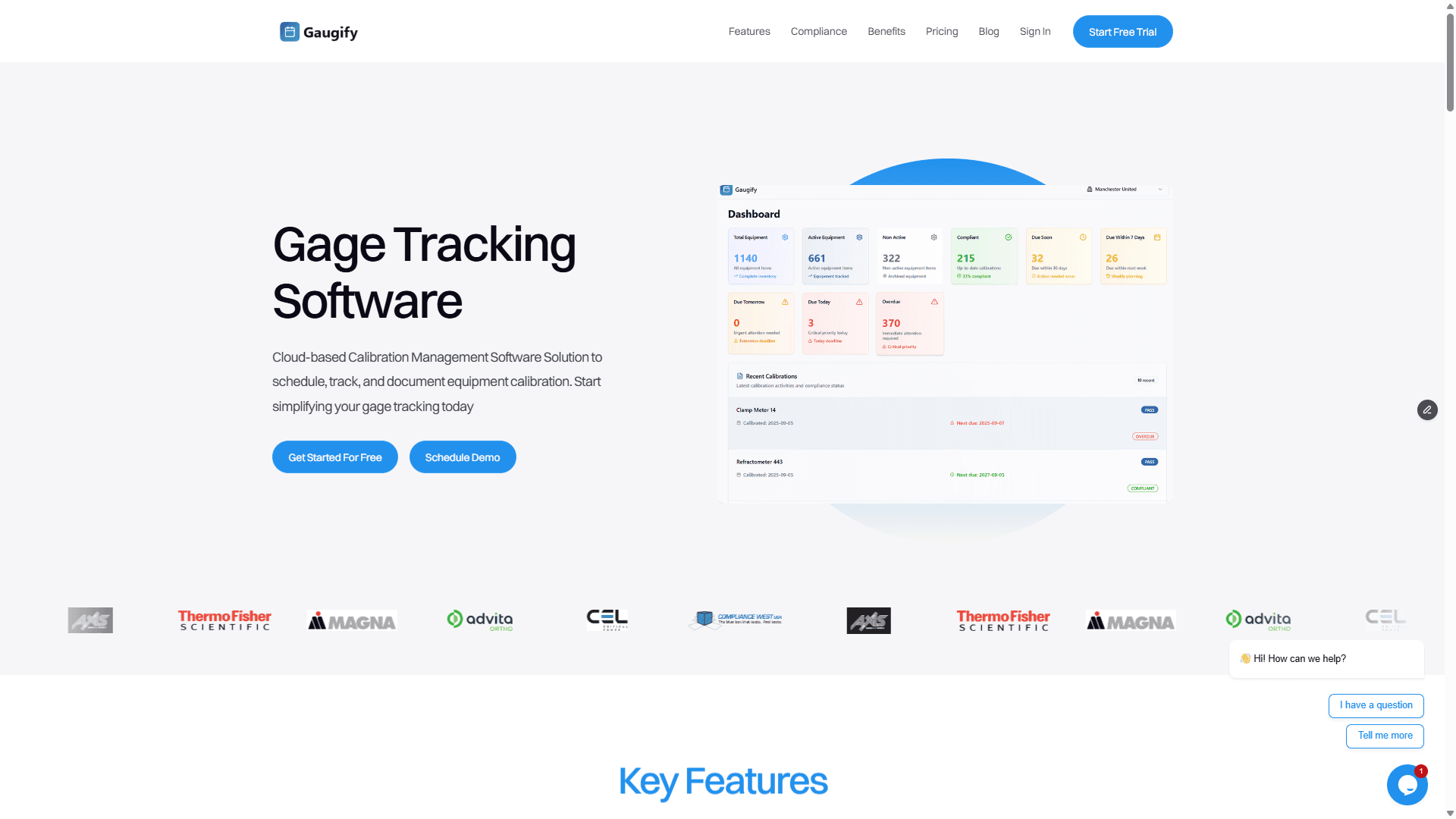
Gaugify includes pre-built calibration reports covering essential metrics like calibration due dates, compliance rates, cost tracking, and measurement trends. Generate executive dashboards showing calibration program performance or detailed technical reports for specific measurement categories without custom development.
ISO 17025 and Quality Standard Compliance
Achieving ISO 17025 compliance with Google Sheets requires significant customization and external documentation systems. You'll need to manually ensure traceability requirements, measurement uncertainty documentation, and quality control procedures are properly maintained.
Gaugify was designed with ISO 17025 compliance in mind, providing built-in features that support accreditation requirements. From measurement traceability documentation to uncertainty budget management, the system helps maintain the documentation and processes required for laboratory accreditation.
Ready to experience purpose-built calibration management? Start your free Gaugify trial and see how specialized software compares to spreadsheet-based tracking.
User Experience and Interface Comparison
Google Sheets provides a familiar spreadsheet interface that most users can navigate without training. The flexibility to customize layouts, formulas, and data organization appeals to users who prefer building their own systems. However, this flexibility comes with complexity—effective calibration tracking requires significant setup time and spreadsheet expertise.
Gaugify prioritizes user experience with intuitive workflows designed specifically for calibration management. New users can begin tracking equipment and scheduling calibrations within minutes rather than hours. The interface guides users through calibration processes, reducing training requirements and minimizing errors.
For example, adding a new piece of measurement equipment in Google Sheets might require updating multiple worksheets, setting up formulas, and configuring conditional formatting. In Gaugify, the same process involves a simple guided form that automatically establishes calibration schedules, due date tracking, and reporting integration.
Pricing and Value Comparison
Google Sheets is included with free Google accounts and costs $6-18 per user monthly as part of Google Workspace plans. While this appears cost-effective, the hidden costs include setup time, maintenance effort, and the risk of compliance gaps or data errors.
Gaugify offers transparent SaaS pricing starting at competitive monthly rates with no hidden costs or complex licensing structures. When you factor in the time saved on manual processes, reduced compliance risk, and improved operational efficiency, the total cost of ownership often favors purpose-built calibration management. View current Gaugify pricing for detailed cost comparisons.
Consider the true cost of calibration management: A quality manager spending 10 hours monthly maintaining Google Sheets calibration tracking represents significant hidden costs, not including the risk of missed calibrations or compliance issues.
Deployment and Infrastructure Options
Google Sheets operates entirely in the cloud through Google's infrastructure. While this ensures accessibility and automatic updates, it also means you're dependent on Google's service availability and data handling policies.
Gaugify provides cloud-native calibration management with enterprise-grade security and reliability. The platform is designed specifically for calibration data, with features like automated backups, compliance-focused data retention, and integration capabilities tailored to measurement equipment workflows.
Both solutions eliminate the need for on-premise servers or IT infrastructure, but Gaugify's specialized focus on calibration management provides additional security and compliance features relevant to quality operations.
Customer Support and Training Resources
Google Sheets support operates through Google's general support channels, with extensive community forums and documentation. However, support for calibration-specific implementations relies primarily on user communities and third-party resources.
As a specialized calibration Google Sheets alternative, Gaugify provides dedicated support from calibration management experts who understand the unique challenges of measurement equipment tracking, compliance requirements, and industry-specific workflows. This specialized expertise proves invaluable when implementing new calibration processes or troubleshooting complex measurement scenarios.
Integration Capabilities and Ecosystem
Google Sheets integrates well with other Google Workspace applications and supports various third-party integrations through APIs and add-ons. For organizations already invested in Google's ecosystem, this provides seamless data flow between applications.
Gaugify focuses on integrations relevant to calibration and quality management, including connections to popular ERP systems, quality management platforms, and measurement equipment databases. These targeted integrations support complete calibration workflows rather than general data sharing.
Data Security and Compliance Considerations
Google Sheets provides enterprise-grade security through Google's infrastructure, including encryption, access controls, and compliance certifications. However, the general-purpose nature of the platform means security features aren't specifically tailored to calibration data requirements.
Gaugify implements security measures designed specifically for calibration and quality data, including role-based access controls tailored to calibration workflows, audit trail protection, and compliance-focused data retention policies. These features support the specific security requirements of quality management systems and laboratory operations.
Who Each Platform Serves Best
Google Sheets Works Well For:
Small operations with fewer than 50 pieces of measurement equipment
Organizations with strong spreadsheet expertise and dedicated maintenance resources
Businesses requiring extensive customization and unique data structures
Teams already heavily invested in Google Workspace ecosystem
Operations with simple calibration requirements and minimal compliance needs
Gaugify Excels For:
Growing calibration programs managing 50+ measurement instruments
Organizations prioritizing compliance with ISO 9001, AS9100, or ISO 17025
Teams needing specialized features like uncertainty calculations and audit trails
Businesses wanting to reduce manual administrative work
Operations requiring mobile access and field calibration capabilities
Quality managers seeking purpose-built calibration management tools
Making the Right Choice for Your Calibration Program
The decision between Google Sheets and a dedicated calibration Google Sheets alternative like Gaugify ultimately depends on your calibration program's complexity, compliance requirements, and growth trajectory. Google Sheets can serve basic tracking needs, but as your program scales or compliance requirements increase, purpose-built calibration management becomes essential.
Consider these decision factors:
Choose Google Sheets if: You have fewer than 50 measurement tools, minimal compliance requirements, strong spreadsheet expertise, and time for ongoing system maintenance.
Choose Gaugify if: You manage complex calibration programs, need compliance documentation, want to reduce manual processes, or plan to scale your measurement operations.
The transition from spreadsheet-based tracking to purpose-built calibration management typically occurs when organizations recognize that their calibration program deserves the same specialized attention as other critical business functions. Just as you wouldn't manage payroll or accounting in basic spreadsheets long-term, calibration management benefits from specialized tools designed for its unique requirements.
Gaugify represents the evolution of calibration management—combining the accessibility and affordability that made Google Sheets popular with the specialized features and compliance support that quality professionals need. The comprehensive feature set eliminates the manual processes that consume quality managers' time while providing the documentation and audit trails required for modern quality systems.
Experience Modern Calibration Management
While Google Sheets served as an important stepping stone for many calibration programs, the future belongs to purpose-built solutions that understand the unique challenges of measurement equipment management. Gaugify offers the modern, cloud-native approach to calibration tracking that growing quality operations need.
Stop struggling with spreadsheet limitations and manual processes. Start your free Gaugify trial today and discover how purpose-built calibration management can transform your quality operations. No credit card required, no complex setup—just professional calibration management designed for the way modern quality teams work.
Ready to see Gaugify in action? Schedule a personalized demo to explore how Gaugify can streamline your specific calibration workflows and compliance requirements.
Gaugify vs Google Sheets for Calibration Tracking
When quality managers search for a reliable calibration Google Sheets alternative, they're typically looking for something more robust than basic spreadsheets but without the complexity of legacy systems. Google Sheets has served as a go-to solution for many smaller operations tracking their measurement equipment, but as calibration programs grow, its limitations become apparent. This comprehensive comparison examines Gaugify, a modern cloud-based calibration management platform, against Google Sheets to help you determine which solution best fits your calibration tracking needs.
Both platforms serve the fundamental purpose of tracking calibration data, but they approach the challenge from completely different angles. Google Sheets offers flexibility and familiarity, while Gaugify provides purpose-built calibration management tools designed specifically for quality professionals managing measurement equipment across various industries.
Company Background and Market Position
Google Sheets, part of Google Workspace, launched in 2006 as a web-based spreadsheet application. It's designed as a general-purpose tool for data management, collaboration, and basic calculations. While millions of businesses use it for various applications, calibration management was never its primary focus.
Gaugify emerged as a specialized calibration Google Sheets alternative built specifically for modern calibration programs. Founded with the mission to simplify calibration management through cloud-native technology, Gaugify focuses exclusively on solving the challenges faced by quality managers, lab technicians, and shop floor supervisors who need to track measurement equipment, maintain compliance, and streamline calibration workflows.
This fundamental difference in purpose shapes everything from feature development to user interface design, making the choice between them largely dependent on whether you need a general spreadsheet tool adapted for calibration or a purpose-built calibration management system.
Feature-by-Feature Comparison
Calibration Scheduling and Due Date Management
Google Sheets requires manual setup of formulas to calculate due dates and track calibration schedules. You'll need to create complex formulas linking calibration dates with frequency intervals, and there's no built-in notification system. For example, tracking a Mitutoyo micrometer with a 12-month calibration cycle requires manual date calculations and separate reminder systems.
Gaugify automatically calculates due dates based on calibration frequency and sends proactive email notifications before equipment becomes overdue. The system handles various calibration cycles—whether your pressure gauges need quarterly calibration or your reference standards require annual recalibration—without manual intervention.
Certificate Management and Storage
In Google Sheets, certificate storage typically involves saving PDFs to Google Drive and manually linking them to spreadsheet entries. This creates a disconnect between your calibration data and supporting documentation, making it difficult to quickly access certificates during audits.
As a dedicated calibration Google Sheets alternative, Gaugify provides integrated certificate storage directly linked to each calibration record. Upload calibration certificates, store measurement data, and access historical documentation from a single interface. When an ISO auditor requests certificate verification for your CMM probe calibration, everything is instantly accessible.
Uncertainty Calculations and Measurement Analysis
Google Sheets can perform uncertainty calculations through custom formulas, but you'll need to build and maintain these calculations manually. For complex uncertainty budgets involving multiple measurement points and environmental factors, this becomes time-consuming and error-prone.
Gaugify includes built-in uncertainty calculation tools that handle standard measurement uncertainty scenarios. Whether you're tracking the uncertainty of digital calipers with ±0.001" specifications or analyzing the expanded uncertainty of temperature sensors across multiple measurement points, the system automates these calculations while maintaining full traceability to measurement standards.
Audit Trails and Compliance Documentation
Google Sheets provides basic version history, but creating comprehensive audit trails for calibration activities requires significant manual documentation. Tracking who performed calibrations, when adjustments were made, and maintaining change control becomes a manual process.
Professional calibration management demands robust audit trails, which is where Gaugify excels. Every calibration activity, status change, and data modification is automatically logged with user attribution and timestamps. This automated documentation supports compliance requirements for ISO 9001, AS9100, and other quality standards.
Equipment and Tool Crib Management
Managing equipment checkout and return in Google Sheets requires building custom tracking systems with manual status updates. When a technician checks out a torque wrench for production line calibration, you'll need separate processes to track location, usage, and return status.
Gaugify's tool crib functionality streamlines equipment management with check-in/check-out tracking, location monitoring, and usage history. The system maintains real-time visibility of equipment status, making it easy to locate specific measurement tools and track their usage patterns.
Mobile Access and Field Calibration
While Google Sheets offers mobile access through apps, the interface isn't optimized for calibration workflows. Entering measurement data, accessing procedures, and updating calibration status on mobile devices can be cumbersome, especially when working on the shop floor or in field locations.
As a modern calibration Google Sheets alternative, Gaugify provides mobile-optimized interfaces designed for calibration technicians. Whether you're calibrating pressure transmitters in a process plant or verifying measurement tools in a remote facility, the mobile interface supports efficient data entry and real-time updates.
Reporting and Analytics
Google Sheets excels at creating custom reports and charts, offering significant flexibility in data presentation. However, building comprehensive calibration reports requires substantial setup and ongoing maintenance. Standard calibration metrics like on-time performance, cost analysis, and compliance trending need to be built from scratch.
Gaugify includes pre-built calibration reports covering essential metrics like calibration due dates, compliance rates, cost tracking, and measurement trends. Generate executive dashboards showing calibration program performance or detailed technical reports for specific measurement categories without custom development.
ISO 17025 and Quality Standard Compliance
Achieving ISO 17025 compliance with Google Sheets requires significant customization and external documentation systems. You'll need to manually ensure traceability requirements, measurement uncertainty documentation, and quality control procedures are properly maintained.
Gaugify was designed with ISO 17025 compliance in mind, providing built-in features that support accreditation requirements. From measurement traceability documentation to uncertainty budget management, the system helps maintain the documentation and processes required for laboratory accreditation.
Ready to experience purpose-built calibration management? Start your free Gaugify trial and see how specialized software compares to spreadsheet-based tracking.
User Experience and Interface Comparison
Google Sheets provides a familiar spreadsheet interface that most users can navigate without training. The flexibility to customize layouts, formulas, and data organization appeals to users who prefer building their own systems. However, this flexibility comes with complexity—effective calibration tracking requires significant setup time and spreadsheet expertise.
Gaugify prioritizes user experience with intuitive workflows designed specifically for calibration management. New users can begin tracking equipment and scheduling calibrations within minutes rather than hours. The interface guides users through calibration processes, reducing training requirements and minimizing errors.
For example, adding a new piece of measurement equipment in Google Sheets might require updating multiple worksheets, setting up formulas, and configuring conditional formatting. In Gaugify, the same process involves a simple guided form that automatically establishes calibration schedules, due date tracking, and reporting integration.
Pricing and Value Comparison
Google Sheets is included with free Google accounts and costs $6-18 per user monthly as part of Google Workspace plans. While this appears cost-effective, the hidden costs include setup time, maintenance effort, and the risk of compliance gaps or data errors.
Gaugify offers transparent SaaS pricing starting at competitive monthly rates with no hidden costs or complex licensing structures. When you factor in the time saved on manual processes, reduced compliance risk, and improved operational efficiency, the total cost of ownership often favors purpose-built calibration management. View current Gaugify pricing for detailed cost comparisons.
Consider the true cost of calibration management: A quality manager spending 10 hours monthly maintaining Google Sheets calibration tracking represents significant hidden costs, not including the risk of missed calibrations or compliance issues.
Deployment and Infrastructure Options
Google Sheets operates entirely in the cloud through Google's infrastructure. While this ensures accessibility and automatic updates, it also means you're dependent on Google's service availability and data handling policies.
Gaugify provides cloud-native calibration management with enterprise-grade security and reliability. The platform is designed specifically for calibration data, with features like automated backups, compliance-focused data retention, and integration capabilities tailored to measurement equipment workflows.
Both solutions eliminate the need for on-premise servers or IT infrastructure, but Gaugify's specialized focus on calibration management provides additional security and compliance features relevant to quality operations.
Customer Support and Training Resources
Google Sheets support operates through Google's general support channels, with extensive community forums and documentation. However, support for calibration-specific implementations relies primarily on user communities and third-party resources.
As a specialized calibration Google Sheets alternative, Gaugify provides dedicated support from calibration management experts who understand the unique challenges of measurement equipment tracking, compliance requirements, and industry-specific workflows. This specialized expertise proves invaluable when implementing new calibration processes or troubleshooting complex measurement scenarios.
Integration Capabilities and Ecosystem
Google Sheets integrates well with other Google Workspace applications and supports various third-party integrations through APIs and add-ons. For organizations already invested in Google's ecosystem, this provides seamless data flow between applications.
Gaugify focuses on integrations relevant to calibration and quality management, including connections to popular ERP systems, quality management platforms, and measurement equipment databases. These targeted integrations support complete calibration workflows rather than general data sharing.
Data Security and Compliance Considerations
Google Sheets provides enterprise-grade security through Google's infrastructure, including encryption, access controls, and compliance certifications. However, the general-purpose nature of the platform means security features aren't specifically tailored to calibration data requirements.
Gaugify implements security measures designed specifically for calibration and quality data, including role-based access controls tailored to calibration workflows, audit trail protection, and compliance-focused data retention policies. These features support the specific security requirements of quality management systems and laboratory operations.
Who Each Platform Serves Best
Google Sheets Works Well For:
Small operations with fewer than 50 pieces of measurement equipment
Organizations with strong spreadsheet expertise and dedicated maintenance resources
Businesses requiring extensive customization and unique data structures
Teams already heavily invested in Google Workspace ecosystem
Operations with simple calibration requirements and minimal compliance needs
Gaugify Excels For:
Growing calibration programs managing 50+ measurement instruments
Organizations prioritizing compliance with ISO 9001, AS9100, or ISO 17025
Teams needing specialized features like uncertainty calculations and audit trails
Businesses wanting to reduce manual administrative work
Operations requiring mobile access and field calibration capabilities
Quality managers seeking purpose-built calibration management tools
Making the Right Choice for Your Calibration Program
The decision between Google Sheets and a dedicated calibration Google Sheets alternative like Gaugify ultimately depends on your calibration program's complexity, compliance requirements, and growth trajectory. Google Sheets can serve basic tracking needs, but as your program scales or compliance requirements increase, purpose-built calibration management becomes essential.
Consider these decision factors:
Choose Google Sheets if: You have fewer than 50 measurement tools, minimal compliance requirements, strong spreadsheet expertise, and time for ongoing system maintenance.
Choose Gaugify if: You manage complex calibration programs, need compliance documentation, want to reduce manual processes, or plan to scale your measurement operations.
The transition from spreadsheet-based tracking to purpose-built calibration management typically occurs when organizations recognize that their calibration program deserves the same specialized attention as other critical business functions. Just as you wouldn't manage payroll or accounting in basic spreadsheets long-term, calibration management benefits from specialized tools designed for its unique requirements.
Gaugify represents the evolution of calibration management—combining the accessibility and affordability that made Google Sheets popular with the specialized features and compliance support that quality professionals need. The comprehensive feature set eliminates the manual processes that consume quality managers' time while providing the documentation and audit trails required for modern quality systems.
Experience Modern Calibration Management
While Google Sheets served as an important stepping stone for many calibration programs, the future belongs to purpose-built solutions that understand the unique challenges of measurement equipment management. Gaugify offers the modern, cloud-native approach to calibration tracking that growing quality operations need.
Stop struggling with spreadsheet limitations and manual processes. Start your free Gaugify trial today and discover how purpose-built calibration management can transform your quality operations. No credit card required, no complex setup—just professional calibration management designed for the way modern quality teams work.
Ready to see Gaugify in action? Schedule a personalized demo to explore how Gaugify can streamline your specific calibration workflows and compliance requirements.