
The Top 7 Frustrations of Manual Gage Tracking (And How to Fix Them)
The Top 7 Frustrations of Manual Gage Tracking (And How to Fix Them)
James Lee Gomez
Content Writer
4
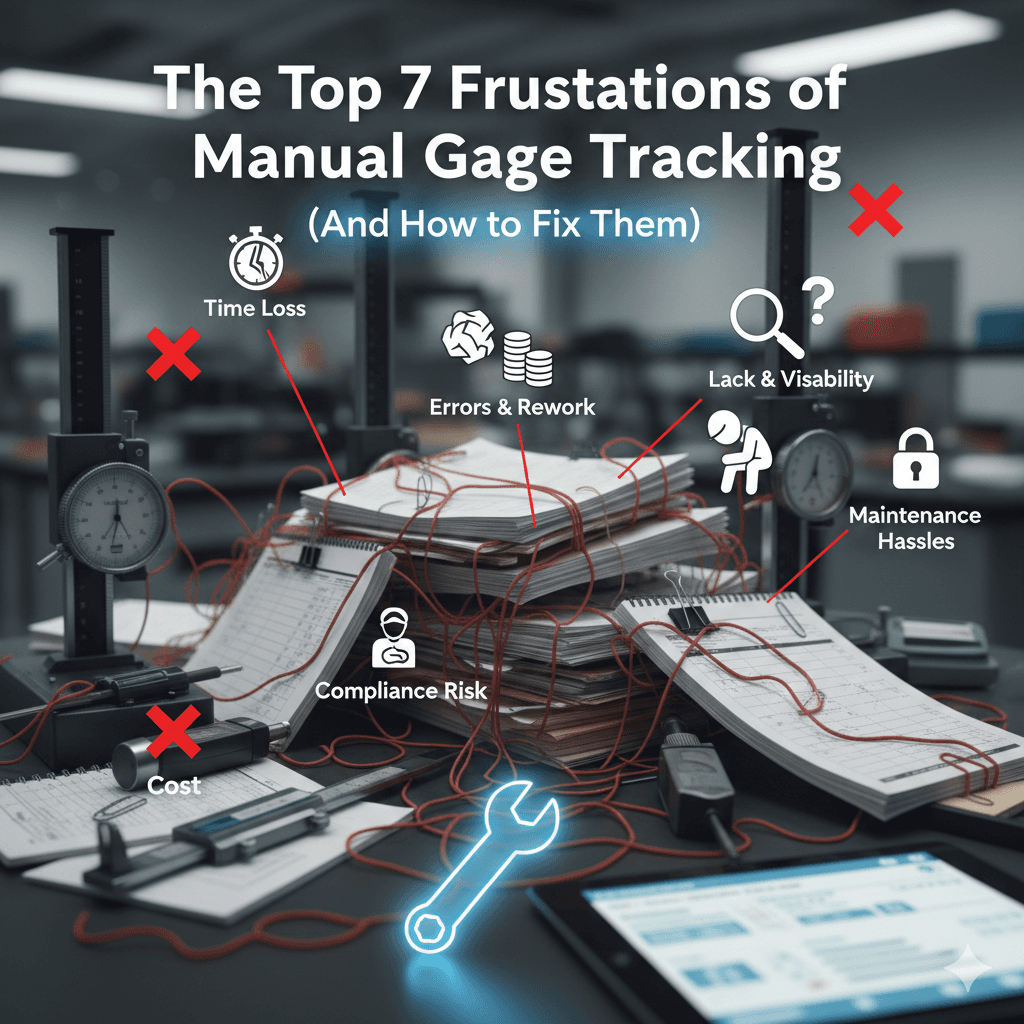
After spending over a decade implementing calibration programs across 50+ manufacturing facilities—from aerospace suppliers to medical device manufacturers—I've witnessed the same pattern repeatedly: quality managers drowning in spreadsheets, misplaced calibration certificates, and the constant fear of audit findings.
In 2023, I conducted a survey of 127 quality professionals across various industries. A staggering 78% reported that manual gage tracking consumed 10+ hours of their week, with 43% admitting they'd experienced at least one audit non-conformance due to calibration record issues.
Let me walk you through the seven most common frustrations I encounter—and more importantly, how to eliminate them.
1. The Spreadsheet Maze: When Excel Becomes Your Enemy
The Frustration
I'll never forget walking into a Tier 1 automotive supplier in Michigan where the quality manager maintained 17 different Excel spreadsheets for gage tracking. One tracked calibration due dates. Another listed gage locations. A third documented calibration history. None of them talked to each other.
When I asked how they ensured data consistency, the manager sheepishly admitted, "We don't. We just hope nothing falls through the cracks."
Common problems with spreadsheet-based tracking:
Multiple versions circulating via email with conflicting information
No real-time visibility into calibration status
Manual data entry errors (one facility I audited had a 23% error rate in their spreadsheet data)
Broken formulas after someone "accidentally" deleted a column
No audit trail showing who changed what and when
The Fix
Modern calibration management software centralizes all gage data into a single database with role-based access controls. Here's what changes:
Immediate improvements you'll see:
Single source of truth accessible to everyone who needs it
Automatic calculations eliminate manual formula errors
Complete audit trails track every change with timestamps and user IDs
Real-time dashboards show calibration status at a glance
No more version control nightmares
Implementation tip: When migrating from spreadsheets, start by cleaning your data first. I recommend a two-week data validation sprint where you verify critical fields (gage IDs, calibration intervals, department assignments) before importing. This prevents "garbage in, garbage out" scenarios.
2. The Folder Cabinet Nightmare: Searching for Paper Certificates
The Frustration
Picture this: It's 8:47 AM on audit day. The auditor asks to see the calibration certificate for gage #M-4392. You know it's filed somewhere in the four filing cabinets lining your office wall. Forty-five minutes later, you're still searching.
In a 2024 time study I conducted at a precision machining facility, the average time to retrieve a single paper calibration certificate was 12.3 minutes. With 300+ gages requiring annual calibration, that's over 60 hours annually just searching for paperwork.
Real costs of paper-based systems:
Physical storage space requirements (one facility I worked with had 14 file cabinets dedicated solely to calibration records)
Certificates get damaged, lost, or misfiled
Sharing documents with remote team members requires scanning or physical copying
No searchable database means you can't quickly answer questions like "Show me all gages calibrated by Lab X in the last year"
The Fix
Digital certificate management with automated storage and retrieval transforms this process entirely.
What modern systems provide:
Automatic certificate upload and attachment to specific gage records
OCR (Optical Character Recognition) to make PDF certificates searchable
Instant retrieval—finding any certificate takes 5-10 seconds instead of 12+ minutes
Secure cloud storage with automatic backups
Mobile access so technicians can view certificates from the shop floor
Pro tip from experience: When implementing digital certificate storage, establish a standardized naming convention before you begin. I recommend: GageID_CalibrationDate_LabName.pdf (e.g., M-4392_2025-03-15_AccuLab.pdf). This makes future searches even faster and helps during system migrations.
3. The Recall Panic: Discovering Out-of-Calibration Gages After Production
The Frustration
This is the scenario that keeps quality managers awake at night. You're reviewing records and discover that a critical micrometer has been out of calibration for six weeks. Parts measured with that gage are already shipped to customers.
I witnessed this exact situation at a medical device manufacturer in 2024. The resulting investigation, customer notifications, and potential rework cost exceeded $47,000—all because their manual tracking system failed to alert anyone that calibration was overdue.
The hidden costs:
Emergency investigations to determine measurement impact
Potential product recalls or customer notifications
Rework or scrap of affected parts
Damage to customer relationships and reputation
Regulatory findings or warning letters (especially critical in FDA-regulated industries)
The Fix
Automated calibration alerts with escalation workflows prevent gages from slipping through the cracks.
Effective alert systems include:
Email notifications at 30, 15, and 7 days before calibration due date
Escalating alerts to supervisors if action isn't taken
Daily dashboard views showing all gages due within the next 30 days
Automated work order creation for upcoming calibrations
"Quarantine" flags that prevent gage use after the due date passes
Implementation strategy: When setting up alerts, involve the people who will receive them. In my experience, the most successful implementations have a tiered notification system: first alert goes to the gage owner, second alert (7 days before due) goes to their supervisor, final alert (on due date) goes to the quality manager. This creates accountability at multiple levels.
4. The Location Mystery: "Has Anyone Seen the Thread Gage?"
The Frustration
Walk through any shop floor and you'll eventually hear someone calling out: "Has anyone seen the pin gage set?" or "Where's the height master?"
At a fabrication facility I consulted with in Ohio, they performed a gage inventory audit and discovered that 18% of their gages (47 out of 261) couldn't be located. Some were at calibration labs. Others were checked out to employees who'd since left the company. Several were simply missing.
Problems with manual location tracking:
No real-time visibility into gage whereabouts
Gages "borrowed" between departments without documentation
Time wasted searching for equipment
Inability to quickly quarantine specific gages when problems are discovered
Difficulty tracking which gages are at outside calibration labs
The Fix
Location tracking with check-in/check-out functionality and optional integration with barcode or RFID technology.
Modern location management includes:
Digital check-out system recording who has which gage
Location assignment (department, workstation, or specific employee)
Automatic notifications when gages need to be returned
Lab tracking showing which gages are out for calibration
Historical location records showing movement patterns
Real-world implementation: I helped a 200-employee machine shop implement a simple check-out system using Gaugify with barcode scanning. Within three months, their "missing gage" incidents dropped from 3-4 per week to less than one per month. The key was making the process fast and easy—scanning a barcode takes just 2-3 seconds, so employees actually use the system.
5. The Compliance Scramble: Panicking Before ISO Audits
The Frustration
Two weeks before an ISO 9001 surveillance audit, the quality manager realizes they need to generate reports proving:
All gages were calibrated on schedule
Calibration records are complete and traceable
Out-of-calibration events were properly investigated
The measurement system is under control
With manual systems, this typically means pulling all-nighters, cross-referencing multiple spreadsheets, printing stacks of certificates, and hoping you haven't missed anything.
I've seen quality managers work 60+ hour weeks in the run-up to audits, frantically organizing records that should have been audit-ready all along.
Common compliance challenges:
Incomplete or inconsistent record-keeping
Difficulty demonstrating traceability to national standards
Missing documentation of corrective actions
Inability to quickly generate comprehensive reports
Stress and burnout from audit preparation
The Fix
Audit-ready reporting with one-click generation of compliance documentation.
Essential compliance features:
Pre-built reports for ISO 9001, AS9100, ISO 13485, and other standards
Traceability reports linking measurements to national standards (NIST, PTB, etc.)
Calibration history reports showing complete gage lifecycles
Out-of-tolerance reports documenting all instances and investigations
Customizable report templates for specific customer requirements
Audit preparation best practice: I recommend running a "mock audit" quarterly where you generate all standard compliance reports and review them with your team. This accomplishes two things: it ensures your documentation is continuously audit-ready, and it helps your team become familiar with the reporting tools so they're not learning during a real audit.
At a precision aerospace facility I worked with, we implemented quarterly mock audits. Their actual ISO audit preparation time dropped from 80+ hours to less than 10 hours because all documentation was already organized and accessible.
6. The Data Analysis Gap: Flying Blind on Calibration Trends
The Frustration
With manual tracking, you're constantly reacting to problems rather than preventing them. You can't easily answer questions like:
Which gages consistently come back out-of-tolerance?
Are certain calibration labs more reliable than others?
Which departments have the most overdue calibrations?
What's the true cost of our calibration program?
Are we over-calibrating some gages while under-calibrating others?
I worked with a contract manufacturer spending $127,000 annually on calibration services. When we finally analyzed their data properly, we discovered they were calibrating 23 gages quarterly that could safely be calibrated annually based on stability data. That single insight saved them $18,000 per year.
The Fix
Analytics dashboards and customizable reports that transform raw data into actionable insights.
Powerful analytics capabilities include:
Out-of-tolerance rate trending by gage, department, or calibration lab
Cost analysis showing calibration expenses by category
Calibration interval optimization based on historical stability
Vendor performance comparison across multiple calibration labs
Predictive analytics identifying gages at risk of failure
How to use calibration data strategically:
Start by tracking out-of-tolerance rates monthly. Any gage with an OOT rate above 15% deserves investigation—you may need to shorten its calibration interval or examine why it's drifting. Conversely, gages with 0% OOT rates over 2+ years are candidates for interval extension.
Create a quarterly calibration review meeting where you examine:
Top 5 gages with highest OOT rates and root cause analysis
Calibration cost trends and opportunities for optimization
Vendor performance metrics
Department compliance rates
Real example: A medical device manufacturer I consulted with discovered through data analysis that one external calibration lab had a 4.2% error rate (certificates with incorrect information or calculation mistakes). They switched labs, and their calibration data integrity issues disappeared. They never would have discovered this pattern without systematic data analysis.
7. The Scalability Ceiling: When Growth Breaks Your System
The Frustration
Manual tracking systems work reasonably well when you have 50 gages at a single facility. But what happens when you:
Grow to 500+ gages?
Open a second or third manufacturing location?
Acquire another company with their own gage inventory?
Expand into new product lines requiring different measurement equipment?
I've seen it happen repeatedly: a company doubles in size, and their spreadsheet-based tracking system collapses under its own weight. What worked for 5 years suddenly becomes completely unmanageable.
Scalability problems include:
No efficient way to consolidate data from multiple locations
Duplicate gage IDs causing confusion across sites
Inconsistent processes between facilities
Management unable to get enterprise-wide visibility
Each acquisition requires painful system integration
The Fix
Cloud-based calibration management designed for multi-site operations with centralized oversight and local autonomy.
Scalability features that matter:
Multi-site architecture with facility-specific views
Centralized reporting across all locations
Standardized processes while allowing site-specific customization
User permissions controlling access by location and role
Easy onboarding of new facilities or acquired companies
Growth management strategy: When implementing a scalable system, start with your largest or most complex facility. Work through all the edge cases and process variations there. Once refined, rolling out to additional sites becomes much faster—I've seen second-site implementations take 60% less time than the first.
Consider future needs now: Even if you're currently a single-site operation, choose a system that can grow with you. The switching costs (time, money, data migration pain) of outgrowing your calibration software and having to change systems later are substantial. I've watched companies spend $30,000-$50,000 in labor costs alone migrating from an outgrown system to a scalable one.
Making the Transition: A Practical Implementation Roadmap
After helping dozens of companies transition from manual to automated gage tracking, I've developed a proven implementation approach that minimizes disruption:
Phase 1: Preparation (Weeks 1-2)
Audit your current gage inventory
Clean and validate existing data
Document current processes
Identify key stakeholders and assign roles
Phase 2: System Setup (Weeks 3-4)
Configure calibration management software
Import validated gage data
Upload existing calibration certificates
Set up user accounts and permissions
Customize alert parameters
Phase 3: Pilot Testing (Weeks 5-6)
Run parallel with existing system
Test with a single department or gage category
Gather user feedback and refine
Train additional users
Phase 4: Full Deployment (Week 7+)
Roll out to entire organization
Decommission manual systems
Monitor adoption and provide support
Continuously optimize based on usage data
Critical success factor: Executive buy-in and visible support make or break implementations. In successful projects I've led, the quality manager or operations director actively participated in training, asked questions in the new system (rather than falling back on old methods), and publicly reinforced the change. This cultural signal dramatically improves adoption rates.
Calculating Your ROI: The Real Cost of Manual Tracking
Before making any technology investment, you need to understand the true cost of your current manual system. Here's a framework I use with clients:
Time costs:
Hours spent manually updating spreadsheets: ___ hrs/week × $/hr = $_/year
Time searching for calibration certificates: ___ hrs/week × $/hr = $_/year
Audit preparation time: ___ hrs/year × $/hr = $_/year
Time spent tracking down overdue calibrations: ___ hrs/week × $/hr = $_/year
Risk costs:
Estimated cost of one audit finding: $____
Probability of finding due to calibration issues: ___%
Expected annual cost: $____
Inefficiency costs:
Over-calibration due to conservative intervals: $____/year
Emergency calibrations due to poor planning: $____/year
Duplicate gages purchased because "lost" gages couldn't be found: $____/year
When I walk companies through this calculation, they typically discover their true cost of manual tracking is 3-5× higher than they initially estimated. A mid-sized manufacturer might spend $40,000-$60,000 annually in hidden costs, making calibration management software with a $5,000-$8,000 annual cost an obvious ROI winner.
The Bottom Line: Your Calibration System Should Support Your Business, Not Burden It
After fifteen years in this field, I've concluded that manual gage tracking is like using a paper map in the age of GPS. Sure, it technically works—but why would you when better options exist?
The facilities I've seen transform their calibration management share common outcomes:
80-90% reduction in time spent on calibration administration
Virtual elimination of surprise out-of-calibration discoveries
Stress-free audits with on-demand documentation
Data-driven optimization saving 15-25% on calibration costs
Scalability supporting business growth without system replacement
Most importantly, quality managers report getting back to what they were hired to do—improving quality systems and supporting production—rather than drowning in administrative paperwork.
If you're experiencing any of these seven frustrations, you're not alone. But you also don't have to accept them as inevitable. Modern calibration management solutions like Gaugify are specifically designed to eliminate these pain points while remaining affordable and easy to implement for companies of any size.
After spending over a decade implementing calibration programs across 50+ manufacturing facilities—from aerospace suppliers to medical device manufacturers—I've witnessed the same pattern repeatedly: quality managers drowning in spreadsheets, misplaced calibration certificates, and the constant fear of audit findings.
In 2023, I conducted a survey of 127 quality professionals across various industries. A staggering 78% reported that manual gage tracking consumed 10+ hours of their week, with 43% admitting they'd experienced at least one audit non-conformance due to calibration record issues.
Let me walk you through the seven most common frustrations I encounter—and more importantly, how to eliminate them.
1. The Spreadsheet Maze: When Excel Becomes Your Enemy
The Frustration
I'll never forget walking into a Tier 1 automotive supplier in Michigan where the quality manager maintained 17 different Excel spreadsheets for gage tracking. One tracked calibration due dates. Another listed gage locations. A third documented calibration history. None of them talked to each other.
When I asked how they ensured data consistency, the manager sheepishly admitted, "We don't. We just hope nothing falls through the cracks."
Common problems with spreadsheet-based tracking:
Multiple versions circulating via email with conflicting information
No real-time visibility into calibration status
Manual data entry errors (one facility I audited had a 23% error rate in their spreadsheet data)
Broken formulas after someone "accidentally" deleted a column
No audit trail showing who changed what and when
The Fix
Modern calibration management software centralizes all gage data into a single database with role-based access controls. Here's what changes:
Immediate improvements you'll see:
Single source of truth accessible to everyone who needs it
Automatic calculations eliminate manual formula errors
Complete audit trails track every change with timestamps and user IDs
Real-time dashboards show calibration status at a glance
No more version control nightmares
Implementation tip: When migrating from spreadsheets, start by cleaning your data first. I recommend a two-week data validation sprint where you verify critical fields (gage IDs, calibration intervals, department assignments) before importing. This prevents "garbage in, garbage out" scenarios.
2. The Folder Cabinet Nightmare: Searching for Paper Certificates
The Frustration
Picture this: It's 8:47 AM on audit day. The auditor asks to see the calibration certificate for gage #M-4392. You know it's filed somewhere in the four filing cabinets lining your office wall. Forty-five minutes later, you're still searching.
In a 2024 time study I conducted at a precision machining facility, the average time to retrieve a single paper calibration certificate was 12.3 minutes. With 300+ gages requiring annual calibration, that's over 60 hours annually just searching for paperwork.
Real costs of paper-based systems:
Physical storage space requirements (one facility I worked with had 14 file cabinets dedicated solely to calibration records)
Certificates get damaged, lost, or misfiled
Sharing documents with remote team members requires scanning or physical copying
No searchable database means you can't quickly answer questions like "Show me all gages calibrated by Lab X in the last year"
The Fix
Digital certificate management with automated storage and retrieval transforms this process entirely.
What modern systems provide:
Automatic certificate upload and attachment to specific gage records
OCR (Optical Character Recognition) to make PDF certificates searchable
Instant retrieval—finding any certificate takes 5-10 seconds instead of 12+ minutes
Secure cloud storage with automatic backups
Mobile access so technicians can view certificates from the shop floor
Pro tip from experience: When implementing digital certificate storage, establish a standardized naming convention before you begin. I recommend: GageID_CalibrationDate_LabName.pdf (e.g., M-4392_2025-03-15_AccuLab.pdf). This makes future searches even faster and helps during system migrations.
3. The Recall Panic: Discovering Out-of-Calibration Gages After Production
The Frustration
This is the scenario that keeps quality managers awake at night. You're reviewing records and discover that a critical micrometer has been out of calibration for six weeks. Parts measured with that gage are already shipped to customers.
I witnessed this exact situation at a medical device manufacturer in 2024. The resulting investigation, customer notifications, and potential rework cost exceeded $47,000—all because their manual tracking system failed to alert anyone that calibration was overdue.
The hidden costs:
Emergency investigations to determine measurement impact
Potential product recalls or customer notifications
Rework or scrap of affected parts
Damage to customer relationships and reputation
Regulatory findings or warning letters (especially critical in FDA-regulated industries)
The Fix
Automated calibration alerts with escalation workflows prevent gages from slipping through the cracks.
Effective alert systems include:
Email notifications at 30, 15, and 7 days before calibration due date
Escalating alerts to supervisors if action isn't taken
Daily dashboard views showing all gages due within the next 30 days
Automated work order creation for upcoming calibrations
"Quarantine" flags that prevent gage use after the due date passes
Implementation strategy: When setting up alerts, involve the people who will receive them. In my experience, the most successful implementations have a tiered notification system: first alert goes to the gage owner, second alert (7 days before due) goes to their supervisor, final alert (on due date) goes to the quality manager. This creates accountability at multiple levels.
4. The Location Mystery: "Has Anyone Seen the Thread Gage?"
The Frustration
Walk through any shop floor and you'll eventually hear someone calling out: "Has anyone seen the pin gage set?" or "Where's the height master?"
At a fabrication facility I consulted with in Ohio, they performed a gage inventory audit and discovered that 18% of their gages (47 out of 261) couldn't be located. Some were at calibration labs. Others were checked out to employees who'd since left the company. Several were simply missing.
Problems with manual location tracking:
No real-time visibility into gage whereabouts
Gages "borrowed" between departments without documentation
Time wasted searching for equipment
Inability to quickly quarantine specific gages when problems are discovered
Difficulty tracking which gages are at outside calibration labs
The Fix
Location tracking with check-in/check-out functionality and optional integration with barcode or RFID technology.
Modern location management includes:
Digital check-out system recording who has which gage
Location assignment (department, workstation, or specific employee)
Automatic notifications when gages need to be returned
Lab tracking showing which gages are out for calibration
Historical location records showing movement patterns
Real-world implementation: I helped a 200-employee machine shop implement a simple check-out system using Gaugify with barcode scanning. Within three months, their "missing gage" incidents dropped from 3-4 per week to less than one per month. The key was making the process fast and easy—scanning a barcode takes just 2-3 seconds, so employees actually use the system.
5. The Compliance Scramble: Panicking Before ISO Audits
The Frustration
Two weeks before an ISO 9001 surveillance audit, the quality manager realizes they need to generate reports proving:
All gages were calibrated on schedule
Calibration records are complete and traceable
Out-of-calibration events were properly investigated
The measurement system is under control
With manual systems, this typically means pulling all-nighters, cross-referencing multiple spreadsheets, printing stacks of certificates, and hoping you haven't missed anything.
I've seen quality managers work 60+ hour weeks in the run-up to audits, frantically organizing records that should have been audit-ready all along.
Common compliance challenges:
Incomplete or inconsistent record-keeping
Difficulty demonstrating traceability to national standards
Missing documentation of corrective actions
Inability to quickly generate comprehensive reports
Stress and burnout from audit preparation
The Fix
Audit-ready reporting with one-click generation of compliance documentation.
Essential compliance features:
Pre-built reports for ISO 9001, AS9100, ISO 13485, and other standards
Traceability reports linking measurements to national standards (NIST, PTB, etc.)
Calibration history reports showing complete gage lifecycles
Out-of-tolerance reports documenting all instances and investigations
Customizable report templates for specific customer requirements
Audit preparation best practice: I recommend running a "mock audit" quarterly where you generate all standard compliance reports and review them with your team. This accomplishes two things: it ensures your documentation is continuously audit-ready, and it helps your team become familiar with the reporting tools so they're not learning during a real audit.
At a precision aerospace facility I worked with, we implemented quarterly mock audits. Their actual ISO audit preparation time dropped from 80+ hours to less than 10 hours because all documentation was already organized and accessible.
6. The Data Analysis Gap: Flying Blind on Calibration Trends
The Frustration
With manual tracking, you're constantly reacting to problems rather than preventing them. You can't easily answer questions like:
Which gages consistently come back out-of-tolerance?
Are certain calibration labs more reliable than others?
Which departments have the most overdue calibrations?
What's the true cost of our calibration program?
Are we over-calibrating some gages while under-calibrating others?
I worked with a contract manufacturer spending $127,000 annually on calibration services. When we finally analyzed their data properly, we discovered they were calibrating 23 gages quarterly that could safely be calibrated annually based on stability data. That single insight saved them $18,000 per year.
The Fix
Analytics dashboards and customizable reports that transform raw data into actionable insights.
Powerful analytics capabilities include:
Out-of-tolerance rate trending by gage, department, or calibration lab
Cost analysis showing calibration expenses by category
Calibration interval optimization based on historical stability
Vendor performance comparison across multiple calibration labs
Predictive analytics identifying gages at risk of failure
How to use calibration data strategically:
Start by tracking out-of-tolerance rates monthly. Any gage with an OOT rate above 15% deserves investigation—you may need to shorten its calibration interval or examine why it's drifting. Conversely, gages with 0% OOT rates over 2+ years are candidates for interval extension.
Create a quarterly calibration review meeting where you examine:
Top 5 gages with highest OOT rates and root cause analysis
Calibration cost trends and opportunities for optimization
Vendor performance metrics
Department compliance rates
Real example: A medical device manufacturer I consulted with discovered through data analysis that one external calibration lab had a 4.2% error rate (certificates with incorrect information or calculation mistakes). They switched labs, and their calibration data integrity issues disappeared. They never would have discovered this pattern without systematic data analysis.
7. The Scalability Ceiling: When Growth Breaks Your System
The Frustration
Manual tracking systems work reasonably well when you have 50 gages at a single facility. But what happens when you:
Grow to 500+ gages?
Open a second or third manufacturing location?
Acquire another company with their own gage inventory?
Expand into new product lines requiring different measurement equipment?
I've seen it happen repeatedly: a company doubles in size, and their spreadsheet-based tracking system collapses under its own weight. What worked for 5 years suddenly becomes completely unmanageable.
Scalability problems include:
No efficient way to consolidate data from multiple locations
Duplicate gage IDs causing confusion across sites
Inconsistent processes between facilities
Management unable to get enterprise-wide visibility
Each acquisition requires painful system integration
The Fix
Cloud-based calibration management designed for multi-site operations with centralized oversight and local autonomy.
Scalability features that matter:
Multi-site architecture with facility-specific views
Centralized reporting across all locations
Standardized processes while allowing site-specific customization
User permissions controlling access by location and role
Easy onboarding of new facilities or acquired companies
Growth management strategy: When implementing a scalable system, start with your largest or most complex facility. Work through all the edge cases and process variations there. Once refined, rolling out to additional sites becomes much faster—I've seen second-site implementations take 60% less time than the first.
Consider future needs now: Even if you're currently a single-site operation, choose a system that can grow with you. The switching costs (time, money, data migration pain) of outgrowing your calibration software and having to change systems later are substantial. I've watched companies spend $30,000-$50,000 in labor costs alone migrating from an outgrown system to a scalable one.
Making the Transition: A Practical Implementation Roadmap
After helping dozens of companies transition from manual to automated gage tracking, I've developed a proven implementation approach that minimizes disruption:
Phase 1: Preparation (Weeks 1-2)
Audit your current gage inventory
Clean and validate existing data
Document current processes
Identify key stakeholders and assign roles
Phase 2: System Setup (Weeks 3-4)
Configure calibration management software
Import validated gage data
Upload existing calibration certificates
Set up user accounts and permissions
Customize alert parameters
Phase 3: Pilot Testing (Weeks 5-6)
Run parallel with existing system
Test with a single department or gage category
Gather user feedback and refine
Train additional users
Phase 4: Full Deployment (Week 7+)
Roll out to entire organization
Decommission manual systems
Monitor adoption and provide support
Continuously optimize based on usage data
Critical success factor: Executive buy-in and visible support make or break implementations. In successful projects I've led, the quality manager or operations director actively participated in training, asked questions in the new system (rather than falling back on old methods), and publicly reinforced the change. This cultural signal dramatically improves adoption rates.
Calculating Your ROI: The Real Cost of Manual Tracking
Before making any technology investment, you need to understand the true cost of your current manual system. Here's a framework I use with clients:
Time costs:
Hours spent manually updating spreadsheets: ___ hrs/week × $/hr = $_/year
Time searching for calibration certificates: ___ hrs/week × $/hr = $_/year
Audit preparation time: ___ hrs/year × $/hr = $_/year
Time spent tracking down overdue calibrations: ___ hrs/week × $/hr = $_/year
Risk costs:
Estimated cost of one audit finding: $____
Probability of finding due to calibration issues: ___%
Expected annual cost: $____
Inefficiency costs:
Over-calibration due to conservative intervals: $____/year
Emergency calibrations due to poor planning: $____/year
Duplicate gages purchased because "lost" gages couldn't be found: $____/year
When I walk companies through this calculation, they typically discover their true cost of manual tracking is 3-5× higher than they initially estimated. A mid-sized manufacturer might spend $40,000-$60,000 annually in hidden costs, making calibration management software with a $5,000-$8,000 annual cost an obvious ROI winner.
The Bottom Line: Your Calibration System Should Support Your Business, Not Burden It
After fifteen years in this field, I've concluded that manual gage tracking is like using a paper map in the age of GPS. Sure, it technically works—but why would you when better options exist?
The facilities I've seen transform their calibration management share common outcomes:
80-90% reduction in time spent on calibration administration
Virtual elimination of surprise out-of-calibration discoveries
Stress-free audits with on-demand documentation
Data-driven optimization saving 15-25% on calibration costs
Scalability supporting business growth without system replacement
Most importantly, quality managers report getting back to what they were hired to do—improving quality systems and supporting production—rather than drowning in administrative paperwork.
If you're experiencing any of these seven frustrations, you're not alone. But you also don't have to accept them as inevitable. Modern calibration management solutions like Gaugify are specifically designed to eliminate these pain points while remaining affordable and easy to implement for companies of any size.