
Top Calibration Software Features You Cant Afford to Miss
Top Calibration Software Features You Cant Afford to Miss
David Bentley
Quality Assurance Engineer
12 min read
Top Calibration Software Features You Can't Afford to Miss
When evaluating calibration management solutions, the sheer number of available features can feel overwhelming. But here's the reality: not all features are created equal. The top calibration software features that truly matter are those that eliminate manual errors, ensure regulatory compliance, and streamline your entire calibration workflow—from scheduling to certificate generation.
After working with hundreds of quality managers across industries ranging from aerospace manufacturing to pharmaceutical labs, we've identified the critical features that separate basic calibration tracking from comprehensive calibration management. Miss these features, and you'll find yourself dealing with missed calibrations, audit failures, and frustrated technicians.
Why Modern Calibration Management Software Matters
Traditional calibration tracking—whether it's Excel spreadsheets, paper logs, or basic database systems—creates more problems than it solves. Consider this scenario: Your CMM (Coordinate Measuring Machine) with a tolerance of ±0.0001" is due for calibration next week, but your current system failed to send reminders. The instrument goes out of tolerance, and now every measurement taken over the past month is questionable.
This isn't just about avoiding headaches. When ISO 9001 auditors arrive, they expect to see complete traceability, proper uncertainty calculations, and evidence that your calibration program maintains measurement integrity. Modern calibration management software transforms these requirements from burdensome tasks into automated processes.
The financial impact is significant too. Companies using manual calibration tracking report 15-25% more unplanned downtime due to missed calibrations, plus the cost of emergency calibration services that can run 200-300% higher than scheduled calibrations.
Essential Top Calibration Software Features for Modern Operations
Intelligent Calibration Scheduling and Automated Reminders
The foundation of any effective calibration program is never missing a due date. Advanced scheduling goes beyond simple calendar reminders. Look for software that can automatically adjust schedules based on usage patterns, environmental conditions, and historical performance data.
For example, if your Fluke 87V multimeter typically drifts faster in your high-temperature production area, the system should learn this pattern and suggest shorter calibration intervals. The best systems send multi-level reminders—30 days out for planning, 7 days for preparation, and daily alerts as the due date approaches.
Critical scheduling features include:
Multi-criteria scheduling: Base intervals on time, usage cycles, or environmental exposure
Predictive adjustments: AI-driven recommendations for interval optimization
Resource coordination: Automatic scheduling that considers technician availability and equipment conflicts
Emergency override protocols: Built-in workflows for handling urgent calibration needs
Professional Certificate Generation and Management
Calibration certificates are legal documents that provide traceability and compliance evidence. Manual certificate creation is time-intensive and error-prone. Professional calibration software should generate certificates automatically, pulling data directly from calibration records to eliminate transcription errors.
Your certificate generation system should produce documents that include NIST traceability statements, measurement uncertainty calculations, and all required technical data. For instance, when calibrating a pressure transducer with a range of 0-1000 PSI, the certificate should automatically calculate and display the uncertainty budget, including contributions from the reference standard, environmental conditions, and measurement repeatability.
Advanced certificate features include:
Custom templates: Branded certificates matching your company standards
Multi-language support: Essential for global operations
Digital signatures: Secure, tamper-evident authentication
Automatic distribution: Email delivery to stakeholders upon completion
Comprehensive Uncertainty Calculations
ISO/IEC 17025 and other quality standards require proper measurement uncertainty evaluation. This isn't optional—it's a fundamental requirement for accredited calibration. However, uncertainty calculations are complex, involving multiple variables and statistical analysis that's prone to errors when done manually.
Professional calibration software should handle these calculations automatically. When calibrating a digital caliper, for example, the system should combine uncertainties from the reference standard (typically ±0.00005"), temperature effects, measurement repeatability, and resolution limitations to produce a combined standard uncertainty.
Essential uncertainty calculation features:
Automated GUM compliance: Calculations following Guide to Uncertainty in Measurement principles
Environmental correction: Automatic temperature and humidity adjustments
Historical trending: Track uncertainty changes over time
Custom models: Support for specialized measurement procedures
Advanced Top Calibration Software Features for Operational Excellence
Complete Audit Trail and Data Integrity
When FDA inspectors or ISO auditors review your calibration program, they need to see complete traceability and evidence that data hasn't been tampered with. This means every action—from scheduling changes to result modifications—must be logged with timestamps and user identification.
A robust audit trail captures not just what changed, but who made the change, when it occurred, and why it was necessary. For example, if a technician needs to correct a typo in calibration results, the system should require a reason code, supervisor approval, and maintain both the original and corrected values.
Critical audit trail capabilities include:
21 CFR Part 11 compliance: Electronic signature and record requirements for FDA-regulated industries
Role-based permissions: Granular control over who can view, edit, or approve records
Immutable records: Original data preservation with change tracking
Backup and recovery: Automated data protection and restoration capabilities
Tool Crib and Asset Management Integration
Calibration doesn't happen in isolation. Your measurement tools are assets that need tracking from procurement through disposal. Integration between calibration scheduling and asset management prevents instruments from being used when they're due for calibration and ensures proper custody chains.
Advanced systems can integrate with existing ERP systems, pulling asset information and pushing calibration status updates. This means when a technician tries to check out a micrometer that's overdue for calibration, the system prevents the transaction and suggests alternatives.
Asset management features should include:
RFID and barcode support: Quick identification and status checking
Location tracking: Know where every instrument is at all times
Usage monitoring: Track utilization for optimal inventory management
Maintenance integration: Coordinate calibration with preventive maintenance schedules
Mobile Access and Field Calibration Support
Not all calibration happens in the lab. Field instruments, installed sensors, and production equipment often require on-site calibration. Mobile capability isn't just convenient—it's essential for maintaining real-time data accuracy and reducing transcription errors.
Mobile calibration features should support offline work, allowing technicians to complete calibrations even without network connectivity. Data should sync automatically when connection is restored, maintaining complete records without interrupting workflow.
Mobile capabilities to look for:
Native mobile apps: Purpose-built for calibration workflows, not just web browsers
Offline functionality: Complete calibration procedures without network access
Camera integration: Document equipment condition and capture serial numbers
Digital signatures: Customer and technician approval on mobile devices
Ready to see these features in action? Start your free trial of Gaugify and experience how modern calibration software can transform your quality operations.
Reporting and Analytics: Turning Data into Insights
Raw calibration data is only valuable when it provides actionable insights. The best calibration software transforms routine measurements into strategic information that drives decision-making. This goes far beyond simple compliance reporting.
Consider trend analysis: if your torque wrench consistently shows drift patterns that correlate with seasonal temperature changes, this insight could lead to environmental improvements or adjusted calibration intervals. Advanced analytics can identify instruments that require frequent recalibration, suggesting replacement or investigating root causes.
Essential reporting capabilities include:
Automated compliance reports: ISO 9001, ISO/IEC 17025, and industry-specific documentation
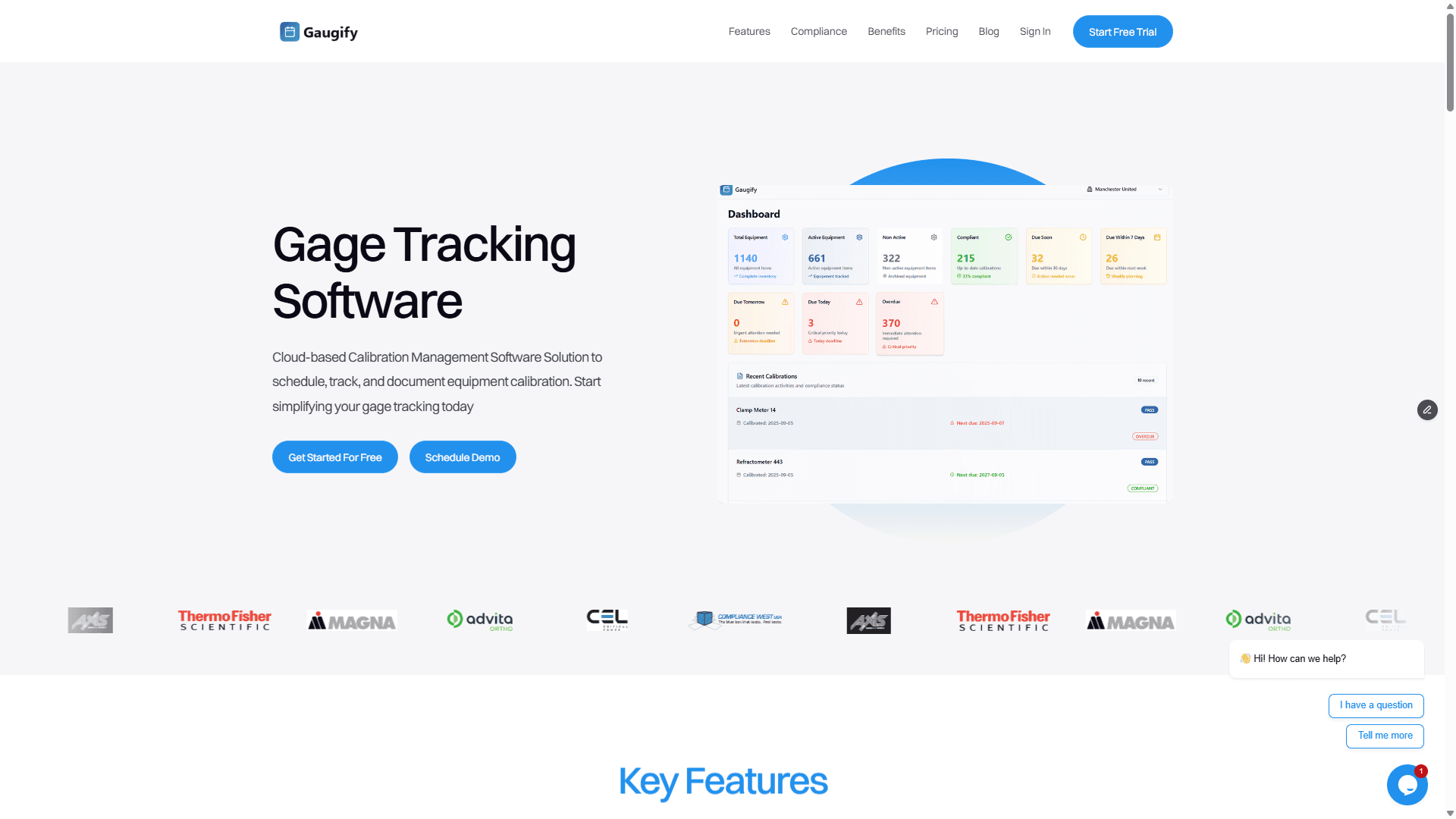
Performance dashboards: Real-time visibility into calibration program health
Predictive analytics: Identify instruments likely to fail before they do
Cost analysis: Track calibration expenses and ROI metrics
Custom report builder: Create specific reports for unique business needs
Regulatory Compliance Support
Different industries have specific calibration requirements, and your software should understand these nuances. Pharmaceutical companies need 21 CFR Part 11 compliance, aerospace requires AS9100 traceability, and ISO/IEC 17025 laboratories have specific documentation requirements.
The software should come pre-configured with industry templates and workflows. For example, when setting up calibration procedures for analytical balances in a pharmaceutical environment, the system should automatically include repeatability testing, linearity checks, and environmental monitoring requirements.
Gaugify's compliance features are designed to meet the most stringent regulatory requirements while remaining intuitive for daily use.
Integration Capabilities and System Compatibility
Modern calibration software shouldn't exist in isolation. Integration with existing business systems—ERP, LIMS, MES, and quality management systems—creates a unified approach to quality management.
API-driven architecture allows seamless data exchange. When a calibration is completed, the results can automatically update your quality system, trigger work order releases, or notify production planning that equipment is available. This level of integration eliminates manual data entry and reduces errors.
Key integration features:
RESTful APIs: Modern, secure interfaces for system connectivity
ERP integration: Bi-directional data flow with business systems
LIMS connectivity: Laboratory information management system coordination
Single sign-on (SSO): Seamless user authentication across systems
Comparing Top Calibration Software Options
The calibration software market includes several categories of solutions, from basic tracking systems to comprehensive calibration management platforms. Understanding these differences is crucial for making the right choice.
Basic tracking systems handle scheduling and certificate storage but lack advanced features like uncertainty calculations or mobile access. These might work for small operations with simple requirements.
Comprehensive platforms like Gaugify provide complete calibration management with advanced features including automated scheduling, professional certificate generation, uncertainty calculations, mobile access, and extensive reporting capabilities.
Enterprise solutions offer the most features but often require extensive customization and long implementation times. They're typically overkill for most operations.
When comparing options, consider:
Implementation time: How quickly can you get up and running?
User adoption: Will your team actually use the software effectively?
Scalability: Can the system grow with your operation?
Support quality: What happens when you need help?
Understanding Calibration Software Pricing Models
Calibration software pricing varies significantly based on features, user count, and deployment model. Understanding these models helps you budget effectively and avoid unexpected costs.
Per-user licensing charges monthly or annually for each person accessing the system. This model works well for operations where usage is clearly defined.
Per-instrument pricing bases cost on the number of instruments managed. This can be cost-effective for organizations with many users but fewer instruments.
Flat-rate pricing offers unlimited users and instruments for a fixed fee. This model provides predictable costs and eliminates usage concerns.
Gaugify's pricing is designed to be transparent and scalable, with no hidden fees or surprise charges. The investment typically pays for itself within months through improved efficiency and reduced calibration costs.
Implementation Considerations and Best Practices
Successful calibration software implementation requires careful planning and realistic expectations. The most common mistakes include underestimating data migration complexity and inadequate user training.
Data migration is often the most challenging aspect. Your historical calibration records, instrument databases, and procedure documents need to be accurately transferred. Plan for this process to take 2-4 weeks, depending on data quality and volume.
User training determines adoption success. Even the best software fails if users don't understand how to use it effectively. Look for vendors that provide comprehensive training and ongoing support.
Process optimization should happen during implementation, not after. This is an opportunity to eliminate inefficient procedures and standardize workflows.
Implementation timeline typically includes:
Week 1-2: System configuration and data migration
Week 3-4: User training and procedure setup
Week 5-6: Pilot testing with select instruments
Week 7-8: Full deployment and fine-tuning
How to Evaluate Calibration Software During Your Free Trial
A free trial period is your opportunity to validate that software meets your specific needs. Don't just browse features—test real workflows with actual data.
Start by importing a subset of your instrument database. Test the scheduling system with instruments that have different interval requirements. Generate certificates for various instrument types to ensure formatting meets your standards.
Key areas to test:
Data import: How easy is it to get your existing data into the system?
Daily workflows: Can technicians complete routine tasks efficiently?
Reporting: Do the reports provide the information you need?
Mobile functionality: Does the mobile app work in your environment?
Support response: How quickly does the vendor respond to questions?
Document any issues or concerns during the trial. A good vendor will work with you to address problems and ensure the software meets your requirements.
Schedule a demo with Gaugify to see these features demonstrated with your specific use cases.
Why Gaugify Delivers the Top Calibration Software Features
After evaluating dozens of calibration management solutions, Gaugify consistently stands out for its combination of powerful features, ease of use, and exceptional value. The platform includes all the essential features we've discussed—intelligent scheduling, professional certificates, uncertainty calculations, mobile access, and comprehensive reporting—without the complexity that makes other systems difficult to adopt.
What sets Gaugify apart is its focus on user experience. The software was built by people who understand calibration workflows, not just software development. This shows in details like intuitive navigation, context-sensitive help, and workflows that match how technicians actually work.
Gaugify's feature set includes everything on our essential list, plus advanced capabilities like predictive analytics, extensive integration options, and ISO 17025 compliance support.
The platform also delivers exceptional value. While enterprise solutions can cost tens of thousands of dollars with long implementation timelines, Gaugify provides comparable functionality at a fraction of the cost, with implementation measured in days, not months.
Most importantly, Gaugify's cloud-based architecture means you always have access to the latest features and security updates without expensive upgrade projects. Your calibration program can evolve and improve continuously.
Don't let inadequate calibration management hold back your quality program. The top calibration software features we've discussed aren't nice-to-have extras—they're essential capabilities for maintaining measurement integrity, ensuring compliance, and optimizing operational efficiency.
Start your free trial of Gaugify today and discover how the right calibration software can transform your quality operations. Experience firsthand why quality managers across industries choose Gaugify for comprehensive, user-friendly calibration management that delivers results from day one.
Top Calibration Software Features You Can't Afford to Miss
When evaluating calibration management solutions, the sheer number of available features can feel overwhelming. But here's the reality: not all features are created equal. The top calibration software features that truly matter are those that eliminate manual errors, ensure regulatory compliance, and streamline your entire calibration workflow—from scheduling to certificate generation.
After working with hundreds of quality managers across industries ranging from aerospace manufacturing to pharmaceutical labs, we've identified the critical features that separate basic calibration tracking from comprehensive calibration management. Miss these features, and you'll find yourself dealing with missed calibrations, audit failures, and frustrated technicians.
Why Modern Calibration Management Software Matters
Traditional calibration tracking—whether it's Excel spreadsheets, paper logs, or basic database systems—creates more problems than it solves. Consider this scenario: Your CMM (Coordinate Measuring Machine) with a tolerance of ±0.0001" is due for calibration next week, but your current system failed to send reminders. The instrument goes out of tolerance, and now every measurement taken over the past month is questionable.
This isn't just about avoiding headaches. When ISO 9001 auditors arrive, they expect to see complete traceability, proper uncertainty calculations, and evidence that your calibration program maintains measurement integrity. Modern calibration management software transforms these requirements from burdensome tasks into automated processes.
The financial impact is significant too. Companies using manual calibration tracking report 15-25% more unplanned downtime due to missed calibrations, plus the cost of emergency calibration services that can run 200-300% higher than scheduled calibrations.
Essential Top Calibration Software Features for Modern Operations
Intelligent Calibration Scheduling and Automated Reminders
The foundation of any effective calibration program is never missing a due date. Advanced scheduling goes beyond simple calendar reminders. Look for software that can automatically adjust schedules based on usage patterns, environmental conditions, and historical performance data.
For example, if your Fluke 87V multimeter typically drifts faster in your high-temperature production area, the system should learn this pattern and suggest shorter calibration intervals. The best systems send multi-level reminders—30 days out for planning, 7 days for preparation, and daily alerts as the due date approaches.
Critical scheduling features include:
Multi-criteria scheduling: Base intervals on time, usage cycles, or environmental exposure
Predictive adjustments: AI-driven recommendations for interval optimization
Resource coordination: Automatic scheduling that considers technician availability and equipment conflicts
Emergency override protocols: Built-in workflows for handling urgent calibration needs
Professional Certificate Generation and Management
Calibration certificates are legal documents that provide traceability and compliance evidence. Manual certificate creation is time-intensive and error-prone. Professional calibration software should generate certificates automatically, pulling data directly from calibration records to eliminate transcription errors.
Your certificate generation system should produce documents that include NIST traceability statements, measurement uncertainty calculations, and all required technical data. For instance, when calibrating a pressure transducer with a range of 0-1000 PSI, the certificate should automatically calculate and display the uncertainty budget, including contributions from the reference standard, environmental conditions, and measurement repeatability.
Advanced certificate features include:
Custom templates: Branded certificates matching your company standards
Multi-language support: Essential for global operations
Digital signatures: Secure, tamper-evident authentication
Automatic distribution: Email delivery to stakeholders upon completion
Comprehensive Uncertainty Calculations
ISO/IEC 17025 and other quality standards require proper measurement uncertainty evaluation. This isn't optional—it's a fundamental requirement for accredited calibration. However, uncertainty calculations are complex, involving multiple variables and statistical analysis that's prone to errors when done manually.
Professional calibration software should handle these calculations automatically. When calibrating a digital caliper, for example, the system should combine uncertainties from the reference standard (typically ±0.00005"), temperature effects, measurement repeatability, and resolution limitations to produce a combined standard uncertainty.
Essential uncertainty calculation features:
Automated GUM compliance: Calculations following Guide to Uncertainty in Measurement principles
Environmental correction: Automatic temperature and humidity adjustments
Historical trending: Track uncertainty changes over time
Custom models: Support for specialized measurement procedures
Advanced Top Calibration Software Features for Operational Excellence
Complete Audit Trail and Data Integrity
When FDA inspectors or ISO auditors review your calibration program, they need to see complete traceability and evidence that data hasn't been tampered with. This means every action—from scheduling changes to result modifications—must be logged with timestamps and user identification.
A robust audit trail captures not just what changed, but who made the change, when it occurred, and why it was necessary. For example, if a technician needs to correct a typo in calibration results, the system should require a reason code, supervisor approval, and maintain both the original and corrected values.
Critical audit trail capabilities include:
21 CFR Part 11 compliance: Electronic signature and record requirements for FDA-regulated industries
Role-based permissions: Granular control over who can view, edit, or approve records
Immutable records: Original data preservation with change tracking
Backup and recovery: Automated data protection and restoration capabilities
Tool Crib and Asset Management Integration
Calibration doesn't happen in isolation. Your measurement tools are assets that need tracking from procurement through disposal. Integration between calibration scheduling and asset management prevents instruments from being used when they're due for calibration and ensures proper custody chains.
Advanced systems can integrate with existing ERP systems, pulling asset information and pushing calibration status updates. This means when a technician tries to check out a micrometer that's overdue for calibration, the system prevents the transaction and suggests alternatives.
Asset management features should include:
RFID and barcode support: Quick identification and status checking
Location tracking: Know where every instrument is at all times
Usage monitoring: Track utilization for optimal inventory management
Maintenance integration: Coordinate calibration with preventive maintenance schedules
Mobile Access and Field Calibration Support
Not all calibration happens in the lab. Field instruments, installed sensors, and production equipment often require on-site calibration. Mobile capability isn't just convenient—it's essential for maintaining real-time data accuracy and reducing transcription errors.
Mobile calibration features should support offline work, allowing technicians to complete calibrations even without network connectivity. Data should sync automatically when connection is restored, maintaining complete records without interrupting workflow.
Mobile capabilities to look for:
Native mobile apps: Purpose-built for calibration workflows, not just web browsers
Offline functionality: Complete calibration procedures without network access
Camera integration: Document equipment condition and capture serial numbers
Digital signatures: Customer and technician approval on mobile devices
Ready to see these features in action? Start your free trial of Gaugify and experience how modern calibration software can transform your quality operations.
Reporting and Analytics: Turning Data into Insights
Raw calibration data is only valuable when it provides actionable insights. The best calibration software transforms routine measurements into strategic information that drives decision-making. This goes far beyond simple compliance reporting.
Consider trend analysis: if your torque wrench consistently shows drift patterns that correlate with seasonal temperature changes, this insight could lead to environmental improvements or adjusted calibration intervals. Advanced analytics can identify instruments that require frequent recalibration, suggesting replacement or investigating root causes.
Essential reporting capabilities include:
Automated compliance reports: ISO 9001, ISO/IEC 17025, and industry-specific documentation
Performance dashboards: Real-time visibility into calibration program health
Predictive analytics: Identify instruments likely to fail before they do
Cost analysis: Track calibration expenses and ROI metrics
Custom report builder: Create specific reports for unique business needs
Regulatory Compliance Support
Different industries have specific calibration requirements, and your software should understand these nuances. Pharmaceutical companies need 21 CFR Part 11 compliance, aerospace requires AS9100 traceability, and ISO/IEC 17025 laboratories have specific documentation requirements.
The software should come pre-configured with industry templates and workflows. For example, when setting up calibration procedures for analytical balances in a pharmaceutical environment, the system should automatically include repeatability testing, linearity checks, and environmental monitoring requirements.
Gaugify's compliance features are designed to meet the most stringent regulatory requirements while remaining intuitive for daily use.
Integration Capabilities and System Compatibility
Modern calibration software shouldn't exist in isolation. Integration with existing business systems—ERP, LIMS, MES, and quality management systems—creates a unified approach to quality management.
API-driven architecture allows seamless data exchange. When a calibration is completed, the results can automatically update your quality system, trigger work order releases, or notify production planning that equipment is available. This level of integration eliminates manual data entry and reduces errors.
Key integration features:
RESTful APIs: Modern, secure interfaces for system connectivity
ERP integration: Bi-directional data flow with business systems
LIMS connectivity: Laboratory information management system coordination
Single sign-on (SSO): Seamless user authentication across systems
Comparing Top Calibration Software Options
The calibration software market includes several categories of solutions, from basic tracking systems to comprehensive calibration management platforms. Understanding these differences is crucial for making the right choice.
Basic tracking systems handle scheduling and certificate storage but lack advanced features like uncertainty calculations or mobile access. These might work for small operations with simple requirements.
Comprehensive platforms like Gaugify provide complete calibration management with advanced features including automated scheduling, professional certificate generation, uncertainty calculations, mobile access, and extensive reporting capabilities.
Enterprise solutions offer the most features but often require extensive customization and long implementation times. They're typically overkill for most operations.
When comparing options, consider:
Implementation time: How quickly can you get up and running?
User adoption: Will your team actually use the software effectively?
Scalability: Can the system grow with your operation?
Support quality: What happens when you need help?
Understanding Calibration Software Pricing Models
Calibration software pricing varies significantly based on features, user count, and deployment model. Understanding these models helps you budget effectively and avoid unexpected costs.
Per-user licensing charges monthly or annually for each person accessing the system. This model works well for operations where usage is clearly defined.
Per-instrument pricing bases cost on the number of instruments managed. This can be cost-effective for organizations with many users but fewer instruments.
Flat-rate pricing offers unlimited users and instruments for a fixed fee. This model provides predictable costs and eliminates usage concerns.
Gaugify's pricing is designed to be transparent and scalable, with no hidden fees or surprise charges. The investment typically pays for itself within months through improved efficiency and reduced calibration costs.
Implementation Considerations and Best Practices
Successful calibration software implementation requires careful planning and realistic expectations. The most common mistakes include underestimating data migration complexity and inadequate user training.
Data migration is often the most challenging aspect. Your historical calibration records, instrument databases, and procedure documents need to be accurately transferred. Plan for this process to take 2-4 weeks, depending on data quality and volume.
User training determines adoption success. Even the best software fails if users don't understand how to use it effectively. Look for vendors that provide comprehensive training and ongoing support.
Process optimization should happen during implementation, not after. This is an opportunity to eliminate inefficient procedures and standardize workflows.
Implementation timeline typically includes:
Week 1-2: System configuration and data migration
Week 3-4: User training and procedure setup
Week 5-6: Pilot testing with select instruments
Week 7-8: Full deployment and fine-tuning
How to Evaluate Calibration Software During Your Free Trial
A free trial period is your opportunity to validate that software meets your specific needs. Don't just browse features—test real workflows with actual data.
Start by importing a subset of your instrument database. Test the scheduling system with instruments that have different interval requirements. Generate certificates for various instrument types to ensure formatting meets your standards.
Key areas to test:
Data import: How easy is it to get your existing data into the system?
Daily workflows: Can technicians complete routine tasks efficiently?
Reporting: Do the reports provide the information you need?
Mobile functionality: Does the mobile app work in your environment?
Support response: How quickly does the vendor respond to questions?
Document any issues or concerns during the trial. A good vendor will work with you to address problems and ensure the software meets your requirements.
Schedule a demo with Gaugify to see these features demonstrated with your specific use cases.
Why Gaugify Delivers the Top Calibration Software Features
After evaluating dozens of calibration management solutions, Gaugify consistently stands out for its combination of powerful features, ease of use, and exceptional value. The platform includes all the essential features we've discussed—intelligent scheduling, professional certificates, uncertainty calculations, mobile access, and comprehensive reporting—without the complexity that makes other systems difficult to adopt.
What sets Gaugify apart is its focus on user experience. The software was built by people who understand calibration workflows, not just software development. This shows in details like intuitive navigation, context-sensitive help, and workflows that match how technicians actually work.
Gaugify's feature set includes everything on our essential list, plus advanced capabilities like predictive analytics, extensive integration options, and ISO 17025 compliance support.
The platform also delivers exceptional value. While enterprise solutions can cost tens of thousands of dollars with long implementation timelines, Gaugify provides comparable functionality at a fraction of the cost, with implementation measured in days, not months.
Most importantly, Gaugify's cloud-based architecture means you always have access to the latest features and security updates without expensive upgrade projects. Your calibration program can evolve and improve continuously.
Don't let inadequate calibration management hold back your quality program. The top calibration software features we've discussed aren't nice-to-have extras—they're essential capabilities for maintaining measurement integrity, ensuring compliance, and optimizing operational efficiency.
Start your free trial of Gaugify today and discover how the right calibration software can transform your quality operations. Experience firsthand why quality managers across industries choose Gaugify for comprehensive, user-friendly calibration management that delivers results from day one.