
Calibration Management Software Comparison Chart 2026
Calibration Management Software Comparison Chart 2026
David Bentley
Quality Assurance Engineer
12 min read
Calibration Management Software Comparison Chart 2026
Looking for the right calibration management software can feel overwhelming with dozens of options claiming to be the "best." This comprehensive calibration software comparison 2026 guide cuts through the marketing noise to help quality managers, lab supervisors, and technicians make an informed decision based on real-world needs and proven capabilities.
Whether you're managing 50 instruments in a small machine shop or 5,000 assets across multiple facilities, choosing the wrong calibration software can cost you thousands in failed audits, compliance violations, and operational inefficiencies. This comparison examines the top platforms available in 2026, their key features, pricing structures, and implementation considerations to help you select the solution that best fits your organization's requirements.
Why Modern Calibration Software Comparison 2026 Matters More Than Ever
The calibration management landscape has evolved dramatically over the past few years. Legacy systems that relied on Excel spreadsheets and manual tracking are no longer adequate for today's regulatory environment. With ISO 17025:2017 requirements becoming more stringent and industry 4.0 driving digital transformation, organizations need robust software solutions that can handle complex workflows while maintaining compliance.
Modern calibration management software serves as the central nervous system for your quality operations. It automates scheduling for critical instruments like torque wrenches requiring ±4% accuracy verification, sends automated notifications before your Fluke 8845A digital multimeter's calibration expires, and generates certificates that meet ISO/IEC 17025 requirements without manual intervention.
Consider this real-world scenario: A medical device manufacturer with 1,200 instruments across three facilities was spending 40+ hours weekly on manual calibration tracking. After implementing proper calibration management software, they reduced administrative time by 75% and eliminated two audit findings related to expired calibrations. The ROI was realized within four months.
The Cost of Getting It Wrong
Selecting inadequate calibration software can have serious consequences. Failed FDA inspections due to improper calibration records cost pharmaceutical companies an average of $8.7 million in remediation and lost production time. Similarly, aerospace manufacturers face potential FAA violations when calibration documentation doesn't meet AS9100 standards.
Beyond regulatory risks, poor software choices lead to operational inefficiencies: technicians waste time navigating clunky interfaces, managers lack visibility into calibration status, and organizations struggle with data silos that prevent effective analysis and continuous improvement.
Essential Features in Calibration Software Comparison 2026
When evaluating calibration management platforms, certain features separate enterprise-grade solutions from basic tracking tools. These capabilities directly impact your ability to maintain compliance, improve efficiency, and scale operations.
Automated Scheduling and Smart Notifications
Advanced scheduling engines should handle complex calibration intervals automatically. Look for systems that support multiple interval types: fixed periods (annual, semi-annual), usage-based intervals, and risk-based approaches that adjust frequency based on instrument criticality and historical performance.
The best platforms send intelligent notifications through multiple channels. For example, when a Mitutoyo height gage approaches its due date, the system should notify the responsible technician via email, the quality manager through dashboard alerts, and optionally send SMS reminders for critical instruments.
Comprehensive Certificate Management
Certificate generation and management capabilities vary significantly between platforms. Professional-grade software should produce certificates that include uncertainty calculations, traceability statements, environmental conditions, and as-found/as-left data. The system should maintain version control for certificates and provide secure access for auditors and customers.
Look for platforms that support multiple certificate formats and can automatically populate fields from calibration data. Manual certificate creation is a significant time sink that modern software should eliminate entirely.
Advanced Uncertainty Calculations
Measurement uncertainty calculations are mandatory for ISO/IEC 17025 compliance and critical for industries like aerospace and pharmaceuticals. The software should perform uncertainty propagation automatically, considering factors like calibration standards, environmental conditions, and measurement procedures.
For instance, when calibrating a pressure transducer with a ±0.1% full-scale specification, the system should calculate combined uncertainty from the reference standard (typically ±0.025%), resolution limitations, temperature effects, and repeatability. Manual uncertainty calculations are error-prone and time-consuming.
Complete Audit Trail and Data Integrity
Regulatory compliance demands comprehensive audit trails that track every action within the system. This includes who performed calibrations, when changes were made to procedures, and any modifications to calibration data. The system should prevent data manipulation while allowing authorized corrections with proper justification.
FDA 21 CFR Part 11 compliance requires electronic signatures, secure time stamps, and data integrity controls. Similarly, ISO 17025 mandates that calibration records be protected against unauthorized access and accidental loss.
Instrument Crib and Asset Management
Beyond basic calibration tracking, comprehensive platforms manage instrument check-in/check-out, location tracking, and usage monitoring. This is particularly valuable for portable instruments like handheld multimeters, torque wrenches, and test fixtures that move between workstations.
Advanced crib management features include barcode/RFID integration, automated return notifications, and usage analytics that help optimize instrument utilization and identify maintenance patterns.
Role-Based Access Control
Different users need different levels of access and functionality. Technicians require mobile access to work orders and the ability to enter calibration data, while quality managers need comprehensive reporting and trend analysis capabilities. Administrators must control user permissions and system configuration.
Sophisticated platforms offer granular permissions that can restrict access by location, instrument type, or specific functions. This ensures data security while providing users with the tools they need for their specific roles.
Mobile Accessibility and Offline Capabilities
Modern calibration work often occurs in environments where internet connectivity is limited or unreliable. The best calibration management platforms offer mobile apps with offline synchronization, allowing technicians to complete calibrations without constant network access.
Mobile features should include barcode scanning, photo capture for visual inspections, and intuitive data entry interfaces optimized for tablets and smartphones. When connectivity returns, data should sync automatically with full conflict resolution.
Ready to see these features in action? Start your free trial of Gaugify today and experience how modern calibration management software can transform your quality operations.
Top Calibration Software Comparison 2026: Platform Analysis
The calibration management software market includes several established players and emerging platforms. Each solution targets different market segments and offers distinct advantages. Here's an objective analysis of the leading options available in 2026.
Gaugify: Modern Cloud-Native Platform
Gaugify represents the next generation of calibration management software, built specifically for cloud deployment and modern workflows. The platform excels in user experience, mobile accessibility, and integration capabilities.
Key Strengths:
Intuitive interface that reduces training time by 60% compared to legacy systems
Comprehensive compliance features supporting ISO 17025, AS9100, and FDA requirements
Advanced mobile app with offline synchronization and barcode scanning
Automated uncertainty calculations with customizable templates
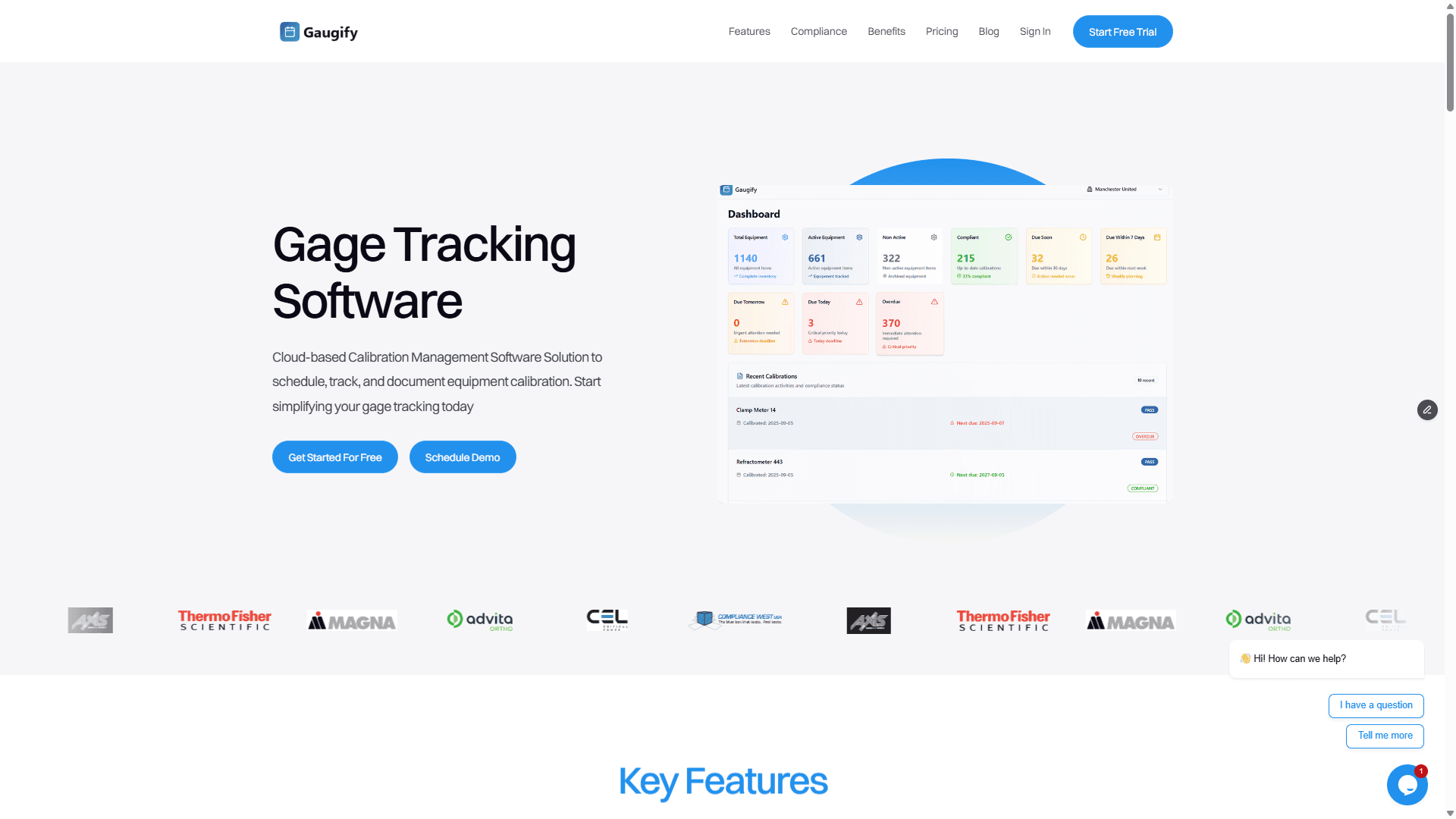
Real-time dashboard and analytics with predictive insights
Flexible pricing model that scales with organization size
Rapid implementation typically completed in 2-4 weeks
Best For: Organizations seeking modern, user-friendly software with comprehensive features and excellent support. Particularly strong for companies requiring multi-location management and mobile accessibility.
Legacy Enterprise Platforms
Several established enterprise platforms continue to serve large organizations, though many show their age in terms of user interface and modern feature expectations.
Typical Characteristics:
Comprehensive feature sets developed over many years
On-premise deployment options for organizations with strict data policies
Extensive customization capabilities but often requiring professional services
Higher implementation costs and longer deployment timelines
Mixed mobile accessibility, with many requiring third-party solutions
Considerations: While feature-rich, these platforms often struggle with user adoption due to complex interfaces and outdated design. Implementation costs can exceed $100,000 for mid-sized organizations, with timelines stretching 6-12 months.
Industry-Specific Solutions
Some platforms focus on specific industries like pharmaceuticals or aerospace, offering specialized features but potentially limiting flexibility as organizations evolve.
Advantages:
Pre-configured templates for industry-specific requirements
Specialized compliance features for sectors like medical devices
Industry-specific reporting and analytics
Limitations:
Higher costs due to specialized market focus
Limited flexibility for organizations operating across multiple industries
Smaller development teams may result in slower feature updates
Budget and Basic Platforms
Several lower-cost options serve organizations with basic calibration management needs, though they often lack advanced features required for complex operations or strict compliance requirements.
Typical Limitations:
Limited uncertainty calculation capabilities
Basic reporting with minimal analytics
Restricted user access and permission controls
Limited integration capabilities with other systems
Minimal mobile functionality
Calibration Software Pricing Landscape 2026
Understanding pricing models and total cost of ownership is crucial for making informed software decisions. Calibration management software pricing has evolved significantly, with most vendors moving toward subscription-based models that offer better predictability and lower upfront costs.
Subscription vs. Perpetual Licensing
The industry has largely shifted toward Software-as-a-Service (SaaS) models, offering several advantages over traditional perpetual licenses:
Lower Initial Investment: SaaS platforms typically require minimal upfront costs, making them accessible to smaller organizations
Automatic Updates: Users receive new features and security updates without additional costs
Predictable Costs: Monthly or annual subscriptions simplify budgeting compared to large capital expenditures
Scalability: Organizations can add or remove users as needs change
Typical Pricing Ranges
Calibration management software pricing varies significantly based on features, user count, and deployment model:
Basic Platforms: $30-75 per user per month for essential calibration tracking
Professional Solutions: $75-150 per user per month with advanced features like uncertainty calculations and comprehensive reporting
Enterprise Platforms: $150-300+ per user per month for full-featured solutions with extensive customization
Legacy On-Premise: $50,000-500,000+ in initial licensing plus ongoing maintenance costs
Gaugify's transparent pricing starts at competitive rates while including advanced features that other platforms charge premium prices for, such as mobile access, automated uncertainty calculations, and comprehensive compliance tools.
Hidden Costs to Consider
When comparing calibration software options, consider total cost of ownership beyond basic subscription fees:
Implementation Services: Many platforms require professional services for setup and configuration
Training Costs: Complex systems may require extensive user training and ongoing support
Data Migration: Moving data from existing systems can be time-consuming and expensive
Integration Development: Connecting to existing ERP or quality systems may require custom development
Mobile Access: Some platforms charge additional fees for mobile functionality
Implementation Considerations for Calibration Software
Successful calibration software implementation requires careful planning and consideration of organizational factors beyond feature comparisons. The implementation approach significantly impacts user adoption, time-to-value, and long-term success.
Data Migration Strategy
Most organizations have existing calibration data in various formats: Excel spreadsheets, legacy databases, or paper records. Developing a comprehensive data migration plan is crucial for maintaining historical calibration records and ensuring continuity during the transition.
Key considerations include:
Data Quality Assessment: Review existing records for completeness and accuracy before migration
Historical Data Requirements: Determine how much historical data is necessary for compliance and operational needs
Mapping and Transformation: Plan how existing data fields will map to the new system's structure
Validation Process: Establish procedures to verify data accuracy after migration
User Training and Change Management
User adoption is critical for realizing the benefits of new calibration software. Organizations should plan comprehensive training programs that address different user roles and skill levels.
Effective training approaches include:
Role-Based Training: Customize training content for technicians, supervisors, and managers
Hands-On Practice: Provide opportunities to practice with real calibration scenarios
Documentation and Quick Reference Guides: Create easy-to-access resources for ongoing support
Gradual Rollout: Consider phased implementation starting with pilot groups
Integration Requirements
Modern calibration management software should integrate seamlessly with existing enterprise systems to avoid data silos and duplicate entry. Common integration points include:
ERP Systems: Synchronize instrument master data and maintenance schedules
Quality Management Systems: Share calibration status and compliance data
Asset Management Systems: Coordinate instrument tracking and maintenance activities
Document Control Systems: Manage calibration procedures and certificates
Evaluate integration capabilities during software selection, as custom integration development can significantly increase implementation costs and timelines.
How to Evaluate Calibration Software During Free Trials
Free trials provide valuable opportunities to assess calibration software capabilities with real-world data and scenarios. However, many organizations don't maximize trial periods because they lack structured evaluation approaches.
Preparation Phase
Before starting trials, prepare test scenarios that reflect your actual calibration environment:
Sample Instrument Data: Gather information for 20-30 instruments representing different types, intervals, and complexity levels
Calibration Procedures: Identify 3-5 procedures you can test within the software
User Scenarios: Define specific tasks each user role should accomplish during the trial
Integration Requirements: List systems that need to connect with the calibration software
Week 1: Basic Functionality Testing
Focus initial testing on core calibration management features:
Add instruments and configure calibration schedules
Create and assign work orders
Enter calibration data and generate certificates
Test notification and alert systems
Explore reporting and dashboard capabilities
Week 2: Advanced Features and Mobile Access
Dive deeper into sophisticated capabilities that differentiate platforms:
Test uncertainty calculations with real calibration data
Evaluate mobile app functionality and offline capabilities
Assess role-based access controls and security features
Review audit trail and compliance documentation
Test data import/export capabilities
Week 3: User Experience and Support Evaluation
Focus on factors that impact long-term success:
Involve multiple users in testing to assess ease of use
Contact support with questions to evaluate responsiveness
Review training resources and documentation quality
Test system performance with larger data sets
Evaluate administrative functions and system configuration
Key Questions to Answer
Use these questions to guide your evaluation process:
How intuitive is the interface for technicians with varying technical skills?
Can the system handle your most complex calibration procedures?
How effectively does the mobile app work in your actual work environment?
Are uncertainty calculations accurate and properly documented?
Does the reporting provide insights needed for management decisions?
How responsive and knowledgeable is the vendor's support team?
Why Gaugify Stands Out in Calibration Software Comparison 2026
After evaluating dozens of calibration management platforms, Gaugify consistently emerges as the top choice for organizations seeking modern, comprehensive calibration management capabilities. The platform successfully balances powerful functionality with user-friendly design, delivering rapid value without the complexity that plagues many enterprise solutions.
Proven Track Record
Gaugify serves organizations across diverse industries, from precision manufacturing companies managing 500+ instruments to research laboratories requiring strict ISO 17025 compliance. The platform's flexibility allows it to adapt to unique requirements while maintaining the simplicity that drives user adoption.
Recent customer implementations demonstrate Gaugify's effectiveness:
A medical device manufacturer reduced calibration-related audit findings by 90% within six months
An aerospace supplier eliminated 25+ hours weekly of manual calibration tracking
A multi-location testing laboratory achieved 100% on-time calibration rates after struggling with Excel-based systems
Comprehensive Feature Set
Unlike platforms that require expensive add-ons for advanced functionality, Gaugify includes comprehensive features in its base offering:
Automated uncertainty calculations with customizable templates
Professional certificate generation meeting international standards
Advanced mobile app with offline synchronization
Real-time dashboards and predictive analytics
Complete audit trails and compliance documentation
Flexible scheduling supporting multiple interval types
Superior Implementation Experience
Gaugify's cloud-native architecture enables rapid deployments typically completed in 2-4 weeks versus 6-12 months for legacy platforms. The implementation process includes:
Dedicated implementation specialist assigned to each customer
Structured data migration with quality validation
Comprehensive user training program
Post-implementation support and optimization
Exceptional Value Proposition
When comparing total cost of ownership, Gaugify delivers exceptional value through transparent pricing, rapid implementation, and included features that other platforms charge premium rates for. Organizations typically see positive ROI within 3-6 months through reduced administrative overhead and improved compliance.
The platform's pricing model scales appropriately for organizations of all sizes, from small companies with limited budgets to large enterprises requiring extensive customization and support.
Making Your Calibration Software Decision
Selecting the right calibration management software is a strategic decision that will impact your organization for years. The landscape in 2026 offers more sophisticated options than ever before, but the choice ultimately comes down to finding the platform that best matches your specific requirements, budget, and implementation timeline.
Based on comprehensive analysis of available options, feature comparisons, and real-world implementation experiences, Gaugify represents the optimal choice for most organizations seeking modern calibration management capabilities. The platform's combination of powerful features, intuitive design, rapid implementation, and exceptional support creates a compelling value proposition that's difficult to match.
Don't let outdated calibration management processes hold your organization back. The cost of maintaining status quo – in terms of compliance risks, operational inefficiencies, and missed opportunities for improvement – far exceeds the investment in modern calibration software.
Take action today: Schedule a personalized demo to see how Gaugify can transform your calibration management operations. Our team will work with you to understand your specific requirements and demonstrate how the platform addresses your unique challenges. With implementation timelines measured in weeks rather than months, you could be experiencing the benefits of modern calibration management before the end of the quarter.
Your quality operations deserve software that enhances rather than hinders your team's effectiveness. Choose Gaugify and join the growing number of organizations that have transformed their calibration management with the industry's most innovative platform.
Calibration Management Software Comparison Chart 2026
Looking for the right calibration management software can feel overwhelming with dozens of options claiming to be the "best." This comprehensive calibration software comparison 2026 guide cuts through the marketing noise to help quality managers, lab supervisors, and technicians make an informed decision based on real-world needs and proven capabilities.
Whether you're managing 50 instruments in a small machine shop or 5,000 assets across multiple facilities, choosing the wrong calibration software can cost you thousands in failed audits, compliance violations, and operational inefficiencies. This comparison examines the top platforms available in 2026, their key features, pricing structures, and implementation considerations to help you select the solution that best fits your organization's requirements.
Why Modern Calibration Software Comparison 2026 Matters More Than Ever
The calibration management landscape has evolved dramatically over the past few years. Legacy systems that relied on Excel spreadsheets and manual tracking are no longer adequate for today's regulatory environment. With ISO 17025:2017 requirements becoming more stringent and industry 4.0 driving digital transformation, organizations need robust software solutions that can handle complex workflows while maintaining compliance.
Modern calibration management software serves as the central nervous system for your quality operations. It automates scheduling for critical instruments like torque wrenches requiring ±4% accuracy verification, sends automated notifications before your Fluke 8845A digital multimeter's calibration expires, and generates certificates that meet ISO/IEC 17025 requirements without manual intervention.
Consider this real-world scenario: A medical device manufacturer with 1,200 instruments across three facilities was spending 40+ hours weekly on manual calibration tracking. After implementing proper calibration management software, they reduced administrative time by 75% and eliminated two audit findings related to expired calibrations. The ROI was realized within four months.
The Cost of Getting It Wrong
Selecting inadequate calibration software can have serious consequences. Failed FDA inspections due to improper calibration records cost pharmaceutical companies an average of $8.7 million in remediation and lost production time. Similarly, aerospace manufacturers face potential FAA violations when calibration documentation doesn't meet AS9100 standards.
Beyond regulatory risks, poor software choices lead to operational inefficiencies: technicians waste time navigating clunky interfaces, managers lack visibility into calibration status, and organizations struggle with data silos that prevent effective analysis and continuous improvement.
Essential Features in Calibration Software Comparison 2026
When evaluating calibration management platforms, certain features separate enterprise-grade solutions from basic tracking tools. These capabilities directly impact your ability to maintain compliance, improve efficiency, and scale operations.
Automated Scheduling and Smart Notifications
Advanced scheduling engines should handle complex calibration intervals automatically. Look for systems that support multiple interval types: fixed periods (annual, semi-annual), usage-based intervals, and risk-based approaches that adjust frequency based on instrument criticality and historical performance.
The best platforms send intelligent notifications through multiple channels. For example, when a Mitutoyo height gage approaches its due date, the system should notify the responsible technician via email, the quality manager through dashboard alerts, and optionally send SMS reminders for critical instruments.
Comprehensive Certificate Management
Certificate generation and management capabilities vary significantly between platforms. Professional-grade software should produce certificates that include uncertainty calculations, traceability statements, environmental conditions, and as-found/as-left data. The system should maintain version control for certificates and provide secure access for auditors and customers.
Look for platforms that support multiple certificate formats and can automatically populate fields from calibration data. Manual certificate creation is a significant time sink that modern software should eliminate entirely.
Advanced Uncertainty Calculations
Measurement uncertainty calculations are mandatory for ISO/IEC 17025 compliance and critical for industries like aerospace and pharmaceuticals. The software should perform uncertainty propagation automatically, considering factors like calibration standards, environmental conditions, and measurement procedures.
For instance, when calibrating a pressure transducer with a ±0.1% full-scale specification, the system should calculate combined uncertainty from the reference standard (typically ±0.025%), resolution limitations, temperature effects, and repeatability. Manual uncertainty calculations are error-prone and time-consuming.
Complete Audit Trail and Data Integrity
Regulatory compliance demands comprehensive audit trails that track every action within the system. This includes who performed calibrations, when changes were made to procedures, and any modifications to calibration data. The system should prevent data manipulation while allowing authorized corrections with proper justification.
FDA 21 CFR Part 11 compliance requires electronic signatures, secure time stamps, and data integrity controls. Similarly, ISO 17025 mandates that calibration records be protected against unauthorized access and accidental loss.
Instrument Crib and Asset Management
Beyond basic calibration tracking, comprehensive platforms manage instrument check-in/check-out, location tracking, and usage monitoring. This is particularly valuable for portable instruments like handheld multimeters, torque wrenches, and test fixtures that move between workstations.
Advanced crib management features include barcode/RFID integration, automated return notifications, and usage analytics that help optimize instrument utilization and identify maintenance patterns.
Role-Based Access Control
Different users need different levels of access and functionality. Technicians require mobile access to work orders and the ability to enter calibration data, while quality managers need comprehensive reporting and trend analysis capabilities. Administrators must control user permissions and system configuration.
Sophisticated platforms offer granular permissions that can restrict access by location, instrument type, or specific functions. This ensures data security while providing users with the tools they need for their specific roles.
Mobile Accessibility and Offline Capabilities
Modern calibration work often occurs in environments where internet connectivity is limited or unreliable. The best calibration management platforms offer mobile apps with offline synchronization, allowing technicians to complete calibrations without constant network access.
Mobile features should include barcode scanning, photo capture for visual inspections, and intuitive data entry interfaces optimized for tablets and smartphones. When connectivity returns, data should sync automatically with full conflict resolution.
Ready to see these features in action? Start your free trial of Gaugify today and experience how modern calibration management software can transform your quality operations.
Top Calibration Software Comparison 2026: Platform Analysis
The calibration management software market includes several established players and emerging platforms. Each solution targets different market segments and offers distinct advantages. Here's an objective analysis of the leading options available in 2026.
Gaugify: Modern Cloud-Native Platform
Gaugify represents the next generation of calibration management software, built specifically for cloud deployment and modern workflows. The platform excels in user experience, mobile accessibility, and integration capabilities.
Key Strengths:
Intuitive interface that reduces training time by 60% compared to legacy systems
Comprehensive compliance features supporting ISO 17025, AS9100, and FDA requirements
Advanced mobile app with offline synchronization and barcode scanning
Automated uncertainty calculations with customizable templates
Real-time dashboard and analytics with predictive insights
Flexible pricing model that scales with organization size
Rapid implementation typically completed in 2-4 weeks
Best For: Organizations seeking modern, user-friendly software with comprehensive features and excellent support. Particularly strong for companies requiring multi-location management and mobile accessibility.
Legacy Enterprise Platforms
Several established enterprise platforms continue to serve large organizations, though many show their age in terms of user interface and modern feature expectations.
Typical Characteristics:
Comprehensive feature sets developed over many years
On-premise deployment options for organizations with strict data policies
Extensive customization capabilities but often requiring professional services
Higher implementation costs and longer deployment timelines
Mixed mobile accessibility, with many requiring third-party solutions
Considerations: While feature-rich, these platforms often struggle with user adoption due to complex interfaces and outdated design. Implementation costs can exceed $100,000 for mid-sized organizations, with timelines stretching 6-12 months.
Industry-Specific Solutions
Some platforms focus on specific industries like pharmaceuticals or aerospace, offering specialized features but potentially limiting flexibility as organizations evolve.
Advantages:
Pre-configured templates for industry-specific requirements
Specialized compliance features for sectors like medical devices
Industry-specific reporting and analytics
Limitations:
Higher costs due to specialized market focus
Limited flexibility for organizations operating across multiple industries
Smaller development teams may result in slower feature updates
Budget and Basic Platforms
Several lower-cost options serve organizations with basic calibration management needs, though they often lack advanced features required for complex operations or strict compliance requirements.
Typical Limitations:
Limited uncertainty calculation capabilities
Basic reporting with minimal analytics
Restricted user access and permission controls
Limited integration capabilities with other systems
Minimal mobile functionality
Calibration Software Pricing Landscape 2026
Understanding pricing models and total cost of ownership is crucial for making informed software decisions. Calibration management software pricing has evolved significantly, with most vendors moving toward subscription-based models that offer better predictability and lower upfront costs.
Subscription vs. Perpetual Licensing
The industry has largely shifted toward Software-as-a-Service (SaaS) models, offering several advantages over traditional perpetual licenses:
Lower Initial Investment: SaaS platforms typically require minimal upfront costs, making them accessible to smaller organizations
Automatic Updates: Users receive new features and security updates without additional costs
Predictable Costs: Monthly or annual subscriptions simplify budgeting compared to large capital expenditures
Scalability: Organizations can add or remove users as needs change
Typical Pricing Ranges
Calibration management software pricing varies significantly based on features, user count, and deployment model:
Basic Platforms: $30-75 per user per month for essential calibration tracking
Professional Solutions: $75-150 per user per month with advanced features like uncertainty calculations and comprehensive reporting
Enterprise Platforms: $150-300+ per user per month for full-featured solutions with extensive customization
Legacy On-Premise: $50,000-500,000+ in initial licensing plus ongoing maintenance costs
Gaugify's transparent pricing starts at competitive rates while including advanced features that other platforms charge premium prices for, such as mobile access, automated uncertainty calculations, and comprehensive compliance tools.
Hidden Costs to Consider
When comparing calibration software options, consider total cost of ownership beyond basic subscription fees:
Implementation Services: Many platforms require professional services for setup and configuration
Training Costs: Complex systems may require extensive user training and ongoing support
Data Migration: Moving data from existing systems can be time-consuming and expensive
Integration Development: Connecting to existing ERP or quality systems may require custom development
Mobile Access: Some platforms charge additional fees for mobile functionality
Implementation Considerations for Calibration Software
Successful calibration software implementation requires careful planning and consideration of organizational factors beyond feature comparisons. The implementation approach significantly impacts user adoption, time-to-value, and long-term success.
Data Migration Strategy
Most organizations have existing calibration data in various formats: Excel spreadsheets, legacy databases, or paper records. Developing a comprehensive data migration plan is crucial for maintaining historical calibration records and ensuring continuity during the transition.
Key considerations include:
Data Quality Assessment: Review existing records for completeness and accuracy before migration
Historical Data Requirements: Determine how much historical data is necessary for compliance and operational needs
Mapping and Transformation: Plan how existing data fields will map to the new system's structure
Validation Process: Establish procedures to verify data accuracy after migration
User Training and Change Management
User adoption is critical for realizing the benefits of new calibration software. Organizations should plan comprehensive training programs that address different user roles and skill levels.
Effective training approaches include:
Role-Based Training: Customize training content for technicians, supervisors, and managers
Hands-On Practice: Provide opportunities to practice with real calibration scenarios
Documentation and Quick Reference Guides: Create easy-to-access resources for ongoing support
Gradual Rollout: Consider phased implementation starting with pilot groups
Integration Requirements
Modern calibration management software should integrate seamlessly with existing enterprise systems to avoid data silos and duplicate entry. Common integration points include:
ERP Systems: Synchronize instrument master data and maintenance schedules
Quality Management Systems: Share calibration status and compliance data
Asset Management Systems: Coordinate instrument tracking and maintenance activities
Document Control Systems: Manage calibration procedures and certificates
Evaluate integration capabilities during software selection, as custom integration development can significantly increase implementation costs and timelines.
How to Evaluate Calibration Software During Free Trials
Free trials provide valuable opportunities to assess calibration software capabilities with real-world data and scenarios. However, many organizations don't maximize trial periods because they lack structured evaluation approaches.
Preparation Phase
Before starting trials, prepare test scenarios that reflect your actual calibration environment:
Sample Instrument Data: Gather information for 20-30 instruments representing different types, intervals, and complexity levels
Calibration Procedures: Identify 3-5 procedures you can test within the software
User Scenarios: Define specific tasks each user role should accomplish during the trial
Integration Requirements: List systems that need to connect with the calibration software
Week 1: Basic Functionality Testing
Focus initial testing on core calibration management features:
Add instruments and configure calibration schedules
Create and assign work orders
Enter calibration data and generate certificates
Test notification and alert systems
Explore reporting and dashboard capabilities
Week 2: Advanced Features and Mobile Access
Dive deeper into sophisticated capabilities that differentiate platforms:
Test uncertainty calculations with real calibration data
Evaluate mobile app functionality and offline capabilities
Assess role-based access controls and security features
Review audit trail and compliance documentation
Test data import/export capabilities
Week 3: User Experience and Support Evaluation
Focus on factors that impact long-term success:
Involve multiple users in testing to assess ease of use
Contact support with questions to evaluate responsiveness
Review training resources and documentation quality
Test system performance with larger data sets
Evaluate administrative functions and system configuration
Key Questions to Answer
Use these questions to guide your evaluation process:
How intuitive is the interface for technicians with varying technical skills?
Can the system handle your most complex calibration procedures?
How effectively does the mobile app work in your actual work environment?
Are uncertainty calculations accurate and properly documented?
Does the reporting provide insights needed for management decisions?
How responsive and knowledgeable is the vendor's support team?
Why Gaugify Stands Out in Calibration Software Comparison 2026
After evaluating dozens of calibration management platforms, Gaugify consistently emerges as the top choice for organizations seeking modern, comprehensive calibration management capabilities. The platform successfully balances powerful functionality with user-friendly design, delivering rapid value without the complexity that plagues many enterprise solutions.
Proven Track Record
Gaugify serves organizations across diverse industries, from precision manufacturing companies managing 500+ instruments to research laboratories requiring strict ISO 17025 compliance. The platform's flexibility allows it to adapt to unique requirements while maintaining the simplicity that drives user adoption.
Recent customer implementations demonstrate Gaugify's effectiveness:
A medical device manufacturer reduced calibration-related audit findings by 90% within six months
An aerospace supplier eliminated 25+ hours weekly of manual calibration tracking
A multi-location testing laboratory achieved 100% on-time calibration rates after struggling with Excel-based systems
Comprehensive Feature Set
Unlike platforms that require expensive add-ons for advanced functionality, Gaugify includes comprehensive features in its base offering:
Automated uncertainty calculations with customizable templates
Professional certificate generation meeting international standards
Advanced mobile app with offline synchronization
Real-time dashboards and predictive analytics
Complete audit trails and compliance documentation
Flexible scheduling supporting multiple interval types
Superior Implementation Experience
Gaugify's cloud-native architecture enables rapid deployments typically completed in 2-4 weeks versus 6-12 months for legacy platforms. The implementation process includes:
Dedicated implementation specialist assigned to each customer
Structured data migration with quality validation
Comprehensive user training program
Post-implementation support and optimization
Exceptional Value Proposition
When comparing total cost of ownership, Gaugify delivers exceptional value through transparent pricing, rapid implementation, and included features that other platforms charge premium rates for. Organizations typically see positive ROI within 3-6 months through reduced administrative overhead and improved compliance.
The platform's pricing model scales appropriately for organizations of all sizes, from small companies with limited budgets to large enterprises requiring extensive customization and support.
Making Your Calibration Software Decision
Selecting the right calibration management software is a strategic decision that will impact your organization for years. The landscape in 2026 offers more sophisticated options than ever before, but the choice ultimately comes down to finding the platform that best matches your specific requirements, budget, and implementation timeline.
Based on comprehensive analysis of available options, feature comparisons, and real-world implementation experiences, Gaugify represents the optimal choice for most organizations seeking modern calibration management capabilities. The platform's combination of powerful features, intuitive design, rapid implementation, and exceptional support creates a compelling value proposition that's difficult to match.
Don't let outdated calibration management processes hold your organization back. The cost of maintaining status quo – in terms of compliance risks, operational inefficiencies, and missed opportunities for improvement – far exceeds the investment in modern calibration software.
Take action today: Schedule a personalized demo to see how Gaugify can transform your calibration management operations. Our team will work with you to understand your specific requirements and demonstrate how the platform addresses your unique challenges. With implementation timelines measured in weeks rather than months, you could be experiencing the benefits of modern calibration management before the end of the quarter.
Your quality operations deserve software that enhances rather than hinders your team's effectiveness. Choose Gaugify and join the growing number of organizations that have transformed their calibration management with the industry's most innovative platform.