
Why Spreadsheets Fail at Calibration Management
Why Spreadsheets Fail at Calibration Management
David Bentley
Quality Assurance Engineer
9 min read
Why Spreadsheets Fail at Calibration Management
Picture this: You're two weeks into a critical ISO audit when the auditor asks to see calibration records for your Mitutoyo digital calipers used in final inspection. You confidently pull up your Excel spreadsheet, only to discover the last calibration date shows as "12/3/22" – but was that December 3rd or March 12th? Worse yet, there's no record of who performed the calibration or what the actual measurements were. This is just one example of how spreadsheet calibration tracking problems can derail even the most well-intentioned quality programs.
If you're managing calibration schedules, certificates, and measurement data in Excel or Google Sheets, you're not alone – but you're also sitting on a ticking time bomb. What starts as a simple, cost-effective solution quickly becomes a source of compliance headaches, operational inefficiencies, and serious business risks that can cost thousands in failed audits, scrapped products, and lost customers.
The Hidden Epidemic: More Common Than You Think
According to recent industry surveys, over 60% of manufacturing facilities still rely on spreadsheets for some aspect of their calibration management. These aren't just small job shops either – we've seen Fortune 500 companies struggle with Excel-based systems that started as "temporary solutions" five years ago.
The appeal is obvious: spreadsheets are familiar, seemingly free, and appear simple to set up. You create columns for asset numbers, calibration due dates, and technician names. Maybe you add some conditional formatting to highlight overdue items in red. It feels organized and professional – until reality hits.
Consider the typical scenario at a mid-sized automotive supplier managing 200+ measuring instruments across three shifts. Their "comprehensive" spreadsheet tracks everything from bore gages with ±0.0001" tolerances to torque wrenches calibrated annually. The quality manager updates it religiously, but problems emerge:
Production technicians can't access the file when the quality manager is off-site
Multiple versions exist across different departments
Historical calibration data gets overwritten accidentally
No automated alerts mean overdue calibrations slip through the cracks
Audit trails are non-existent when compliance questions arise
The False Economy of "Free" Spreadsheets
While Excel might not cost anything upfront (beyond your existing Microsoft license), the hidden costs accumulate quickly. Quality managers report spending 3-5 hours per week manually updating spreadsheets, checking due dates, and generating reports. That's 150+ hours annually – enough time to complete two full improvement projects or train an entire department on new procedures.
Real-World Consequences: When Spreadsheet Calibration Tracking Problems Strike
The consequences of spreadsheet-based calibration management extend far beyond mere inconvenience. Here's what happens when these systems fail:
Failed Audits and Compliance Issues
ISO 9001, IATF 16949, and FDA regulations require traceability, accuracy, and systematic control of measuring equipment. Spreadsheets simply cannot provide the robust documentation and audit trails these standards demand.
Take the medical device manufacturer that faced a surprise FDA inspection. Their Excel-based system showed their coordinate measuring machine (CMM) was "current" on calibration, but they couldn't produce the actual calibration certificate, uncertainty calculations, or prove that measurements taken during the overdue period were valid. The result? A 483 observation that delayed their product launch by six months and cost over $400,000 in remediation efforts.
Product Quality Failures
When calibration tracking fails, the measuring instruments used to verify product quality become unreliable. A aerospace supplier discovered their digital height gage had been operating 30 days past due when they rejected incoming material that was actually within specification. The overdue calibration had introduced a +0.003" bias that went undetected, leading to $75,000 in unnecessary scrap and a tense situation with their primary customer.
Liability and Recall Risks
Perhaps most serious are the liability implications. When product defects reach customers and investigations begin, calibration records become legal documents. Spreadsheets with overwritten data, unclear version control, and no access logs create liability exposure that far exceeds the cost of proper calibration management software.
Root Causes: Why Spreadsheets Can't Handle Modern Calibration Management
Understanding why spreadsheet calibration tracking problems are inevitable requires examining the fundamental limitations of these tools when applied to calibration management:
Lack of Automated Workflow
Effective calibration management requires automated alerts, work order generation, and status tracking. Spreadsheets are static documents that require constant manual intervention. When your Fluke multimeter comes due for calibration, Excel won't automatically generate a work order, assign it to the appropriate technician, or follow up if it's not completed on time.
No Integration Capabilities
Modern manufacturing relies on integrated systems. Your calibration data should connect with your CMMS, ERP system, and quality management platform. Spreadsheets exist in isolation, creating information silos that prevent efficient operations and comprehensive reporting.
Version Control Nightmares
Multiple people need access to calibration information, but spreadsheets aren't designed for concurrent use. The result is multiple versions floating around the organization, with no clear indication of which is current or authoritative. We've seen facilities with five different "master" calibration spreadsheets, each containing different information.
Limited Data Integrity
Spreadsheets offer minimal data validation. Users can enter impossible dates, invalid part numbers, or overwrite critical historical data without any safeguards. There's no approval workflow, no change tracking, and no way to prevent accidental deletions.
Scalability Problems
As organizations grow, spreadsheet-based systems become unwieldy. A file that works for 50 instruments becomes sluggish and error-prone with 500. Complex formulas break, performance degrades, and the risk of corruption increases exponentially.
The Step-by-Step Solution: Moving Beyond Spreadsheets
Transitioning from spreadsheet-based calibration management requires a systematic approach that addresses both technical and organizational challenges:
Step 1: Audit Your Current System
Begin by documenting exactly what information your spreadsheets contain and how they're used. Identify all stakeholders, understand their workflows, and map out the data flow. This baseline assessment reveals gaps and requirements for your new system.
Key questions to address:
How many instruments require calibration tracking?
What data fields are currently captured?
Who accesses the information and how often?
What reports are generated and for whom?
How is historical data preserved?
Step 2: Define Requirements
Modern calibration management software should provide automated scheduling, comprehensive data management, robust reporting, and compliance features that spreadsheets simply cannot match. Essential capabilities include:
Automated calibration due date alerts
Digital certificate storage and retrieval
Comprehensive audit trails and change tracking
Integration with existing business systems
Mobile access for technicians
Customizable reporting for compliance and operations
Step 3: Data Migration Strategy
Moving calibration data from spreadsheets to a proper management system requires careful planning. Clean up your existing data first – standardize formats, eliminate duplicates, and verify accuracy. Most calibration management platforms provide import tools and migration support to streamline this process.
Step 4: Process Redesign
Take advantage of the transition to optimize your calibration processes. Eliminate manual steps, standardize procedures, and implement best practices that weren't possible with spreadsheets. This includes automated work order generation, electronic approvals, and integrated measurement data capture.
Step 5: Training and Change Management
User adoption is critical for success. Provide comprehensive training on the new system and clearly communicate the benefits. Address concerns about complexity by emphasizing how modern calibration software actually simplifies daily tasks while improving compliance and accuracy.
How Gaugify Solves Spreadsheet Calibration Tracking Problems
Gaugify's cloud-based calibration management platform was specifically designed to address the limitations that make spreadsheet-based systems fail. Here's how we eliminate the problems outlined above:
Intelligent Automation
Our system automatically monitors calibration due dates and generates alerts based on your configurable lead times. When your Starrett micrometers approach their calibration due date, Gaugify automatically creates work orders, sends notifications to appropriate personnel, and tracks completion status. No manual spreadsheet updates required.
Comprehensive Data Management
Every calibration event is recorded with complete traceability, including technician identification, environmental conditions, as-found and as-left readings, and uncertainty calculations. Digital certificates are automatically linked to instrument records, creating a complete audit trail that satisfies the most demanding compliance requirements.
Ready to see how proper calibration management software eliminates the risks and inefficiencies of spreadsheets? Start your free 30-day trial and experience the difference automated workflows and comprehensive data management make in your daily operations.
Real-Time Compliance Monitoring
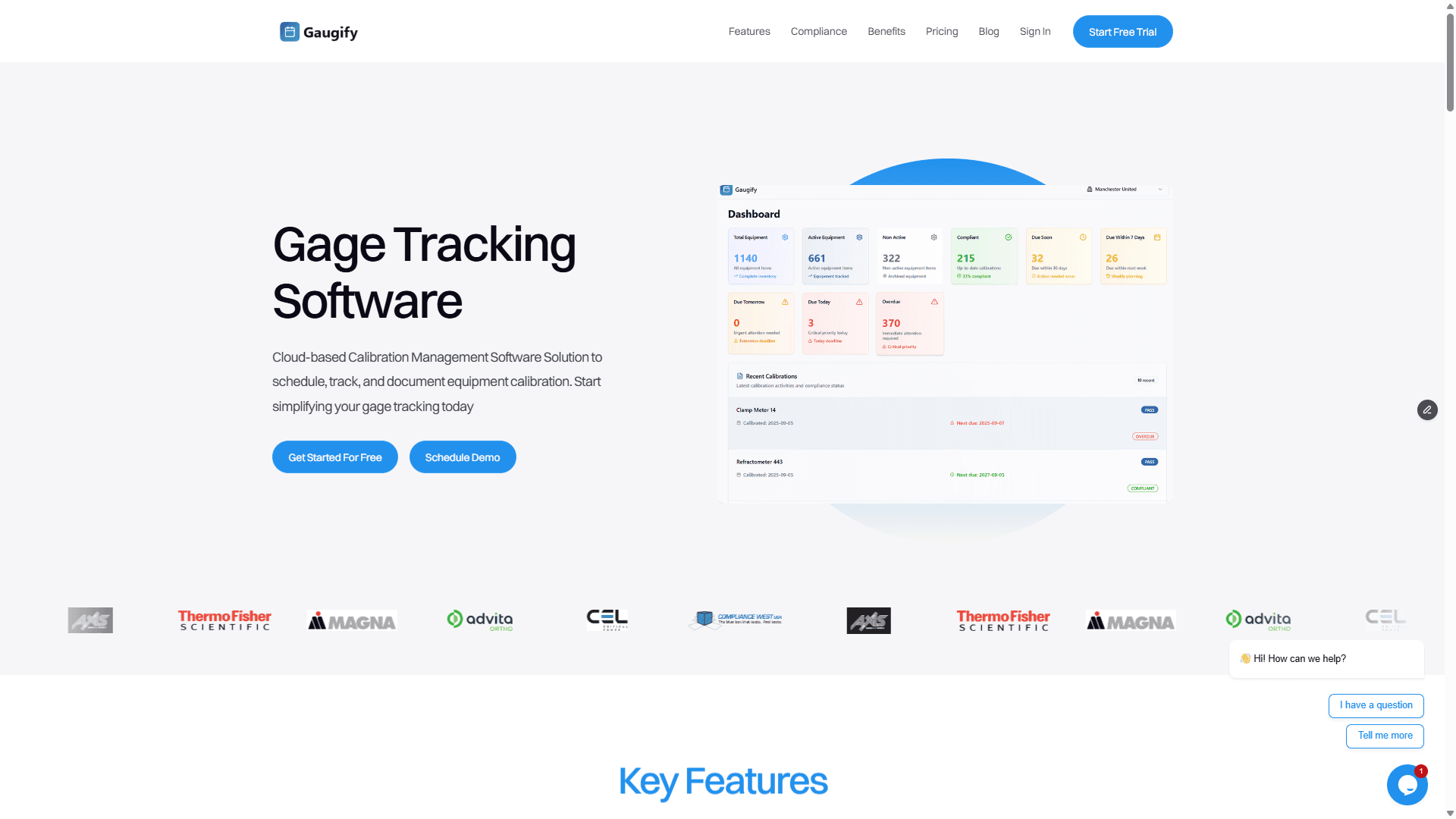
Our compliance dashboard provides instant visibility into your calibration program status. No more wondering if instruments are overdue or scrambling to prepare for audits. Color-coded status indicators and drill-down reporting give you complete confidence in your measurement system control.
Mobile-First Design
Unlike spreadsheets that are difficult to access and update on mobile devices, Gaugify works seamlessly on tablets and smartphones. Technicians can update calibration status, upload certificates, and access instrument history directly from the shop floor or calibration lab.
Enterprise Integration
Gaugify's integration capabilities connect your calibration data with existing business systems through APIs and standard data export formats. This eliminates the information silos that plague spreadsheet-based approaches and enables comprehensive operational reporting.
Scalable Cloud Architecture
Whether you're managing 50 instruments or 5,000, Gaugify scales seamlessly without performance degradation or increased complexity. Our cloud-based architecture ensures fast access, automatic backups, and enterprise-grade security that spreadsheets simply cannot provide.
Case Study: Manufacturing Success
Consider the experience of Precision Machining Solutions, a contract manufacturer serving aerospace and medical device markets. They were managing 300+ measuring instruments across two facilities using a complex network of Excel spreadsheets maintained by different technicians.
The problems were mounting:
Monthly audit preparation required 12+ hours of data reconciliation
Three instruments had operated past due in the previous quarter
Customer audits consistently questioned their calibration documentation
The quality manager spent 25% of their time on calibration administration
After implementing Gaugify, the results were immediate:
Audit preparation time reduced to less than 2 hours
Zero overdue instruments in the following 18 months
Customer confidence improved with professional calibration reports
Quality manager focus shifted from administration to improvement projects
Most importantly, they achieved full ISO 17025 compliance for their internal calibration lab, something that would have been impossible with their previous spreadsheet-based approach.
The Cost of Inaction
Continuing to rely on spreadsheet calibration tracking problems may seem like the path of least resistance, but the risks compound over time. Every day you delay implementing proper calibration management software, you're exposed to compliance failures, quality issues, and operational inefficiencies that modern technology easily prevents.
Consider the total cost of spreadsheet-based calibration management:
Administrative time: 3-5 hours weekly at $50/hour = $7,800-$13,000 annually
Audit preparation: 40+ hours quarterly for compliance documentation
Risk exposure: Potential audit failures, product recalls, and customer complaints
Opportunity cost: Quality resources focused on administration instead of improvement
Professional calibration management software like Gaugify typically pays for itself within the first quarter through time savings alone, while providing immeasurable risk reduction and operational benefits.
Next Steps: Breaking Free from Spreadsheet Limitations
The path forward is clear: modern calibration management requires modern tools. Spreadsheets served their purpose in an earlier era, but today's compliance requirements, operational complexity, and quality expectations demand purpose-built solutions.
Gaugify eliminates spreadsheet calibration tracking problems by providing automated workflows, comprehensive data management, real-time compliance monitoring, and seamless integration capabilities that transform calibration management from a compliance burden into a competitive advantage.
Don't let outdated tools compromise your quality program. Experience the power of modern calibration management with a free 30-day trial and discover how eliminating spreadsheets can transform your operations, improve compliance, and give you complete confidence in your measurement systems.
Your instruments are too important to trust to spreadsheets. Your customers expect better. Your auditors demand better. You deserve better.
Why Spreadsheets Fail at Calibration Management
Picture this: You're two weeks into a critical ISO audit when the auditor asks to see calibration records for your Mitutoyo digital calipers used in final inspection. You confidently pull up your Excel spreadsheet, only to discover the last calibration date shows as "12/3/22" – but was that December 3rd or March 12th? Worse yet, there's no record of who performed the calibration or what the actual measurements were. This is just one example of how spreadsheet calibration tracking problems can derail even the most well-intentioned quality programs.
If you're managing calibration schedules, certificates, and measurement data in Excel or Google Sheets, you're not alone – but you're also sitting on a ticking time bomb. What starts as a simple, cost-effective solution quickly becomes a source of compliance headaches, operational inefficiencies, and serious business risks that can cost thousands in failed audits, scrapped products, and lost customers.
The Hidden Epidemic: More Common Than You Think
According to recent industry surveys, over 60% of manufacturing facilities still rely on spreadsheets for some aspect of their calibration management. These aren't just small job shops either – we've seen Fortune 500 companies struggle with Excel-based systems that started as "temporary solutions" five years ago.
The appeal is obvious: spreadsheets are familiar, seemingly free, and appear simple to set up. You create columns for asset numbers, calibration due dates, and technician names. Maybe you add some conditional formatting to highlight overdue items in red. It feels organized and professional – until reality hits.
Consider the typical scenario at a mid-sized automotive supplier managing 200+ measuring instruments across three shifts. Their "comprehensive" spreadsheet tracks everything from bore gages with ±0.0001" tolerances to torque wrenches calibrated annually. The quality manager updates it religiously, but problems emerge:
Production technicians can't access the file when the quality manager is off-site
Multiple versions exist across different departments
Historical calibration data gets overwritten accidentally
No automated alerts mean overdue calibrations slip through the cracks
Audit trails are non-existent when compliance questions arise
The False Economy of "Free" Spreadsheets
While Excel might not cost anything upfront (beyond your existing Microsoft license), the hidden costs accumulate quickly. Quality managers report spending 3-5 hours per week manually updating spreadsheets, checking due dates, and generating reports. That's 150+ hours annually – enough time to complete two full improvement projects or train an entire department on new procedures.
Real-World Consequences: When Spreadsheet Calibration Tracking Problems Strike
The consequences of spreadsheet-based calibration management extend far beyond mere inconvenience. Here's what happens when these systems fail:
Failed Audits and Compliance Issues
ISO 9001, IATF 16949, and FDA regulations require traceability, accuracy, and systematic control of measuring equipment. Spreadsheets simply cannot provide the robust documentation and audit trails these standards demand.
Take the medical device manufacturer that faced a surprise FDA inspection. Their Excel-based system showed their coordinate measuring machine (CMM) was "current" on calibration, but they couldn't produce the actual calibration certificate, uncertainty calculations, or prove that measurements taken during the overdue period were valid. The result? A 483 observation that delayed their product launch by six months and cost over $400,000 in remediation efforts.
Product Quality Failures
When calibration tracking fails, the measuring instruments used to verify product quality become unreliable. A aerospace supplier discovered their digital height gage had been operating 30 days past due when they rejected incoming material that was actually within specification. The overdue calibration had introduced a +0.003" bias that went undetected, leading to $75,000 in unnecessary scrap and a tense situation with their primary customer.
Liability and Recall Risks
Perhaps most serious are the liability implications. When product defects reach customers and investigations begin, calibration records become legal documents. Spreadsheets with overwritten data, unclear version control, and no access logs create liability exposure that far exceeds the cost of proper calibration management software.
Root Causes: Why Spreadsheets Can't Handle Modern Calibration Management
Understanding why spreadsheet calibration tracking problems are inevitable requires examining the fundamental limitations of these tools when applied to calibration management:
Lack of Automated Workflow
Effective calibration management requires automated alerts, work order generation, and status tracking. Spreadsheets are static documents that require constant manual intervention. When your Fluke multimeter comes due for calibration, Excel won't automatically generate a work order, assign it to the appropriate technician, or follow up if it's not completed on time.
No Integration Capabilities
Modern manufacturing relies on integrated systems. Your calibration data should connect with your CMMS, ERP system, and quality management platform. Spreadsheets exist in isolation, creating information silos that prevent efficient operations and comprehensive reporting.
Version Control Nightmares
Multiple people need access to calibration information, but spreadsheets aren't designed for concurrent use. The result is multiple versions floating around the organization, with no clear indication of which is current or authoritative. We've seen facilities with five different "master" calibration spreadsheets, each containing different information.
Limited Data Integrity
Spreadsheets offer minimal data validation. Users can enter impossible dates, invalid part numbers, or overwrite critical historical data without any safeguards. There's no approval workflow, no change tracking, and no way to prevent accidental deletions.
Scalability Problems
As organizations grow, spreadsheet-based systems become unwieldy. A file that works for 50 instruments becomes sluggish and error-prone with 500. Complex formulas break, performance degrades, and the risk of corruption increases exponentially.
The Step-by-Step Solution: Moving Beyond Spreadsheets
Transitioning from spreadsheet-based calibration management requires a systematic approach that addresses both technical and organizational challenges:
Step 1: Audit Your Current System
Begin by documenting exactly what information your spreadsheets contain and how they're used. Identify all stakeholders, understand their workflows, and map out the data flow. This baseline assessment reveals gaps and requirements for your new system.
Key questions to address:
How many instruments require calibration tracking?
What data fields are currently captured?
Who accesses the information and how often?
What reports are generated and for whom?
How is historical data preserved?
Step 2: Define Requirements
Modern calibration management software should provide automated scheduling, comprehensive data management, robust reporting, and compliance features that spreadsheets simply cannot match. Essential capabilities include:
Automated calibration due date alerts
Digital certificate storage and retrieval
Comprehensive audit trails and change tracking
Integration with existing business systems
Mobile access for technicians
Customizable reporting for compliance and operations
Step 3: Data Migration Strategy
Moving calibration data from spreadsheets to a proper management system requires careful planning. Clean up your existing data first – standardize formats, eliminate duplicates, and verify accuracy. Most calibration management platforms provide import tools and migration support to streamline this process.
Step 4: Process Redesign
Take advantage of the transition to optimize your calibration processes. Eliminate manual steps, standardize procedures, and implement best practices that weren't possible with spreadsheets. This includes automated work order generation, electronic approvals, and integrated measurement data capture.
Step 5: Training and Change Management
User adoption is critical for success. Provide comprehensive training on the new system and clearly communicate the benefits. Address concerns about complexity by emphasizing how modern calibration software actually simplifies daily tasks while improving compliance and accuracy.
How Gaugify Solves Spreadsheet Calibration Tracking Problems
Gaugify's cloud-based calibration management platform was specifically designed to address the limitations that make spreadsheet-based systems fail. Here's how we eliminate the problems outlined above:
Intelligent Automation
Our system automatically monitors calibration due dates and generates alerts based on your configurable lead times. When your Starrett micrometers approach their calibration due date, Gaugify automatically creates work orders, sends notifications to appropriate personnel, and tracks completion status. No manual spreadsheet updates required.
Comprehensive Data Management
Every calibration event is recorded with complete traceability, including technician identification, environmental conditions, as-found and as-left readings, and uncertainty calculations. Digital certificates are automatically linked to instrument records, creating a complete audit trail that satisfies the most demanding compliance requirements.
Ready to see how proper calibration management software eliminates the risks and inefficiencies of spreadsheets? Start your free 30-day trial and experience the difference automated workflows and comprehensive data management make in your daily operations.
Real-Time Compliance Monitoring
Our compliance dashboard provides instant visibility into your calibration program status. No more wondering if instruments are overdue or scrambling to prepare for audits. Color-coded status indicators and drill-down reporting give you complete confidence in your measurement system control.
Mobile-First Design
Unlike spreadsheets that are difficult to access and update on mobile devices, Gaugify works seamlessly on tablets and smartphones. Technicians can update calibration status, upload certificates, and access instrument history directly from the shop floor or calibration lab.
Enterprise Integration
Gaugify's integration capabilities connect your calibration data with existing business systems through APIs and standard data export formats. This eliminates the information silos that plague spreadsheet-based approaches and enables comprehensive operational reporting.
Scalable Cloud Architecture
Whether you're managing 50 instruments or 5,000, Gaugify scales seamlessly without performance degradation or increased complexity. Our cloud-based architecture ensures fast access, automatic backups, and enterprise-grade security that spreadsheets simply cannot provide.
Case Study: Manufacturing Success
Consider the experience of Precision Machining Solutions, a contract manufacturer serving aerospace and medical device markets. They were managing 300+ measuring instruments across two facilities using a complex network of Excel spreadsheets maintained by different technicians.
The problems were mounting:
Monthly audit preparation required 12+ hours of data reconciliation
Three instruments had operated past due in the previous quarter
Customer audits consistently questioned their calibration documentation
The quality manager spent 25% of their time on calibration administration
After implementing Gaugify, the results were immediate:
Audit preparation time reduced to less than 2 hours
Zero overdue instruments in the following 18 months
Customer confidence improved with professional calibration reports
Quality manager focus shifted from administration to improvement projects
Most importantly, they achieved full ISO 17025 compliance for their internal calibration lab, something that would have been impossible with their previous spreadsheet-based approach.
The Cost of Inaction
Continuing to rely on spreadsheet calibration tracking problems may seem like the path of least resistance, but the risks compound over time. Every day you delay implementing proper calibration management software, you're exposed to compliance failures, quality issues, and operational inefficiencies that modern technology easily prevents.
Consider the total cost of spreadsheet-based calibration management:
Administrative time: 3-5 hours weekly at $50/hour = $7,800-$13,000 annually
Audit preparation: 40+ hours quarterly for compliance documentation
Risk exposure: Potential audit failures, product recalls, and customer complaints
Opportunity cost: Quality resources focused on administration instead of improvement
Professional calibration management software like Gaugify typically pays for itself within the first quarter through time savings alone, while providing immeasurable risk reduction and operational benefits.
Next Steps: Breaking Free from Spreadsheet Limitations
The path forward is clear: modern calibration management requires modern tools. Spreadsheets served their purpose in an earlier era, but today's compliance requirements, operational complexity, and quality expectations demand purpose-built solutions.
Gaugify eliminates spreadsheet calibration tracking problems by providing automated workflows, comprehensive data management, real-time compliance monitoring, and seamless integration capabilities that transform calibration management from a compliance burden into a competitive advantage.
Don't let outdated tools compromise your quality program. Experience the power of modern calibration management with a free 30-day trial and discover how eliminating spreadsheets can transform your operations, improve compliance, and give you complete confidence in your measurement systems.
Your instruments are too important to trust to spreadsheets. Your customers expect better. Your auditors demand better. You deserve better.