
Calibration Management Software for Quality Managers: Complete Guide
Calibration Management Software for Quality Managers: Complete Guide
David Bentley
Quality Assurance Engineer
12 min read
Calibration Management Software for Quality Managers: Complete Guide
As a quality manager, you know that maintaining measurement accuracy across hundreds or thousands of instruments is critical to product quality, compliance, and customer satisfaction. Modern calibration software quality managers rely on has evolved far beyond simple spreadsheets, offering comprehensive digital solutions that automate scheduling, ensure compliance, and provide real-time visibility into calibration status across your entire organization.
Whether you're managing precision micrometers with ±0.0001" tolerances in a machine shop, coordinating temperature probe calibrations in a pharmaceutical lab, or overseeing pressure gage maintenance across multiple manufacturing sites, the right calibration management software becomes your command center for maintaining measurement integrity while reducing administrative overhead.
This guide covers everything you need to evaluate, select, and implement calibration management software that will transform how your quality team operates in 2024 and beyond.
What Is Calibration Management Software and Why Quality Managers Need It
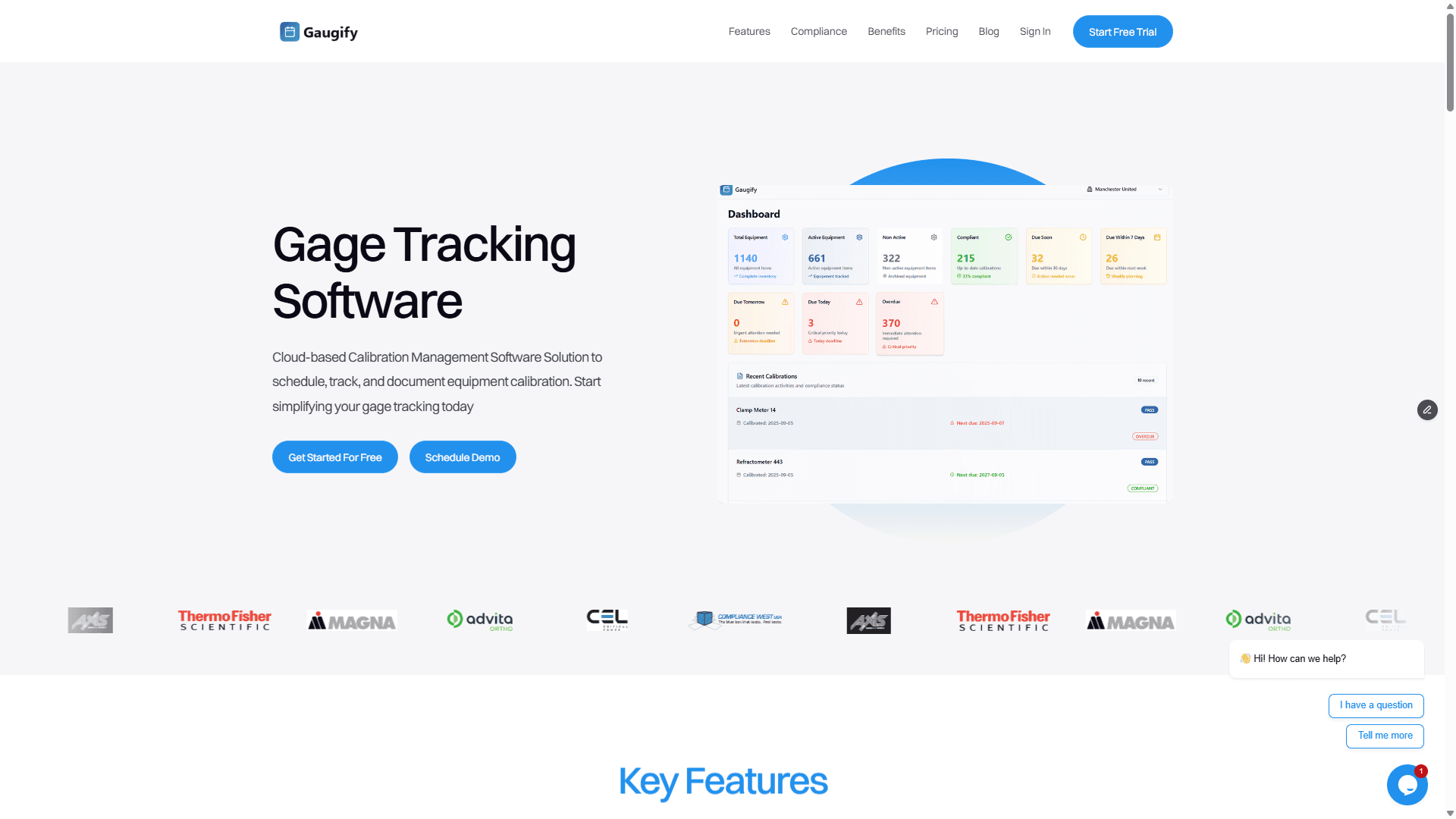
Calibration management software is a digital platform that automates and centralizes all aspects of your calibration program. Instead of juggling Excel spreadsheets, paper certificates, and manual reminder systems, quality managers can orchestrate their entire calibration ecosystem from a single dashboard.
Consider a typical scenario: Your ISO 9001 audit is next month, and the auditor requests calibration records for all dimensional gages used in your automotive parts production. With traditional methods, you're scrambling through filing cabinets and multiple spreadsheets. With proper calibration software, you generate a comprehensive compliance report in under two minutes, complete with certificates, traceability chains, and uncertainty calculations.
The business impact is substantial. Quality managers using modern calibration software report 75% reduction in administrative time, 90% fewer missed calibrations, and significantly faster audit preparation. More importantly, they gain the visibility needed to make strategic decisions about their measurement systems.
The Cost of Manual Calibration Management
Manual calibration tracking creates hidden costs that compound over time. A single missed calibration on a critical CMM can shut down production lines, costing thousands per hour. Expired certificates discovered during customer audits damage relationships and can trigger costly corrective actions.
Beyond immediate costs, manual systems create quality manager burnout. Spending 20+ hours monthly on calibration administration – updating spreadsheets, chasing down certificates, manually calculating due dates – prevents focus on strategic quality initiatives that drive real business value.
Essential Calibration Software Features for Quality Managers
When evaluating calibration software quality managers should prioritize, focus on features that directly impact your daily workflows and long-term program success. Here are the non-negotiables:
Automated Scheduling and Smart Reminders
Your software should automatically calculate due dates based on calibration intervals, factoring in weekends, holidays, and lead times. Look for intelligent reminder systems that notify technicians, supervisors, and vendors at appropriate intervals – typically 30, 14, and 7 days before due dates.
Advanced systems like Gaugify's scheduling engine go further, optimizing calibration batches to minimize downtime and reduce vendor costs. For example, instead of sending three pressure gages to your lab vendor on separate trips, the system groups them for efficient batch processing.
Digital Certificate Management
Paper certificates are liability waiting to happen. Your software should store, organize, and instantly retrieve calibration certificates with full traceability chains. During audits, you need one-click access to any certificate, including historical records for trend analysis.
Key capabilities include automatic certificate parsing, expiration tracking for reference standards, and secure cloud storage with redundant backups. The system should also flag certificates with issues – missing signatures, expired reference standards, or out-of-tolerance conditions requiring investigation.
Measurement Uncertainty Calculations
For ISO 17025 compliance and sophisticated quality programs, your software must handle measurement uncertainty calculations automatically. When calibrating a digital caliper with ±0.001" tolerance, the system should calculate and display measurement uncertainty based on the calibration lab's CMCs, environmental conditions, and instrument characteristics.
This feature becomes critical for decision-making. If uncertainty analysis reveals a gage is marginal for its intended application, you can make informed decisions about replacement or alternative measurement methods before quality issues arise.
Comprehensive Audit Trails
Every action in your calibration system must be logged with timestamps, user identification, and change descriptions. When auditors ask who modified the calibration interval for Tool ID #MC-4471 and why, you need instant access to that information.
Audit trails should capture calibration events, certificate uploads, interval changes, status modifications, and user access patterns. This transparency demonstrates control over your measurement systems and provides forensic capabilities when investigating quality incidents.
Role-Based Access Control
Different team members need different system access levels. Shop floor technicians should see their assigned calibrations but not modify intervals. Supervisors need broader visibility with limited administrative rights. Quality managers require full system access with reporting capabilities.
Effective role-based access prevents unauthorized changes while ensuring team members have information needed for their responsibilities. It also supports compliance requirements around data integrity and system security.
Mobile Access and Field Capabilities
Quality managers often work across multiple locations, attending audits, visiting supplier facilities, or supporting production floors. Your calibration software must provide full mobile functionality, not just read-only access.
Mobile capabilities should include certificate viewing, status updates, photo capture for documentation, and offline functionality for locations with limited connectivity. When visiting a supplier facility, you should instantly access their calibration status and upload certificates from your phone.
Advanced Reporting and Analytics
Data without insights is just digital clutter. Your calibration software should provide pre-built reports for common needs – upcoming calibrations, overdue items, compliance summaries, cost analysis – plus custom reporting capabilities for unique requirements.
Analytics features help identify trends and optimization opportunities. Which instruments require frequent recalibration? Are certain vendors consistently late with deliveries? Where are calibration costs highest relative to asset value? These insights drive continuous improvement initiatives.
Ready to experience these features firsthand? Start your free Gaugify trial and see how modern calibration management transforms your quality operations.
Top Calibration Software Options for Quality Managers in 2024
The calibration software market offers several viable options, each with distinct strengths. Here's an honest comparison of leading platforms quality managers should evaluate:
Gaugify - Modern Cloud-First Solution
Gaugify represents the new generation of calibration management software, built specifically for modern quality operations. Its cloud-first architecture ensures automatic updates, robust security, and seamless scalability from 50 to 5,000+ instruments.
Key differentiators include intuitive user experience that reduces training time, intelligent automation that eliminates manual data entry, and comprehensive compliance support for ISO 9001, AS9100, ISO 17025, and FDA regulations.
Quality managers particularly appreciate Gaugify's vendor portal functionality, which allows calibration labs to directly upload certificates and update status, eliminating the administrative overhead of manual certificate processing. The system automatically validates certificates against expected specifications and flags discrepancies for review.
Legacy Enterprise Systems
Established enterprise solutions offer extensive customization but often require significant IT resources and lengthy implementation projects. These systems work well for large organizations with dedicated calibration teams but can be overwhelming for mid-sized operations.
Consider total cost of ownership, including software licensing, server infrastructure, IT support, and customization costs. Many quality managers find that modern cloud solutions provide better value and faster time-to-benefit.
Industry-Specific Solutions
Certain industries have specialized calibration software designed for their unique requirements. Pharmaceutical companies might prefer solutions with 21 CFR Part 11 compliance built-in, while aerospace manufacturers need AS9100 audit support.
While specialization has benefits, evaluate whether industry-specific features justify potentially higher costs and limited vendor options. Modern platforms like Gaugify often provide industry compliance through configuration rather than custom development.
Understanding Calibration Software Pricing Models
Calibration software pricing varies significantly based on deployment model, feature set, and vendor positioning. Understanding these models helps quality managers budget appropriately and avoid unexpected costs.
Per-Instrument Pricing
Most modern solutions use per-instrument pricing, typically ranging from $2-8 per instrument per month. This model scales naturally with your program size and provides predictable budgeting. A facility with 500 instruments might pay $1,500-4,000 monthly, depending on feature requirements.
Gaugify's transparent pricing starts at $3 per instrument per month, with volume discounts for larger deployments. This includes all core features, unlimited users, and comprehensive support.
Seat-Based Licensing
Some vendors charge per user, which can become expensive for organizations with many technicians accessing the system. This model works better when few people need system access, but most quality managers find per-instrument pricing more cost-effective.
Enterprise Licensing
Large organizations might negotiate enterprise agreements with fixed annual fees regardless of instrument count or user numbers. These arrangements often include professional services, custom integrations, and dedicated support resources.
Hidden Costs to Consider
Evaluate total cost of ownership beyond base software fees. Some vendors charge separately for mobile apps, advanced reporting, API access, or premium support. Implementation costs, training, and data migration can add significant expense to your first-year budget.
Cloud-based solutions like Gaugify typically have lower total costs because they include hosting, security, backups, and updates in the base price. On-premise systems require additional infrastructure and IT resources.
Implementation Strategy for Quality Managers
Successful calibration software implementation requires careful planning and change management. Quality managers who follow structured approaches achieve faster adoption and better long-term results.
Phase 1: Data Audit and Cleanup
Before migrating to new software, audit your existing calibration data. Identify duplicate records, missing information, and inconsistencies that need resolution. This cleanup process often reveals program improvements beyond just software implementation.
Document current processes, including who does what, when calibrations occur, and how certificates are handled. This baseline helps measure improvement after implementation and identifies workflow optimizations.
Phase 2: Pilot Program
Start with a subset of instruments and users to test system functionality and refine processes. A typical pilot might include 50-100 instruments from one department or location. This approach allows learning and adjustment without disrupting entire operations.
Involve key stakeholders in pilot selection. Choose instruments with upcoming calibrations to test full workflows. Include both internal calibrations and external vendor processes to validate all system capabilities.
Phase 3: Gradual Rollout
Expand system usage based on pilot program lessons. Roll out by department, location, or instrument type, maintaining parallel systems until confidence is established. This phased approach prevents overwhelming users and allows addressing issues incrementally.
Provide comprehensive training that goes beyond software features to include best practices and process improvements. Users need to understand not just how to use the system, but why new processes benefit them personally.
Integration Considerations
Modern calibration software should integrate with existing quality systems, ERP platforms, and asset management databases. Evaluate integration capabilities during software selection, not after purchase.
Common integrations include LIMS systems, maintenance management platforms, and financial systems for cost tracking. Gaugify offers flexible API capabilities that support most integration requirements without custom development.
Evaluating Calibration Software During Your Free Trial
Most reputable calibration software quality managers consider offers free trials, but many evaluations fail to test critical functionality. Here's a systematic approach to maximize your trial period:
Week 1: Data Import and Basic Setup
Import a representative sample of your instrument data, including various types – dimensional gages, pressure instruments, electrical meters, torque tools. Test how well the system handles your data structure and identifies missing information.
Set up user accounts with appropriate roles and permissions. Verify that technicians see only relevant information while supervisors have broader access. Test mobile functionality across different devices and operating systems.
Week 2: Core Workflow Testing
Execute complete calibration workflows from scheduling through certificate management. Upload certificates from your actual calibration vendors to test parsing and validation features. Verify that due date calculations match your requirements.
Test reminder systems with various scenarios – internal calibrations, external vendor work, emergency recalibrations. Ensure notifications reach appropriate people with sufficient detail for action.
Week 3: Reporting and Compliance
Generate reports you actually need for audits, management reviews, and operational planning. Test custom report creation for unique requirements. Verify that ISO compliance features meet your specific standard requirements.
Simulate audit scenarios by having colleagues request specific calibration records. Time how long it takes to retrieve information compared to current methods.
Week 4: Advanced Features and Integration
Test advanced features like measurement uncertainty calculations, vendor portal functionality, and API integrations. Evaluate how well the system supports your most complex calibration requirements.
Involve your entire team in final testing. Gather feedback from technicians, supervisors, and administrative staff. Their input often reveals practical considerations missed in initial evaluation.
Making the Right Choice for Your Organization
Selecting calibration management software represents a multi-year commitment that impacts your entire quality operation. Quality managers who take systematic approaches to evaluation and implementation achieve better outcomes with fewer surprises.
Focus on solutions that align with your organization's technical sophistication and growth trajectory. A 50-person manufacturing company needs different capabilities than a 5,000-employee pharmaceutical corporation. However, both need reliable, user-friendly systems that reduce administrative burden while improving compliance.
Consider vendor stability and long-term viability. Calibration software stores critical quality records that must remain accessible for years or decades. Choose vendors with strong financial positions, regular product updates, and responsive customer support.
Most importantly, select software that your team will actually use. The most feature-rich solution provides no value if technicians avoid it due to complexity or poor user experience. Prioritize intuitive design and straightforward workflows over extensive feature lists.
Transform Your Calibration Management Today
Modern calibration management software offers quality managers unprecedented control, visibility, and efficiency in their measurement systems. The shift from manual tracking to intelligent automation eliminates administrative overhead while improving compliance and reducing risks.
Gaugify represents the next generation of calibration management – combining enterprise-grade capabilities with consumer-simple user experience. Our cloud-first platform scales with your organization while providing immediate value from day one.
Quality managers using Gaugify report 75% reduction in calibration administration time, 95% fewer missed calibrations, and significantly faster audit preparation. More importantly, they regain time to focus on strategic quality initiatives that drive real business value.
Don't let outdated calibration tracking hold your quality program back. Start your free Gaugify trial today and experience how modern calibration management transforms your operations. No credit card required, and our team provides full onboarding support to ensure your success.
Ready to see Gaugify in action with your specific requirements? Schedule a personalized demo and let us show you exactly how our platform addresses your calibration management challenges.
Calibration Management Software for Quality Managers: Complete Guide
As a quality manager, you know that maintaining measurement accuracy across hundreds or thousands of instruments is critical to product quality, compliance, and customer satisfaction. Modern calibration software quality managers rely on has evolved far beyond simple spreadsheets, offering comprehensive digital solutions that automate scheduling, ensure compliance, and provide real-time visibility into calibration status across your entire organization.
Whether you're managing precision micrometers with ±0.0001" tolerances in a machine shop, coordinating temperature probe calibrations in a pharmaceutical lab, or overseeing pressure gage maintenance across multiple manufacturing sites, the right calibration management software becomes your command center for maintaining measurement integrity while reducing administrative overhead.
This guide covers everything you need to evaluate, select, and implement calibration management software that will transform how your quality team operates in 2024 and beyond.
What Is Calibration Management Software and Why Quality Managers Need It
Calibration management software is a digital platform that automates and centralizes all aspects of your calibration program. Instead of juggling Excel spreadsheets, paper certificates, and manual reminder systems, quality managers can orchestrate their entire calibration ecosystem from a single dashboard.
Consider a typical scenario: Your ISO 9001 audit is next month, and the auditor requests calibration records for all dimensional gages used in your automotive parts production. With traditional methods, you're scrambling through filing cabinets and multiple spreadsheets. With proper calibration software, you generate a comprehensive compliance report in under two minutes, complete with certificates, traceability chains, and uncertainty calculations.
The business impact is substantial. Quality managers using modern calibration software report 75% reduction in administrative time, 90% fewer missed calibrations, and significantly faster audit preparation. More importantly, they gain the visibility needed to make strategic decisions about their measurement systems.
The Cost of Manual Calibration Management
Manual calibration tracking creates hidden costs that compound over time. A single missed calibration on a critical CMM can shut down production lines, costing thousands per hour. Expired certificates discovered during customer audits damage relationships and can trigger costly corrective actions.
Beyond immediate costs, manual systems create quality manager burnout. Spending 20+ hours monthly on calibration administration – updating spreadsheets, chasing down certificates, manually calculating due dates – prevents focus on strategic quality initiatives that drive real business value.
Essential Calibration Software Features for Quality Managers
When evaluating calibration software quality managers should prioritize, focus on features that directly impact your daily workflows and long-term program success. Here are the non-negotiables:
Automated Scheduling and Smart Reminders
Your software should automatically calculate due dates based on calibration intervals, factoring in weekends, holidays, and lead times. Look for intelligent reminder systems that notify technicians, supervisors, and vendors at appropriate intervals – typically 30, 14, and 7 days before due dates.
Advanced systems like Gaugify's scheduling engine go further, optimizing calibration batches to minimize downtime and reduce vendor costs. For example, instead of sending three pressure gages to your lab vendor on separate trips, the system groups them for efficient batch processing.
Digital Certificate Management
Paper certificates are liability waiting to happen. Your software should store, organize, and instantly retrieve calibration certificates with full traceability chains. During audits, you need one-click access to any certificate, including historical records for trend analysis.
Key capabilities include automatic certificate parsing, expiration tracking for reference standards, and secure cloud storage with redundant backups. The system should also flag certificates with issues – missing signatures, expired reference standards, or out-of-tolerance conditions requiring investigation.
Measurement Uncertainty Calculations
For ISO 17025 compliance and sophisticated quality programs, your software must handle measurement uncertainty calculations automatically. When calibrating a digital caliper with ±0.001" tolerance, the system should calculate and display measurement uncertainty based on the calibration lab's CMCs, environmental conditions, and instrument characteristics.
This feature becomes critical for decision-making. If uncertainty analysis reveals a gage is marginal for its intended application, you can make informed decisions about replacement or alternative measurement methods before quality issues arise.
Comprehensive Audit Trails
Every action in your calibration system must be logged with timestamps, user identification, and change descriptions. When auditors ask who modified the calibration interval for Tool ID #MC-4471 and why, you need instant access to that information.
Audit trails should capture calibration events, certificate uploads, interval changes, status modifications, and user access patterns. This transparency demonstrates control over your measurement systems and provides forensic capabilities when investigating quality incidents.
Role-Based Access Control
Different team members need different system access levels. Shop floor technicians should see their assigned calibrations but not modify intervals. Supervisors need broader visibility with limited administrative rights. Quality managers require full system access with reporting capabilities.
Effective role-based access prevents unauthorized changes while ensuring team members have information needed for their responsibilities. It also supports compliance requirements around data integrity and system security.
Mobile Access and Field Capabilities
Quality managers often work across multiple locations, attending audits, visiting supplier facilities, or supporting production floors. Your calibration software must provide full mobile functionality, not just read-only access.
Mobile capabilities should include certificate viewing, status updates, photo capture for documentation, and offline functionality for locations with limited connectivity. When visiting a supplier facility, you should instantly access their calibration status and upload certificates from your phone.
Advanced Reporting and Analytics
Data without insights is just digital clutter. Your calibration software should provide pre-built reports for common needs – upcoming calibrations, overdue items, compliance summaries, cost analysis – plus custom reporting capabilities for unique requirements.
Analytics features help identify trends and optimization opportunities. Which instruments require frequent recalibration? Are certain vendors consistently late with deliveries? Where are calibration costs highest relative to asset value? These insights drive continuous improvement initiatives.
Ready to experience these features firsthand? Start your free Gaugify trial and see how modern calibration management transforms your quality operations.
Top Calibration Software Options for Quality Managers in 2024
The calibration software market offers several viable options, each with distinct strengths. Here's an honest comparison of leading platforms quality managers should evaluate:
Gaugify - Modern Cloud-First Solution
Gaugify represents the new generation of calibration management software, built specifically for modern quality operations. Its cloud-first architecture ensures automatic updates, robust security, and seamless scalability from 50 to 5,000+ instruments.
Key differentiators include intuitive user experience that reduces training time, intelligent automation that eliminates manual data entry, and comprehensive compliance support for ISO 9001, AS9100, ISO 17025, and FDA regulations.
Quality managers particularly appreciate Gaugify's vendor portal functionality, which allows calibration labs to directly upload certificates and update status, eliminating the administrative overhead of manual certificate processing. The system automatically validates certificates against expected specifications and flags discrepancies for review.
Legacy Enterprise Systems
Established enterprise solutions offer extensive customization but often require significant IT resources and lengthy implementation projects. These systems work well for large organizations with dedicated calibration teams but can be overwhelming for mid-sized operations.
Consider total cost of ownership, including software licensing, server infrastructure, IT support, and customization costs. Many quality managers find that modern cloud solutions provide better value and faster time-to-benefit.
Industry-Specific Solutions
Certain industries have specialized calibration software designed for their unique requirements. Pharmaceutical companies might prefer solutions with 21 CFR Part 11 compliance built-in, while aerospace manufacturers need AS9100 audit support.
While specialization has benefits, evaluate whether industry-specific features justify potentially higher costs and limited vendor options. Modern platforms like Gaugify often provide industry compliance through configuration rather than custom development.
Understanding Calibration Software Pricing Models
Calibration software pricing varies significantly based on deployment model, feature set, and vendor positioning. Understanding these models helps quality managers budget appropriately and avoid unexpected costs.
Per-Instrument Pricing
Most modern solutions use per-instrument pricing, typically ranging from $2-8 per instrument per month. This model scales naturally with your program size and provides predictable budgeting. A facility with 500 instruments might pay $1,500-4,000 monthly, depending on feature requirements.
Gaugify's transparent pricing starts at $3 per instrument per month, with volume discounts for larger deployments. This includes all core features, unlimited users, and comprehensive support.
Seat-Based Licensing
Some vendors charge per user, which can become expensive for organizations with many technicians accessing the system. This model works better when few people need system access, but most quality managers find per-instrument pricing more cost-effective.
Enterprise Licensing
Large organizations might negotiate enterprise agreements with fixed annual fees regardless of instrument count or user numbers. These arrangements often include professional services, custom integrations, and dedicated support resources.
Hidden Costs to Consider
Evaluate total cost of ownership beyond base software fees. Some vendors charge separately for mobile apps, advanced reporting, API access, or premium support. Implementation costs, training, and data migration can add significant expense to your first-year budget.
Cloud-based solutions like Gaugify typically have lower total costs because they include hosting, security, backups, and updates in the base price. On-premise systems require additional infrastructure and IT resources.
Implementation Strategy for Quality Managers
Successful calibration software implementation requires careful planning and change management. Quality managers who follow structured approaches achieve faster adoption and better long-term results.
Phase 1: Data Audit and Cleanup
Before migrating to new software, audit your existing calibration data. Identify duplicate records, missing information, and inconsistencies that need resolution. This cleanup process often reveals program improvements beyond just software implementation.
Document current processes, including who does what, when calibrations occur, and how certificates are handled. This baseline helps measure improvement after implementation and identifies workflow optimizations.
Phase 2: Pilot Program
Start with a subset of instruments and users to test system functionality and refine processes. A typical pilot might include 50-100 instruments from one department or location. This approach allows learning and adjustment without disrupting entire operations.
Involve key stakeholders in pilot selection. Choose instruments with upcoming calibrations to test full workflows. Include both internal calibrations and external vendor processes to validate all system capabilities.
Phase 3: Gradual Rollout
Expand system usage based on pilot program lessons. Roll out by department, location, or instrument type, maintaining parallel systems until confidence is established. This phased approach prevents overwhelming users and allows addressing issues incrementally.
Provide comprehensive training that goes beyond software features to include best practices and process improvements. Users need to understand not just how to use the system, but why new processes benefit them personally.
Integration Considerations
Modern calibration software should integrate with existing quality systems, ERP platforms, and asset management databases. Evaluate integration capabilities during software selection, not after purchase.
Common integrations include LIMS systems, maintenance management platforms, and financial systems for cost tracking. Gaugify offers flexible API capabilities that support most integration requirements without custom development.
Evaluating Calibration Software During Your Free Trial
Most reputable calibration software quality managers consider offers free trials, but many evaluations fail to test critical functionality. Here's a systematic approach to maximize your trial period:
Week 1: Data Import and Basic Setup
Import a representative sample of your instrument data, including various types – dimensional gages, pressure instruments, electrical meters, torque tools. Test how well the system handles your data structure and identifies missing information.
Set up user accounts with appropriate roles and permissions. Verify that technicians see only relevant information while supervisors have broader access. Test mobile functionality across different devices and operating systems.
Week 2: Core Workflow Testing
Execute complete calibration workflows from scheduling through certificate management. Upload certificates from your actual calibration vendors to test parsing and validation features. Verify that due date calculations match your requirements.
Test reminder systems with various scenarios – internal calibrations, external vendor work, emergency recalibrations. Ensure notifications reach appropriate people with sufficient detail for action.
Week 3: Reporting and Compliance
Generate reports you actually need for audits, management reviews, and operational planning. Test custom report creation for unique requirements. Verify that ISO compliance features meet your specific standard requirements.
Simulate audit scenarios by having colleagues request specific calibration records. Time how long it takes to retrieve information compared to current methods.
Week 4: Advanced Features and Integration
Test advanced features like measurement uncertainty calculations, vendor portal functionality, and API integrations. Evaluate how well the system supports your most complex calibration requirements.
Involve your entire team in final testing. Gather feedback from technicians, supervisors, and administrative staff. Their input often reveals practical considerations missed in initial evaluation.
Making the Right Choice for Your Organization
Selecting calibration management software represents a multi-year commitment that impacts your entire quality operation. Quality managers who take systematic approaches to evaluation and implementation achieve better outcomes with fewer surprises.
Focus on solutions that align with your organization's technical sophistication and growth trajectory. A 50-person manufacturing company needs different capabilities than a 5,000-employee pharmaceutical corporation. However, both need reliable, user-friendly systems that reduce administrative burden while improving compliance.
Consider vendor stability and long-term viability. Calibration software stores critical quality records that must remain accessible for years or decades. Choose vendors with strong financial positions, regular product updates, and responsive customer support.
Most importantly, select software that your team will actually use. The most feature-rich solution provides no value if technicians avoid it due to complexity or poor user experience. Prioritize intuitive design and straightforward workflows over extensive feature lists.
Transform Your Calibration Management Today
Modern calibration management software offers quality managers unprecedented control, visibility, and efficiency in their measurement systems. The shift from manual tracking to intelligent automation eliminates administrative overhead while improving compliance and reducing risks.
Gaugify represents the next generation of calibration management – combining enterprise-grade capabilities with consumer-simple user experience. Our cloud-first platform scales with your organization while providing immediate value from day one.
Quality managers using Gaugify report 75% reduction in calibration administration time, 95% fewer missed calibrations, and significantly faster audit preparation. More importantly, they regain time to focus on strategic quality initiatives that drive real business value.
Don't let outdated calibration tracking hold your quality program back. Start your free Gaugify trial today and experience how modern calibration management transforms your operations. No credit card required, and our team provides full onboarding support to ensure your success.
Ready to see Gaugify in action with your specific requirements? Schedule a personalized demo and let us show you exactly how our platform addresses your calibration management challenges.